
Nano Banana Image Generator
Discover how to use Google's popular AI image editor, Nano Banana, right here on Carat. Learn the basics, get started in minutes, and bring your creative ideas to life.
Jetzt kostenlos erstellen!
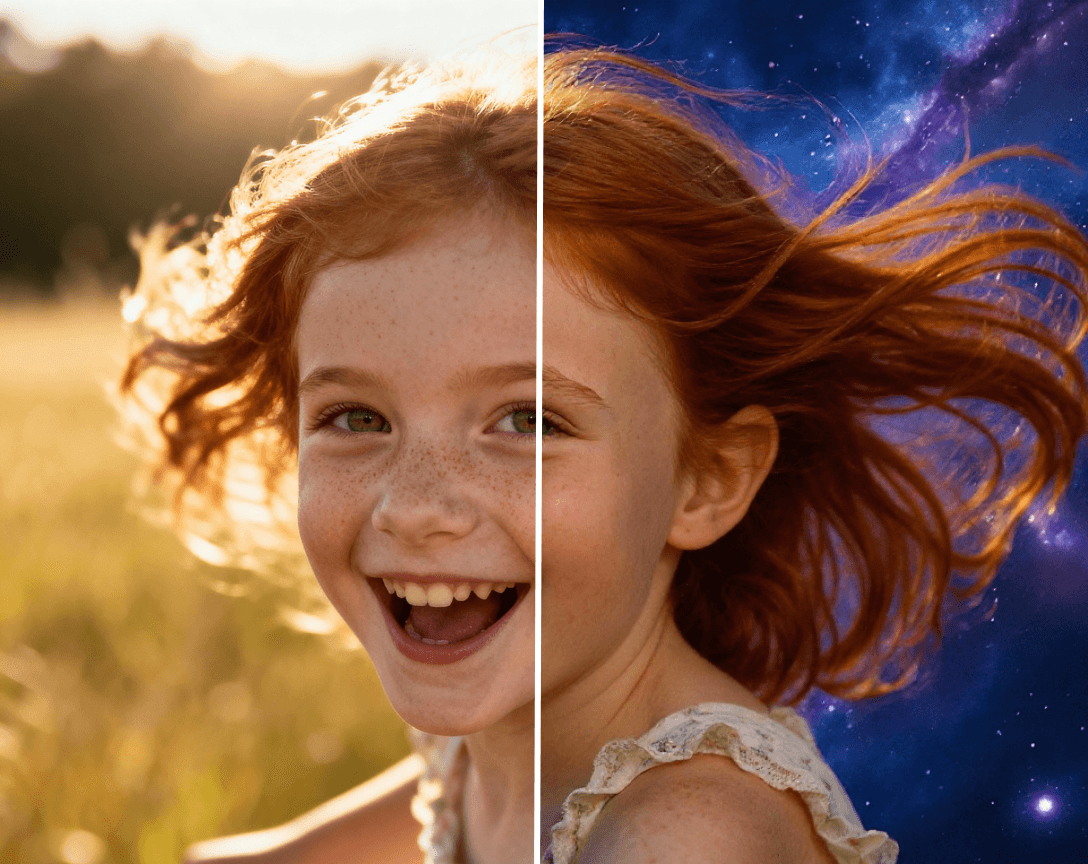
Create Viral AI Images with Nano Banana with Ease
Officially known as Gemini 2.5 Flash Image, Nano Banana is a smart AI that understands both text and images, allowing you to generate new visuals from a simple prompt or edit your own photos using text commands.
Precise Partial Editing
Nano Banana allows you to edit specific areas of an image with pixel-level accuracy, making clean object removals and seamless adjustments without affecting the rest of the scene.
Multi-Shot Narrative Support
One of Nano Banana’s standout features is its ability to maintain character and subject consistency across a series of images. Generate a character in one shot and then place them in entirely new scenes or outfits without losing their core likeness.

Photorealistic Image Generation
Whether creating an image from scratch or editing an existing photo, Nano Banana can produce stunningly realistic results. The model understands light, texture, and detail, making it ideal for creating visuals that look like real photographs.


Accurate Text Rendering
A common challenge for AI image generators is creating legible and correctly spelled text. This model accurately renders clear, legible text within your images, perfect for creating signs, logos, and memes.

How To Use Nano Banana on Carat
This step-by-step guide shows how to use the Nano Banana model on Carat's platform
01
Pick a model — or just say, "Hey Carat, use Nano Banana"
Click Carat at the top center and select Nano Banana from the model list. Or simply type: "Hey Carat, use Nano Banana and [your request in plain language]"
02
Prompt / Add reference images
You can either upload a photo from your device or write a descriptive text prompt in the input box to generate a new image from scratch.
03
Generate and adjust
Click "Generate" and review the results. If you need to make changes, simply adjust your text prompt to refine the image until it’s perfect.
04
Save and share
Once you’re happy with your creation, download it directly from your Carat dashboard and share it with the world.
How To Get The Best Results With Nano Banana
This section provides unique, expert tips on how to get the best results from the model.
Be specific and descriptive with prompts
The more detail you provide in your prompt, the better the result. Instead of "a man in a car," try "a cinematic photo of a man with sunglasses driving a vintage red convertible at sunset on a coastal highway."
Iterate on Your Prompts
Don't expect the first generation to be perfect. Use the initial output as a starting point and refine your prompt. Add, remove, or change elements one at a time to fine-tune the image.
Use High-Quality Source Images
When editing a photo, starting with a clear, well-lit image will produce significantly better and more realistic results.
Experiment with styles
Nano Banana excels at stylistic blends—try mixing realism with surrealism.
Frequently Asked Questions
Things you need to know about using Nano Banana on Carat.
Is Nano Banana free to use?
×
Yes, you can start creating with Nano Banana for free on Carat. We offer a free trial that allows you to explore the key features and generate a limited number of images.
How does Nano Banana compare to larger models?
+
Can I use the images I create with Nano Banana for commercial purposes?
+


