> ## Documentation Index
> Fetch the complete documentation index at: https://carat.im/docs/llms.txt
> Use this file to discover all available pages before exploring further.
# Ad models
> Create AI ad model images that match your brand from product photos.
This guide walks you through generating models and compositing products to create high-quality ad images.
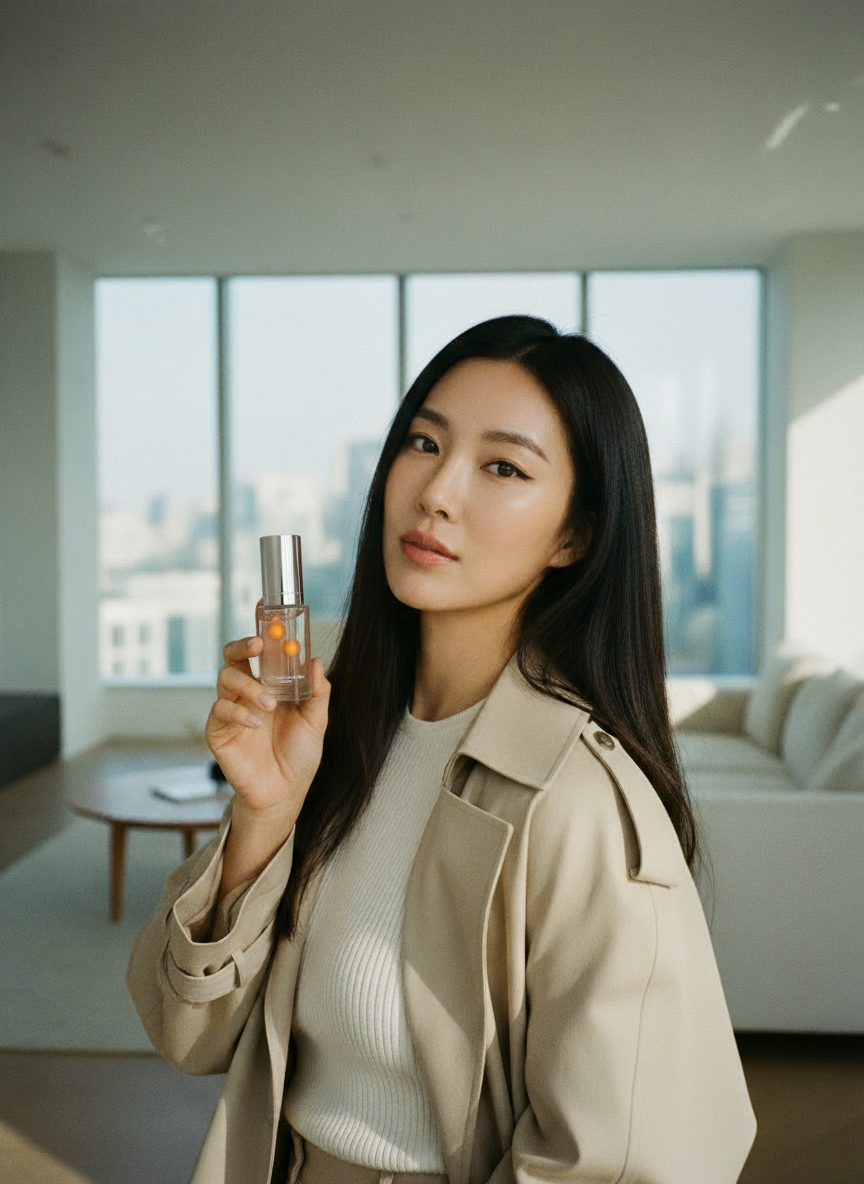 First, plan the ad concept through conversation with Carat AI.
```text theme={null}
Suggest 3 model concepts for a new skincare ad.
```
Generate the 'model' image that will hold the product.
```text theme={null}
Great. Create a model image with concept #1 showing 'natural skin texture'. 3:4 ratio.
```
Composite the 'model image' you created with your prepared 'product cutout'.
1. Upload the [cutout image](/en/features/image/background-removal) of the product to advertise.
2. Clearly request to [composite](/en/features/image/image-composition) the two images via text.
```text theme={null}
Composite the 'serum' cutout I uploaded so the model in the image I just created is naturally holding it. The product logo must not change. Keep it exactly as the original.
```
Check the details of the composited image and make edits if needed.
**Edit example:**
```text theme={null}
The fingers look awkward, recreate with a different pose.
```
**Video example:**
```text theme={null}
Also create a 5-second video with 'natural movement' from this image.
```
**Looking for an easier way?**
If this workflow is complex, try the **'Virtual Model Creation'** or **'AI Influencer'** features in [Mini Agent](/en/how-to-use/mini-agent).
First, plan the ad concept through conversation with Carat AI.
```text theme={null}
Suggest 3 model concepts for a new skincare ad.
```
Generate the 'model' image that will hold the product.
```text theme={null}
Great. Create a model image with concept #1 showing 'natural skin texture'. 3:4 ratio.
```
Composite the 'model image' you created with your prepared 'product cutout'.
1. Upload the [cutout image](/en/features/image/background-removal) of the product to advertise.
2. Clearly request to [composite](/en/features/image/image-composition) the two images via text.
```text theme={null}
Composite the 'serum' cutout I uploaded so the model in the image I just created is naturally holding it. The product logo must not change. Keep it exactly as the original.
```
Check the details of the composited image and make edits if needed.
**Edit example:**
```text theme={null}
The fingers look awkward, recreate with a different pose.
```
**Video example:**
```text theme={null}
Also create a 5-second video with 'natural movement' from this image.
```
**Looking for an easier way?**
If this workflow is complex, try the **'Virtual Model Creation'** or **'AI Influencer'** features in [Mini Agent](/en/how-to-use/mini-agent).