> ## Documentation Index
> Fetch the complete documentation index at: https://carat.im/docs/llms.txt
> Use this file to discover all available pages before exploring further.
# Viral animal videos
> Create relatable short-form videos with consistent characters.
This guide walks you through planning a character with Carat AI, generating consistent scene images, and combining voice and music to complete a short-form video.
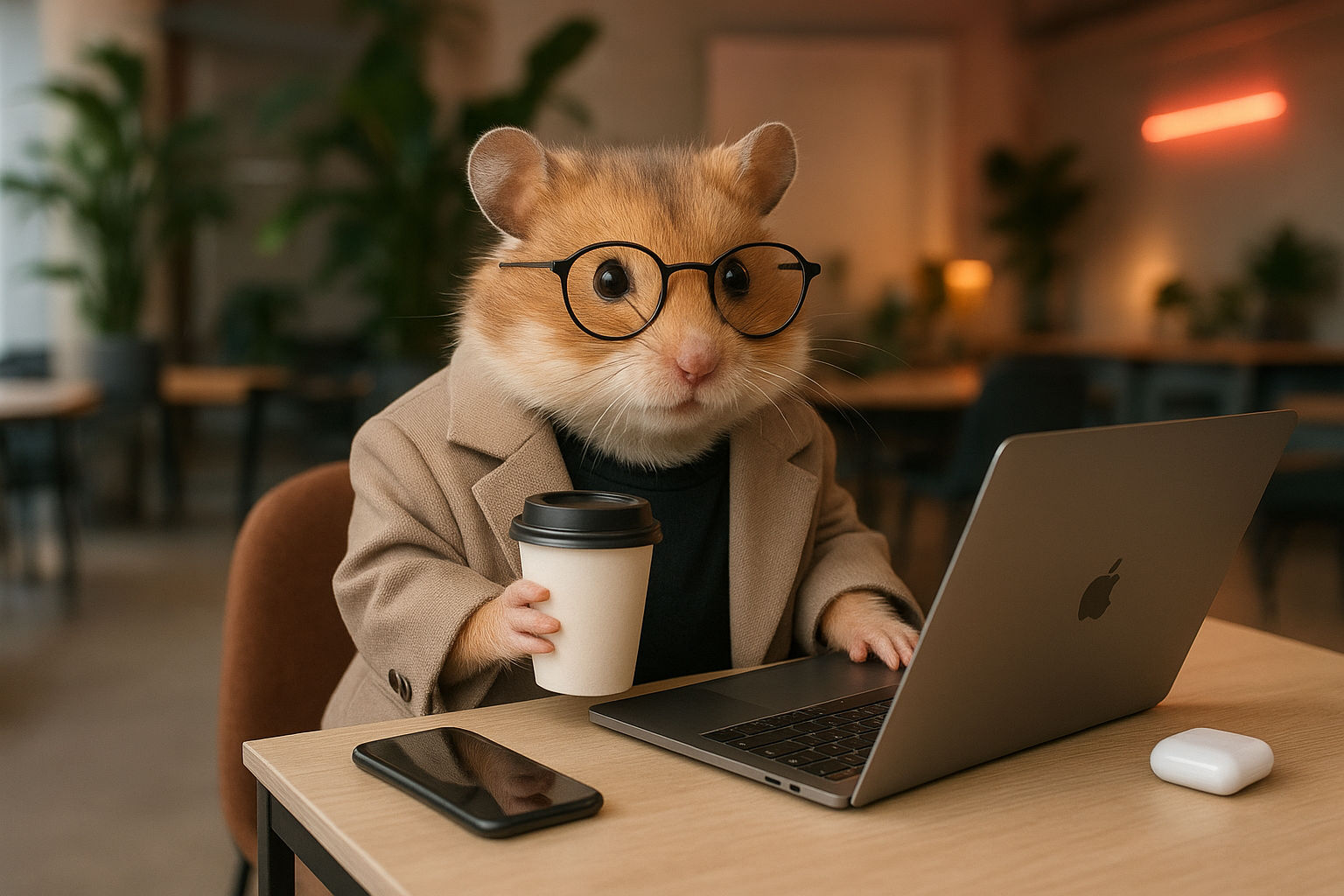 First, chat with AI to plan your short-form protagonist and story.
**Character planning:**
```text theme={null}
Recommend an animal character for relatable short-form content.
```
**Generate base image:**
```text theme={null}
Create a base image of the 'Ham Manager' character in 9:16 realistic style.
```
**Episode planning:**
```text theme={null}
Create a 4-panel storyboard for Ham Manager's 'Monday Blues' episode.
```
Reference the 'base image' from step 1 to generate scene images that maintain consistent character appearance.
```text theme={null}
Reference the 'Ham Manager' base image from step 1 and create all 4 scene images at once. Use the Nanobanana image model.
```
Convert the generated images to video and add audio to complete.
**Create video:**
```text theme={null}
Convert all 4 scene images into 5-second videos.
```
**Add voice (TTS):**
```text theme={null}
Add the line 'Monday... is this real...' to video 1 with a tired voice.
```
**Merge videos:**
```text theme={null}
Merge all the videos created so far.
```
**Speed up:**
```text theme={null}
Speed up the merged video to 1.5x.
```
**Add background music:**
```text theme={null}
Finally, add fitting background music to the video.
```
**Looking for an easier way?**
Try the **'Animal Shorts Creator'** template in the [Mini Agent](/en/how-to-use/mini-agent) menu.
First, chat with AI to plan your short-form protagonist and story.
**Character planning:**
```text theme={null}
Recommend an animal character for relatable short-form content.
```
**Generate base image:**
```text theme={null}
Create a base image of the 'Ham Manager' character in 9:16 realistic style.
```
**Episode planning:**
```text theme={null}
Create a 4-panel storyboard for Ham Manager's 'Monday Blues' episode.
```
Reference the 'base image' from step 1 to generate scene images that maintain consistent character appearance.
```text theme={null}
Reference the 'Ham Manager' base image from step 1 and create all 4 scene images at once. Use the Nanobanana image model.
```
Convert the generated images to video and add audio to complete.
**Create video:**
```text theme={null}
Convert all 4 scene images into 5-second videos.
```
**Add voice (TTS):**
```text theme={null}
Add the line 'Monday... is this real...' to video 1 with a tired voice.
```
**Merge videos:**
```text theme={null}
Merge all the videos created so far.
```
**Speed up:**
```text theme={null}
Speed up the merged video to 1.5x.
```
**Add background music:**
```text theme={null}
Finally, add fitting background music to the video.
```
**Looking for an easier way?**
Try the **'Animal Shorts Creator'** template in the [Mini Agent](/en/how-to-use/mini-agent) menu.