Is OpenAI Going All-In on Coding?
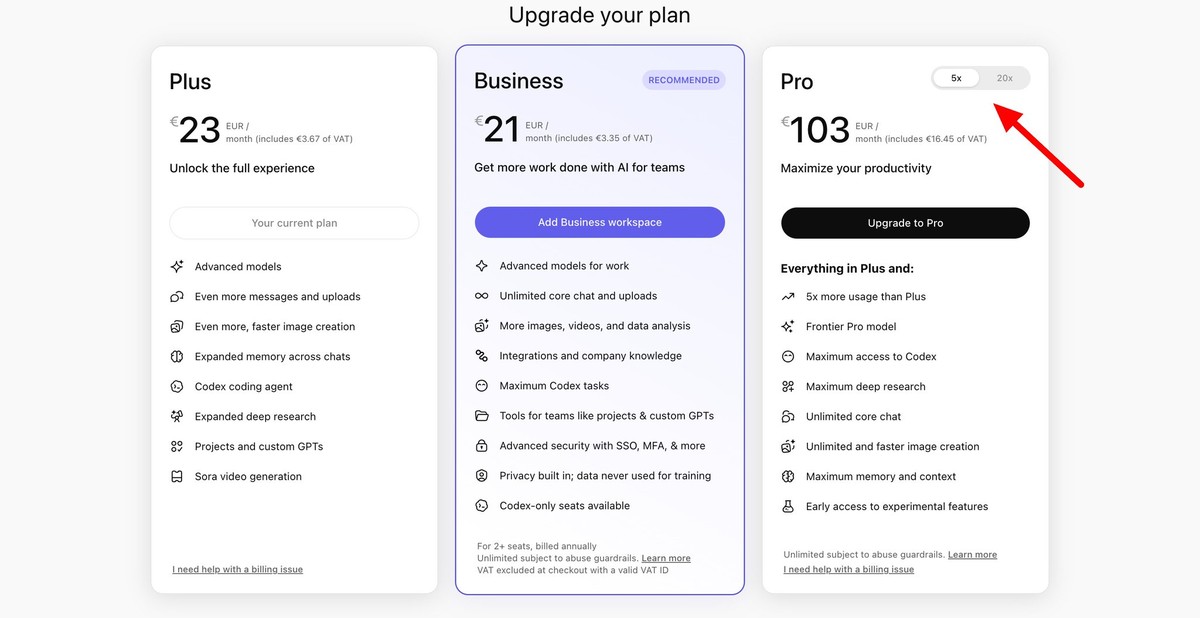
OpenAI just added a new $100/month Pro tier to ChatGPT. It slots between Plus ($20) and Pro ($200) — a brand new middle-ground plan. The key feature is Codex, OpenAI's code generation tool. On this new tier, you get 5x more Codex usage than Plus.
Hey. it’s the Carat team. 🤗
Today: OpenAI’s new $100 tier, Seedance 2.0 going worldwide, and how to copy a $420K/month ad using AI tools.
🔥 Is OpenAI Going All-In on Coding?
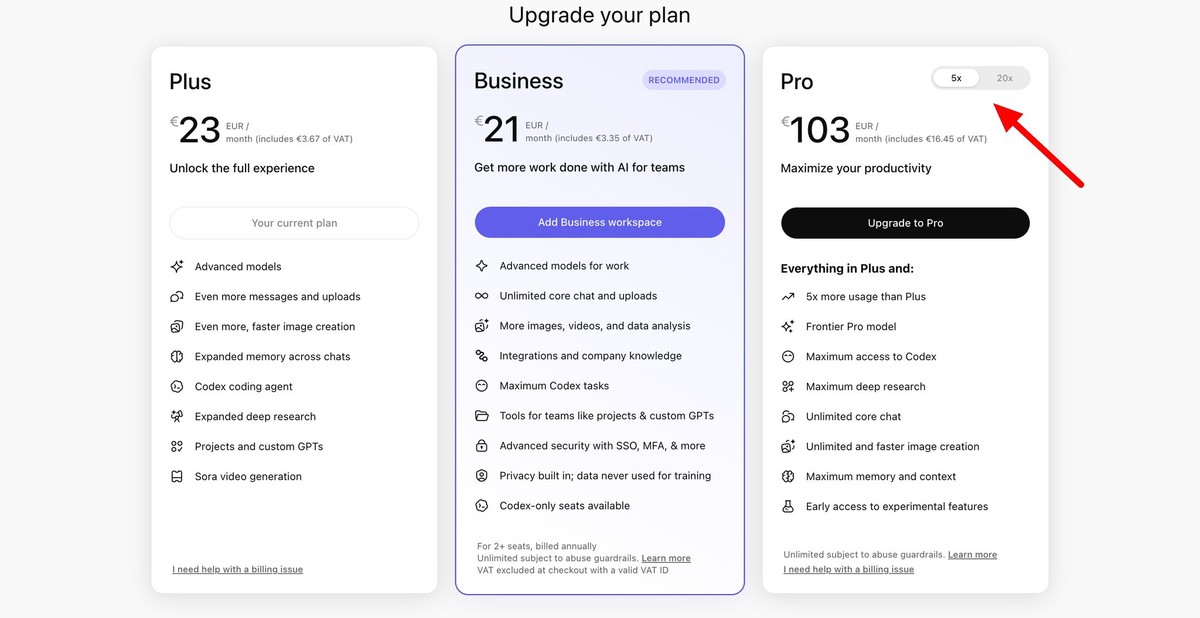
OpenAI just added a new $100/month Pro tier to ChatGPT. It slots between Plus ($20) and Pro ($200). a brand new middle-ground plan.
The key feature is Codex, OpenAI’s code generation tool. On this new tier, you get 5x more Codex usage than Plus. It’s effectively a “for people who run a lot of code with AI” plan.
Step back and you can see the bigger picture. On the video side, OpenAI’s Sora is getting pushed around by Seedance, Kling, and Veo. On the coding side, Anthropic’s Claude Code has taken the lead among developers. In between, OpenAI is basically drawing a line: “we’re betting on coding.”
📌 Three Things Today
1️⃣ Seedance 2.0 Is Finally Available Worldwide
ByteDance’s video generation model Seedance 2.0 has finally rolled out worldwide, including the US. As of today, anyone can access and use it.
Seedance 2.0 is a model that turns text into cinematic-quality video. It can generate long multi-shot sequences that flow naturally, and it accepts text, images, existing videos, and even audio as input.
Until yesterday, Seedance 2.0 was only available in limited regions. US users, in particular, were locked out. Today it’s open everywhere, and you can call it from a variety of creative tools right away.
2️⃣ How to Copy an App’s $420K/Month Ad
Marketer Jacob Rodriguez shared a fun experiment. There’s a heart rate monitor app making $420K/month with its ads, and he found you can replicate them with just a handful of AI tools. He posted the actual ad they’re running alongside his own copy of it.
The formula is three steps. Use Nano Banana 2 to create the ad images. Use Kling or Veo 3.1 to animate them into video. Target an older audience (= higher income). The result is nearly indistinguishable from the original.
The point is how simple copying has become. The days of looking at a great ad and thinking “I wish I could make that” are over. Now you see a reference and two hours later you have something similar. For creators this means more competition. but also that you can test your own ideas immediately.
3️⃣ Three AIs Combined, One $5,000 Website
Creator Viktor Oddy split the work across three AIs to build an animated landing page that looks like it came out of a professional design studio. He says outsourcing this level of work would run you at least $5,000.
Here’s how he divided the roles. First, Claude Code takes a prompt and generates the website scaffolding. Then Nano Banana Pro creates the main visual imagery. Finally, Kling adds motion to those visuals. Each AI sticks to what it does best, and the pieces come together.
What’s interesting is you don’t need to know how to code. If you divide the roles well between AIs, one person can build a pro-grade brand website. We’re heading toward a world where anyone with an idea can run their own design studio.
🧪 Prompt Tip of the Day
Long Prompt vs. Two-Sentence Prompt. When to Use Each
AI video creator @aimikoda shared an interesting experiment. She ran the same “daily routine” theme through Seedance 2.0 twice: once with a very long prompt, and once with just two sentences. The results are completely different.
The long version specified everything. duration, BPM, number of shots, wardrobe, environment, mood. You get a lot of control, but there’s a lot to write. The result lands almost exactly how the creator pictured it in her head.
The two-sentence version was literally this:
Show me @[image1]'s daily routine in 15 different cuts. Use different transitions and camera techniques.
Translation: “Show this person’s daily routine in 15 cuts, using different transitions and camera techniques.” No fine-grained settings, so the AI interprets the rest on its own. and you get different results every run.
The takeaway: pick your tool for the situation. If you have a clear picture in your head, use a long prompt to pull it out exactly. If you want fresh ideas, lean on a short prompt and let the AI interpret. Creators who can do both end up with the richest output.
See you tomorrow. ☺️