OpenAI Codex turns your plans into apps
OpenAI just added Sites to Codex. Describe a dashboard, a planning board, or a gallery out loud and Codex builds a working app or website, complete with a shareable URL.

What's up — Carat crew here. 🤗
Today: OpenAI Codex that turns talk into apps, Google's AI agents that debate science hypotheses, Anthropic shipping 8x more code, and Ideogram 4.0, a new image model that nails text.
🔥 OpenAI Codex turns your plans into apps
OpenAI just added a feature called Sites to Codex. Describe a dashboard, a planning board, or a gallery out loud, and Codex builds a working app or website, then hands you a URL to share.
The interesting part is who's using it. Codex passed 5 million weekly users, and the fastest-growing group is people who don't code at all: analysts, marketers, and planners, now about 20% of users. AI is moving from a developer tool to something anyone can ship with.
📌 Today's 3 stories
1️⃣ AI agents that debate to invent science?
Google DeepMind opened Co-Scientist, a Gemini-based 'AI research partner,' to individual researchers. A group of AI agents generates hypotheses, debates them against each other, and keeps only the ideas that survive.
It can spin up thousands of hypotheses for a single problem, narrow them down, and check them against published papers. The work landed in Nature.
2️⃣ Claude writes the code, output jumps 8x?
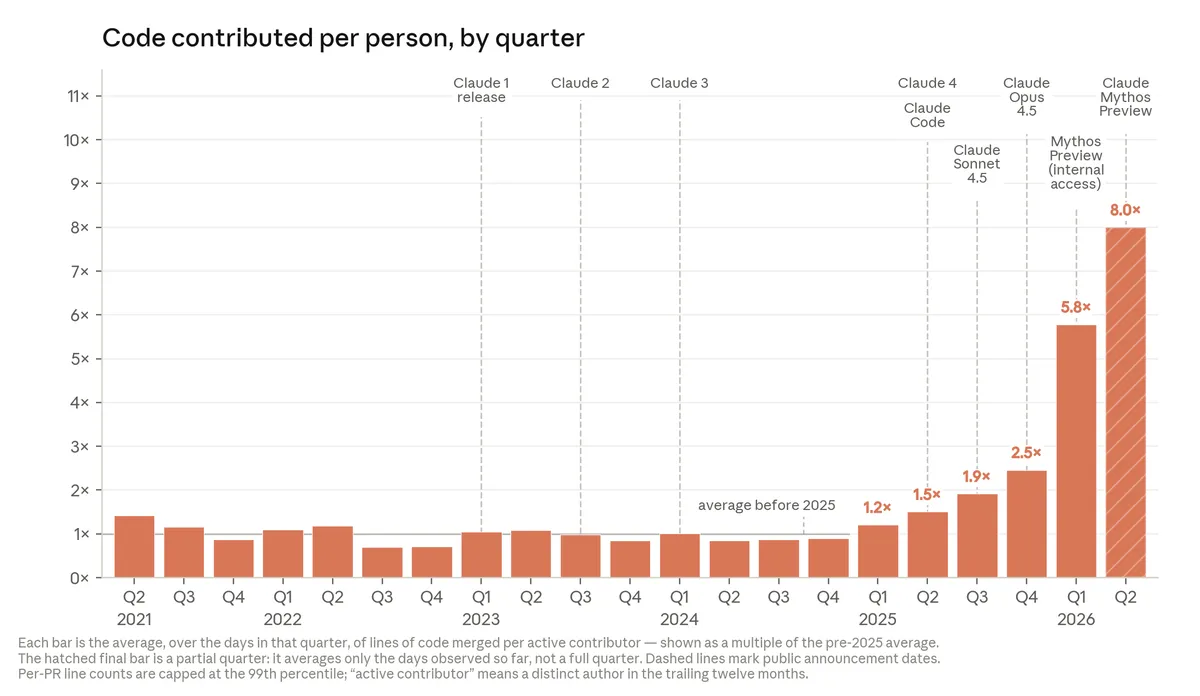
Anthropic shared how much code its own engineers ship. In Q2 2026, a single engineer merged 8x more code per day than in 2024. Claude writes most of it while people steer and review.
Lines of code isn't a clean measure of productivity, so take the number with a grain of salt. Still, it shows how much AI has changed the way a real company works.
3️⃣ For posters and logos, this model wins
Ideogram 4.0 is built for design work where the text has to land right. In a blind test by professional designers, it took first place on typography. It shines on posters, logos, and layouts where the words matter.
It also ranks #2 overall on Design Arena, right behind GPT Image 2. For photoreal images, closed models like GPT Image still pull ahead. Different models, different strengths.
🧪 Prompt of the day
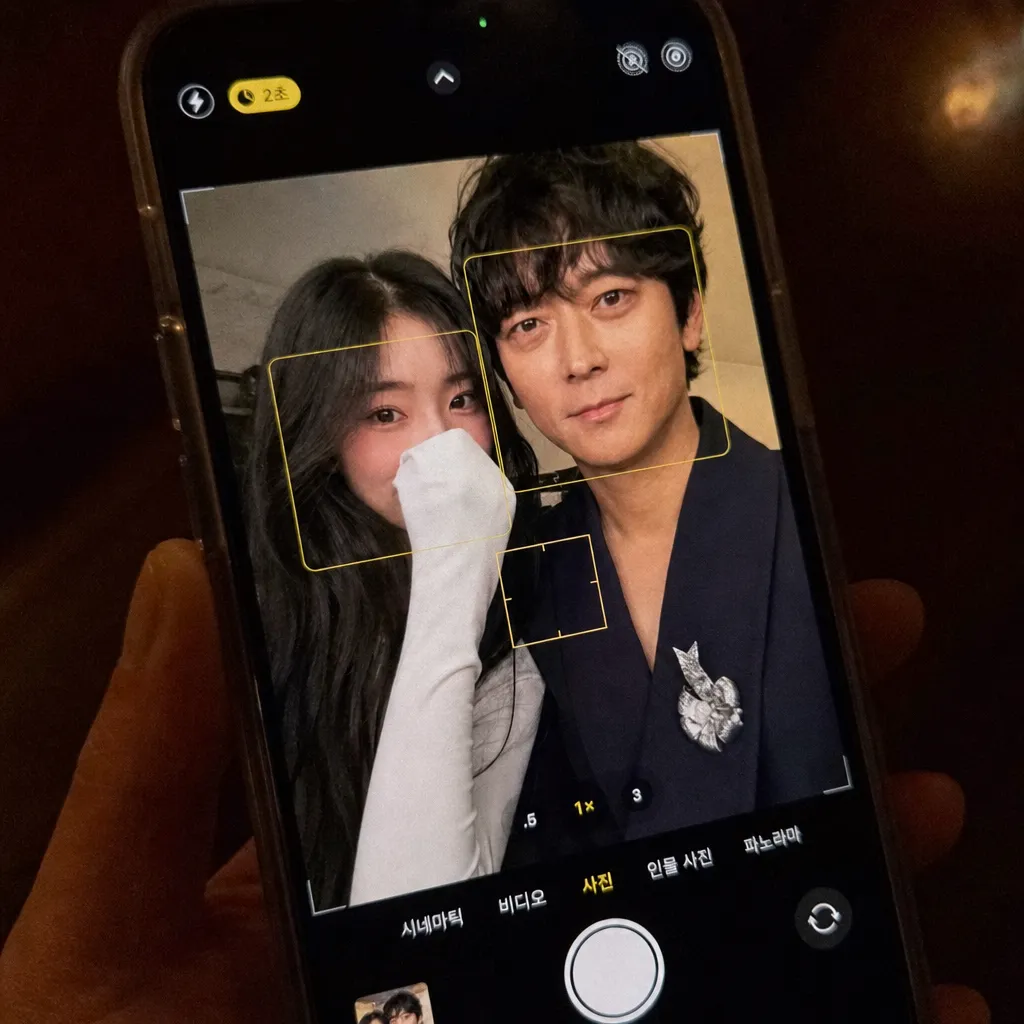
There's a 'couple selfie' prompt going around on X. The prompt @dangdang_104 shared takes a photo of you and a photo of your favorite person and turns it into a selfie with your faces pressed together.
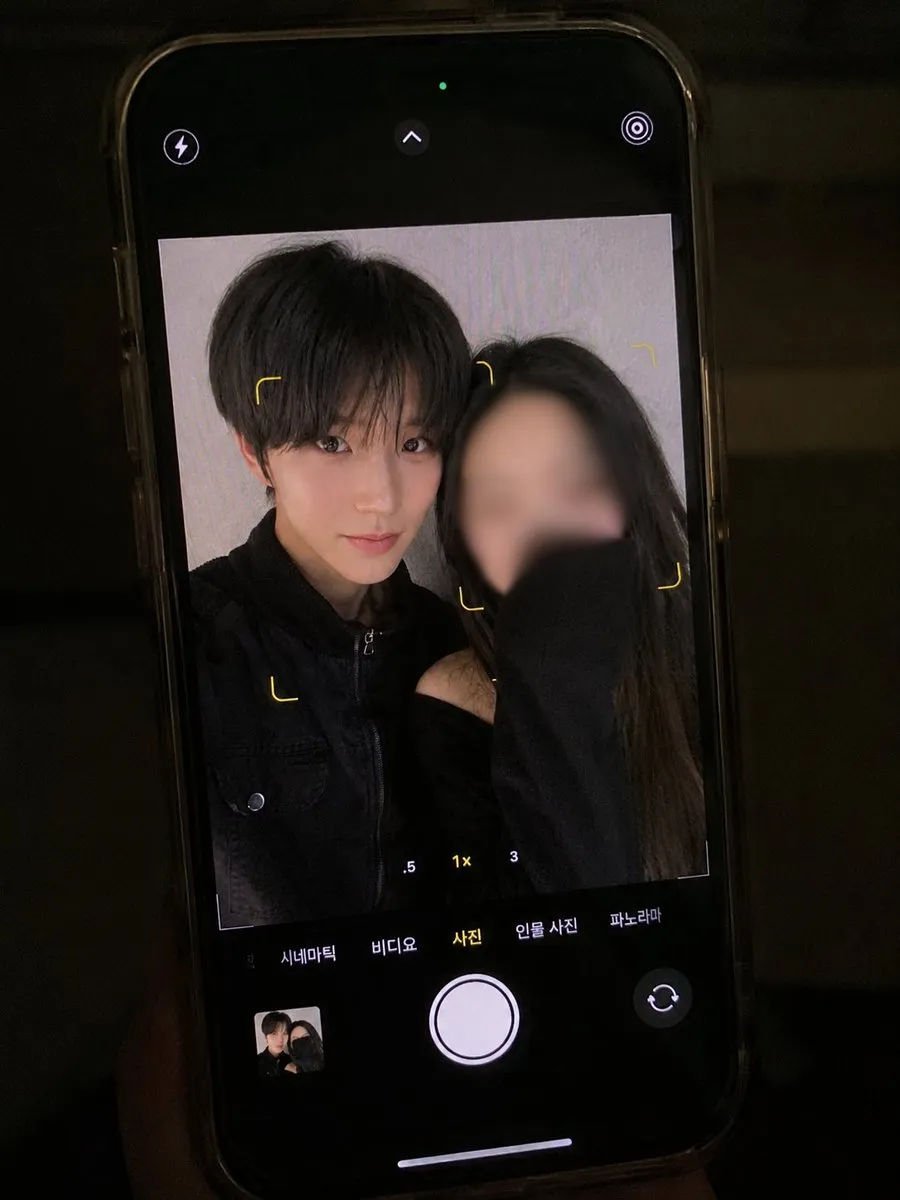
Here's what we made on Carat.
[Subjects]
- First uploaded photo = man
- Second uploaded photo = woman

[Top priority: identity preservation]
Use the faces in the two uploaded photos as absolute ground truth. Preserving facial identity outranks everything else.
Priority: face > clothing > composition > lighting > mood > image quality
If any element would alter facial features, drop that element and keep the original face.
Always keep: eye shape, nose shape, mouth shape, face shape, jawline, cheekbones, skin texture, skin marks, age, hairstyle, facial proportions, the unique impression, the character of the original expression.
Never: regenerate the face, reinterpret the face, swap the face, merge faces, average them, stylize, turn into a character, AI-beautify, retouch skin, enlarge eyes, edit the nose, edit the lips, edit the jawline, change face proportions, fix symmetry, add makeup, make younger, apply filters, remove original features.
The final result must look like "the same real people photographed at a different moment on a smartphone," not an AI-made face.
Identity Drift: 0% / Face Similarity: 100%. The uploaded faces are the ground truth. Any change to facial identity is a generation failure.

[The shot]
A real couple pressing their faces close, taking a selfie on an iPhone. A natural phone selfie. The woman holds the iPhone using the front camera. Only the upper body is in frame. The natural closeness of a real couple. Faces centered in the frame.

[Expression and gaze]
Both look into the iPhone front camera. Faces naturally close together. Warm, easy smiles. Natural, happy expressions. Eyes toward the front camera.
Avoid: blank faces, exaggerated grins, awkward gaze, side glances, looking at each other.

[Woman's pose]
Long sleeve pulled all the way up over her nose. A shy, natural smile. Keep her facial identity.

[Clothing]
Keep both people in the exact outfits from the original photos. Avoid: changing clothes, color, fabric, or fit. Keep the wrinkles and details of the original outfits.

[Camera app live view]
The iPhone's default camera app is open. Most of the screen shows the live view, including: face-detection rectangles, a focus frame, parts of the exposure and focus UI, the feel of a live view right before the shot.

[Re-photographing the screen]
The final image is not a screenshot. Render it like a real photo of a phone screen (with the iPhone camera app open) hastily shot by another phone.
Must include: subtle screen pixel structure, OLED display texture, faint moire, display glare, uneven screen brightness, digital noise, low-light color noise, slight hand shake, a slightly tilted angle, perspective distortion at the screen edges, minor focus imbalance, faint blooming around the screen edge, the optical traits of actually photographing a phone screen.
Extra: part of the phone's bezel can show. A slightly off-center angle, not dead-on. The feel of someone photographing a phone held in their hand.
Avoid: a UI mockup look, a screenshot look, a rendered-image look.

[Lighting and texture]
Soft indoor light. Low-light setting. Warm color temperature. Natural film grain. A bit of digital noise. Slight motion blur. Slightly soft focus. A vintage feel. A real photo taken in a hurry on a phone.
Never: an HDR look, studio lighting, over-sharpness, beauty filters, the clean AI render look, over-sharpening, harsh contrast, an ad-photo look, an editorial look.

[Goal]
A real couple in a low-light indoor space, faces close, taking a selfie. An everyday real-life photo, not a polished social post. A realistic result that looks like another phone hastily shot a screen showing the iPhone camera app's live view. The most important standard is keeping both people's original facial features and overall impression perfectly intact.
Try it yourself on Carat. 👉 Make it on Carat
That's it for today. We'll be back tomorrow with fresh AI news. ☺️