
AI Green Screen Image Editor
Instantly remove the green background and replace it with any image using Carat AI's green screen image tool. Create professional-quality composite images with AI chroma key technology, no complex editing needed.
Начните творить прямо сейчас — это БЕСПЛАТНО!
или перетащите файл сюда
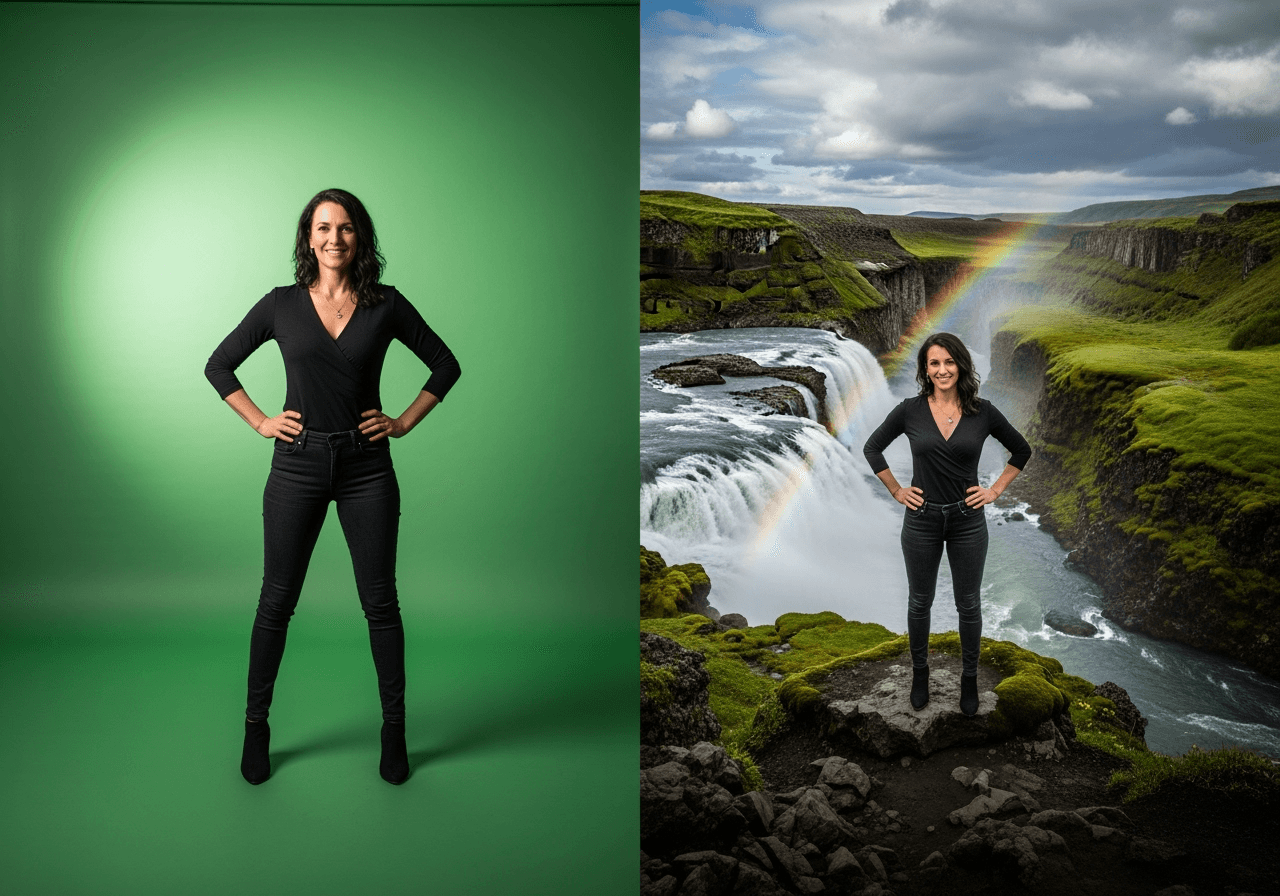
Effortless Chroma Key with AI
Carat AI helps anyone to easily use green screen images without complex editing skills. Our AI perfectly separates the subject from the background and naturally composites it onto your desired new background.
AI-Powered Automatic Background Removal
Our AI detects and removes the green screen background with pixel-level precision, eliminating the need for manual work.

Instant Replacement with Any Background
Instantly apply any background you want, whether it's generated from a text prompt or an image you upload.

Natural Edge Blending
We naturally process even the finest details like hair and complex edges, creating a seamless, high-quality composite image.

How to Create with the Green Screen Image Tool
Transform your green screen image into a stunning creation in just a few clicks. It's so simple, anyone can do it.
01
Upload Your Image
First, upload your image with a green screen background to prepare it for AI analysis.
02
Specify the New Background
Describe your desired background in detail using text, or upload a specific image you want to use as the new background.
03
Generate Your AI Image
Click the 'Generate' button. Our AI will automatically composite the background and instantly present the final image.
Why Choose Carat AI?
Carat AI's green screen image tool saves you time and money, and infinitely expands your creative possibilities.
Save Time and Money
Achieve professional-quality results quickly and efficiently, without the need for expensive editing software or hiring an expert.
Unleash Your Creativity
Freely implement any background you can imagine, elevating the quality of your content for videos, marketing materials, and more.
Consistent, High-Quality Output
Ensure consistently high-quality results whether you're applying the same background to multiple images or testing various options.
Frequently Asked Questions (FAQ)
Have more questions about Carat AI's green screen image generation feature? Find the answers below.
Can I remove solid-colored backgrounds other than green screen?
×
Yes, our AI can effectively recognize and remove various solid-colored backgrounds, including blue screens. It performs best with green and blue backgrounds, which are the standard for chroma keying.
What image file formats are supported?
+
Does the background need to be a perfect, evenly lit green screen?
+
Do I need to provide the new background image, or can the AI create one for me?
+


