Marketing Studio
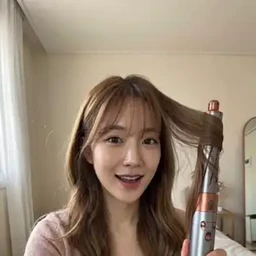
Example results
AI Product Video Generator for Ads
How to make a product ad video with AI
Carat AI's Marketing Studio is an AI product video generator built for ads. Upload a single product image, choose an ad style, and Seedance 2.0 turns it into an ad video where your product is the star. No shoot, no actors to book, no editing timeline. Because you can run the same product through eight different styles, from a casual UGC-style review to a polished TV commercial, it's easy to find the format that fits your store page or social campaign before you commit to one.
01
Upload your product image and add product info
Choose the language for your ad and upload a product photo. For product info, pick Search and type the product name to look up its details automatically, or switch to Manual Input and write the key points yourself.
02
Pick one of 8 ad styles
Choose Everyday Review, How-To Tutorial, Product Review, Unboxing, Casual Styling, Editorial Styling, Product Motion or TV Commercial. Optionally add a model image, set the duration and resolution, or type an additional request.
03
Create and download your ad video
Hit Create, review the result, and download the ad video to use wherever you need it.
What you can do with it
Product page videos
Add a short clip of your product in use to an online store listing so shoppers see more than a still photo.
UGC-style ad creatives
Make an unboxing, a review and a how-to from the same product and compare which style your audience responds to.
Fashion and beauty try-ons
Use Casual Styling or Editorial Styling to show clothing, bags or accessories being worn, with your own model photo if you have one.
Launch teasers and commercials
Use Product Motion or TV Commercial for a short launch announcement or seasonal promo.
FAQ
What ad styles can I create?
×
Eight: Everyday Review, How-To Tutorial, Product Review, Unboxing, Casual Styling, Editorial Styling, Product Motion and TV Commercial. Each one frames the same product in a different way.
Is this an AI UGC video generator?
+
Yes, partly. Everyday Review, Product Review, Unboxing and How-To Tutorial are creator-style UGC formats. If you want a more polished brand look, choose Editorial Styling or TV Commercial instead.
Do I have to write the product description myself?
+
No. Choose Search, enter the product name, and Carat AI looks up the product info for you. Use Manual Input when the product is new or you want to highlight specific features.
Do I need a model or actor?
+
No. The model image is optional. Upload one only when you want a specific person in the video, and the model's gender doesn't need to match the product.
Can I change the video length and resolution?
+
Yes. There are Duration and Resolution settings, with 4 seconds and 480p as the defaults. Use the Additional Request field to describe any extra direction you have in mind.
Which AI model generates the videos?
+
Marketing Studio uses Seedance 2.0. You don't need to write a prompt from scratch; the product image, product info and ad style do most of the work.


© 2026 Paradot Inc. All rights reserved.


