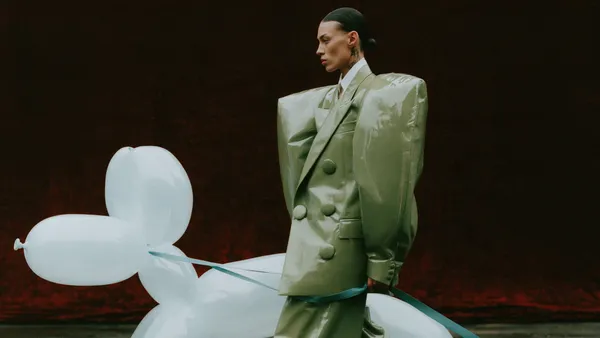
Midjourney V8.2 Image Generator
Example results
Midjourney Image Generator: Use Midjourney V8.2 on Carat
How to use Midjourney on Carat
Midjourney is known for images with a strong, deliberate sense of style, but its parameters can feel like a language of their own when you are starting out. The Midjourney image generator on Carat AI lets you use Midjourney V8.2 on the web inside Carat, no Discord needed, with every option laid out as a field instead of a command to memorize. Write a prompt, choose your stylize, chaos and weird values, add a style reference (sref) when you want to match a look, and switch on HD 2K when you need more resolution. RAW mode, 9 aspect ratios, quality, seed and --no exclusions are right there too. Each run returns 4 images side by side, so you can compare them, keep the ones that work and download them.
01
Write your prompt
Describe the image you want: the subject, the setting, the style, the lighting and the colors. Specific nouns and concrete details steer Midjourney better than vague adjectives.
02
Set stylize, chaos, weird, sref and HD 2K
Pick one of 9 aspect ratios (from 1:1 to 21:9 and 9:21), then decide how stylized the result should be, how much the 4 images should differ, and how experimental the look can get. Upload an original image to redraw or a style reference (sref) image to follow, switch on RAW mode for a more literal, photographic result, and set quality (1 or 4), a seed and --no exclusions if you need them. Turn on HD 2K for a higher-resolution image.
03
Generate 4 images and download
Run the prompt and Midjourney V8.2 returns 4 images. Download the ones you like, or change one setting and run it again.
What you can make
Concept art and moodboards that explore several directions from a single idea
Social posts, blog headers and thumbnails with a distinctive visual mood
Character and illustration series that keep the same look by reusing one style reference
Product and brand mood images that help you plan tone and lighting before a shoot
FAQ
What is the Midjourney image generator on Carat?
×
It's a Carat app for using the Midjourney V8.2 model on Carat. Midjourney is built by Midjourney, Inc.; Carat is a separate service. It runs on the web inside Carat, so there's no Discord to set up.
How many images do I get per run?
+
Four. Each generation gives you four takes on the same prompt, so you can pick the strongest one or see which direction to push next.
What do the Midjourney parameters stylize, chaos and weird do?
+
Stylize sets how strongly Midjourney applies its own aesthetic: lower values stay closer to your prompt, higher values get more artistic. Chaos controls how different the 4 images are from each other. Weird pushes the results toward unusual, offbeat looks.
What is a Midjourney style reference (sref)?
+
A style reference tells Midjourney to follow the look of a reference image: its colors, textures and overall mood. It's the simplest way to keep a series of images visually consistent. If you want Midjourney to rework a specific picture rather than borrow its style, upload it as the original image instead.
Is this a Midjourney alternative?
+
Not in the sense of a different model. You are using Midjourney V8.2 itself; what's different is that you work in Carat, where stylize, chaos, weird, sref, HD 2K and the rest of the parameters are set right on the page, on the web and without Discord.
How do I write a good Midjourney prompt?
+
Start with the subject, then add the setting, the style (photo, illustration, 3D), the lighting and colors, and the composition. If a result is close but not right, change one thing at a time and generate again; that way you learn what each change does. Put anything you want kept out of the image in --no, lock the seed so comparisons are fair, and try RAW mode when you want the prompt followed more literally.


© 2026 Paradot Inc. All rights reserved.


