Seedream 5.5 Review | Does It Really Stay the Same After 100 Edits? My Honest Test on Carat
I kept editing the same photo with Seedream 5.5 and even made transparent stickers on Carat. Carat subscribers can use it unlimited for a month right now!

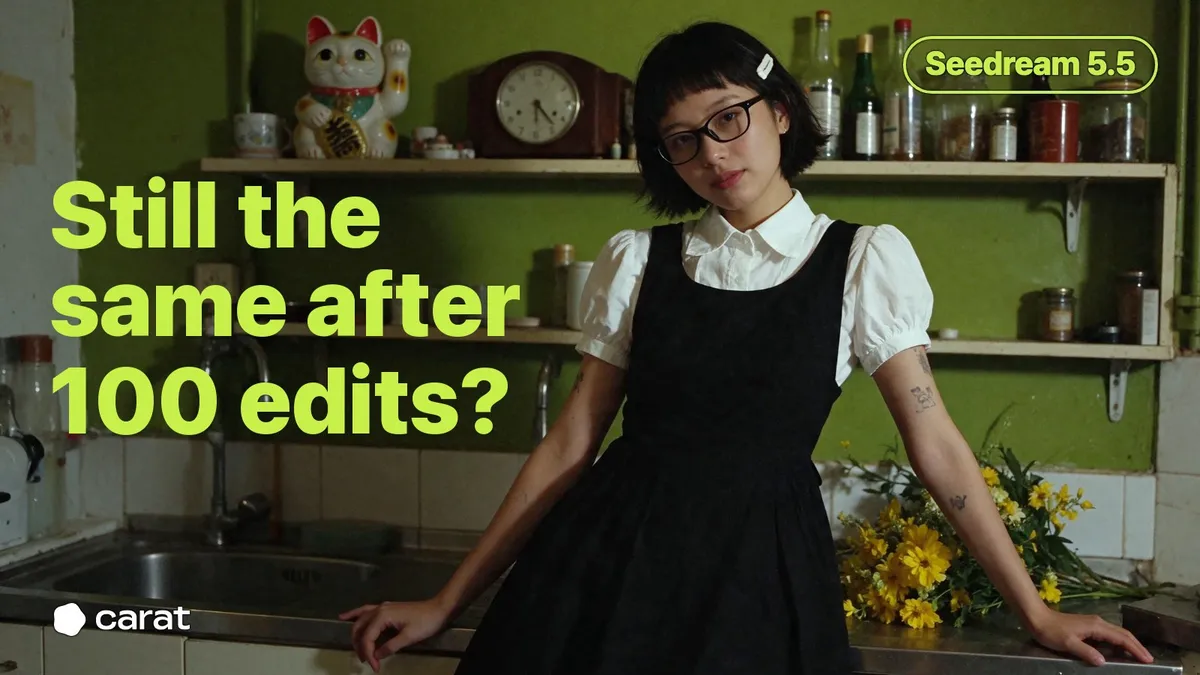
When you make images with AI, there are always times when you love everything except one tiny spot you want to fix, right? I only wanted to change the glasses, and suddenly the face was different. Or after a few edits the whole picture started looking off, so I just generated it again. Honestly, I've lost my patience editing photos with AI more times than I can count... 😅
But the new Seedream 5.5 supposedly keeps everything you didn't touch exactly the same, even after 100 edits in a row! To be honest, at first I thought that sounded a bit exaggerated 🤔 So in this post, I'll walk you through what's new in Seedream 5.5 and what I found when I tested whether that claim is really true.
Seedream 5.5: What Actually Changed?
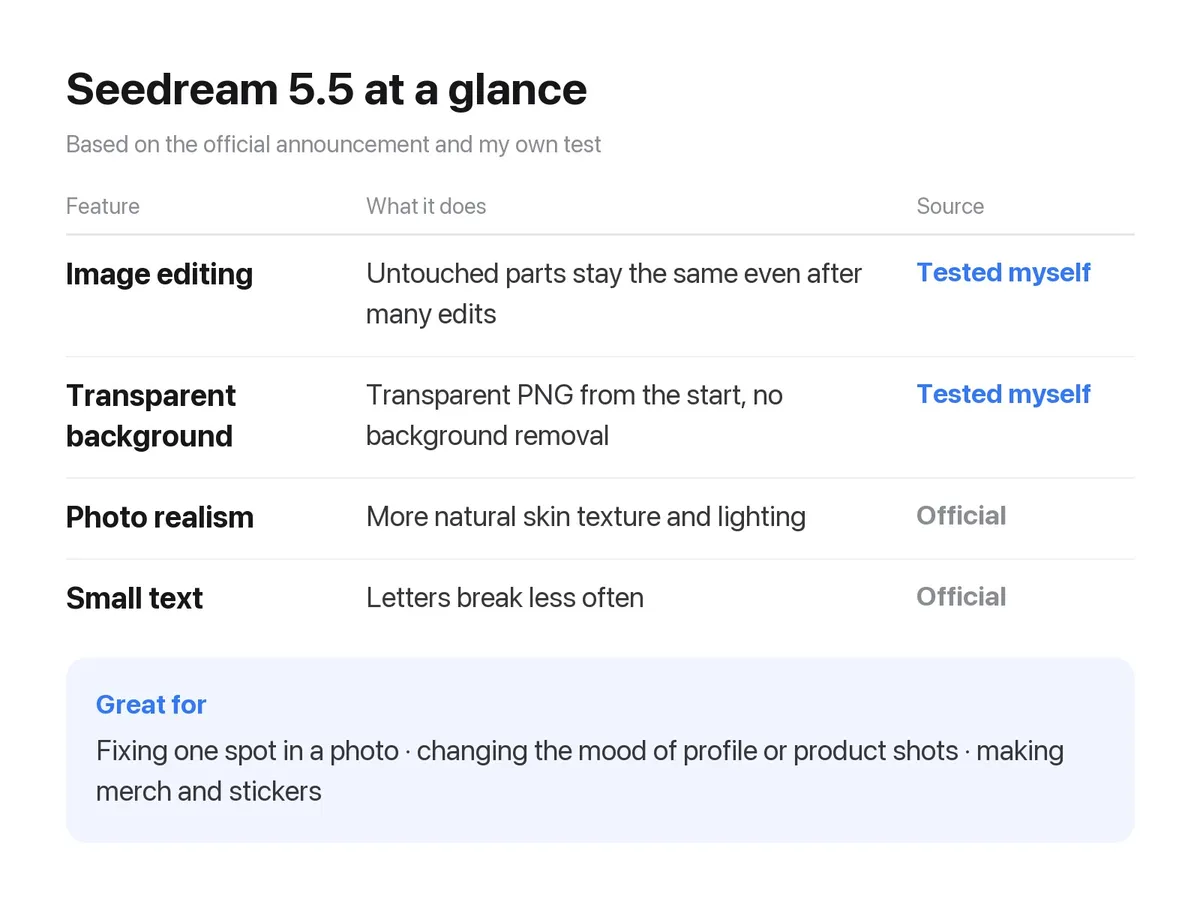
Seedream is an image generation model from ByteDance, the company behind TikTok. On the 9th, ByteDance released Seedream 5.5, the newest version. The official announcement highlighted three main things.
The feature that got the most attention was, of course, continuous editing. Even if you edit the same image many times, the parts you didn't touch stay the same down to the pixel, and the colors no longer fade as much the more you edit. Photorealism has also improved a lot. Skin texture and lighting look more natural, and small text breaks less often, so you can try generating a much wider range of photos.
Another new feature in Seedream 5.5 is transparent backgrounds! You don't have to remove the background yourself. It can make a transparent PNG right from the start, so you get images you can use like stickers straight away. In ByteDance's own evaluation, images generated with Seedream 5.5 also had fewer badly broken letters than earlier models. The share of usable results for film and office work was more than double that of the previous version, Seedream 5.0 Pro, so it does seem like a model worth trying.
That said, this is ByteDance's own evaluation! So I decided to check it myself on Carat 🤨
Usually when a new model comes out, people give it a quick try through a discount event or per-image credits. But Seedream 5.5 opened a little differently on Carat! Instead of a discount, Carat lets anyone with a subscription use Seedream 5.5 with no usage limit for a month, on any plan. A model that says you can edit 100 times, and you really can edit it 100 times.
If you want to try it right away like I did, head to Carat now! Good news: until 11 PM on December 11, new subscribers and existing subscribers alike can use Seedream 5.5 right away, with no separate sign-up.
How Real Can a Portrait Get?
Before testing whether the parts I wanted could stay the same through 100 edits, I first made a portrait with Seedream 5.5 to use in my experiment. Since skin texture and lighting were said to be more natural, I deliberately chose a slightly dim kitchen as the background.
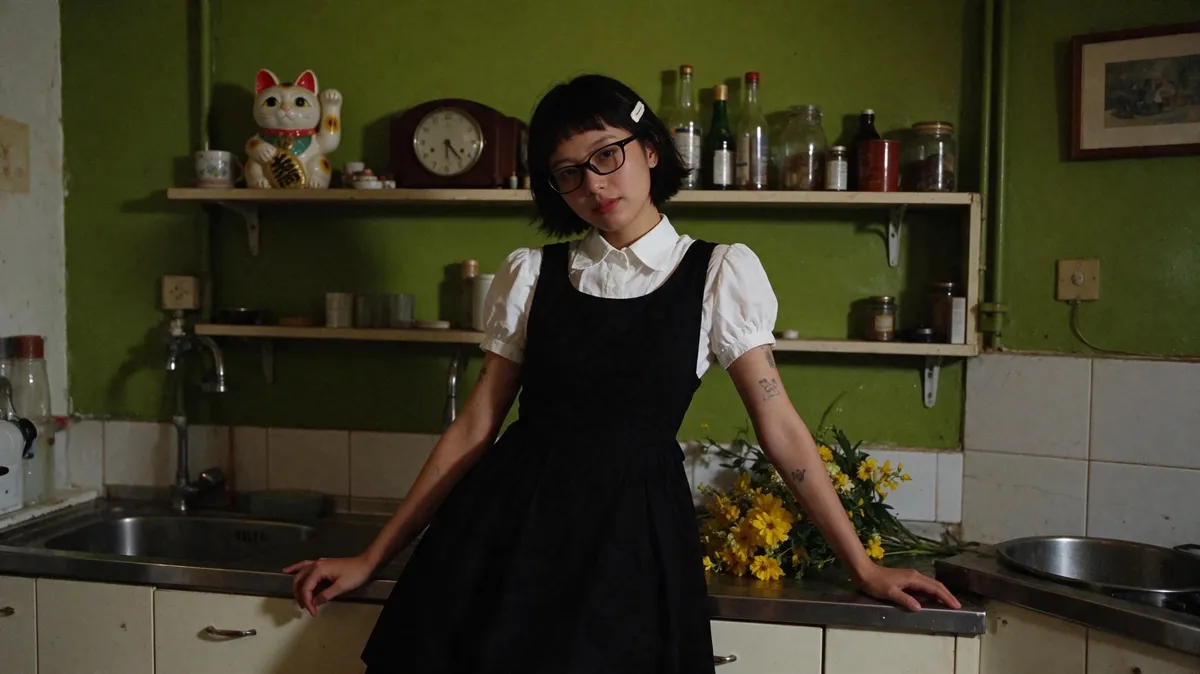
Slightly messy bangs, skin texture, light seeping into a dark kitchen... doesn't it look like a real film photo? This image itself was generated with Seedream 5.5, so it had already passed the portrait test for me. 🙂↕️
Editing the Same Photo 12 Times in a Row
The first thing I wanted to check was the claim that it stays the same even after 100 edits. So I made one portrait and kept editing it, using each result as the starting point for the next edit. I changed the outfit, swapped the glasses, replaced the hairpin, and even asked for the wall and lighting, one request at a time.
The first image had lots of details, like the cat figurine and desk clock on the shelf, glass jars, and small tattoos on her arm, so I thought it would be perfect for checking what changes and what stays the same as I kept editing.
To start, I just opened a new chat on Carat and said, 'I want to edit this photo with Seedream 5.5!' Every request was applied right away, so even an editing beginner like me could keep refining it easily.
Unlimited generation benefit applied ⓘ

In about 20 minutes today, I used Carat's unlimited Seedream 5.5 editing to edit the same photo 12 times in total. Compared with the first image, the mood is completely different, right?
Unlimited generation benefit applied ⓘ
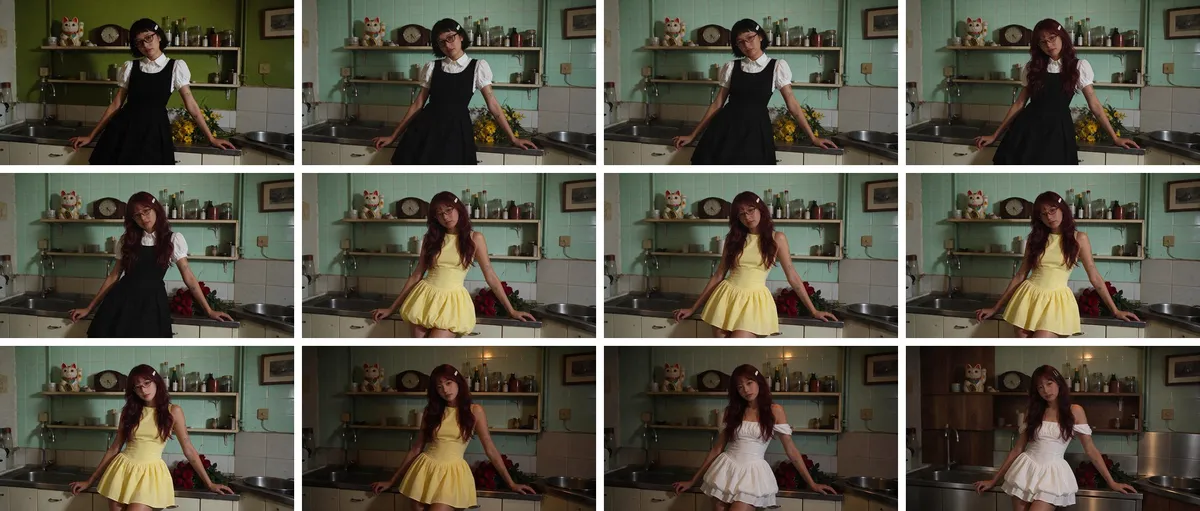
By asking it to change the wall and cabinets, hair, facial features, glasses, outfit, flowers and lighting one by one, I kept the parts I wanted and still ended up with a completely different photo from the first one 😙
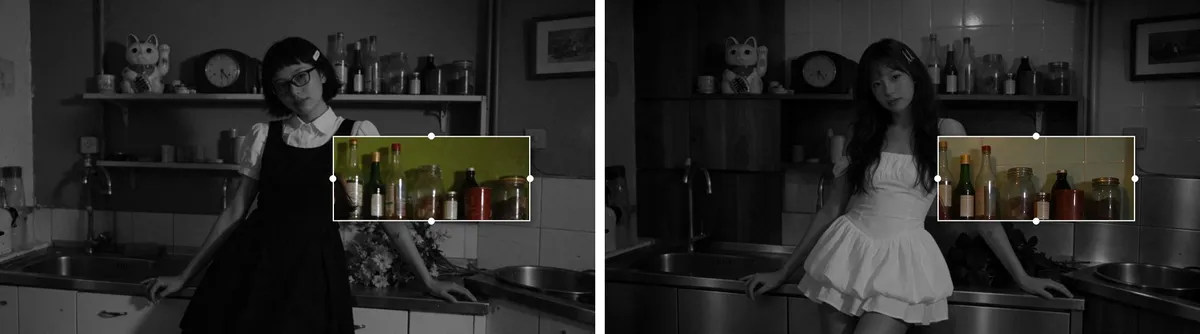
Today's goal: 'check whether everything else stays the same as I keep editing'! When I zoomed in and compared the first photo with the final one, I was surprised by how much was exactly the same. Even the maneki-neko and the glass jars on the shelf were still there, just as they were at the start...
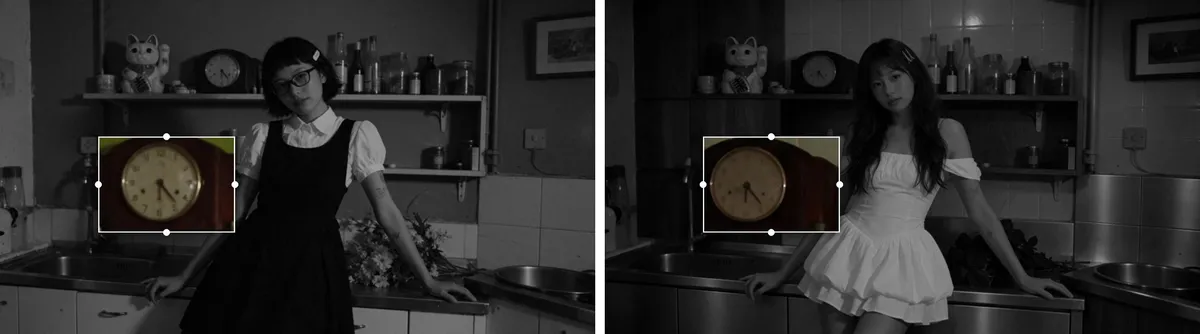
What surprised me most was the desk clock. I changed the wall, the cabinets and the lighting, but when I put the first and last rounds side by side, the clock hands were still pointing at exactly 5:25. Honestly, this is the first time I've seen such a tiny detail survive while editing photos with AI 😳
Transparent Stickers in One Go
The second feature I was curious about was transparent backgrounds! Since it can make transparent PNGs from the start without removing the background, I went ahead and generated some character stickers with Seedream 5.5.
Unlimited generation benefit applied ⓘ

I asked it to turn the blue silhouette of the Carat app icon into a mascot character, and with just 'Make a few different versions,' it created several styles at once. I didn't remove any backgrounds, yet all three were transparent PNGs from the start, with the white sticker outline still clean. They're good enough to use right away for merch or profile pictures!
Not subscribed yet?
Even if you haven't subscribed to Carat yet, I really think Seedream 5.5 is worth trying at least once. When you love a photo but want to change just one thing, like the glasses, outfit or background, you can simply ask in words and it fixes that spot while leaving everything else as it is. The same goes for when you just want to tweak the mood of a profile photo or product shot.
I also recommend it to anyone who wants to make merch or stickers. It creates transparent PNGs from the start, with no background removal needed, so you can use what you make right away as stickers or merch mockups.
Seedream 5.5: My Honest Review After Trying It
Wall, hairstyle, facial features, outfit, lighting, kitchen furniture... after more than ten edits, even the clock hands stayed the same, and that convinced me the '100 edits and still the same' claim wasn't an exaggeration. Since you can just ask in Carat's chat and it changes things one by one, I especially recommend it to anyone who wants to keep refining an image conversationally until it's exactly right!
It's not about generating once and being done. Being able to keep editing until you're happy seems like the biggest change in Seedream 5.5. While it's unlimited, why not go ahead and fix that image you've been meaning to edit? 😇
Until December 11, existing subscribers can also use Seedream 5.5 on Carat with no usage limit, on any plan. Be sure to try it before the event ends!
References