carat

Galeri prompt

/

Festival Event Card

Masuk
Daftar

Festival Event Card

Festival Event Card prompts. Copy and use Festival Event Card image generation prompts from Carat right away.

2026.08.16

Buat “Festival Event Card” persis seperti maumuBuat “Festival Event Card” versimu sendiri

Cukup minta pakai bahasamu sendiri — Carat membuatkan gambar dan video yang pas untukmu.

Mulai sekarang dengan 100 kredit gratis tiap hari
·
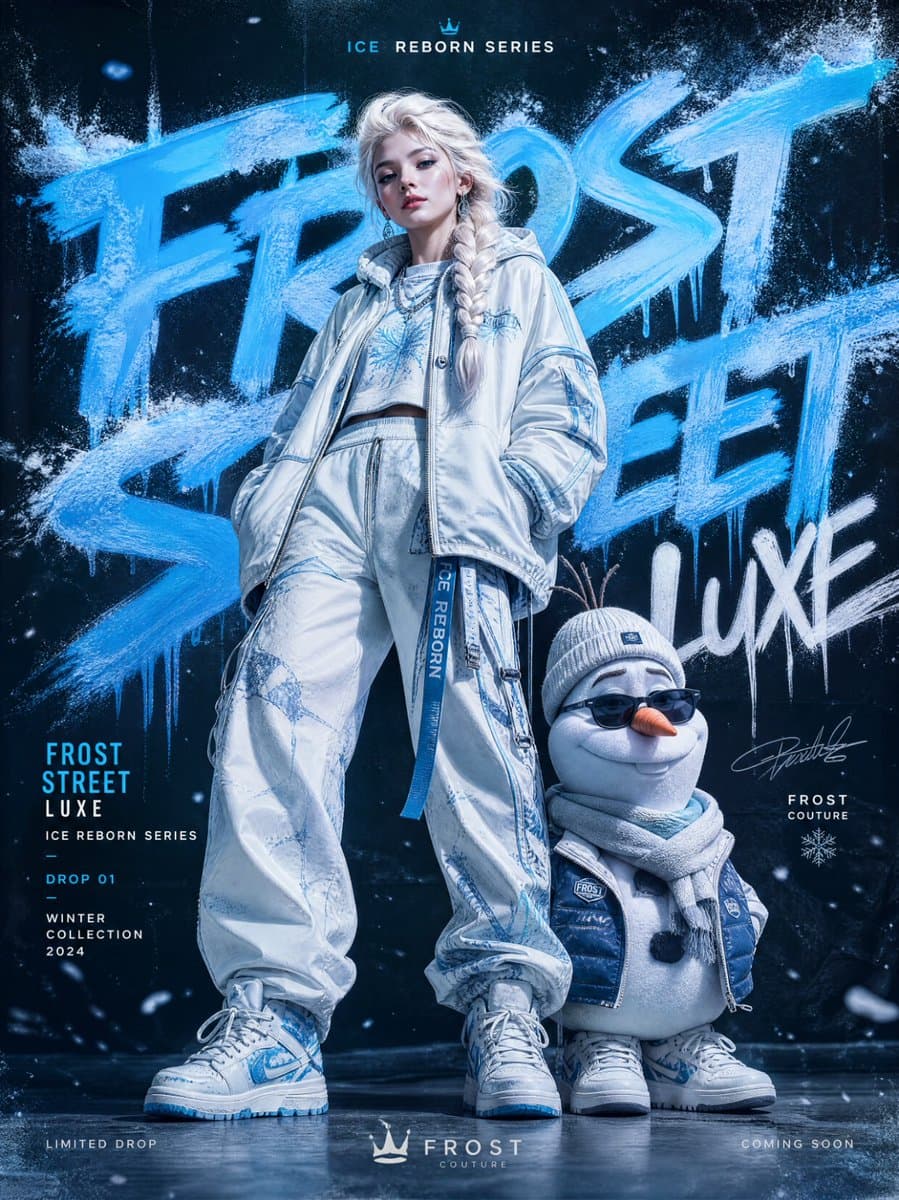
AI-generated Frozen Streetwear Fashion Campaign made with GPT Image 2

Frozen Streetwear Fashion Campaign

GPT Image 2· Gambar
URBAN GRAFFITI FASHION CAMPAIGN — ELSA & OLAF EDITION IMAGE TYPE Premium streetwear fashion poster, luxury editorial campaign, modern urban fashion advertisement featuring two hero subjects: Elsa and Olaf reimagined as high-fashion streetwear icons. CORE CONCEPT A bold fashion campaign built around TWO hero subjects: Elsa (ice queen-inspired fashion model) and Olaf (stylized streetwear companion character) blending luxury editorial photography, icy graffiti aesthetics, and winter-themed urban fashion culture. STYLE & ART DIRECTION Modern streetwear branding, graffiti art influence, high-fashion editorial styling, youth culture visuals, minimal luxury fashion advertising, bold typography composition, Instagram-ready campaign design. Mood: bold, icy, stylish, urban, futuristic, luxury streetwear, cinematic, modern. HERO SUBJECT SYSTEM CENTER COMPOSITION: TWO-FIGURE HERO SETUP ELSA (Primary Fashion Model): full-body editorial pose high-fashion ice queen reinterpretation luxury oversized streetwear layered outfit icy blue, white, silver color palette accents futuristic textures (frosted fabrics, crystal-like surfaces) calm, powerful runway presence OLAF (Secondary Stylized Character): reimagined as a cute-but-fashionable streetwear mascot minimalist snow-inspired design soft plush-like aesthetic with premium styling urban accessories (sneakers, scarf, streetwear jacket elements) expressive but refined, not cartoonish Together: a luxury fashion duo campaign GRAFFITI TYPOGRAPHY SYSTEM Oversized graffiti typography forming icy street-art background: spray paint frost effects frozen brush lettering snow mist textures crystal graffiti tags partially cropped typography Typography acts as: campaign branding + icy visual structure MINIMAL EDITORIAL LAYOUT clean luxury spacing large negative space structured composition balanced duo focus (Elsa dominant, Olaf complementary) Tone: premium, expressive, modern editorial clarity. COLOR PALETTE SYSTEM Dominant accent: icy electric blue Supporting tones: white silver frost gray soft neon ice highlights Must unify entire winter-fashion identity. DEPTH & LAYERING SYSTEM FOREGROUND: snow particles, ice dust, glowing frost fragments MIDGROUND: Elsa & Olaf hero subjects BACKGROUND: oversized icy graffiti typography + frozen gradient wall Depth = cinematic fashion + winter street energy LIGHTING SYSTEM High-end fashion editorial lighting: cool-toned studio lighting glossy icy highlights soft shadows with frost glow cinematic contrast control premium fabric realism Elsa should feel powerful and luminous; Olaf soft and stylized. BRANDING SYSTEM Include: campaign title (e.g., “FROST STREET LUXE”) collection label (“ICE REBORN SERIES”) minimal luxury logo placement drop information footer NEGATIVE SPACE SYSTEM clean breathable layout controlled composition focus on dual hero subjects no visual clutter FINAL QUALITY SYSTEM Must feel: luxury fashion editorial campaign icy urban graffiti art fusion high-end streetwear branding cinematic winter aesthetic globally polished commercial poster Instagram-ready iconic design STRICT RULES Only TWO hero subjects (Elsa + Olaf) No cartoon rendering style No messy graffiti overload No cluttered composition Must remain premium, clean, and editorial Olaf must be stylized, not comedic or chaotic
@ShamiWeb3
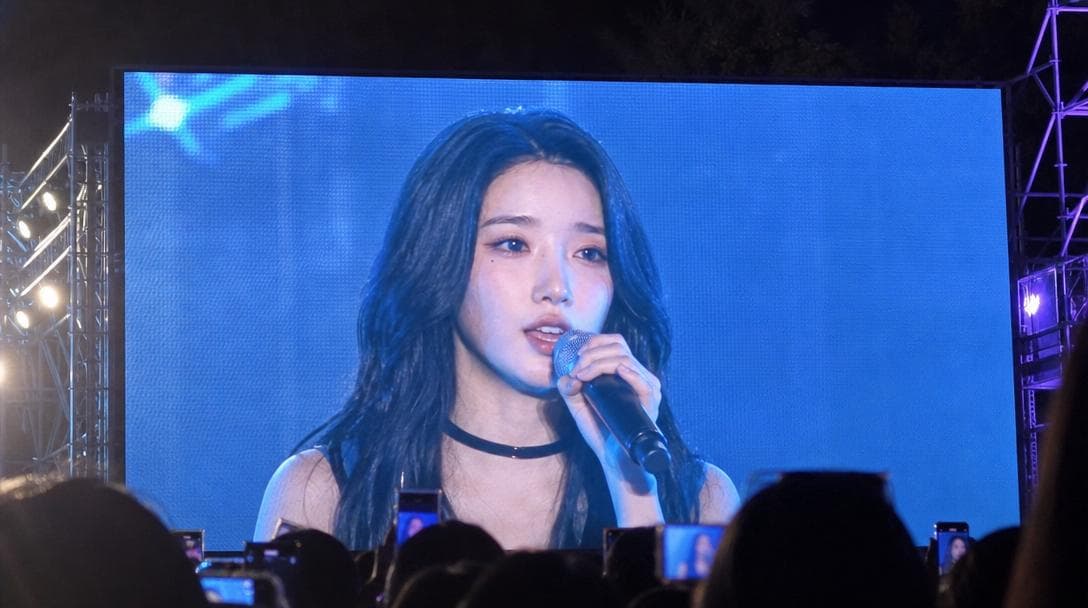
AI-generated University Festival Jumbotron Fancam Shot made with GPT Image 2
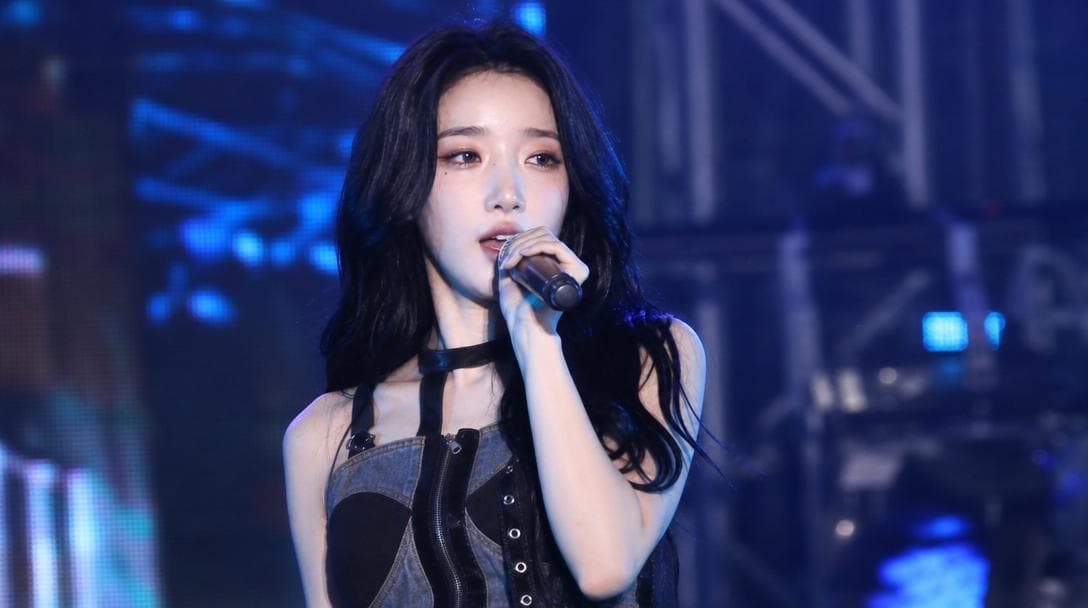
University Festival Jumbotron Fancam Shot

GPT Image 2· Gambar
Use the uploaded reference image as the strongest facial identity anchor. The person must look like the exact same person from the reference image. Preserve their facial identity with very high priority: same face shape, same eyes, same nose, same lips, same skin tone, same expression style, and same overall hair impression. Create an ultra-realistic smartphone photo taken by an audience member at a Korean university festival. The photo is not a direct stage portrait. It shows a huge outdoor LED jumbotron screen, and on that screen the person is captured performing on stage during a live song. The final image must clearly feel like someone in the crowd photographed the giant screen from a distance. On the LED screen, the person appears as a singer mid-performance, holding a microphone, not posing for the camera, not looking directly into the lens. Their gaze is toward the audience or slightly off to the side, with a natural unplanned singing expression. The moment should feel accidentally caught during a live performance. Do not assign a specific outfit color or fixed clothing style. Let wardrobe, colors, accessories, and styling vary naturally as contemporary Korean campus festival performer fashion. The giant LED screen should dominate most of the frame, with visible LED pixel texture, slight moire, screen glare, blown-out highlights, and mild color banding. Include subtle real-world smartphone capture imperfections: handheld framing, slight tilt, minor motion blur, digital zoom softness, night festival lighting, lens flare, and imperfect exposure. Around the edges, show hints of the real concert environment: dark sky, stage truss, colorful lights, silhouettes of audience heads or raised phones at the bottom. Composition: 16:9 horizontal smartphone photo of a large festival jumbotron, audience POV, screen-within-screen feeling. The performer's face should be visible on the LED screen, but the image should not look like a clean studio portrait or direct AI render. It should feel like a viral fan-taken concert screenshot photo. Photorealistic, authentic Korean university festival atmosphere, candid live-event documentation, natural skin texture as displayed on an LED screen. No captions, no overlay text, no readable university names, no brand logos, no watermark, no extra duplicated face, no celebrity resemblance, no direct eye contact, no staged idol beauty-shot posing.
AI-generated Festival Stage Live Broadcast Shot made with GPT Image 2

Festival Stage Live Broadcast Shot

GPT Image 2· Gambar
Use the uploaded reference image as the strongest facial identity anchor. The person must look like the exact same person from the reference image. Preserve their facial identity with very high priority: same face shape, same eyes, same nose, same lips, same skin tone, same expression style, and same overall hair impression. Create an ultra-realistic candid Korean university festival stage broadcast screenshot of this person performing on stage. They are a singer captured accidentally by a live event camera while in the middle of a real performance, not posing for the camera. The person must not look directly into the lens. Their gaze should be toward the audience, slightly off to the side, or downward toward the stage while singing or moving naturally. The expression should feel unplanned and mid-performance: focused, energetic, slightly breathless, with natural facial movement. The person is on the actual stage, holding a handheld microphone or wearing a performance mic, captured during a live song moment. Do not assign a specific outfit color or fixed clothing style. Let wardrobe, colors, accessories, and styling vary naturally as contemporary Korean campus festival performer fashion. Avoid staged idol beauty-shot posing, avoid deliberate hand poses, avoid direct eye contact, avoid symmetrical studio portrait composition. Use a realistic live broadcast / giant LED jumbotron look: telephoto compression from the audience area, imperfect off-center framing, slight motion blur from movement, mild video softness, stage haze, LED screen texture, subtle moire, strong colored stage lights, dark truss and concert lighting in the background, blurred crowd lights below the stage. The image should feel like one frame captured from a live campus festival screen while the performer was moving. Composition: 16:9 horizontal broadcast screenshot, upper-body or half-body on-stage framing, face visible but candid, microphone visible, dynamic stage atmosphere. Photorealistic, natural skin texture, realistic event camera image quality, high-definition social media screenshot feel. No captions, no overlay text, no watermark, no brand logos, no readable university names, no extra duplicated face, no celebrity resemblance, no reference to any specific real person.
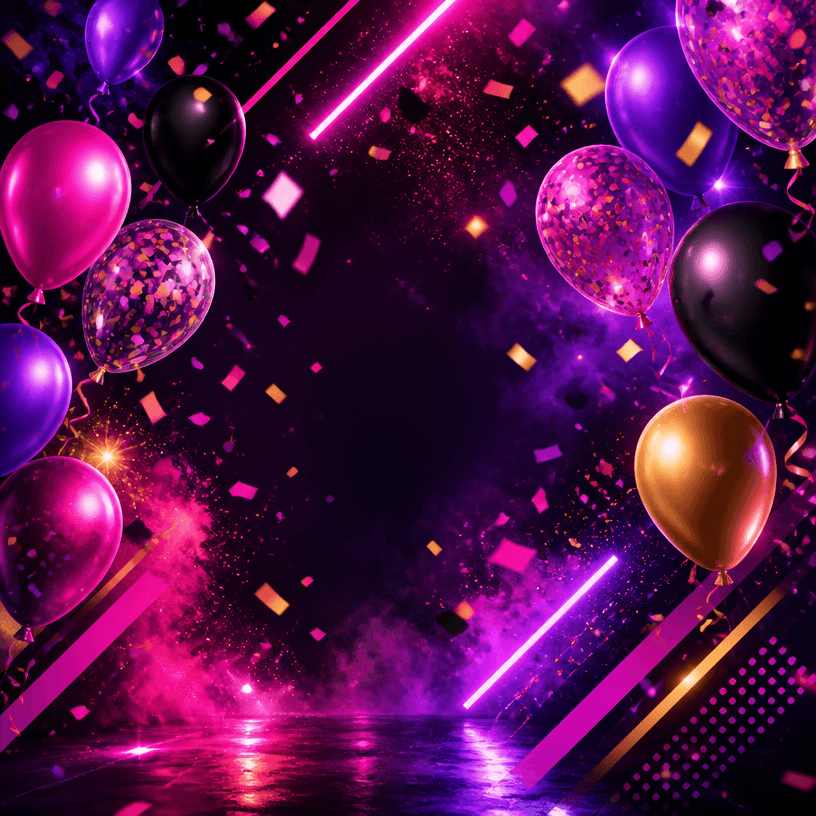
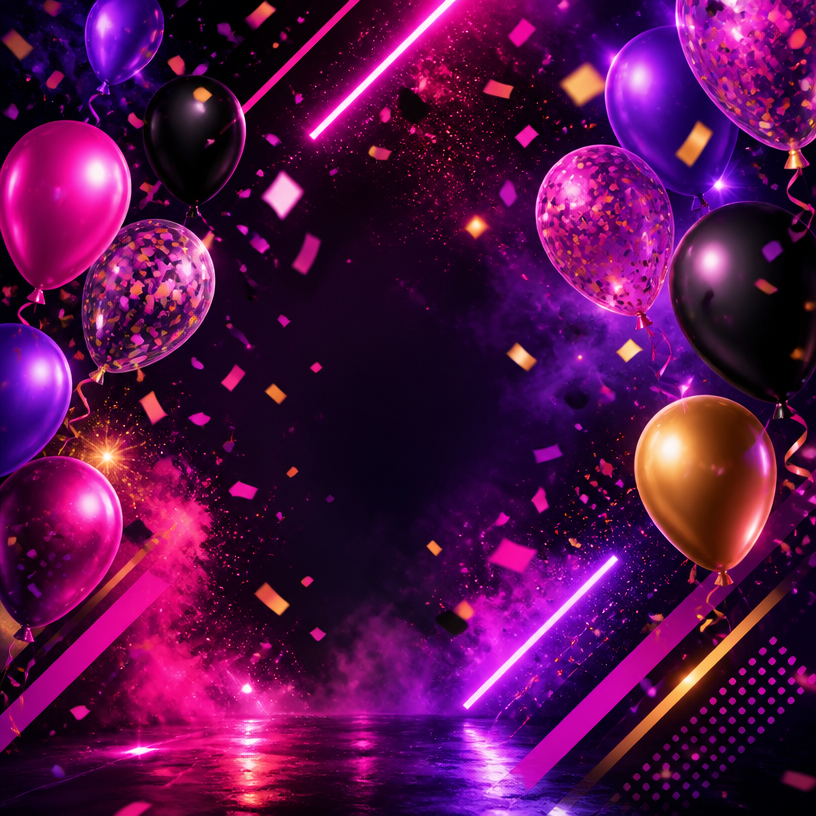
GPT 이미지 2로 생성한 파티 포스터

파티 포스터

GPT Image 2· Gambar
A vibrant party event poster design, colorful confetti and balloons floating against a dark background, neon glow accents in pink and purple, dynamic diagonal composition, celebratory nightlife atmosphere, modern graphic design style. No text, no watermark.
GPT 이미지 2로 생성한 겨울 일러스트

겨울 일러스트

GPT Image 2· Gambar
Vector sticker illustration, clean minimalist icon style. A snow-covered pine tree stands next to a cute snowman wearing a bright red scarf and a black top hat. Delicate white snowflakes fall against a soft light blue background. Thick crisp black outlines, flat colors, centered composition. Blue and white palette with red accent. High-quality vector art, smooth curves, no gradients, no text, no logo, no watermark, no 3D render, no shadows.
fal:213806
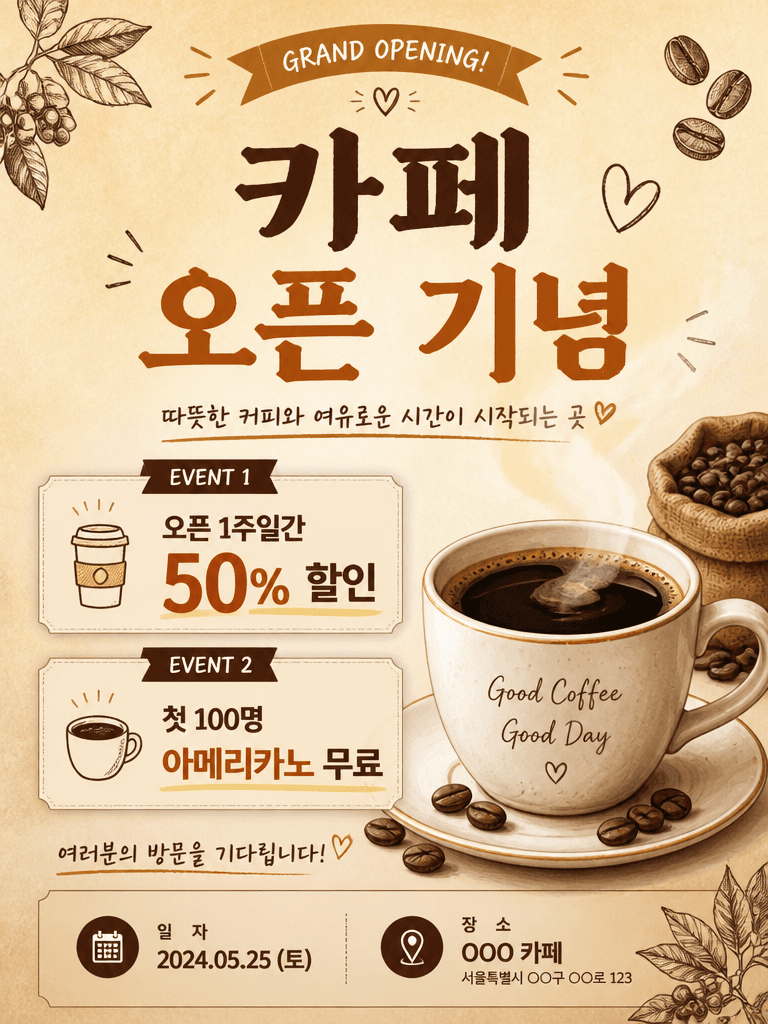
GPT 이미지 2로 생성한 카페 오픈 이벤트 포스터

카페 오픈 이벤트 포스터

GPT Image 2· Gambar
A cafe grand opening event poster design. Warm beige background with coffee cup illustration. Title text '카페 오픈 기념' in Korean. Event details: 오픈 1주일간 50% 할인, 첫 100명 아메리카노 무료. Date and location area at the bottom. Hand-drawn coffee bean decorations. Warm and inviting startup poster design, vertical format.
fal:204677

What are Festival Event Card Prompts?

A collection of AI prompts for generating festival event card images. Copy the Festival Event Card prompts provided by Carat and paste them into an AI image generation tool to get professional-grade results.

How to Use Festival Event Card Prompts

  1. Select and copy your desired prompt.
  2. Paste it into the Carat agent.
  3. Modify colors, styles, and composition as needed.
  4. Download the generated image and use it in your project.

Tips for Writing Festival Event Card Prompts

Specify lighting, texture, composition, and lens information in detail for more precise results. Add "No text, no watermark" to prevent unwanted text overlays.

Festival Event Card Prompt Applications

Festival Event Card prompts are used across content creation, marketing, design, and educational resources. AI-generated images dramatically reduce production time while maintaining professional quality.

Festival Event Card Prompt Optimization Guide

Choose the aspect ratio based on your use case: vertical (9:16) for social media, horizontal (16:9) for web banners, and square (1:1) for product images.
Pertanyaan umum

Prompt terkait

Festival Guide Card

Festival Guide Card

4 prompt

Spring Event Poster

Spring Event Poster

11 prompt

Guitar Illustration

Guitar Illustration

43 prompt

Camera Illustration

Camera Illustration

70 prompt

Galeri Prompt Carat

Buat prompt AI yang lagi tren dalam sekejap

Prompt

  • Logo
  • Desain presentasi
  • Thumbnail
  • Poster
  • Sampul novel web
  • Pasfoto
  • Karikatur
  • Halaman detail produk
  • Banner

Model

  • GPT Image 2
  • Seedance 2.0
  • Nano Banana Pro
  • Nano Banana 2

Carat

  • Mulai
  • Tentang
  • Blog
  • Karier
  • Kontak
  • Kemitraan
  • Ketentuan
  • Privasi

© 2026 Paradot.Inc All rights reserved.