carat

Galeri prompt

/

Prompt Selfie Retouching

Masuk
Daftar

Prompt Selfie Retouching

Prompt Selfie Retouching prompts. Copy and use Prompt Selfie Retouching image generation prompts from Carat right away.

2026.08.18

Buat “Prompt Selfie Retouching” persis seperti maumuBuat “Prompt Selfie Retouching” versimu sendiri

Cukup minta pakai bahasamu sendiri — Carat membuatkan gambar dan video yang pas untukmu.

Mulai sekarang dengan 100 kredit gratis tiap hari
·
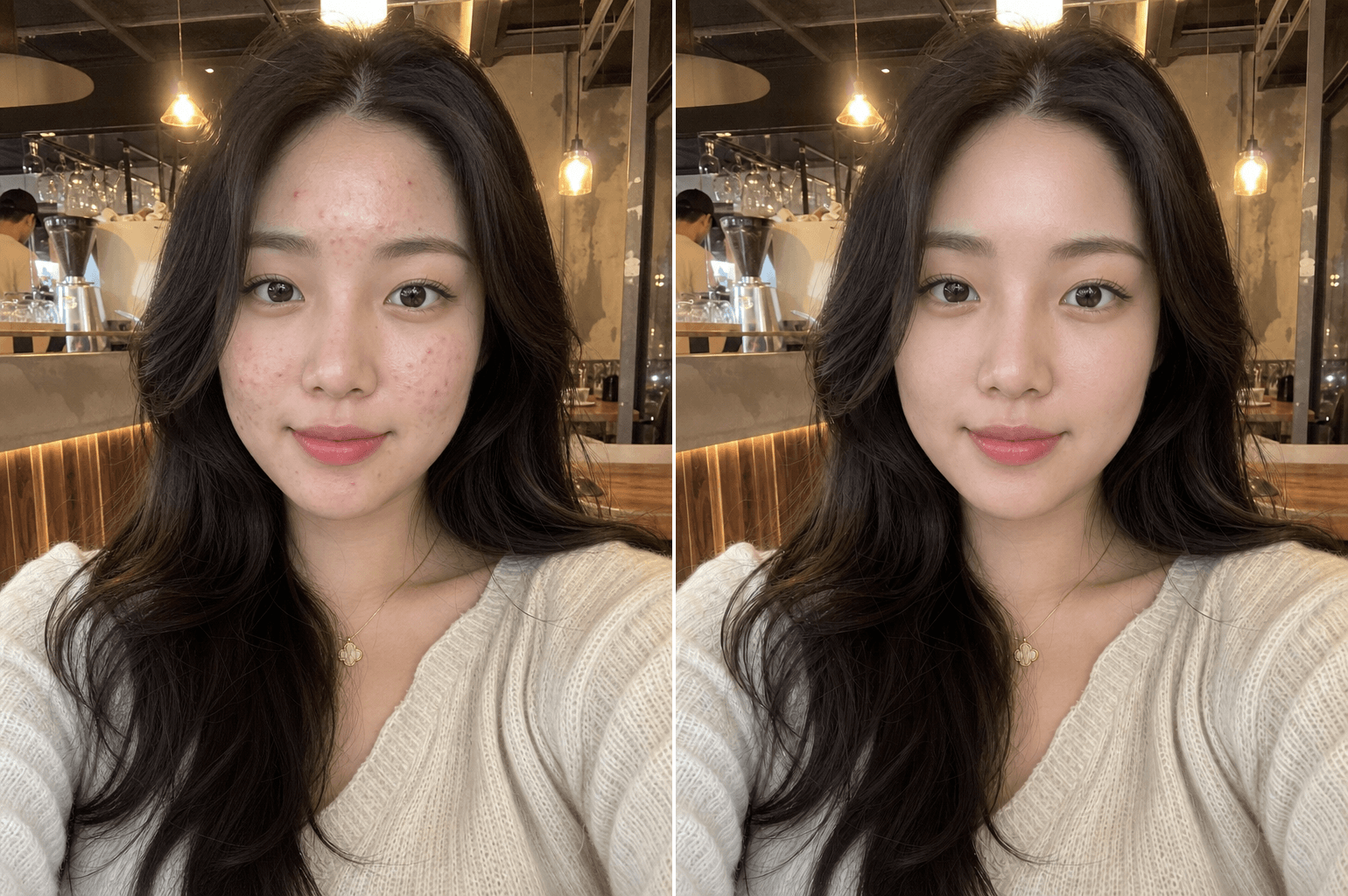
Generated with gpt-image-2: Natural Skin Retouching

Natural Skin Retouching

GPT Image 2· Gambar
Professional natural skin retouching while fully preserving the person's real identity and facial structure. Remove temporary acne, pimples, redness, skin irritation, blackheads, and uneven skin texture while keeping realistic pores and natural skin detail intact. Preserve natural skin tone, facial shadows, beard texture, eyebrows, eyelashes, and hair exactly as they are. Avoid plastic skin, beauty filter effects, over-smoothing, or artificial glow. Maintain realistic lighting and original image composition. The result should look like a professionally retouched DSLR portrait with invisible editing and natural healthy skin texture. Ultra realistic, photorealistic, high detail.
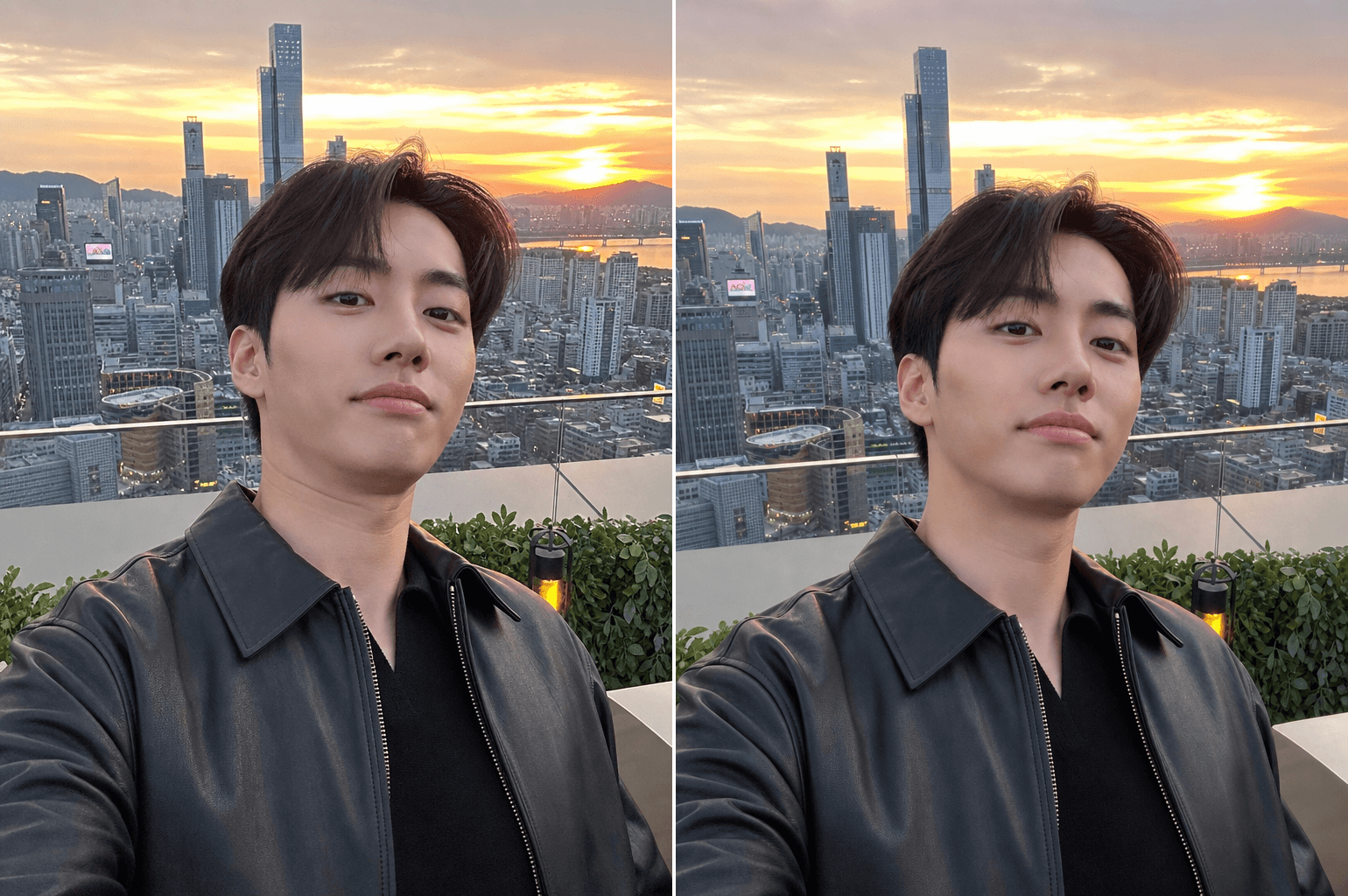
Generated with gpt-image-2: Unflattering Angle Fix

Unflattering Angle Fix

GPT Image 2· Gambar
Subtly correct the unflattering low camera angle while fully preserving the person's identity, facial structure, hairstyle, pose, and expression. Reduce the appearance of double chin or jaw compression caused by perspective distortion only. Simulate a slightly higher and more flattering eye-level camera angle naturally without changing the person's real facial anatomy. Preserve realistic shadows, neck proportions, and facial texture. No face slimming, no beauty filter, no plastic skin, no AI look. The result should feel like the same real photo captured from a slightly better angle.
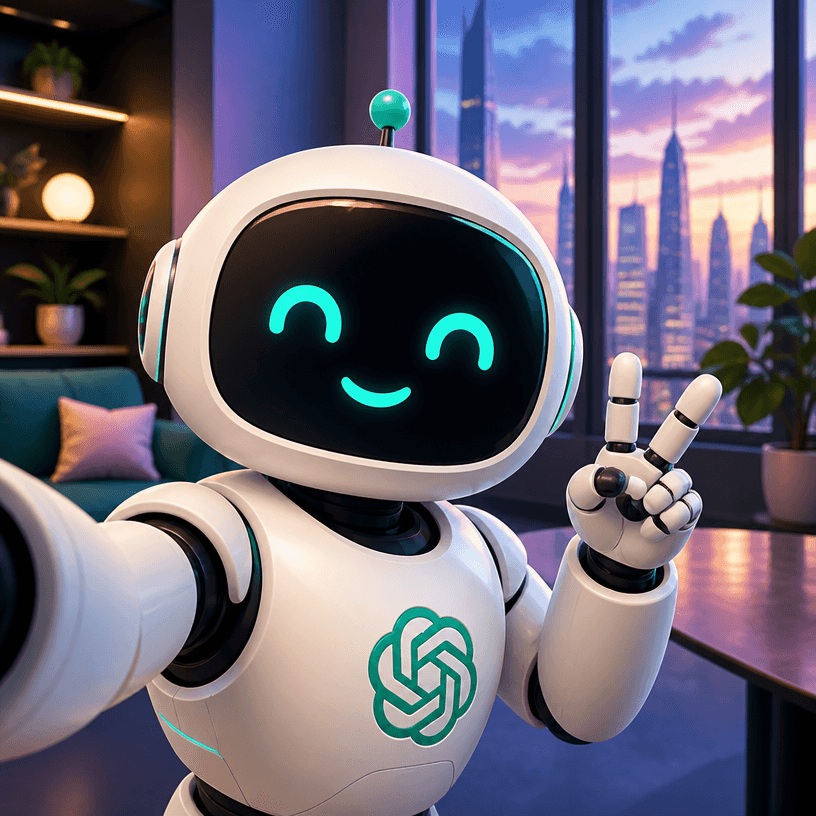
AI-generated GPT Selfie made with GPT Image 2

GPT Selfie

GPT Image 2· Gambar
A Chatgpt Selfie illustration, professional design, clean composition, vibrant colors, suitable for digital use. No text, no watermark.
fal:370836

What are Prompt Selfie Retouching Prompts?

A collection of AI prompts for generating prompt selfie retouching images. Copy the Prompt Selfie Retouching prompts provided by Carat and paste them into an AI image generation tool to get professional-grade results.

How to Use Prompt Selfie Retouching Prompts

  1. Select and copy your desired prompt.
  2. Paste it into the Carat agent.
  3. Modify colors, styles, and composition as needed.
  4. Download the generated image and use it in your project.

Tips for Writing Prompt Selfie Retouching Prompts

Specify lighting, texture, composition, and lens information in detail for more precise results. Add "No text, no watermark" to prevent unwanted text overlays.

Prompt Selfie Retouching Prompt Applications

Prompt Selfie Retouching prompts are used across content creation, marketing, design, and educational resources. AI-generated images dramatically reduce production time while maintaining professional quality.

Prompt Selfie Retouching Prompt Optimization Guide

Choose the aspect ratio based on your use case: vertical (9:16) for social media, horizontal (16:9) for web banners, and square (1:1) for product images.
Pertanyaan umum

Prompt terkait

ID Photo Enhance

ID Photo Enhance

7 prompt

Photo Editing

Photo Editing

9 prompt

Photo Retouching Prompt

Photo Retouching Prompt

9 prompt

Portrait Enhance

Portrait Enhance

14 prompt

Galeri Prompt Carat

Buat prompt AI yang lagi tren dalam sekejap

Prompt

  • Logo
  • Desain presentasi
  • Thumbnail
  • Poster
  • Sampul novel web
  • Pasfoto
  • Karikatur
  • Halaman detail produk
  • Banner

Model

  • GPT Image 2
  • Seedance 2.0
  • Nano Banana Pro
  • Nano Banana 2

Carat

  • Mulai
  • Tentang
  • Blog
  • Karier
  • Kontak
  • Kemitraan
  • Ketentuan
  • Privasi

© 2026 Paradot.Inc All rights reserved.