
AI Buzz Cut Filter | Try It On Virtually Online
Wondering if a buzz cut will suit you? With Carat AI's powerful AI buzz cut filter, you can realistically simulate how a buzz cut would look on you in seconds, using just one photo. See it before you snip it!
今すぐ無料で作成を始めよう!
またはここにファイルをドロップ
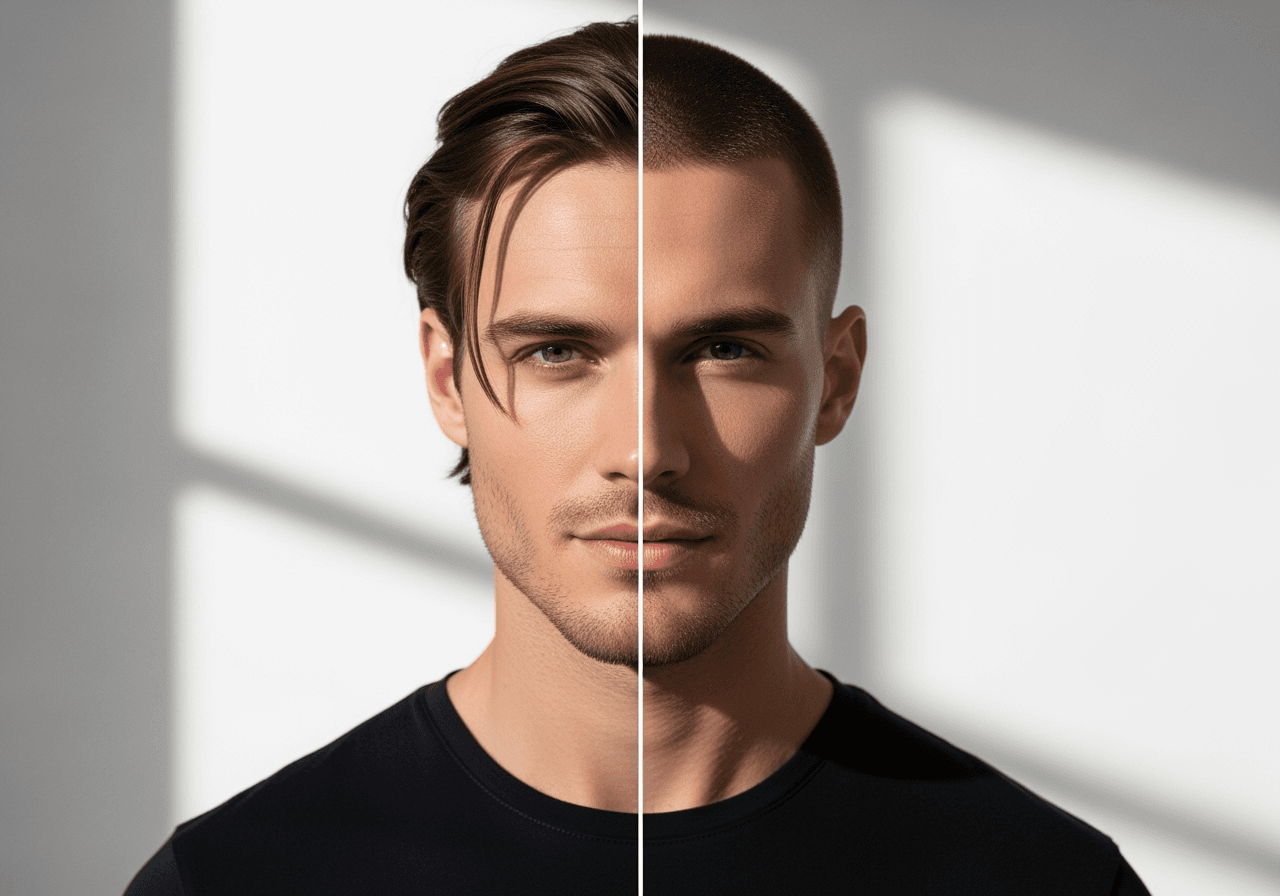
The Most Realistic Buzz Cut Experience with AI
Carat AI's buzz cut filter isn't just a simple effect. Our AI analyzes your face shape, features, and existing hair to provide the most natural and realistic buzz cut simulation.
Amazingly Realistic Results
See natural results as if you've actually cut your hair, thanks to AI technology. It's on a different level from awkward sticker filters.

Instant Transformation in Seconds
Just upload your photo and see yourself with a buzz cut in a matter of seconds. No waiting required.

Use Directly on the Web, No Installation
You can use the buzz cut filter for free directly in your web browser, without needing to download any separate apps or sign up.

How to Use the Online Buzz Cut Filter
Anyone can easily check out their buzz cut style without any complicated process. Just prepare one clear, front-facing photo.
01
Upload Your Photo
Upload a front-facing photo of yourself that you want to apply the buzz cut style to. The clearer your face, the better the result.
02
AI Filter Auto-Applies
Once you upload the photo, Carat AI automatically recognizes your face and applies the most natural-looking buzz cut style.
03
Check and Save the Result
Review your new buzz cut style. If you like it, download the image to share with friends or use it as a reference for your hairstylist.
Why is the Carat AI Buzz Cut Filter Special?
Beyond just fun, this is an essential tool for anyone considering a real hairstyle change. Make a choice you won't regret with Carat AI.
No-Regret Hairstyle Choice
Before heading to the salon, you can check if the style suits you in advance, preventing any regrets from a hairstyle change.
Confident Style Transformation
Gain confidence in a new style through virtual try-on, allowing you to embrace change with assurance.
The Joy of Discovering a New You
Have fun trying out bold hairstyles you've only imagined, and enjoy discovering a new version of yourself without any commitment.
Frequently Asked Questions
Have more questions about the Carat AI Buzz Cut Filter? Find your answers below.
How many photos do I need to upload to use the Buzz Cut Filter?
×
You only need one single photo. Carat AI's advanced technology analyzes your facial features and head shape from just one image, making the process incredibly fast and easy. You don't need to upload photos from multiple angles.
How realistic is the AI buzz cut? Will it look natural on me?
+
Is this AI Buzz Cut Filter free to use?
+
What happens to my photo after I upload it? Is it secure?
+
Can I share my new buzz cut photo? Will there be a watermark?
+
もっとAIを探索


