Bat Illustration
Create bat illustration visuals with practical AI prompt examples, style tips, and use cases.
2026.07.04
「Bat Illustration」を思いどおりに作りましょう自分だけの「Bat Illustration」を作る
ふだんの言葉で伝えるだけで、Caratが最適な画像や動画を生成します。

毎日100クレジット無料で今すぐ始められます
Bat Illustration
What are Bat Illustration AI prompts?
Bat Illustration prompts help you generate a clear visual asset by describing the subject, symbolic details, composition, line style, color palette, texture, background density, and intended use. A strong prompt is more useful than a single keyword because it tells the image model what the final output should become. This makes the result easier to reuse in posters, stickers, worksheets, thumbnails, presentations, classroom materials, social posts, branding drafts, editorial layouts, or product mockups.
Main use cases
- 할로윈 포스터 장식
- 동물 학습 카드
- 자연 교재 삽화
- 스티커 굿즈
- 생태 관찰 콘텐츠
Why this tag is useful
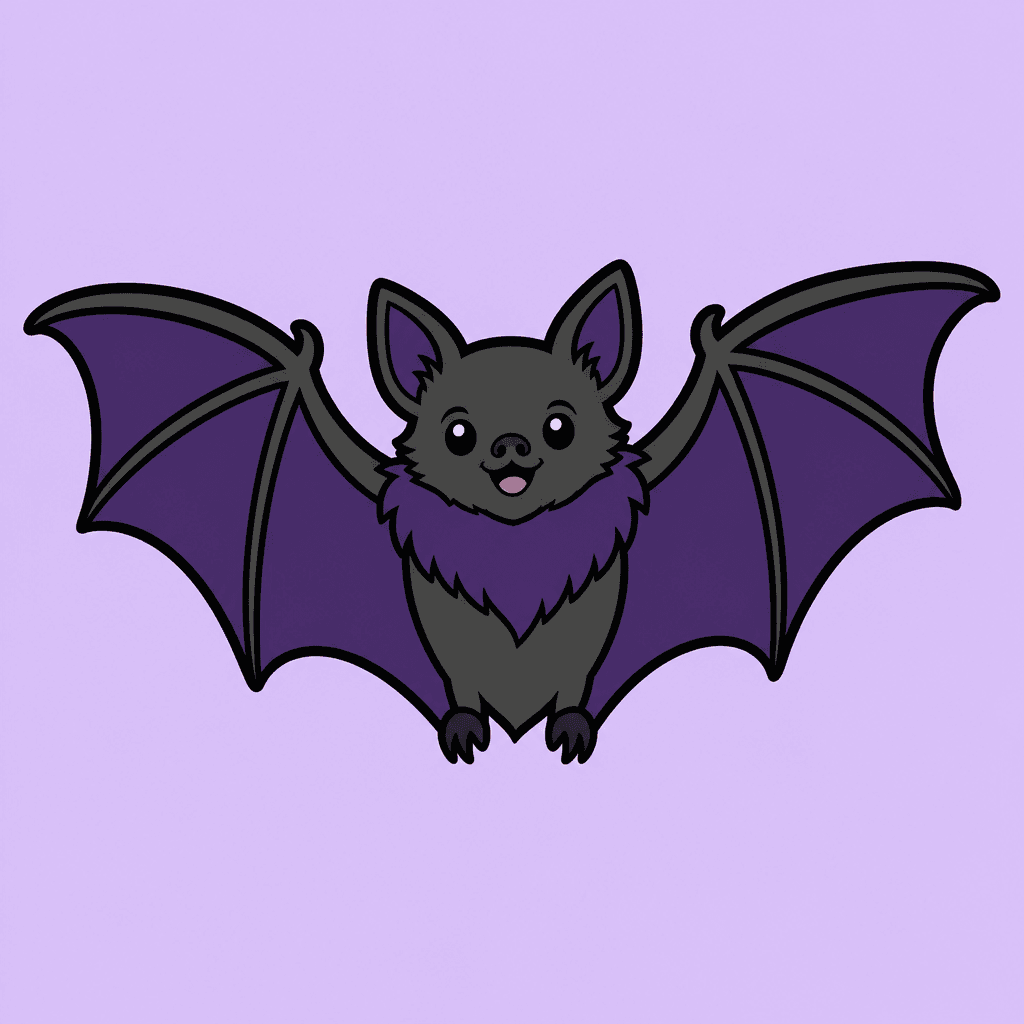
박쥐는 퍼진 날개, 작은 귀, 단순화된 실루엣이 중요합니다. 할로윈과 자연 교육 양쪽에 쓸 수 있도록 친근한 표정을 유지합니다. For reusable production results, add constraints such as clean vector illustration, bold outline, flat colors, centered composition, simple light background, subtle paper texture, no readable text, no logo, and no watermark. These details reduce ambiguity and help the generated image stay editable and safe for design workflows. The tag is especially useful when you need one clear subject that reads immediately without relying on captions.
Related prompts to explore
Useful related tags include illustration, sticker-design, character-illustration, animal-illustration, poster. Combine this tag with sticker-design for cutout assets, educational-poster for classroom or campaign visuals, poster for public layouts, or character-illustration when the same topic should become a mascot or story element.
Prompt writing tips
- Start with the output format, such as sticker, poster, card news, worksheet, icon, thumbnail, cover, or presentation image.
- Add observable details such as silhouette, pose, symbolic props, outline, palette, texture, and background simplicity.
- Keep production constraints explicit: no readable text, no logo, no watermark, and a clean background.
- Generate variations by changing only the palette, expression, background, or detail level, then choose the most reusable result.
よくあるご質問
You can copy and adapt the prompt text for free. Credits are used when you generate images with AI.
Yes, you can use it as a marketing or design draft, but review logos, text, and rights-sensitive elements before publishing.
For reliable results, this page recommends clean visuals without readable text. Add copy later in a design tool if needed.
Use 1:1 for cards and stickers, 9:16 for short-form visuals, and 16:9 or print-specific ratios for posters and banners.
Add constraints such as simple shapes, clean background, fewer details, and centered composition to simplify the output.
Mention sticker illustration, clean cutout, bold outline, and light background, then use background removal if needed.
Yes. Tags such as illustration, sticker-design, and character-illustration are useful for adapting the same idea to different formats.