carat

Prompt Gallery

/

화학실험

Login
Sign Up

화학실험

화학 실험실 포스터 제작을 위한 실용적인 AI 프롬프트 설계 가이드입니다.

2026.08.15

·
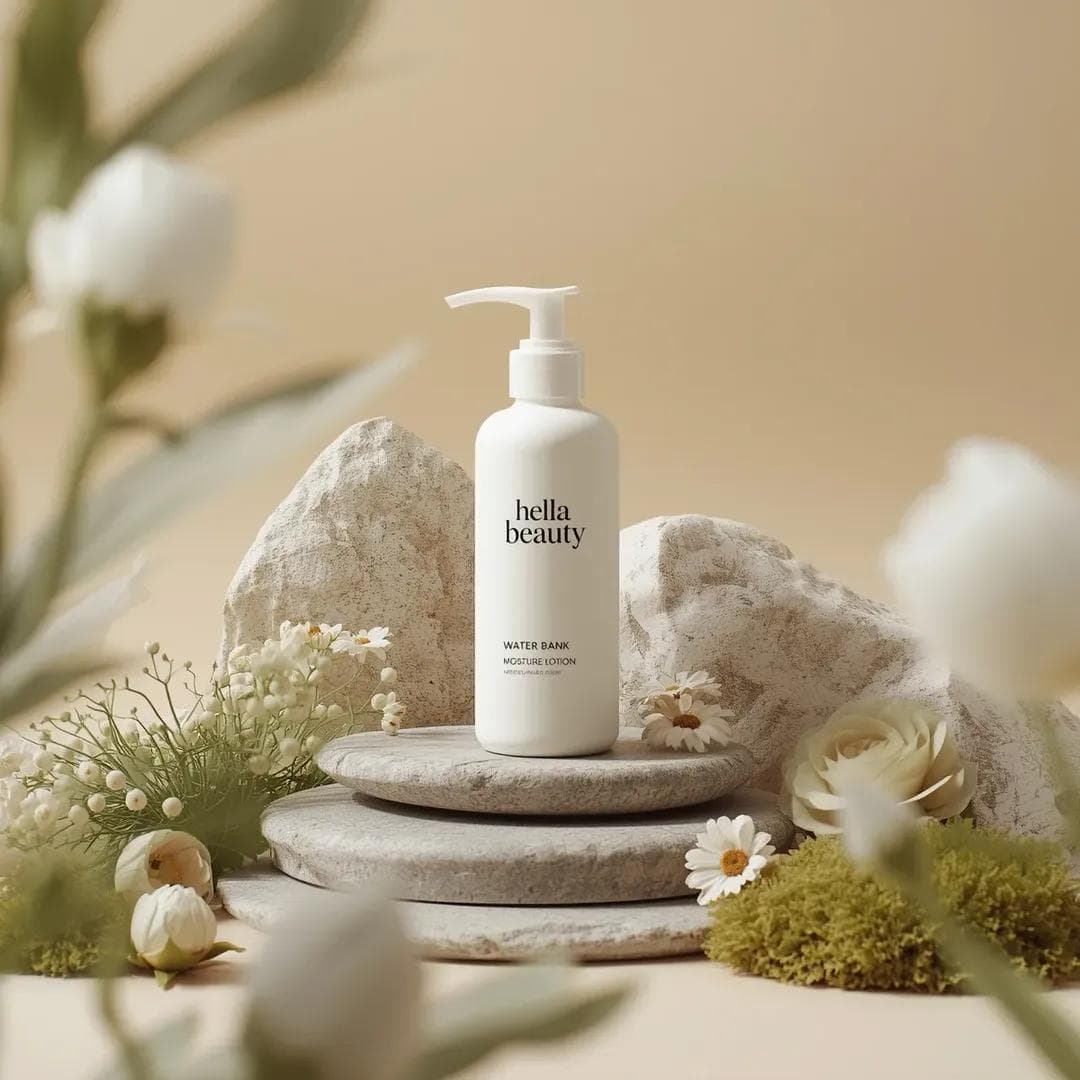
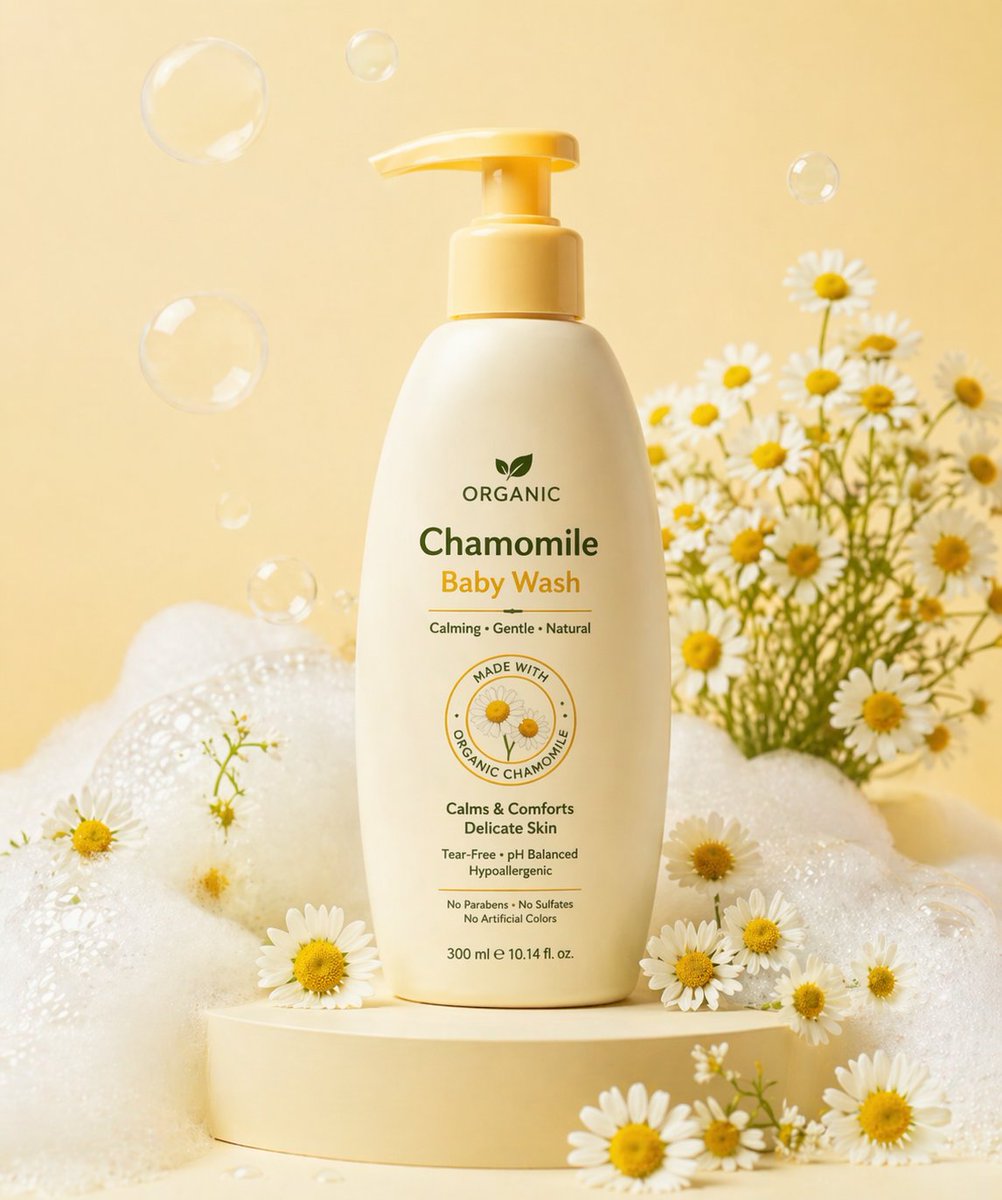
나노바나나 프로로 생성한 헬라뷰티 스킨케어 제품컷

헬라뷰티 스킨케어 제품컷

나노바나나 프로· Image
Ultra-high-end photorealistic commercial skincare product photography featuring a matte white plastic pump bottle centered and upright, labeled “hella beauty” in clean black minimalist typography with smaller text reading “water bank moisture lotion” and subtle product details beneath, the bottle placed on a layered natural stone surface surrounded by carefully arranged organic props including smooth gray river stones, pale beige textured rock formations, soft green moss clusters,delicate white pom-pom flowers, cream-colored daisy-like blossoms, light green fern leaves, and a muted sage rose, all arranged in a balanced symmetrical composition, background a soft warm beige studio backdrop with gentle gradient and no visible edges, foreground partially framed by softly blurred out-of-focus white flowers creating depth, lighting soft diffused daylight-style studio lighting from upper left producing gentle shadows, natural highlights on the bottle and petals, and a calm airymood, color palette dominated by warm neutrals, soft whites, sage greens, and muted earth tones, textures highly detailed including matte plastic, porous stone, velvety petals, and moist moss, shallow depth of field with sharp focus on the product label and midground elements and smooth bokeh in foreground and background, premium botanical skincare advertising aesthetic, clean minimal luxury composition, cinematic realism, ultra-detailed 8K, studio-grade hyperrealism, no extra text, no borders, no stylization beyond natural photorealism.
@ChillaiKalan__
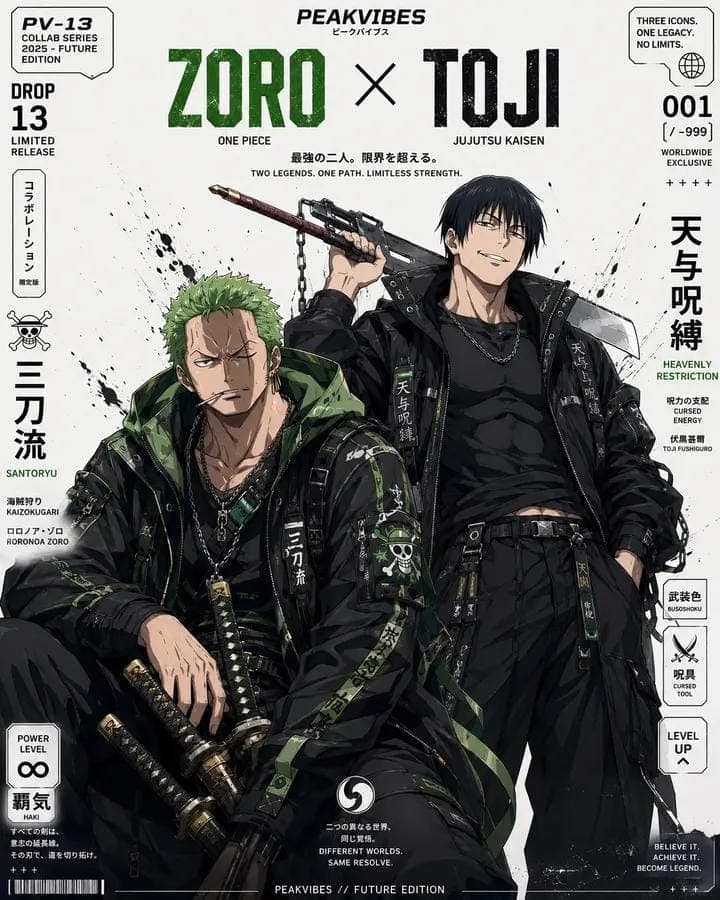
GPT 이미지 2로 생성한 애니 캐릭터 콜라보 포스터

애니 캐릭터 콜라보 포스터

GPT 이미지 2· Image
Ultra-detailed anime streetwear crossover poster design, premium hypebeast editorial layout, two iconic anime characters fused into a fashion collab cover, full-body duo composition, standing/sitting pose combination, clean white background with black ink splatter accents, luxury Japanese techwear styling, oversized tactical bomber jackets, layered straps, hanging belts, cargo pants, utility pockets, chains, branded patches, kanji typography, sneakers matching each character’s signature palette, sharp cel-shaded anime illustration, highly detailed fabric folds, glossy accessories, dramatic character attitude, modern collectible poster aesthetic. Poster layout style: top-center bold brand logo text “PEAKVIBES”, giant distressed typography with both character names in uppercase separated by “X”, subtitle with anime series names underneath, Japanese vertical side text blocks, collectible edition labels, drop number, “limited release”, “worldwide exclusive”, “power level ∞”, barcode elements, side badges, futuristic street-fashion product poster composition, balanced negative space, symmetrical magazine-cover design, premium print ad aesthetic. Art direction: anime x luxury streetwear collab, futuristic urban Japanese fashion editorial, black tactical outfits with color-coded accents based on the characters, high contrast, crisp linework, semi-realistic anime rendering, dynamic but clean poster composition, collectible wall-art look, fashion campaign visual, extremely polished, sharp focus, high detail, studio poster finish. Character styling rules: Keep each character instantly recognizable from their anime identity Reimagine them in coordinated Japanese techwear / cyber-streetwear Use black as the base outfit color Add signature accent color tied to the characters/franchise Include iconic weapons / powers / aura motifs subtly integrated into the fashion poster Make them look like elite streetwear ambassadors, confident, stylish, dominant presence
@SimplyAnnisa
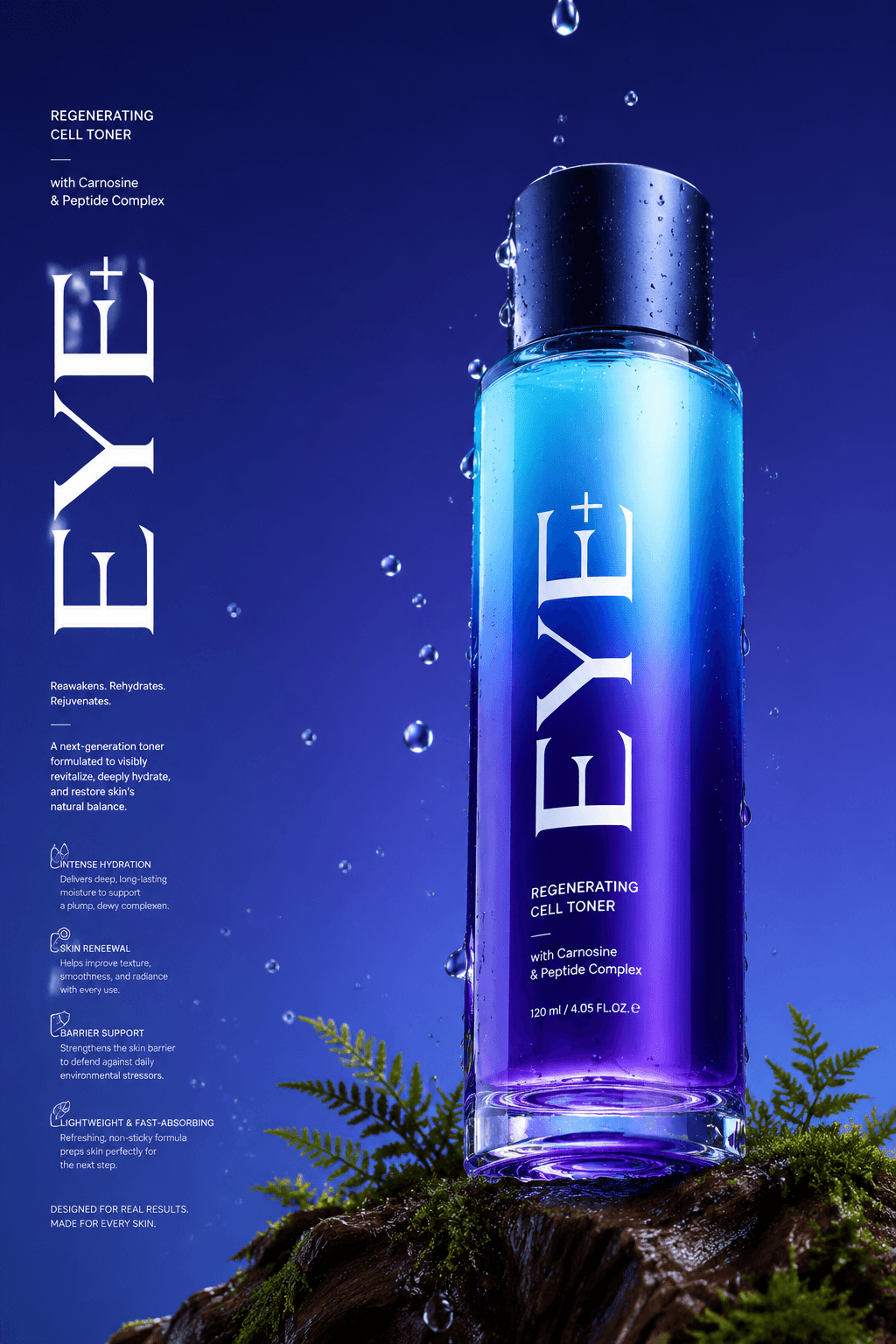
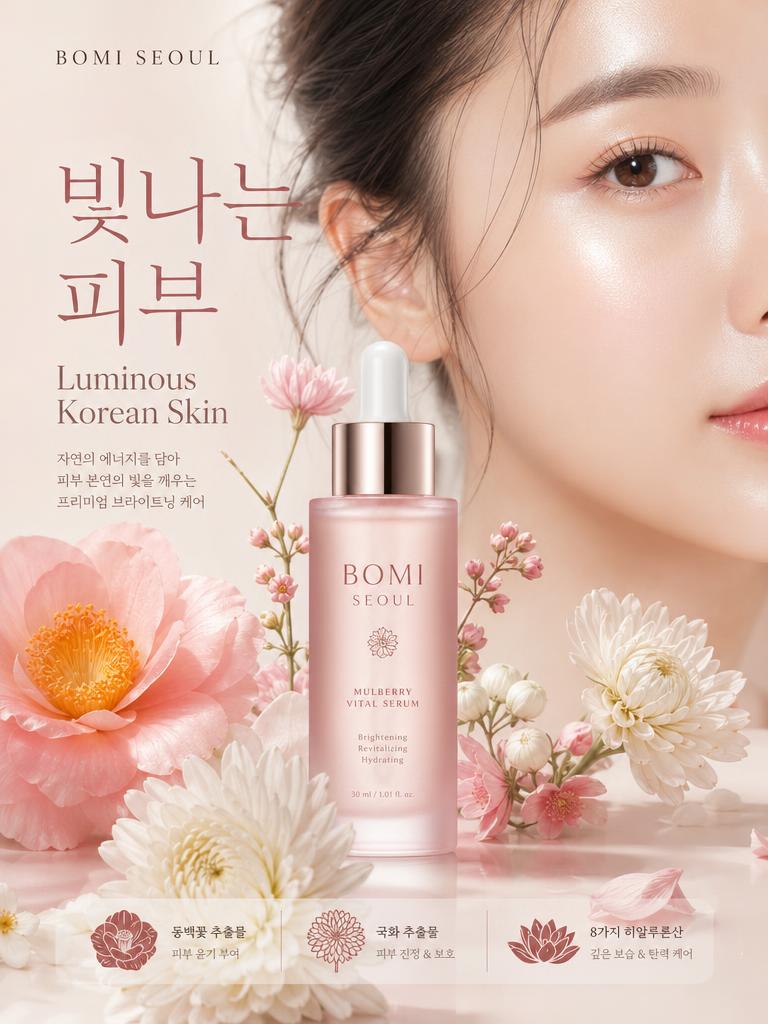
GPT 이미지 2로 생성한 럭셔리 향수 제품 사진

럭셔리 향수 제품 사진

GPT 이미지 2· Image
Long Commercial luxury product photography poster, photorealistic, ultra high detail, 8K quality. A gradient deep violet glass base in royal purple and electric blue gradually transitioning to a lighter cyan at the top. The bottle is placed on a trunk with dark moss and tiny ferns appearing in the scene. Name of brand "Eye+" Low angle 45° side camera view to make the bottle feel tall and powerful. The bottom of the bottle is partially visible. Realistic water droplets in air, around the bottle and in background, the bottle has a matte midnight blue cap. With a few drops falling, frozen mid-drip for a time-stopped effect. Background with no texture. Soft, even studio lighting with clean reflections, premium advertising look, sharp focus, realistic materials, no distractions. Light refraction & retention at the bottom of the bottle contact with glass. Big text vertically stretched EYE+ in white and a lot of small text in background in white product description, advantages in product. Etc.
496d11f7c212e309976dad830b87eb4b
GPT 이미지 2로 생성한 어반 패션 에디토리얼 포스터

어반 패션 에디토리얼 포스터

GPT 이미지 2· Image
1. json prompt version ```json { "subject": { "description": "A cropped, low-resolution digital image of a person's eyes inside a rectangular selection box, resembling an image-editing canvas or screenshot. Only the eye area and eyebrows are visible; the rest of the face and body are cut off.", "mirror_rules": "Not a mirror selfie. Preserve the screen-capture / interface-editing feel rather than treating it as a conventional portrait.", "age": "adult or young adult, exact age unclear due to extreme crop and pixelation", "expression": { "eyes": { "look": "wide, direct, slightly tense gaze", "energy": "alert, uncanny, quietly confrontational", "direction": "looking straight toward the viewer" }, "mouth": { "position": "not visible", "energy": "not applicable" }, "overall": "fragmented and decontextualized, with the eyes carrying all emotional weight" }, "face": { "preserve_original": "Preserve the exact cropped eye-band framing, visible eyebrows, dark pupils, low-resolution halftone texture, and slight pink-gray screen tint.", "makeup": "No clear makeup is visible. The face should read as a raw, pixelated screen image rather than a polished beauty portrait." } }, "hair": { "color": "not visible", "style": "not visible", "effect": "not applicable" }, "body": { "frame": "not visible", "waist": "not visible", "chest": "not visible", "legs": "not visible", "skin": { "visible_areas": "Only a narrow strip of facial skin around the eyes, eyelids, under-eye area, bridge of the nose, and brow region is visible. No shoulders, chest, waist, hips, legs, back, or arms are visible.", "tone": "pale pink-gray skin tone distorted by screen pixels and scanline-like color separation", "texture": "The skin appears roughened by digital pixel structure, like it would feel visually grainy or screen-printed rather than physically smooth; any natural skin texture is obscured by the low-resolution display pattern.", "lighting_effect": "The skin is not lit by natural photographic light; it appears illuminated through a flat digital screen or screenshot, with no realistic shadow depth, only pixel-level contrast and faint magenta-gray banding." } }, "pose": { "position": "Only the eyes are framed horizontally inside a selected rectangular crop.", "base": "No body pose visible.", "overall": "The composition feels like a fragment being actively selected, edited, or dragged inside a design interface." }, "clothing": { "top": { "type": "not visible", "color": "not visible", "details": "not visible", "effect": "not applicable" }, "bottom": { "type": "not visible", "color": "not visible", "details": "not visible" } }, "accessories": { "device": "Implied computer interface or editing software canvas", "prop": "Multiple oversized black-and-white mouse cursor arrows surrounding and pointing toward the selected eye image" }, "photography": { "camera_style": "Not a traditional photograph; a screenshot-like digital collage or UI-capture aesthetic with a pasted low-resolution eye image.", "angle": "Straight-on, flat frontal view with no perspective depth.", "shot_type": "Extreme close-up crop of eyes embedded in a graphic interface composition.", "aspect_ratio": "Overall image is near 4:5 vertical canvas; the selected eye strip is a long horizontal rectangle.", "texture": "Visible pixel grid, moire-like vertical RGB scanlines, compressed low-res texture, hard-edged UI elements, clean white canvas background.", "lighting": "Flat screen illumination, no cinematic lighting, no natural directionality; contrast comes from the digital image and interface overlay.", "depth_of_field": "No optical depth of field; all elements appear flattened like a graphic screenshot." }, "background": { "setting": "Minimal white digital workspace or blank canvas", "wall_color": "white", "elements": [ "bright cyan-blue rectangular selection outline", "round blue resize handles on corners and midpoints", "small dark floating size tooltip near the top-right edge", "several repeated mouse cursor arrows arranged around the eye crop", "large empty white space above and below the selected image" ], "atmosphere": "Sparse, internet-art, meme-adjacent, slightly uncanny and obsessive", "lighting": "Pure digital white background with no physical environmental light" }, "the_vibe": { "energy": "hyper-focused, intrusive, glitchy", "mood": "uncanny, anxious, surveillance-like, absurdly intimate", "aesthetic": "early internet collage, screenshot art, low-res UI manipulation, digital found-image surrealism", "authenticity": "Should feel like an imperfect screenshot taken during editing, not a clean vector recreation or polished poster.", "intimacy": "The extreme eye crop creates uncomfortable closeness while the interface elements keep it emotionally detached.", "story": "It feels as if someone had been selecting a stranger's gaze on a blank canvas, and the repeated cursors are still converging on it.", "caption_energy": "something that was clicked too many times, a gaze trapped inside an editing box" }, "constraints": { "must_keep": [ "white blank background", "horizontal rectangular crop containing only both eyes and eyebrows", "cyan-blue selection box with circular resize handles", "visible pixelated / scanline texture across the eye image", "multiple large black-and-white cursor arrows pointing toward or around the eyes", "small size-tooltip near the upper right of the selection box", "flat screenshot-like composition", "uncanny direct gaze" ], "avoid": [ "do not turn it into a full-face portrait", "do not add visible body, clothing, hair, or environment", "do not make the image high-fashion or cinematic", "do not remove the UI selection handles", "do not smooth out the pixel grid", "do not replace the cursors with realistic hands or objects", "do not add dramatic shadows or realistic depth" ] }, "negative_prompt": [ "full body", "full face", "beauty portrait", "cinematic lighting", "realistic background", "smooth skin", "high resolution glamour", "fashion editorial", "hands", "extra facial features", "removed cursor arrows", "removed selection box", "3D depth", "polished vector art" ] } ``` 2. Natural language prompt Create a flat, screenshot-like digital collage on a mostly blank white canvas. In the center, place a long horizontal rectangular crop showing only a person's eyes, eyebrows, eyelids, under-eye area, and a narrow strip of pale pink-gray facial skin. The gaze should look straight at the viewer, wide and slightly tense, with an uncanny, alert emotional residue. Do not show the full face, mouth, hair, body, clothing, shoulders, chest, waist, hips, legs, arms, or any physical environment. The eye crop should look low-resolution and screen-captured, with visible pixel grid, vertical RGB scanline texture, faint moire, compression artifacts, and a slightly gray-magenta digital tint. The skin should not look polished or naturally lit; it should feel visually grainy, like a rough screen-printed or monitor-textured surface rather than smooth real skin. Lighting should be flat screen illumination with no realistic shadows, no cinematic directionality, and no depth-of-field blur. Surround the eye strip with a bright cyan-blue editing selection rectangle, including circular resize handles on the corners and midpoints. Add a small dark size-tooltip near the upper-right edge of the selected rectangle, as if the image is actively being resized in editing software. Place several oversized black-and-white mouse cursor arrows around the eye crop, some pointing toward the eyes and some overlapping the area below, creating a repetitive obsessive clicking energy. The composition should remain front-facing, flat, and graphic, with a near 4:5 vertical canvas and a large amount of empty white space above and below the selected eye strip. Preserve the imperfect screenshot feeling: slightly awkward placement, low-res texture, hard UI edges, and a casual internet-art quality. The image should feel as if someone had been selecting a stranger's gaze on a blank canvas, and the cursors are still converging on it. Avoid turning it into a full portrait, beauty shot, fashion editorial, cinematic scene, polished vector poster, or realistic environment. Keep the selection box, cursor arrows, pixelation, flat white background, and direct uncanny gaze as the core visual identity.

d1f13b0062b253274393e0ac28bf3555
GPT 이미지 2로 생성한 아이돌 우편엽서

아이돌 우편엽서

GPT 이미지 2· Image
Square product flat-lay of a fan-made pop idol postcard set featuring the same fictional adult Korean pop singer, rounded corners, subtle holographic foil, pastel pink, silver and lavender palette. No real celebrity, no readable text, no logo, no watermark.
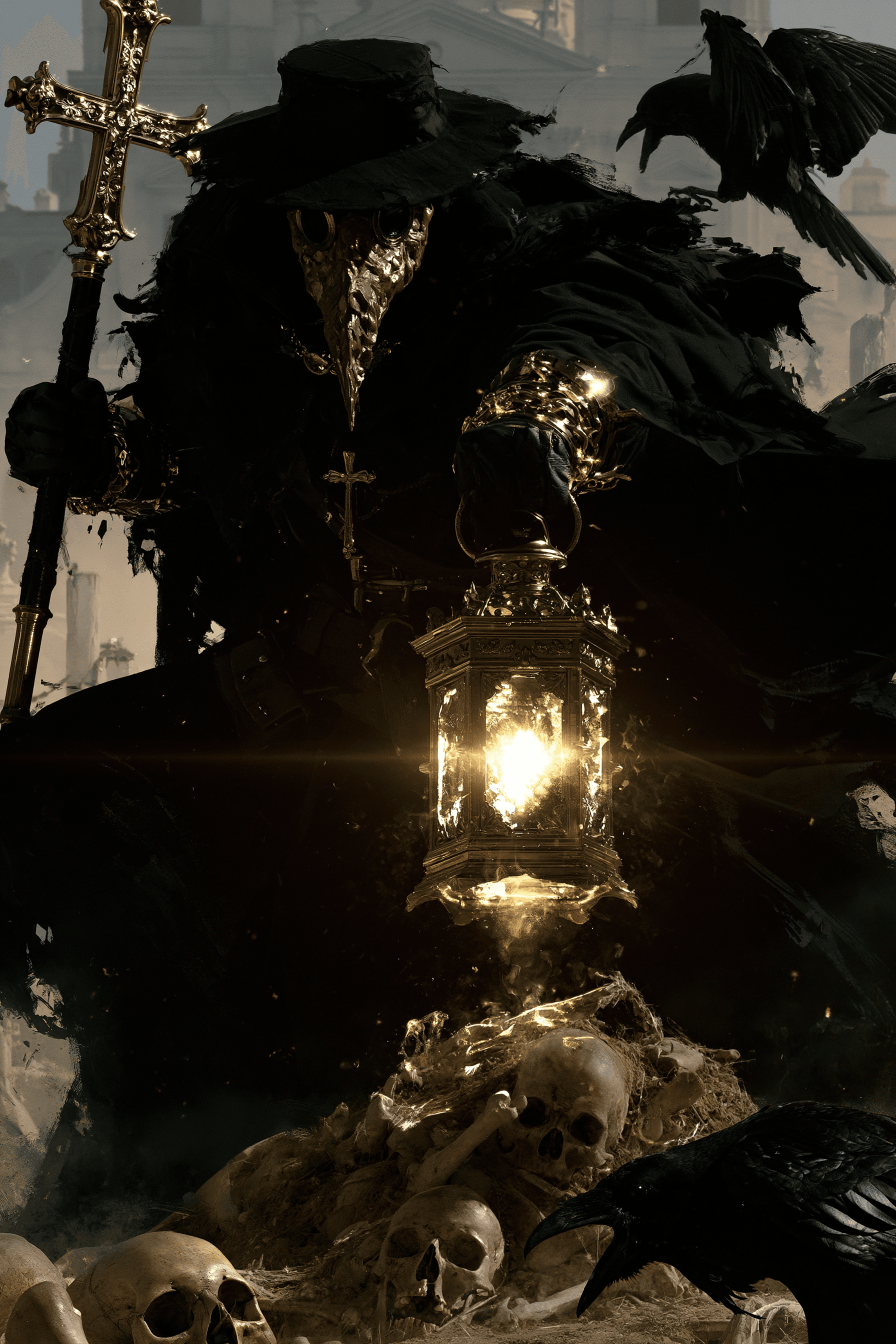
미드저니로 생성한 묘지의 역병 의사 포스터

묘지의 역병 의사 포스터

미드저니· Image
A plague doctor with a textured mask, holding a lantern and a staff with a cross, standing in a graveyard, dynamic pose, surrounded by skulls and remains, Raven, hazy architectural background, dramatic high contrast lighting, realistic 4K --chaos 11 --ar 2:3 --exp 35 --raw --sref 931379730 3600739026 2856554496 2403970710 --profile gw85t4j rxbd514 --hd --preview
b5dc213527df2ee94adde656a8c477f2
나노바나나 2로 생성한 3D 팝업 카드 Wedding Arch Blossoms

웨딩 플라워 아치 3D 팝업 카드

나노바나나 2· Image
An elegant 3D pop-up wedding card opened to reveal a floral arch with layered roses and greenery, a tiny aisle and two golden rings detail, ivory and blush paper palette, delicate foil-stamped monogram on the base, clean cut lines, realistic paper texture, warm window light with gentle shadows, Nikon Z7II 60mm macro, centered composition, luxury stationery photography --ar 4:5
wedding-arch-blossoms
나노바나나 프로으로 생성한 유니콘 생일 3D 팝업 카드

유니콘 생일 3D 팝업 카드

나노바나나 프로· Image
Two hands opening a 3D pop-up birthday card that reveals a layered rainbow unicorn scene, bright pastel cardstock, glittery foil accents, confetti pieces lifting from the fold, soft daylight from a nearby window, shot on Sony A7IV 35mm f/2, candid lifestyle angle, photorealistic paper craft detail --ar 4:5
unicorn-card-opening
나노바나나 프로으로 생성한 럭셔리 모노그램 3D 팝업 카드

럭셔리 모노그램 3D 팝업 카드

나노바나나 프로· Image
A minimalist luxury 3D pop-up card with a single large monogram rising from the center, thick white cotton cardstock, gold foil embossing, clean geometric fold structure, high-end studio lighting with soft shadow falloff, shot on Hasselblad X2D 65mm, crisp focus, premium stationery product photo --ar 4:5
luxe-monogram-minimal
나노바나나 프로으로 생성한 고딕 성 3D 팝업 카드

고딕 성 3D 팝업 카드

나노바나나 프로· Image
A dramatic 3D pop-up card with a gothic castle silhouette, layered bats, and a full moon cutout, black cardstock with silver highlights, fog effect from vellum layers, moody low-key lighting with rim light, shot on Sony A7R IV 85mm, high contrast, sharp edges, realistic paper texture --ar 4:5
gothic-castle-night
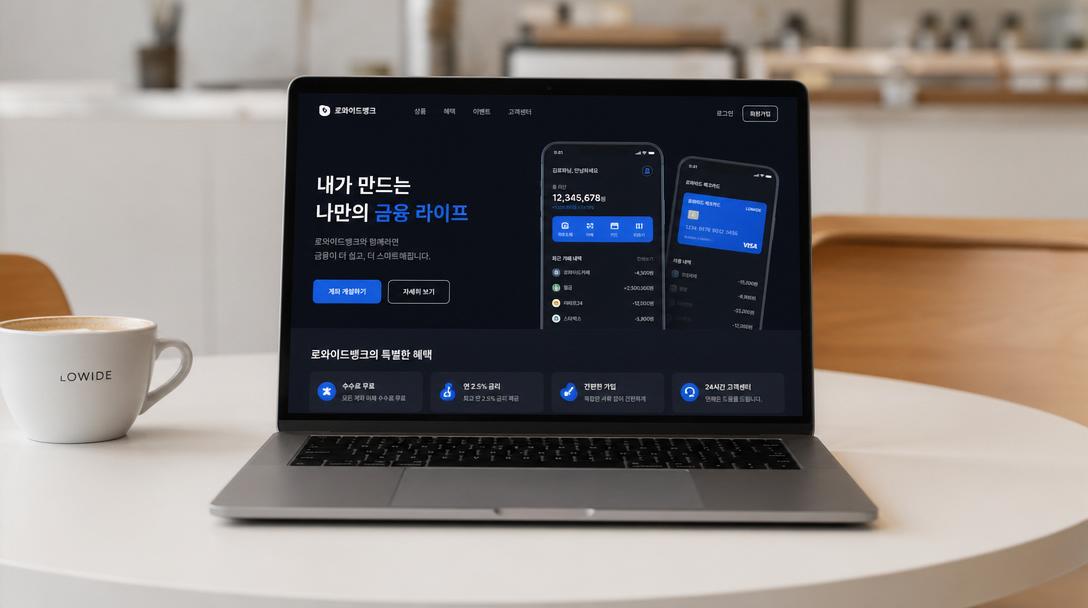
GPT 이미지 2로 생성한 미래형 AI 앱 마케팅 배너

미래형 AI 앱 마케팅 배너

GPT 이미지 2· Image
Create a clean, futuristic marketing banner in a premium 3D commercial style, designed for an AI app, mobile platform, or startup landing page. Use a soft white-to-light-blue gradient background with a subtle airy glow, lots of negative space, and a polished minimal tech aesthetic. On the left side, place a tall modern smartphone in a slight three-quarter view, with a glossy black frame, realistic screen reflections, and a visible app interface that resembles a social media profile.In front of the phone, position a sleek humanoid robot with a glossy white armored body, black joints, illuminated cyan-blue accents, and a large smooth visor-style face with glowing blue eyes. The robot should be in an energetic forward-running pose, as if stepping out of the phone into the real world, one leg lifted and arms bent dynamically. Give it a friendly but powerful AI assistant look, with detailed mechanical seams, polished surfaces, and high-end sci-fi realism. The robot should feel advanced, helpful, and ready to power a smart app experience.On the right side of the composition, place large bold headline text in a modern rounded sans-serif font, colored deep blue or indigo, aligned left and stacked in three lines: “AI SOCIAL MEDIA AUTOMATION EXPERT” and 'Content • Posting • Full Management'. The typography should be crisp, oversized, and highly legible, with a strong hierarchy and clean spacing. The overall layout should feel balanced and professional, with the robot and phone acting as the visual anchor and the headline as the main message.Use soft studio lighting, realistic shadows under the robot, subtle ambient reflections on the phone, and a light futuristic glow around the subject. Keep the image polished, modern, and app-focused, with a strong sense of innovation, automation, and intelligent digital transformation. The final result should look like a premium AI product ad, startup banner, or SaaS hero image with a sleek, trustworthy, high-conversion visual style.Negative prompt:No clutter, no extra robots, no extra phones, no dark background, no heavy shadows, no neon overload, no chaotic UI, no low-resolution details, no cartoon look, no text distortions, no spelling mistakes, no extra limbs, no broken anatomy, no watermark, no frame, no grain, no messy composition. 16:9 aspect ratio
611501fcbfd00cc0b925fe59020c1ae5

화학 실험실 포스터 AI 프롬프트란?

화학 실험실 포스터 프롬프트는 주제와 목적을 제목, 대표 이미지, 정보 계층, 색상과 배치처럼 확인 가능한 제작 조건으로 바꾸는 설계 문장입니다. 단순히 멋지고 역동적으로 만들어 달라고 하기보다 대상 독자, 핵심 장면, 제목의 크기, 일정과 장소의 위치, 읽는 순서, 여백과 출력 비율을 구체적으로 지정하세요. 날짜, 주소, 가격, 연락처와 로고처럼 정확해야 하는 정보는 생성 후 편집할 자리로 남겨 두는 것이 안전합니다.

주요 활용 장면

  • 실험, 수업과 커뮤니티 행사의 참여를 유도하는 포스터 제작
  • 운동 목표, 일정과 참여 방법을 정리하는 카드 구성
  • 공연, 전시와 엔터테인먼트 이벤트의 분위기 홍보
  • 사진 산책과 지역 프로그램의 경로, 시간과 장소 안내
  • 모바일, 인쇄와 소셜 채널에 맞춘 여러 규격의 시안 제작

이 태그가 유용한 이유

이 태그는 한 화면에서 분위기와 실용 정보를 함께 전달해야 하는 홍보 그래픽에 유용합니다. 먼저 누구에게 어떤 행동을 요청할지 정하고, 제목, 대표 이미지, 일정과 장소, 보조 설명, 신청이나 연락 방법을 읽는 순서대로 배치하세요. 실험과 운동 안내물은 핵심 행동과 안전 또는 준비 정보를 분리하면 이해가 쉬워집니다. 공연 포스터는 멀리서도 식별되는 짧은 제목과 한 가지 중심 장면이 필요하며, 산책 안내는 출발점, 경로, 소요 시간과 기준점을 구분해야 합니다. 배경과 장식은 정보와 충분한 대비를 이루어야 하고, 작은 화면에서는 제목과 다음 행동이 먼저 읽히는지 확인하세요. 인쇄물은 실제 크기와 재단 여백을 별도로 검토하고, 생성된 글자와 로고는 원문과 대조하여 후편집하세요. 게시 전 날짜, 주소, 가격, 링크와 참여 조건을 다시 확인하면 실무 오류를 줄일 수 있습니다.

관련 프롬프트 더 보기

business-card, small-business, process-diagram, health-infographic, wedding-card, social-media-carousel 태그를 함께 살펴보면 명함, 소규모 사업 홍보, 프로세스 설명, 정보 그래픽, 초대 카드와 소셜 콘텐츠로 확장할 수 있습니다. 다른 태그에서 팔레트나 여백 규칙 하나만 참고하고 현재 작업의 정보 위계는 유지하세요.

프롬프트 구성 팁

  1. 목적, 대상 독자, 사용 채널, 실제 크기와 출력 비율을 정합니다.
  2. 제목, 대표 이미지, 핵심 정보와 다음 행동의 읽는 순서를 지정합니다.
  3. 팔레트, 대비, 여백, 서체 분위기와 아이콘 규칙을 분리합니다.
  4. 고정 문구, 일정, 가격과 로고는 후편집으로 넣는다고 명시합니다.
    첫 결과에서는 장식보다 정보 위치와 가독성을 확인한 뒤 색상이나 질감 하나만 바꾸세요. 최종 사용 전에는 원문과 결과를 대조하고 이미지와 레퍼런스의 권리를 확인하면 안정적인 시안을 만들 수 있습니다.

Frequently Asked Questions

Related Prompts

일러스트

일러스트

774 prompts

제품 광고 이미지

제품 광고 이미지

515 prompts

최애 그룹 콜라보 이미지

최애 그룹 콜라보 이미지

12 prompts

세이브더데이트 카드

세이브더데이트 카드

12 prompts

Carat Prompt Gallery

Create trending AI prompts instantly

Prompts

  • Logo
  • PPT Design
  • Thumbnail
  • Poster
  • Web Novel Cover
  • ID Photo
  • Caricature
  • Product Detail Page
  • Banner

Models

  • GPT Image 2
  • Seedance 2.0
  • NanoBanana Pro
  • NanoBanana 2

Carat

  • Get started
  • About
  • Blog
  • Careers
  • Contact
  • Partnership
  • Terms
  • Privacy

© 2026 Paradot.Inc All rights reserved.