carat

Prompt Gallery

/

최애 애니화

Login
Sign Up

최애 애니화

캐릭터의 외형과 성격을 유지하며 표정과 동작, 장면 전환이 이어지는 애니메이션으로 표현하는 최애 캐릭터 애니메이션 AI 프롬프트와 활용 팁을 확인해 보세요.

2026.07.11

·
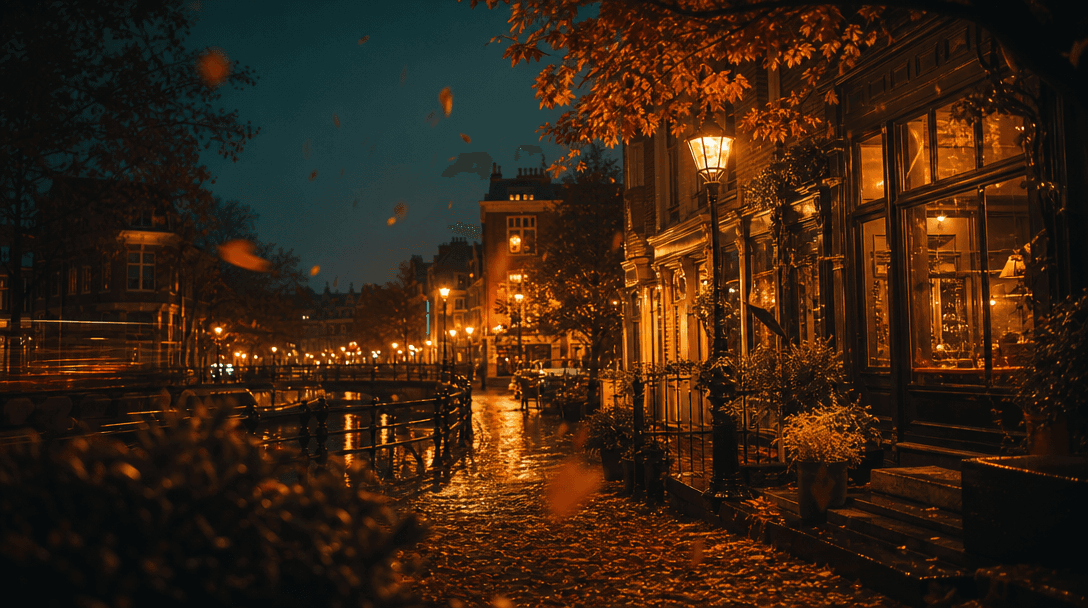
GPT 이미지 2로 생성한 사진 애니메이션 효과

사진 애니메이션 효과

GPT 이미지 2· Image
Create a dynamic still image that looks like a photo prepared for animation: a cozy city street scene with layered parallax depth, subtle motion streaks on lights and leaves, cinematic framing, vibrant but natural color, no readable text, no watermark, no UI elements.
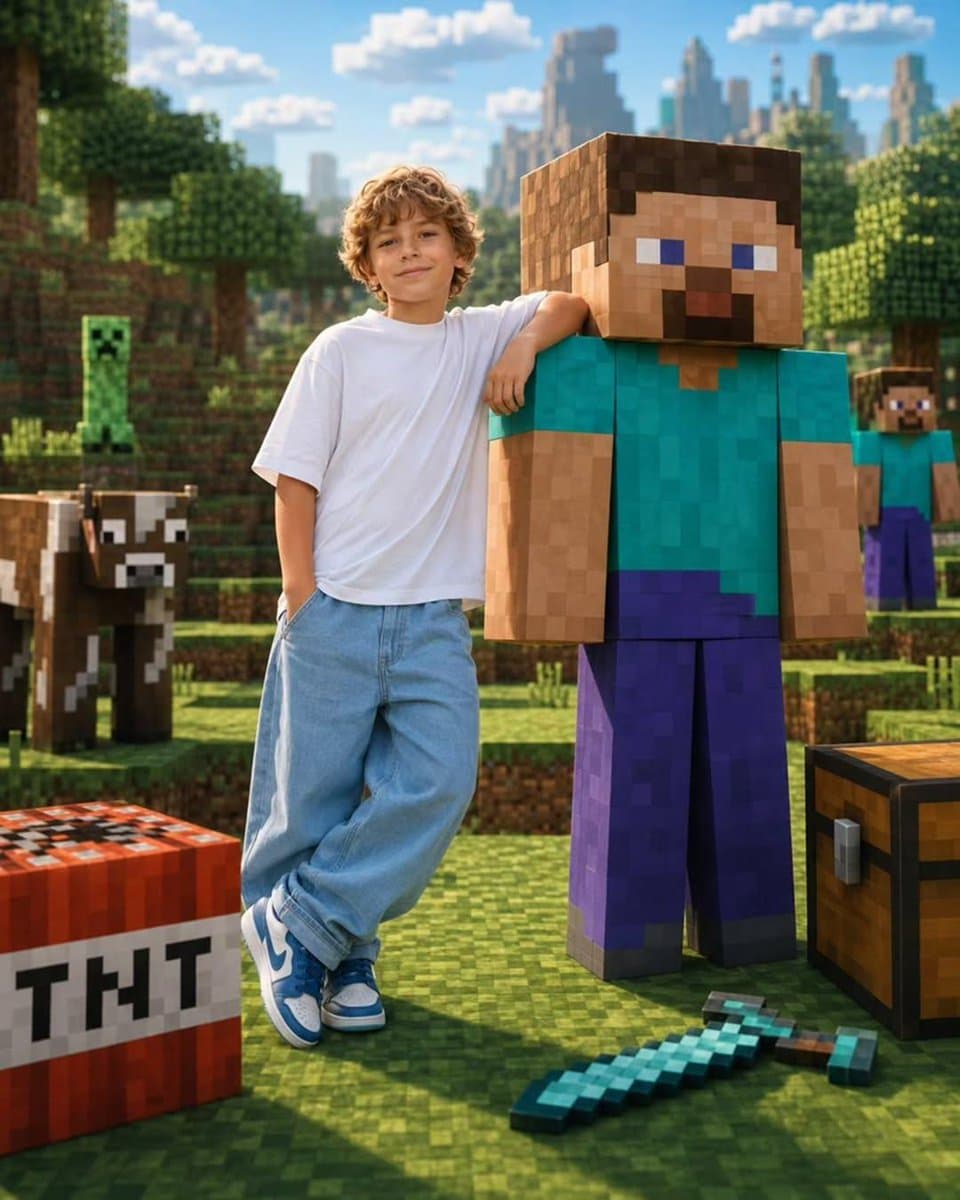
GPT 이미지 2으로 생성한 좋아하는 캐릭터와 투샷

좋아하는 캐릭터와 투샷

GPT 이미지 2· Image
Create a highly realistic portrait of a real person standing naturally beside a life-sized version of their favorite fictional character, toy, game avatar, mascot, or animated icon. The real person casually rests one arm over the character's shoulder while both face the camera with relaxed smiles, creating the feeling of lifelong best friends. The character retains its original iconic appearance and proportions, while the human remains fully photorealistic with natural skin textures and realistic clothing. The environment should automatically transform into the character's authentic universe. For example, if the character is Minecraft Steve, place them in a realistic Minecraft overworld with pixelated grass blocks, trees, mountains, creepers, cows, TNT, diamond tools, chests, villages, and cinematic sunlight. If the character is Barbie, place them inside a luxurious pink Barbie Dreamhouse boutique filled with pastel décor, fashion racks, balloons, neon Barbie signage, glamorous lighting, and premium lifestyle aesthetics. Adapt the background, props, lighting, and color palette to perfectly match whichever fictional universe is chosen. Ultra-photorealistic, seamless blend of reality and fantasy, cinematic composition, premium commercial photography, 35mm lens, HDR, 8K, shallow depth of field, soft natural lighting, vibrant colors, realistic shadows, ultra-detailed textures, luxury editorial style, playful atmosphere, viral social-media aesthetic.
@Taaruk_

최애 캐릭터 애니메이션 AI 프롬프트란?

최애 캐릭터 애니메이션 AI 프롬프트는 캐릭터의 외형과 성격을 유지하며 표정과 동작, 장면 전환이 이어지는 애니메이션으로 표현하는 이미지 생성 지시문입니다. 문구, 구도, 색상, 재질, 조명, 배경을 구체적으로 지정하면 목적에 맞는 결과를 안정적으로 탐색할 수 있습니다. 단순히 주제만 입력하는 방식과 달리 형태, 재질, 색 조합, 카메라 시점, 배경의 밀도를 함께 지정해 결과의 방향을 구체적으로 통제합니다. 초기 아이디어를 빠르게 시각화하면서도 실제 게시 위치와 제작 목적에 맞춰 수정할 수 있어, 기획안 비교와 시안 제작 시간을 줄이는 데 유용합니다.

주요 활용 장면

  • 최애 캐릭터 애니메이션의 특징을 보여 주는 대표 시안
  • SNS와 팬 이벤트에 활용할 최애 캐릭터 애니메이션 콘텐츠
  • 인쇄와 제작 검토용 최애 캐릭터 애니메이션 이미지
  • 선물과 기념 기록에 넣을 최애 캐릭터 애니메이션 비주얼
  • 개인 프로젝트와 포트폴리오용 최애 캐릭터 애니메이션 시안

이 태그가 유용한 이유

최애 캐릭터 애니메이션은 작은 표현 차이에도 정보 전달력과 완성도가 크게 달라집니다. 프롬프트에 요소의 우선순위와 실제 사용 환경을 적으면 불필요한 장식을 줄이고 여러 결과를 같은 기준으로 비교하기 쉽습니다. 하나의 예시를 그대로 사용하는 데 그치지 않고 핵심 조건을 교체해 여러 버전을 탐색할 수 있습니다. 결과를 비교할 때는 주제의 가독성, 배경과 피사체의 분리, 색 대비, 작은 화면에서의 인지성을 함께 확인하세요. 최종 사용 전에 브랜드 권리, 인물 권리, 출력 해상도와 매체 규격을 점검하면 수정 횟수를 줄일 수 있습니다.

관련 프롬프트 더 보기

  • Animation Video
  • Character Design
  • Fan Art
  • Anime Character
  • Character Sheet

프롬프트 구성 팁

  1. 목적과 매체를 먼저 고정하세요. 웹 배너, 상품 카드, 모바일 UI처럼 실제 노출 위치와 화면 비율을 첫 문장에 적습니다.
  2. 보이는 요소를 구체화하세요. 캐릭터의 외형과 성격을 유지하며 표정과 동작, 장면 전환이 이어지는 애니메이션으로 표현할 수 있도록 핵심 목적을 첫 문장에 적습니다.
  3. 스타일 규칙을 묶어 주세요. 크기와 화면 비율, 여백과 정보 위계를 함께 지정합니다.
  4. 제외 조건과 검수 기준을 더하세요. 색상과 재질, 인쇄 또는 촬영 질감을 관찰 가능한 단어로 설명합니다.

첫 결과에서 모든 조건을 바꾸기보다 가장 큰 오류 한 가지씩 수정하세요. 동일한 핵심 문장을 유지한 채 색상, 시점, 재질만 단계적으로 조절하면 일관된 결과를 얻기 쉽고, 최종 후보 사이의 차이도 명확하게 판단할 수 있습니다.

Frequently Asked Questions

Related Prompts

사진 애니메이션 효과

사진 애니메이션 효과

1 prompts

마스코트 캐릭터

마스코트 캐릭터

4 prompts

자수 작품

자수 작품

8 prompts

도자기 공예

도자기 공예

8 prompts

Carat Prompt Gallery

Create trending AI prompts instantly

Prompts

  • Logo
  • PPT Design
  • Thumbnail
  • Poster
  • Web Novel Cover
  • ID Photo
  • Caricature
  • Product Detail Page
  • Banner

Models

  • GPT Image 2
  • Seedance 2.0
  • NanoBanana Pro
  • NanoBanana 2

Carat

  • Get started
  • About
  • Blog
  • Careers
  • Contact
  • Partnership
  • Terms
  • Privacy

© 2026 Paradot.Inc All rights reserved.