
Geology Learning Card
A practical guide to designing 지질학 학습 카드 prompts for clear visual results.
2026.08.15
「Geology Learning Card」を思いどおりに作りましょう自分だけの「Geology Learning Card」を作る
ふだんの言葉で伝えるだけで、Caratが最適な画像や動画を生成します。

毎日100クレジット無料で今すぐ始められます
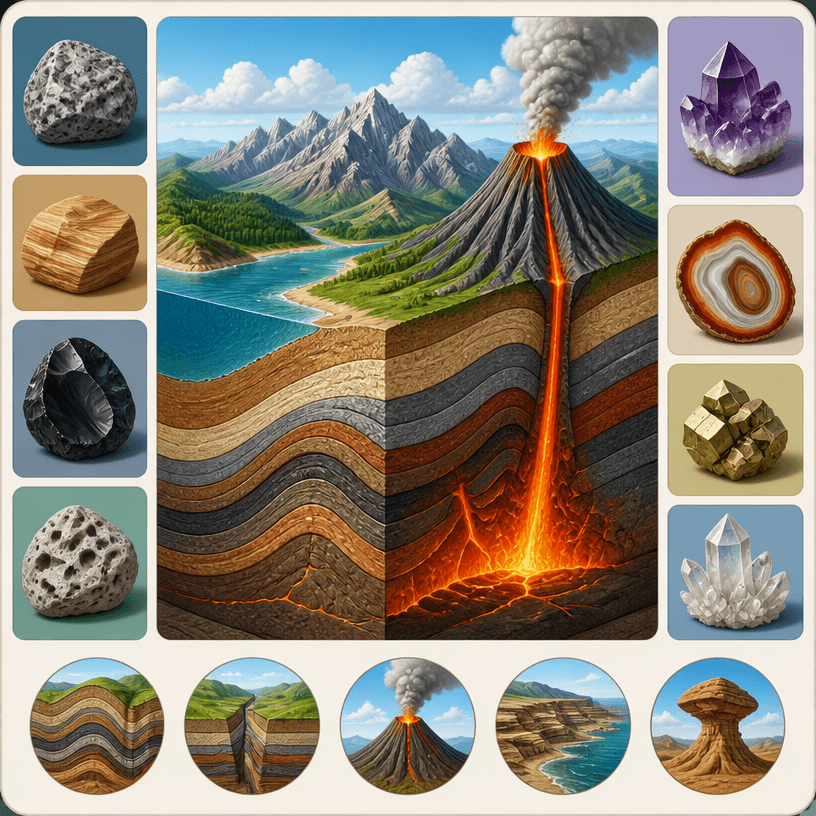
Geology Study Card
What Is a 지질학 학습 카드 AI Prompt?
A 지질학 학습 카드 prompt turns the subject and purpose into observable conditions such as title, key visual, hierarchy, palette, and placement. Instead of asking for something merely eye-catching, specify audience, key scene, headline scale, block placement, reading order, spacing, and output ratio. Keep dates, times, names, addresses, contacts, and logos editable because generated copy may be inaccurate.
Practical Uses
- Introducing an artist’s perspective and work in a concise card
- Promoting astronomy observations, talks, and science events
- Presenting concert schedule, venue, and performers
- Explaining rocks, strata, and natural phenomena in a learning card
- Advertising robotics projects, recruitment, and club activities
Why This Tag Helps
This tag helps graphics carry narrative and practical information together. Define audience and next action, then order headline, key visual, schedule and place, explanation, and registration or contact path. An artist card needs one dominant image and concise copy. An event poster should make date, place, and participation steps readable from a distance. A concert card should separate title, performers, time, and seating. A learning card should clarify the relationship between terms, illustration, explanation, and source. A club poster benefits from distinct activity imagery and recruitment conditions. Replace generated text, figures, and proper names with verified source content, then recheck schedules, addresses, links, sources, and rights before publishing.
Related Prompts
business-card, small-business, process-diagram, health-infographic, wedding-card, social-media-carousel can extend the direction toward business cards, small-business promotion, process diagrams, infographics, invitation cards, and social content. Borrow one palette or spacing rule while preserving the current hierarchy.
Prompt Construction Tips
- State purpose, audience, channel, physical size, and output ratio.
- Set reading order for headline, key visual, essential details, and next action.
- Separate palette, contrast, spacing, type mood, and icon rules.
- Reserve fixed copy, schedules, figures, logos, and sources for post-editing.
Check hierarchy and legibility before decoration, then change one variable at a time. Compare the final result with source information and confirm image, font, reference, data, and event rights before release.


