
Glitch Art
Generate glitch art with RGB channel separation and pixel sorting effects using AI prompts.
2026.07.02
「Glitch Art」を思いどおりに作りましょう自分だけの「Glitch Art」を作る
ふだんの言葉で伝えるだけで、Caratが最適な画像や動画を生成します。

毎日100クレジット無料で今すぐ始められます
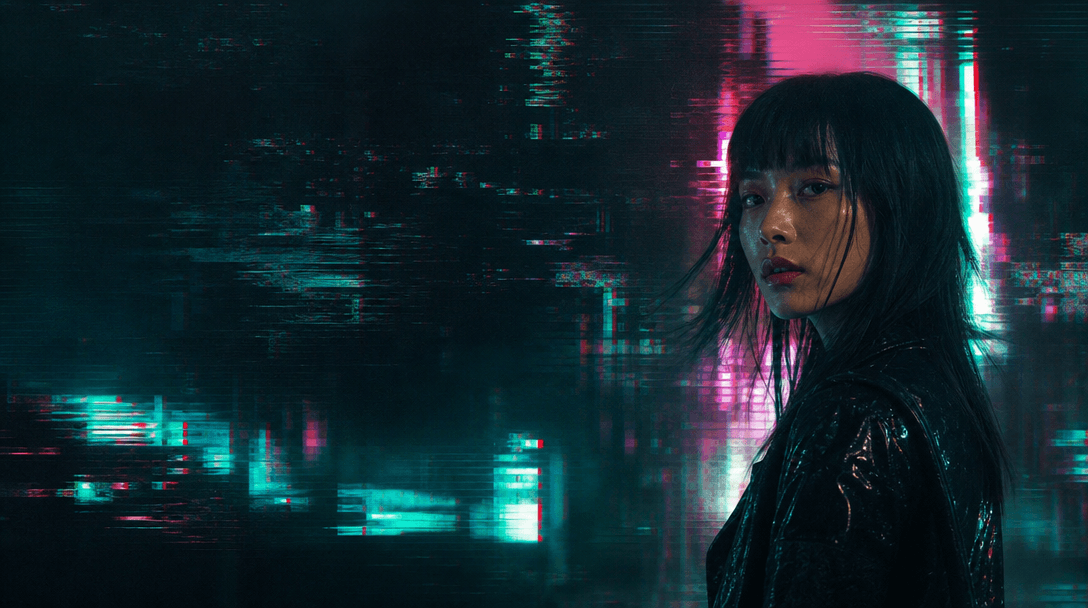
Glitch Art
Glitch art is an artistic style that aesthetically utilizes digital errors and data distortion. With Carat's glitch art prompts, you can use AI to easily create images featuring RGB channel separation, pixel sorting, datamoshing, and scan line distortion effects.
Neon cityscapes, cyberpunk characters, abstract patterns, and other subjects can be rendered in glitch style. Specify your desired subject, effect types, and colors in the prompt, and GPT Image 2 will produce glitch art with cyberpunk aesthetics.
Glitch art works well for album covers, social media posts, digital posters, and web design. By adjusting distortion intensity and colors, you can achieve everything from subtle digital noise to dramatic corruption.
With Carat, you can create glitch art from text input alone. No editing software needed — just one prompt gives you the glitch-effect image you want.
Copy the prompt below, swap in your preferred subject, and start creating glitch art right away.
よくあるご質問
Copy the prompt below, replace the bracketed content with your desired subject, and enter it into Carat.
Yes, pixel sorting, datamoshing, scan lines, and other glitch effects can be specified in the prompt.
Generated images are available as PNG downloads suitable for both web and print use.
Images generated with Carat can be freely used for commercial purposes.
Specify intensity levels like subtle or extreme in the prompt for your desired glitch effect.
Vintage TV glitch, VHS effects, and other glitch art moods can be generated.
Each prompt generates one image. Simply re-enter the prompt for additional images.


