carat

프롬프트 갤러리

/

최애 필터 영상

로그인
회원가입

최애 필터 영상

최애 필터 영상 프롬프트. 캐럿에서 제공하는 최애 필터 영상 이미지 생성 프롬프트를 복사해 바로 사용해보세요.

2026.07.11

·
GPT 이미지 2로 생성한 최애 배경화면

최애 배경화면

GPT 이미지 2· 이미지
Square fan wallpaper for a fictional pop idol fandom, dreamy midnight blue and violet concert atmosphere, luminous light sticks, subtle stage spotlights, floating silver stars and holographic confetti, spacious center composition suitable for a phone background crop, refined glossy digital aesthetic. No person, no celebrity likeness, no logo, no text, no watermark.
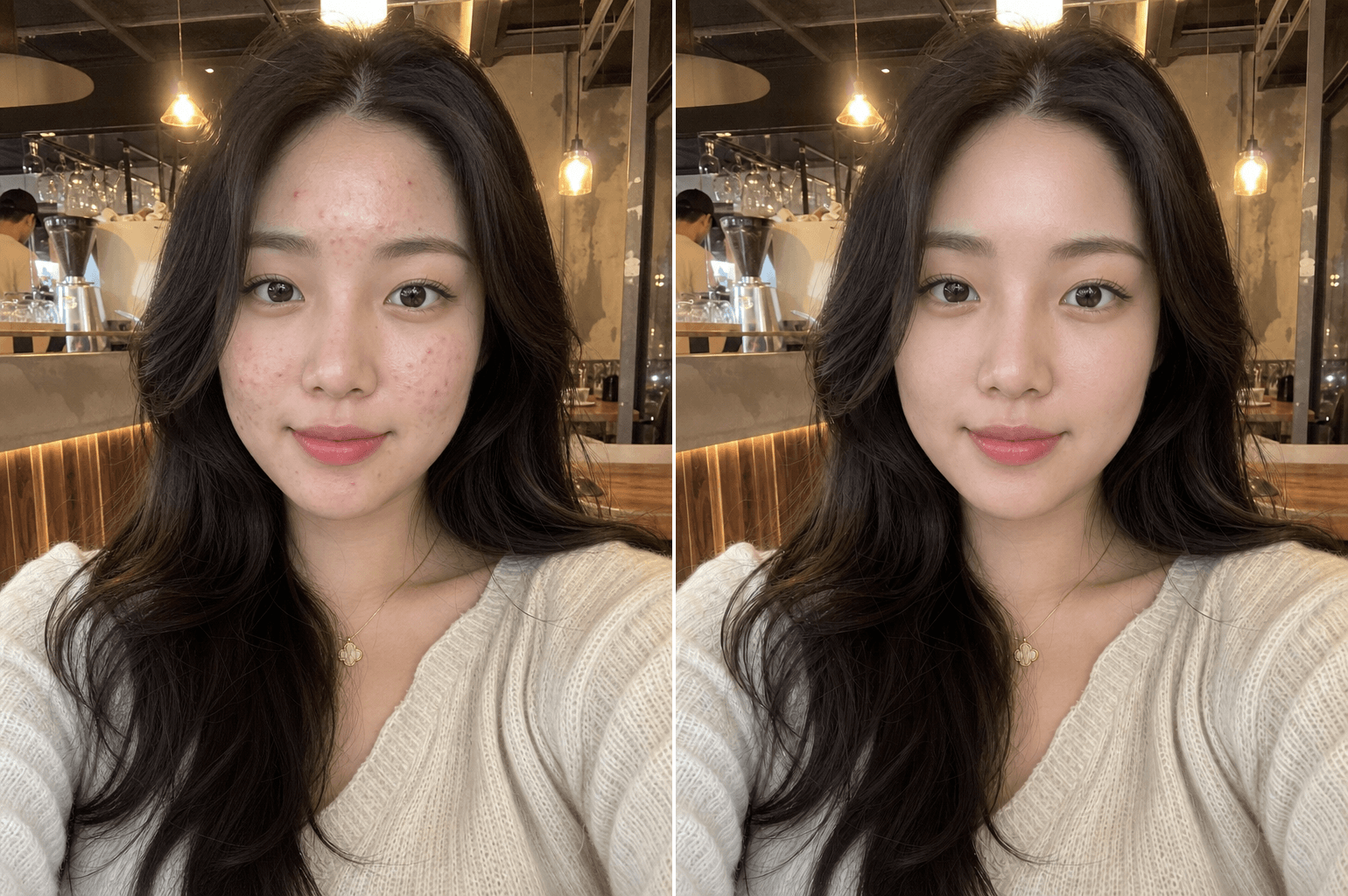
gpt-image-2으로 생성한 피부 보정

피부 보정

GPT 이미지 2· 이미지
Professional natural skin retouching while fully preserving the person's real identity and facial structure. Remove temporary acne, pimples, redness, skin irritation, blackheads, and uneven skin texture while keeping realistic pores and natural skin detail intact. Preserve natural skin tone, facial shadows, beard texture, eyebrows, eyelashes, and hair exactly as they are. Avoid plastic skin, beauty filter effects, over-smoothing, or artificial glow. Maintain realistic lighting and original image composition. The result should look like a professionally retouched DSLR portrait with invisible editing and natural healthy skin texture. Ultra realistic, photorealistic, high detail.
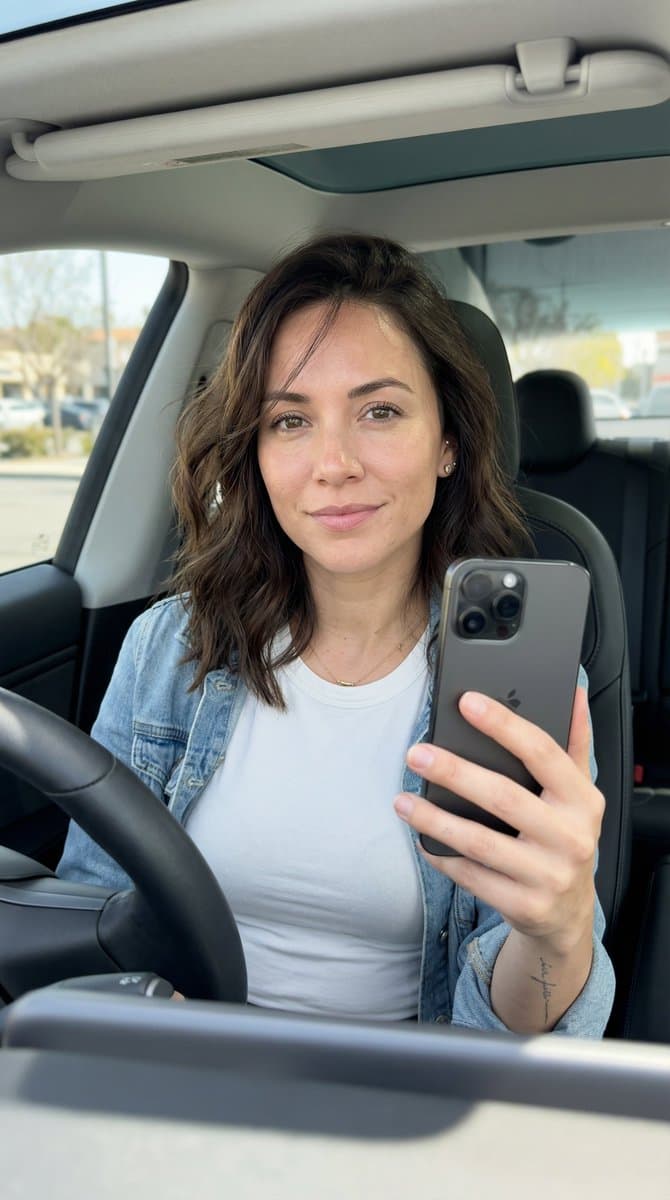
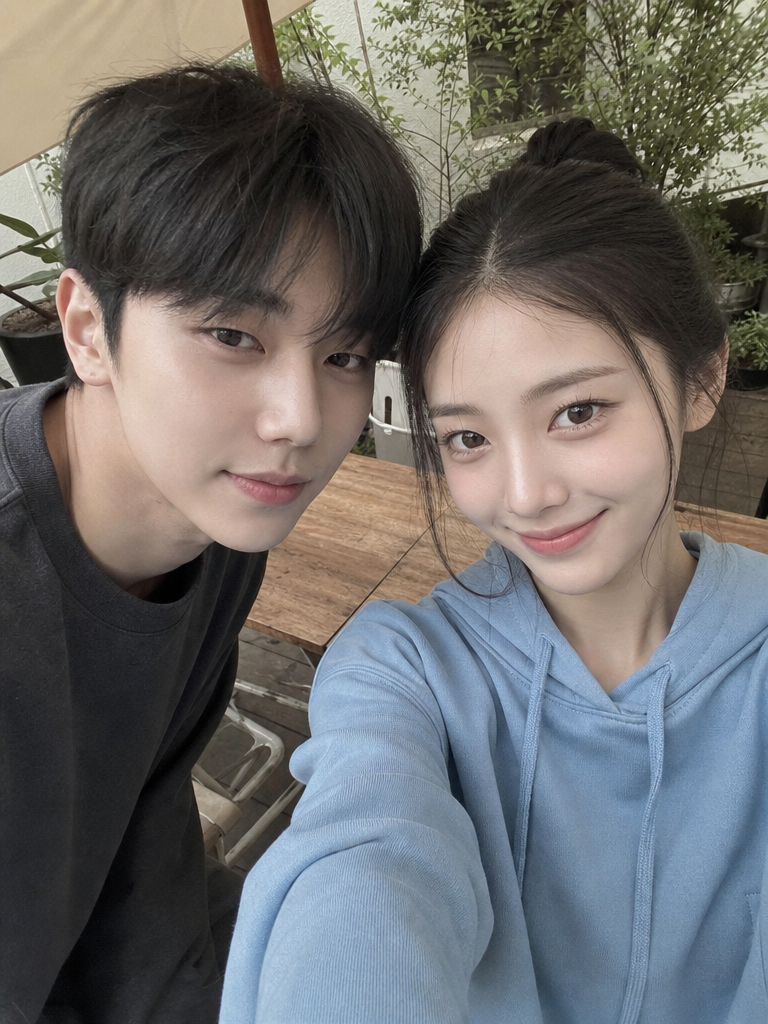
나노바나나 2로 생성한 스마트폰 셀피 스타일 포트레이트 예시 이미지

스마트폰 셀피 스타일 포트레이트

나노바나나 2· 이미지
{"aspect_ratio":"9:16","prompt":"A realistic front-facing smartphone selfie of the same woman (use uploaded photo as exact face reference, preserve every facial feature, skin detail and expression without alteration or beautification) taken inside a modern car during daytime. Framed from upper chest to top of head, she's sitting in the driver's seat, holding a dark gray iPhone (visible triple-camera module) in her right hand extended at classic selfie distance (~arm's length), looking directly into the phone screen with a relaxed, subtle closed-mouth smile and natural eye contact. Slight 5-10° head tilt to her left for candid feel. Shot simulation: smartphone front camera ~24-28mm equivalent, natural wide-angle perspective with very mild edge distortion typical of phone selfies, eye-level framing. Bright natural daylight streaming through windshield and side windows (mid-morning to early afternoon, clear weather), creating soft even illumination on face with gentle highlights on cheekbones/nose/forehead, subtle catchlights in eyes, realistic soft shadows under chin and from dashboard below. Preserve authentic skin: visible pores, natural texture, light imperfections, subtle oil sheen if present, no smoothing or filters. Medium-length dark brown hair with soft loose waves, slightly tousled from driving, a few strands across forehead. Wearing casual everyday outfit: fitted white cotton t-shirt or simple crew-neck tee, light denim jacket or open cardigan, small gold necklace and stud earrings. Delicate fine-line tattoo visible on inner right forearm if in reference. Background: clean modern car interior — black or gray leather seats, visible steering wheel on left, dashboard with subtle reflections, side window showing blurred outdoor street/parking lot scene (trees, buildings or road softly out of focus with natural bokeh), everything believable and non-distracting. Ultra-sharp focus on face and phone hand, photorealistic color grading with natural contrast, high dynamic range, candid everyday smartphone selfie aesthetic, authentic lens character, no artificial glow, no over-sharpening, no beauty edits.","negative_prompt":"blurry, deformed face, changed facial features, plastic skin, beauty filter, airbrushed, doll-like, heavy makeup, exaggerated symmetry, bad hands, extra fingers, warped reflection, text, watermark, logo, oversaturated, cartoonish, 3D render, low quality, jpeg artifacts, noise, night time, dim lighting, suggestive pose, exposed skin beyond normal casual","style":"hyper-photorealistic, candid smartphone car selfie","quality":"high-resolution, ultra-detailed skin pores/hair/texture"}
@MrDasOnX

최애 필터 영상 프롬프트란?

최애 필터 영상 이미지를 생성하기 위한 AI 프롬프트 모음입니다. 캐럿에서 제공하는 최애 필터 영상 프롬프트를 복사하여 AI 이미지 생성 도구에 붙여넣으면 전문가 수준의 결과물을 얻을 수 있습니다.

최애 필터 영상 프롬프트 활용 방법

  1. 원하는 프롬프트를 선택하여 복사합니다.
  2. 캐럿 에이전트에 붙여넣습니다.
  3. 필요에 따라 색상, 스타일, 구도를 수정합니다.
  4. 생성된 이미지를 다운로드하여 활용합니다.

최애 필터 영상 프롬프트 작성 팁

조명(Lighting), 질감(Texture), 구도(Composition), 렌즈(Lens) 정보를 구체적으로 명시하면 더 정밀한 결과를 얻을 수 있습니다. "No text, no watermark"를 추가하면 불필요한 텍스트를 방지할 수 있습니다.

최애 필터 영상 프롬프트 적용 사례

최애 필터 영상 프롬프트는 콘텐츠 제작, 마케팅, 디자인, 교육 자료 등 다양한 분야에서 활용됩니다. AI 이미지를 활용하면 제작 시간을 단축하면서도 전문적인 퀄리티를 유지할 수 있습니다.

최애 필터 영상 프롬프트 최적화 가이드

이미지 비율은 용도에 맞게 선택하세요. SNS용은 세로형(9:16), 웹 배너는 가로형(16:9), 제품 이미지는 정사각형(1:1)이 적합합니다.

자주 묻는 질문

관련 프롬프트

팬 에디트 영상

팬 에디트 영상

프롬프트 6개

최애 배경화면

최애 배경화면

프롬프트 2개

셀카 일러스트

셀카 일러스트

프롬프트 62개

셀카

셀카

프롬프트 109개

캐럿 프롬프트 갤러리

지금 유행하는 AI 프롬프트를 바로 만들 수 있어요

프롬프트

  • 로고
  • PPT 디자인
  • 썸네일
  • 포스터
  • 웹소설 표지
  • 증명사진
  • 캐리커처
  • 상세페이지
  • 배너

모델

  • GPT 이미지 2
  • 씨댄스 2.0
  • 나노바나나 프로
  • 나노바나나 2

캐럿

  • 시작하기
  • 서비스 소개
  • 블로그
  • 채용
  • 문의
  • 파트너십
  • 이용약관
  • 개인정보 처리방침

© 2026 Paradot.Inc All rights reserved.