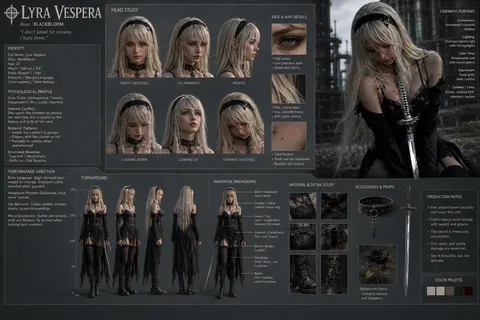
PPT Cover
PPT cover prompts for designing a clear, on-brand opening slide for presentations, reports, and proposals.
2026.07.17
Faça “PPT Cover” exatamente do jeito que você querCrie o seu próprio “PPT Cover”
É só pedir com suas palavras — a Carat gera imagens e vídeos otimizados para você.

Comece agora com 100 créditos grátis por dia

PowerPoint Cover
What are PPT cover AI prompts?
PPT cover AI prompts are structured instructions for designing the opening slide of a presentation around its purpose and audience. By describing the subject, title, presenter context, brand palette, visual tone, and slide ratio, you can create a stronger starting point than an empty template. A cover is not meant to explain every detail. It should signal the presentation topic immediately and establish a visual relationship between the title area, one focal image or graphic, and the surrounding space.
Common use cases
- Strategy reports and business plans
- School presentations and research summaries
- Seminars, classes, and workshop decks
- Branded portfolio and proposal covers
- Project retrospectives and internal presentations
A strong cover structure
Divide the slide into a readable title zone and a visual zone before adding decoration. A title on the left with an image or geometric composition on the right creates a clear editorial rhythm, while centered alignment and generous space can feel more formal. Choose the visual language according to the topic: a technical grid and controlled contrast for finance or technology, or warmer colors and softer shapes for education and culture. Even when the slide includes a subtitle, presenter, and date, the hierarchy should be obvious at a glance.
Prompting tips
Specify the slide ratio, title position, palette, role of the image, and the amount of negative space. Long Korean copy and official logos may render inaccurately, so it is safer to request a short placeholder and an empty logo area, then replace both in an editable slide. Avoid filling the frame with ornaments or tiny text. One large title and one visual anchor remain legible on a projector, laptop, and mobile preview.
Related prompt pages
Final review
Move the generated cover into an actual presentation file and retype the title, presenter, and date as editable text. Check contrast and type size from the back of the room, confirm that the image does not compete with the title, and review any photo or icon licensing requirements. Carry the same palette, spacing, and heading rules into the inside slides so the deck does not feel disconnected after the first page.