
QR Code Design
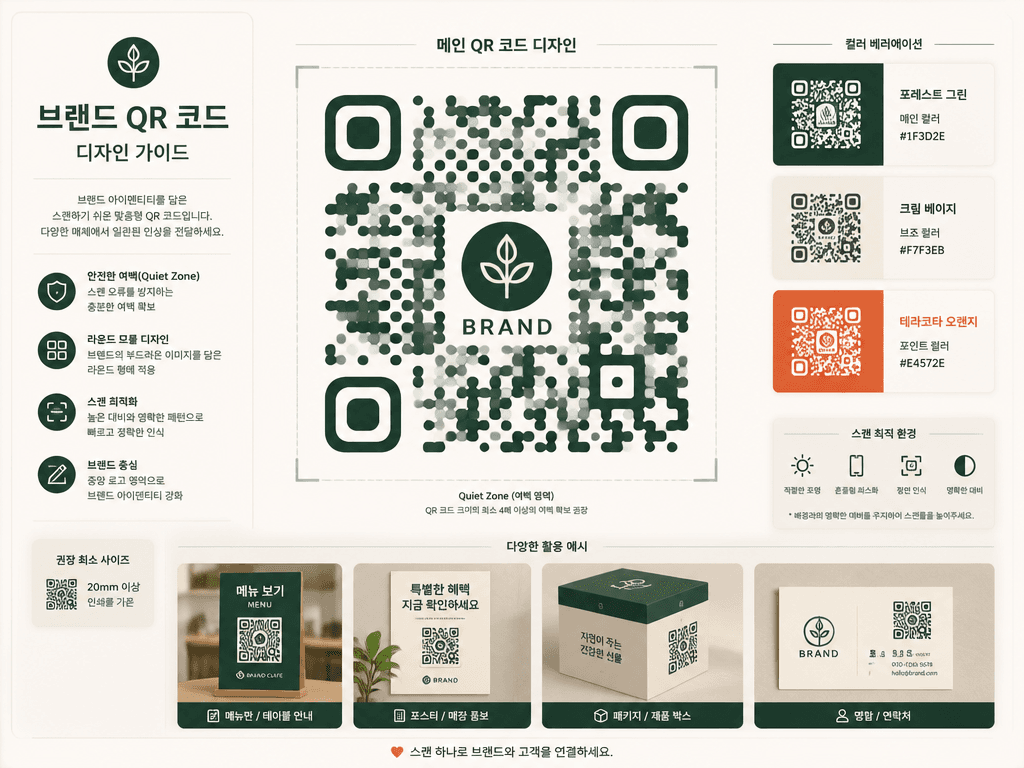
Design scan-friendly branded QR visuals for menus, posters, packaging, and cards with AI prompts.
2026.07.15
Faça “QR Code Design” exatamente do jeito que você querCrie o seu próprio “QR Code Design”
É só pedir com suas palavras — a Carat gera imagens e vídeos otimizados para você.

Comece agora com 100 créditos grátis por dia
QR코드 디자인 템플릿
What Is a QR Code Design AI Prompt?
Design scan-friendly branded QR visuals for menus, posters, packaging, and cards with AI prompts. A useful prompt defines the main silhouette, expression or material, spacing, and background instead of naming the subject alone. These instructions give the image model a stable visual target and produce an asset that is easier to reuse.
Designing the Visual Language
Separating scan structure from decoration helps balance visual appeal with practical placement. Sticker-style assets benefit from one focal subject, clean edges, restrained color, and enough negative space. Check the result at thumbnail size because fine details that look attractive at full resolution may disappear in chat or mobile interfaces.
Practical Uses
This format works for Create QR concepts for cafe menus, event posters, product packaging, business cards, and signs.. Keep the core proportions and rendering rules fixed when building a set, then vary expression, accent color, or surface treatment. This method creates variety without losing visual consistency across channels.
Prompt Construction Tips
Define quiet zone, contrast, module shape, center-mark size, and minimum print size, then test the final code. Describe lighting direction, surface texture, viewing angle, and background color with concrete terms. Avoid mixing conflicting art styles. After the first generation, lock the successful geometry and adjust only one variable at a time so you can identify what improved the result.
Related Prompt Ideas
Use neighboring themes to plan a coordinated asset family while keeping this topic visually distinct. Review the final image at its actual display size, confirm that the silhouette and focal detail survive reduction, and regenerate with wider padding or softer reflections if edges or highlights become distracting.


