Shorts Template
Design reusable Shorts template prompts with clear safe zones, caption panels, and a focused vertical composition.
2026.07.21
Faça “Shorts Template” exatamente do jeito que você querCrie o seu próprio “Shorts Template”
É só pedir com suas palavras — a Carat gera imagens e vídeos otimizados para você.

Comece agora com 100 créditos grátis por dia
Shorts Template
The purpose of a Shorts template
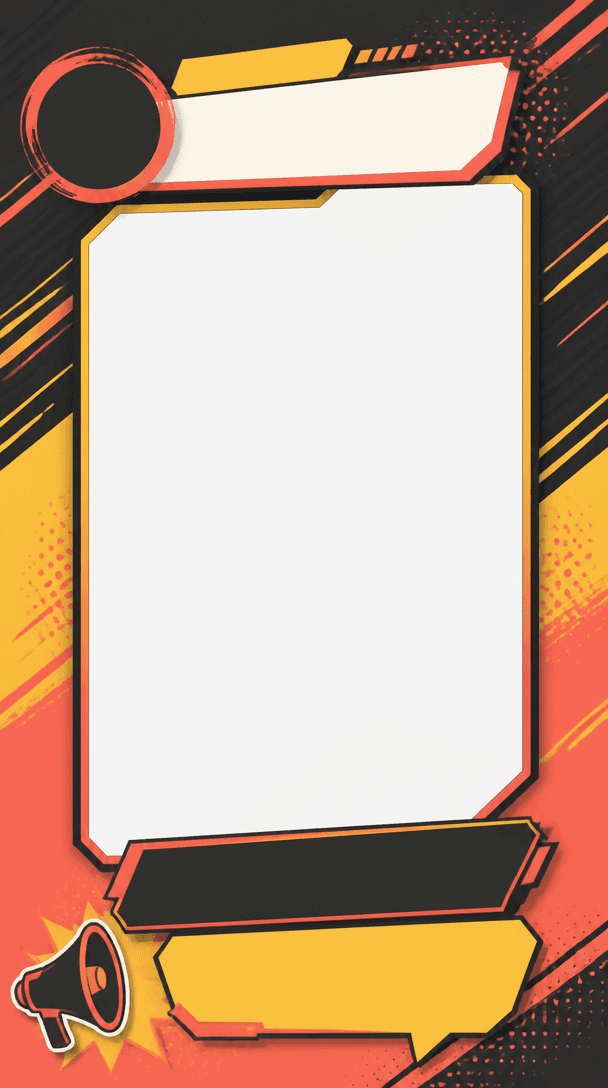
A Shorts template is a repeatable visual system for short vertical videos. It can organize an opening hook, captions, product demonstrations, tutorials, or vlog moments. The important question is where the viewer should look first on a small phone screen. Carat prompts help define the aspect ratio, safe zones, caption panels, and central subject so different episodes still feel like part of the same channel.
Match the structure to the content
An educational Short often benefits from a compact topic label above a central demonstration area. A product clip needs a generous center where the product stays visible while price or benefit information sits in a separate panel. A vlog template should keep faces and hand movement clear, while a gaming or reaction layout needs captions that do not cover the performer. Describe the content type before choosing decorative elements.
Design for captions and platform UI
Short videos are viewed quickly, so contrast and spacing matter more than ornament. Choose one base color and a restrained accent, then make the caption panel visibly separate from the background. Keep key text away from the edges where platform controls may appear. Rather than asking an image model to render a sentence, request a clean panel and add accurate copy during editing. This also makes the template easier to reuse.
Write a reusable prompt
Specify the vertical canvas, central safe zone, caption position, energy level, palette, and number of visual layers. Separate fixed channel elements from episode-specific content so the layout can work across subjects. Test the generated frame with the first second of a real video. Check that the hook is not hidden by a title panel and that captions remain readable over motion and changing backgrounds.
Apply it with Carat
When using a Carat Shorts template prompt, define the genre and the action you want from the viewer first. A strong opening card, an explainer layout, and a product-focused frame each need different priorities. Keep repeated colors, margins, and corner shapes as the channel signature, while allowing the main subject to change. Before publishing, also review the usage rights for music, photos, and any graphic assets placed into the final edit.