Pular para o conteúdo principal

UI Screen

AI UI screen prompts you can use right away for app and web screen design. Quickly create mobile app screens, dashboards, and landing page mockups.

2026.05.22

Faça “UI Screen” exatamente do jeito que você querCrie o seu próprio “UI Screen”

É só pedir com suas palavras — a Carat gera imagens e vídeos otimizados para você.

Comece agora com 100 créditos grátis por dia

·

Datagran ChatGPT ads explainer

Claude Opus 5.5· Vídeo
I Want you to make a modern slick and punchy video for https://t.co/a3zrq7DV3N with an example of a user creating a chatgpt ads campaign, then connecting their metrics, understanding attribution, then connecting a voice agent to it, the agent responding, then doing follow up, adding humans in the loop and then providing analytics.

FigPad product promo

Claude Opus 5.5· Vídeo
make a 1-min promo for this product from the codebase.

CloudJoi search showcase

Claude Opus 5.5· Vídeo
Study how this https://t.co/SR0AyULLNp works and use Remotion to make a product showcase video.

AgentHud project motion video

Claude Opus 5.5· Vídeo
make a dynamic motion graphics video about my project AgentHud.

sweetRegret app update reel

Claude Opus 5.5· Vídeo
make a dynamic 25-second motion graphics video that shows what an incredible motion designer you are. Highlight the recent changes [1.3, 1.4] we made with the last few updates.
AI-generated App Branding Gradient Illustration made with GPT Image 2

App Branding Gradient Illustration

GPT Image 2· Imagem
Soft gradient illustration of [SUBJECT], smooth geometric forms, muted color palette, white minimal background, modern app branding style, premium digital art aesthetic.

Commotion app showreel

Claude Opus 5.5· Vídeo
make a dynamic 20s motion graphics video that shows what an incredible motion designer you are, like it's your showreel for this app commotion, highlighting tiling layout, auto model classifer and other features you deem fit to be in video. Go all out.

Pixel art card battle game

Claude Opus 5.5· Vídeo
Create a 1-on-1 card game like Hearthstone. Just make it. As best you can. In pixel art style.

Photo retouch app promo

Claude Opus 5.5· Vídeo
Make me a 15 sec promtional video for my product using product screenshots and assests, Be a Highly preofessional Video Editor.

Prompt Motion site promo

Claude Opus 5.5· Vídeo
<inputs> Ask me for: the gallery URL (default www.prompt-motion.com/), one entry whose prompt gets shown on screen, and a royalty-free track around 120 BPM with a clear drop (e.g. Mixkit). </inputs> <direction> A 23-second 16:9 promo for a gallery of Claude-made motion videos, built only from the site itself: its real header, its real grid of autoplaying previews, its real entry page and prompt. Use the site's skin: near-white page, black pills, one UI font (Geist), and Geist Mono for prompt text. One accent (red-orange #F0442C), used only for the highlighter, the cursor halo and the dot on the URL. One continuous camera over a single "world" layer. Never two camera moves at once. Every clip on screen carries its creator's @handle, exactly as the site shows it. Banned: a "Generate" button or any feature the site doesn't have, invented numbers, paraphrased taglines, fades on everything, glass cards, gradients, bouncy type, dead holds. </direction> <structure> 120 BPM, 46 beats. b0–2: frame 0 is one real reel, full-bleed. The camera pulls back until it is just the first card on the site's home page. The header, then the tagline's first half, land on b1. b2–9: hold on the live page: header plus a 3-column masonry of playing previews. b9–13: the grid scrolls, then the camera whips into one tile until it is full-bleed. b13–16: the music drops. Three full-res reels from the gallery, one beat each, hard cuts, each with a dark handle chip inside the safe area. b16–21: the last reel shrinks back into its own tile (a match cut). A cursor with an accent halo hovers a tile and clicks. b21–26: that tile blooms into its entry page: the video on the left; author, title, Model / Stack / Posted and the prompt on the right. b26–32: the camera pushes 1.5× into the prompt while the video slides out. A solid accent highlighter sweeps one phrase. The cursor presses Copy, which turns into "Copied". b32–46: the page slides off left. The "Copied" pill lifts, relabels to the URL and docks. Then "Prompt Motion" and both verbatim halves of the tagline land, and a rail of real tiles rises on the right. The last frame is the poster: two whole tiles, both handles visible. </structure> <build> 1. Remotion, 1920x1080, 30 fps. Every cue lives in timeline.ts (in beats) and every string in copy.ts. Scenes contain no magic numbers. 2. Scrape the site first: tagline, handles, avatars, preview MP4s and full-res videos, plus one entry's prompt. Quote all of it verbatim. 3. Lay out the gallery once in world coordinates. Drive the camera as (focus x, focus y, log-scale) tracks. Tile corner radius goes to 0 as a tile reaches full-bleed, so the pull-back, the whip-in and the match-cut back are all exact. 4. A tile that plays before the burst uses the same full-res file with an offset startFrom, so the whip lands on the burst's first frame. 5. The preview MP4s don't loop cleanly, and many contain hard cuts. Run scdet on every clip. Loop only windows with no cut inside them, with a 12-frame dissolve at the seam, and stagger each tile's phase so neighbouring tiles never change on the same frame. 6. Use one cursor that homes on the live button position, because the camera keeps creeping during holds. 7. Conform the track to 120 BPM with its drop on the burst. Place SFX by their measured peaks. Fill the track's own breaks with reversed whooshes into the hits. Mix to −14 LUFS. 8. Render stills at every cut before a full render. Run QA for frozen time and one-frame snaps. Then have a fresh critic who didn't build it review the render, and fix what it finds. </build> <gotchas> Real gallery clips carry their own HUDs, cursors and cuts. Keep overlays (handle chips, our cursor) clear of them, and don't put a cut-heavy clip anywhere the frame should feel calm. If the page color matches a clip's background, the tile disappears; give tiles a 1px hairline. On a camera push, check the last frame: the header and meta rows can drift into the edge bands. </gotchas>

org2html product showreel

Claude Opus 5.5· Vídeo
make a dynamic 15-second motion graphics video that shows what an incredible motion designer you are, like it's your showreel for a résumé. go all out. Make sure to showcase properly the usecases, the flow, properly show everything on how it works, also the ascii logo of this is on the kyo-web-online, keep in mind also the color palette.

Voice agent SaaS launch

Claude Opus 5.5· Vídeo
Analyze my frontend project, use the actual components from the product, and create a dynamic motion graphics video that showcases and sells my SaaS. Make it feel like a high-end product launch. Go all out.

What Are UI Screen AI Prompts?

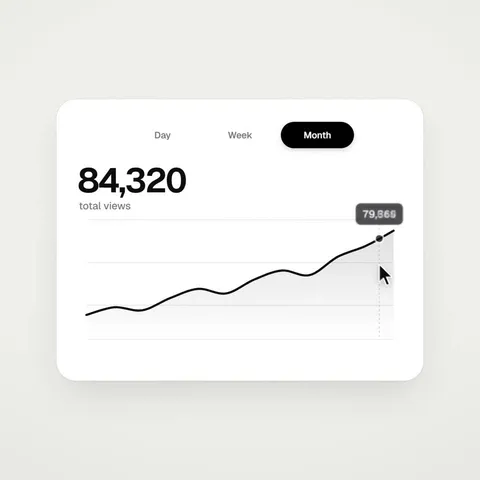
UI screen prompts are AI prompts for quickly shaping screen design drafts for apps and web services. In Carat, you can generate UI mockup images with models like GPT Image 2, then keep going with follow-up work such as editing the result, changing the aspect ratio, removing the background, or upscaling.

Where You'll Use It

  • Mobile app screen drafts
  • Web landing pages
  • Dashboards and admin screens
  • Onboarding and checkout flows
  • UI mockups for portfolios

Why This Tag Is Useful

UI screens need clear layout, information hierarchy, color, and component placement. Since the structure shifts depending on whether it's mobile or web and what kind of service it is, starting from an example with a clear screen type and tone helps you find your direction quickly. When choosing a prompt, look first for examples that show the screen type, components, color, and style together.

Tips for Building Your Prompt

  1. Decide the screen type, device, and aspect ratio first.
  2. Spell out the key components, layout, color, and font mood in detail.
  3. If needed, separate out the service type, brand tone, and dark/light mode.
  4. After generating, check text legibility and layout alignment.

In Carat, once you run a prompt you can refine from the result you like, or continue with follow-up work like changing the aspect ratio, removing the background, or upscaling.

Perguntas frequentes