carat

Галерея промптов

/

Portrait Enhance

Вход
Регистрация

Portrait Enhance

Enhance portrait photos with AI retouching and photo correction prompt templates.

2026.07.08

Сделайте «Portrait Enhance» именно так, как хотитеСоздайте свой «Portrait Enhance»

Просто попросите своими словами — Carat создаст для вас подходящие изображения и видео.

Начните сейчас со 100 бесплатных кредитов в день
·
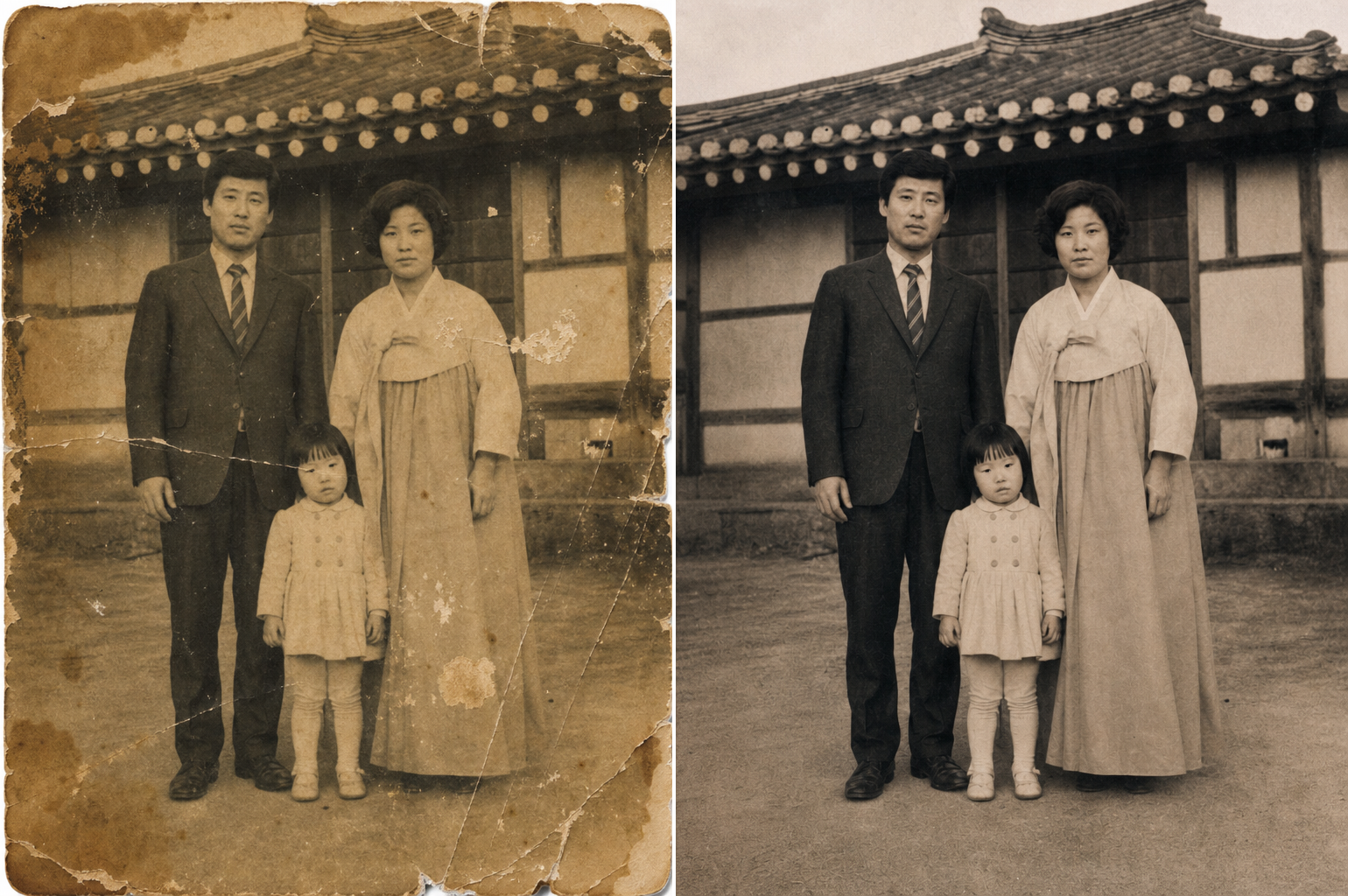
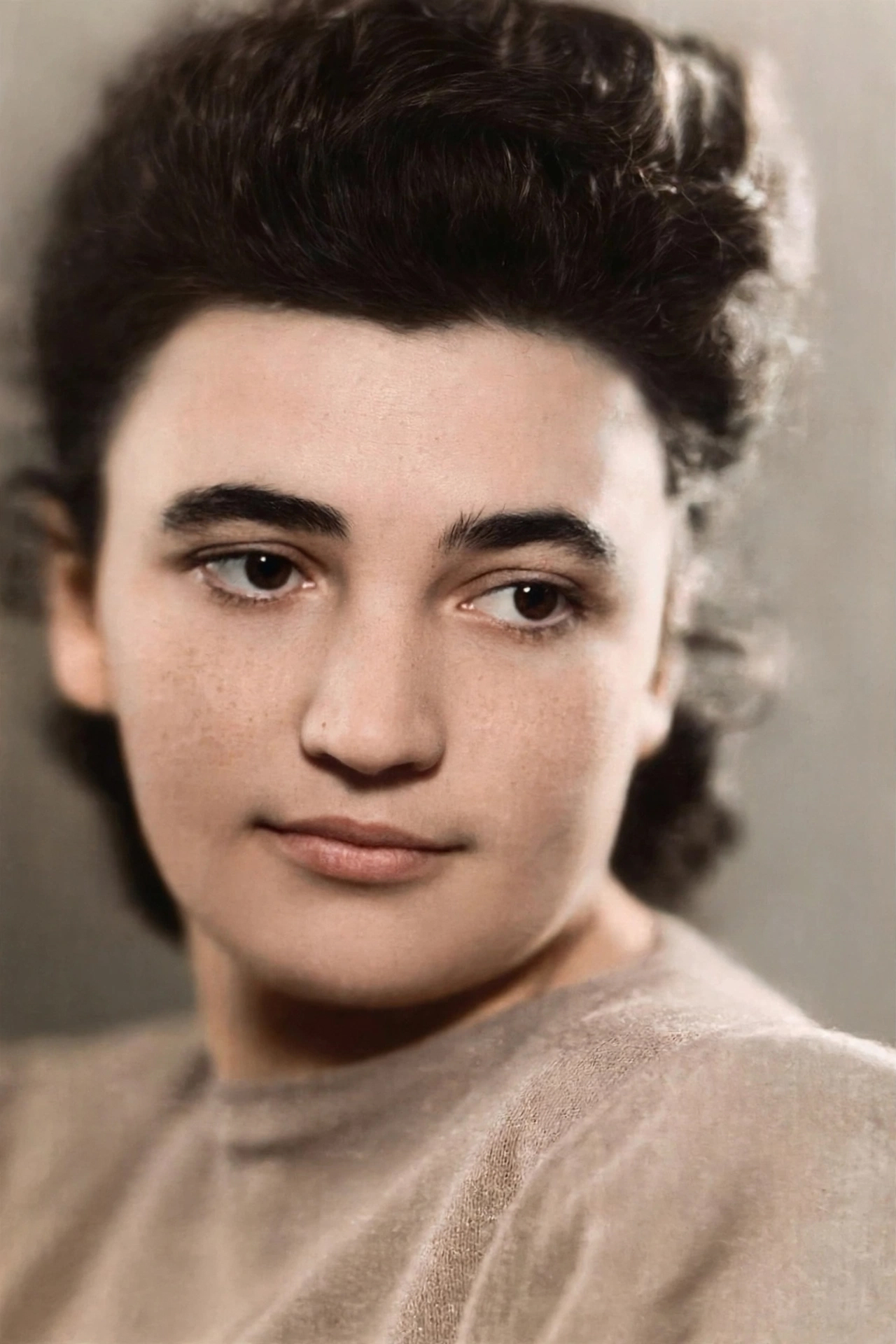
AI-generated Old Photo Restored to Modern Quality made with Meta Muse Image

Old Photo Restored to Modern Quality

Meta Muse Image· Изображение
Take the user supplied photo and restore it to modern quality: remove scratches, fix color, sharpen faces, etc.
Meta
Generated with gpt-image-2: Natural Skin Retouching

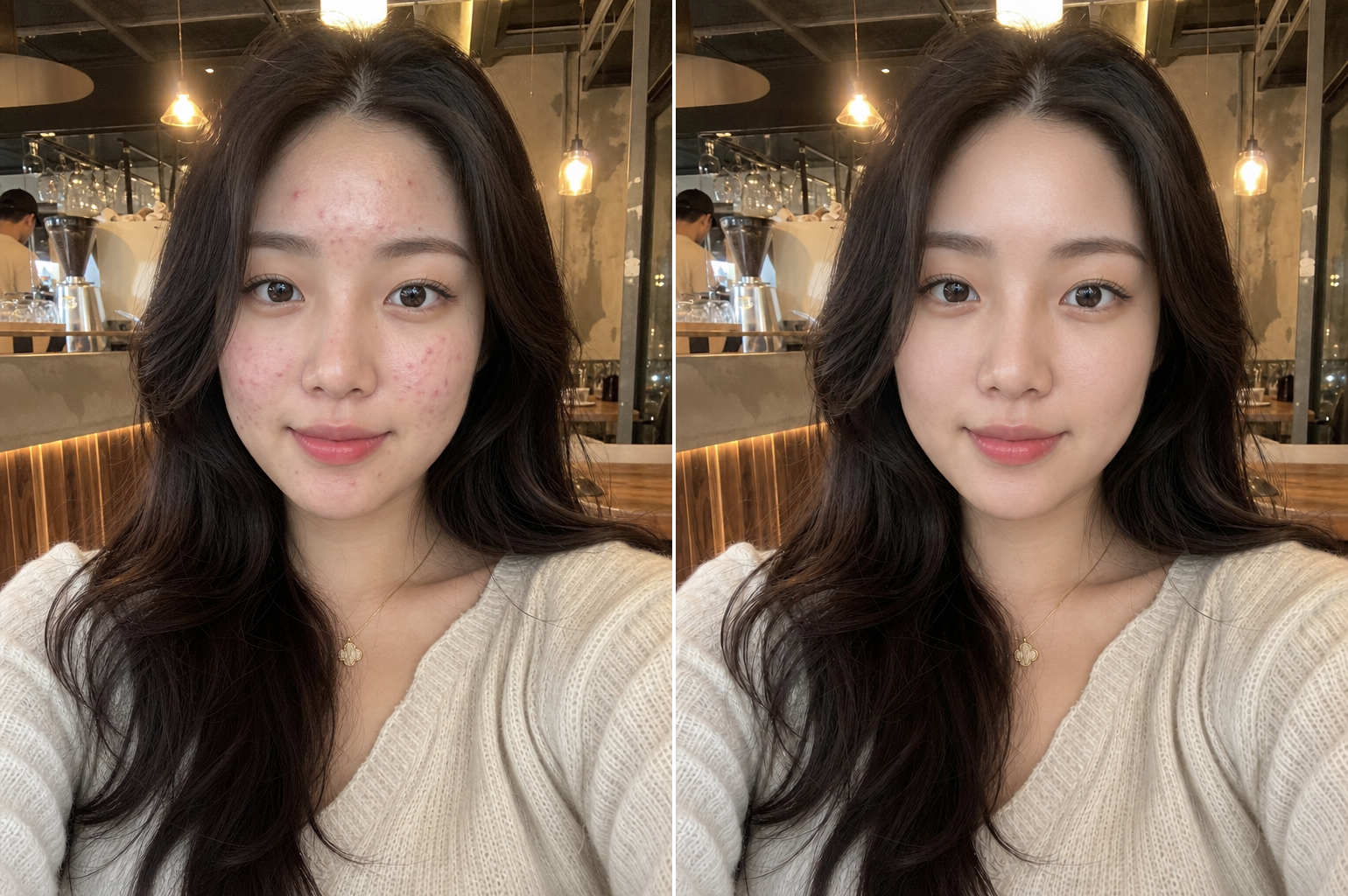
Natural Skin Retouching

GPT Image 2· Изображение
Professional natural skin retouching while fully preserving the person's real identity and facial structure. Remove temporary acne, pimples, redness, skin irritation, blackheads, and uneven skin texture while keeping realistic pores and natural skin detail intact. Preserve natural skin tone, facial shadows, beard texture, eyebrows, eyelashes, and hair exactly as they are. Avoid plastic skin, beauty filter effects, over-smoothing, or artificial glow. Maintain realistic lighting and original image composition. The result should look like a professionally retouched DSLR portrait with invisible editing and natural healthy skin texture. Ultra realistic, photorealistic, high detail.
Generated with gpt-image-2: Closed Eyes Fix

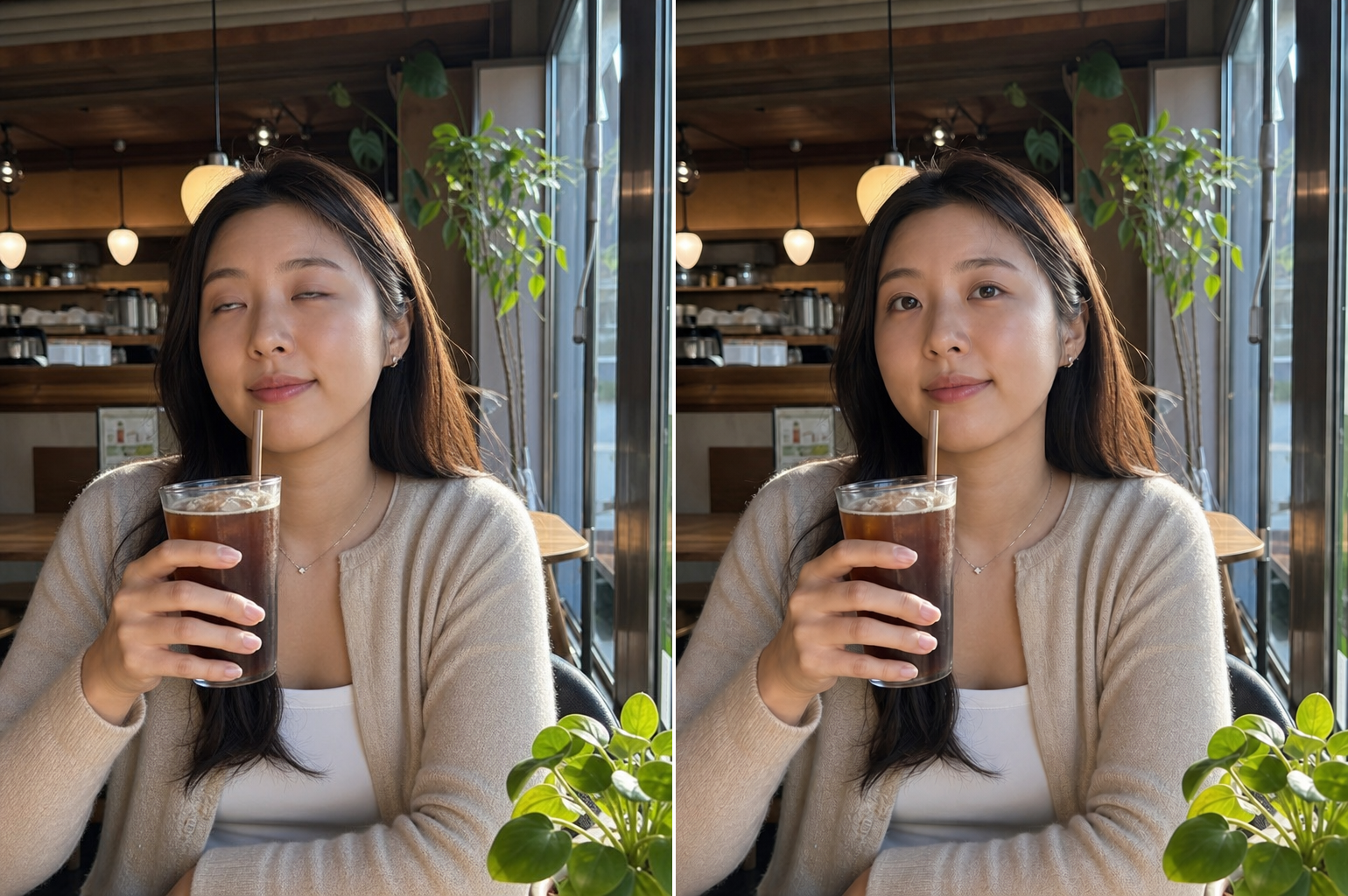
Closed Eyes Fix

GPT Image 2· Изображение
Open the closed eyes naturally while fully preserving the person's facial identity, expression, head position, lighting, and image composition. Match realistic eye shape, gaze direction, eyelid position, skin texture, and lighting naturally. Do not alter any other part of the face or image. The result should look like the original photo was captured with the eyes naturally open in the same moment. Photorealistic and seamless correction only.
Generated with gpt-image-2: Unflattering Angle Fix

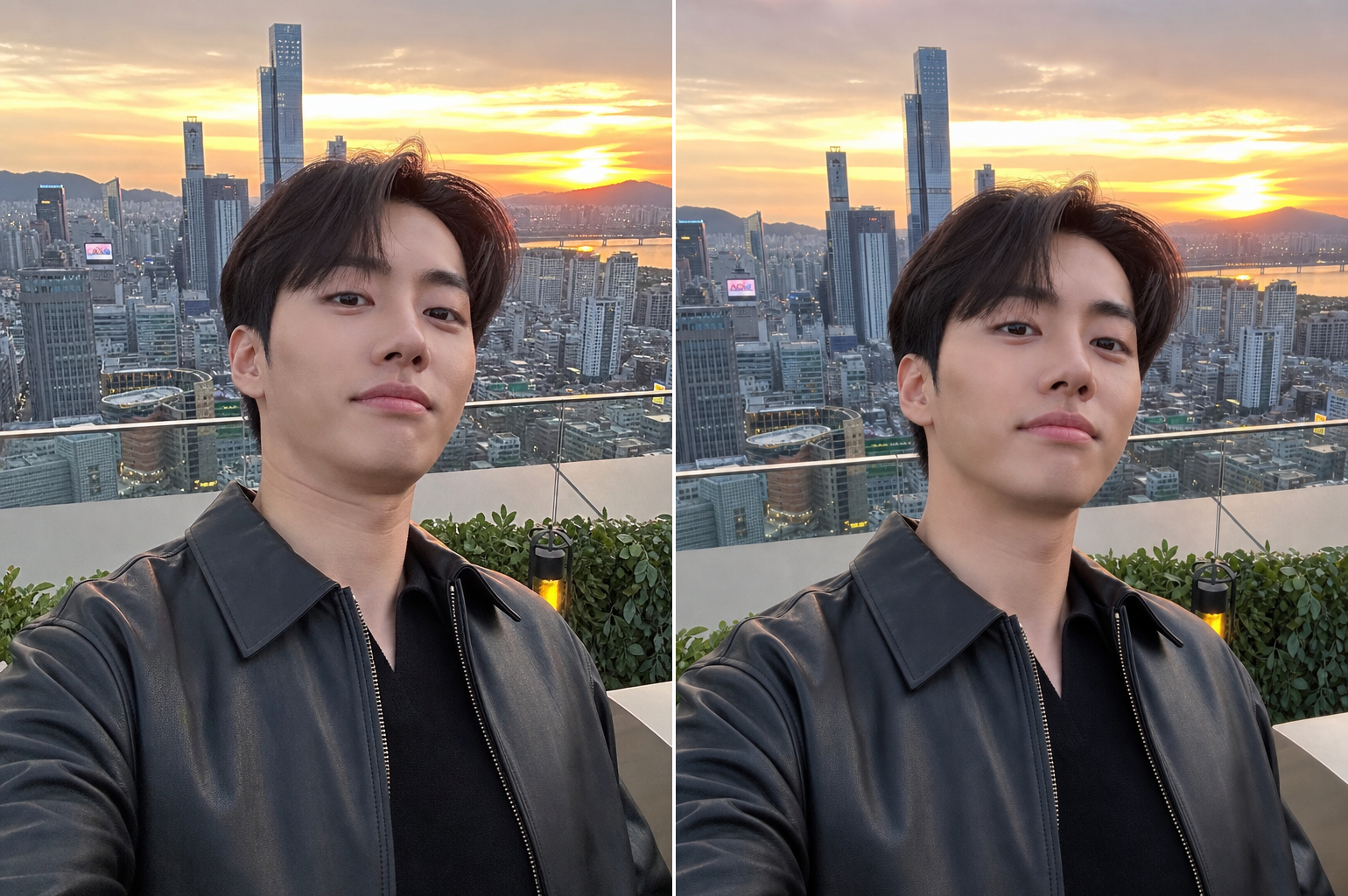
Unflattering Angle Fix

GPT Image 2· Изображение
Subtly correct the unflattering low camera angle while fully preserving the person's identity, facial structure, hairstyle, pose, and expression. Reduce the appearance of double chin or jaw compression caused by perspective distortion only. Simulate a slightly higher and more flattering eye-level camera angle naturally without changing the person's real facial anatomy. Preserve realistic shadows, neck proportions, and facial texture. No face slimming, no beauty filter, no plastic skin, no AI look. The result should feel like the same real photo captured from a slightly better angle.
Generated with gpt-image-2: Dark Photo Recovery

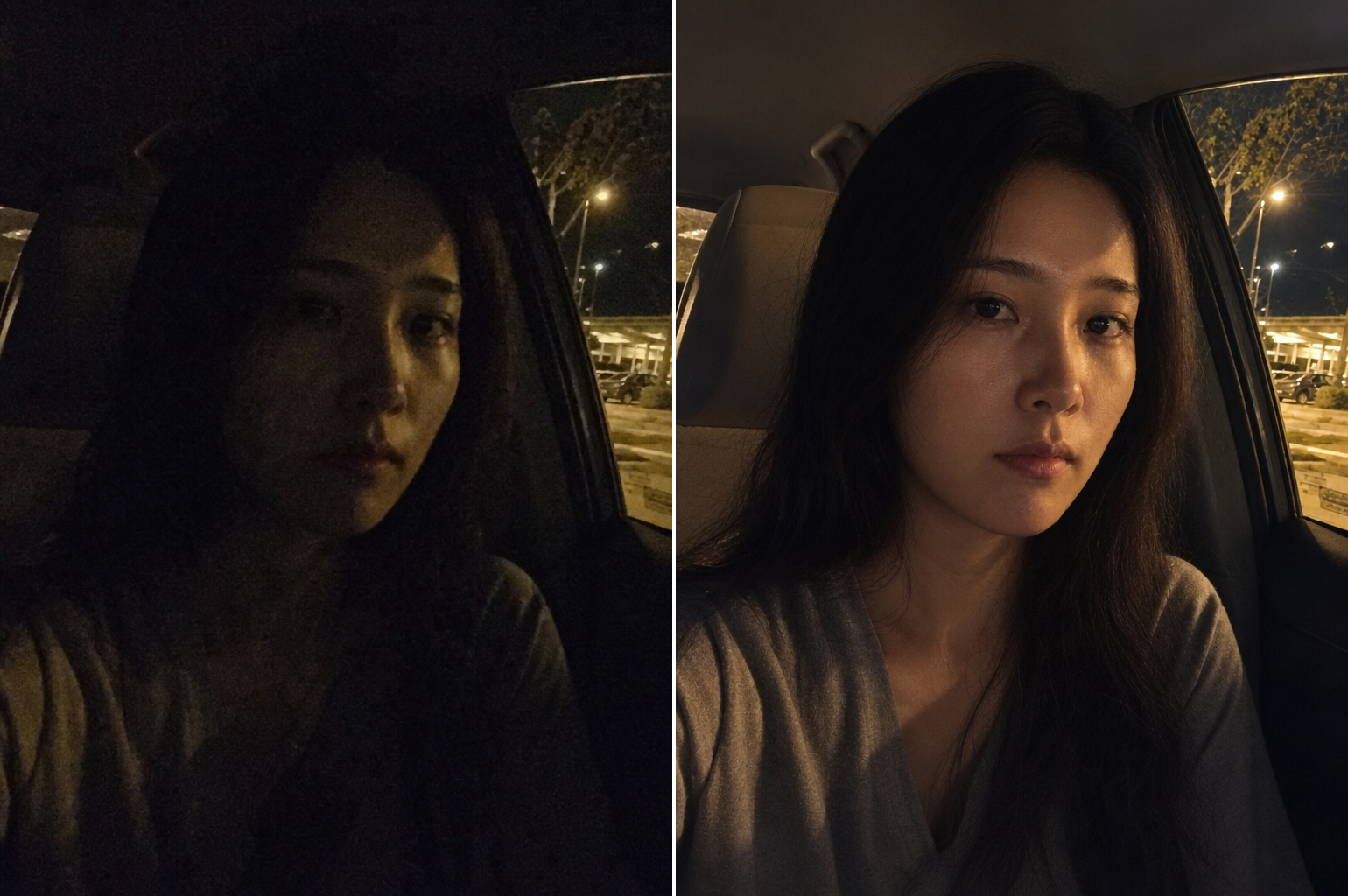
Dark Photo Recovery

GPT Image 2· Изображение
Correct the poor low-light exposure while preserving the person's real identity, skin texture, expression, pose, and image atmosphere. Brighten underexposed areas naturally while maintaining realistic shadows and contrast. Correct harsh flash shadows and remove unnatural color casts. Preserve realistic skin texture, hair detail, and background lighting. Do not create an AI-generated beauty look or artificial smoothing. The final image should look like a naturally well-exposed night photo captured with professional lighting.
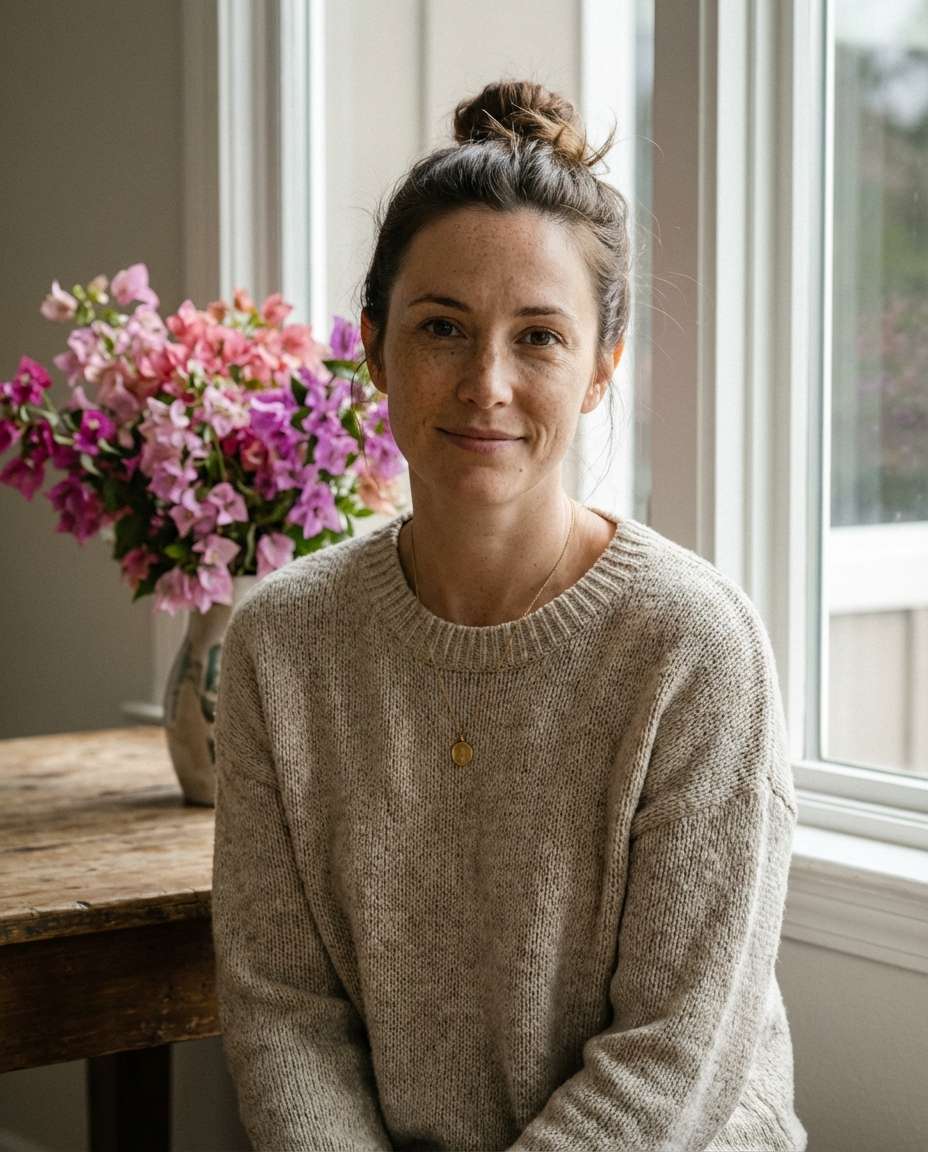
AI-generated Flowerlit Portrait by the Window made with Nano Banana Pro

Flowerlit Portrait by the Window

Nano Banana Pro· Изображение
A serene woman in her early 30s with freckles and loose bun, soft smile, wearing a cozy oatmeal knit sweater and delicate pendant necklace, sitting by a window with a vase of bougainvillea on a wooden table, gentle window light and soft shadows, shot on Sony A7R V with 85mm f/1.4, close-up portrait, eye-level framing, calm intimate mood, photorealistic skin with natural pores, subtle texture, professional portrait photography, high resolution, sharp focus, muted warm color grading --ar 4:5
media.io:window-light-indoors
Generated with gpt-image-2: Old Photo Restoration

Old Photo Restoration

GPT Image 2· Изображение
Restore and repair the old damaged photograph while preserving the person's real facial identity and historical authenticity. Repair scratches, folds, tears, fading, blur, stains, and damaged areas naturally. Enhance facial details, clothing texture, and image clarity while maintaining realistic vintage photographic texture. If appropriate, restore natural realistic color while respecting the original era and lighting. Preserve the nostalgic atmosphere and authentic photographic character. Photorealistic restoration with subtle high-resolution enhancement.
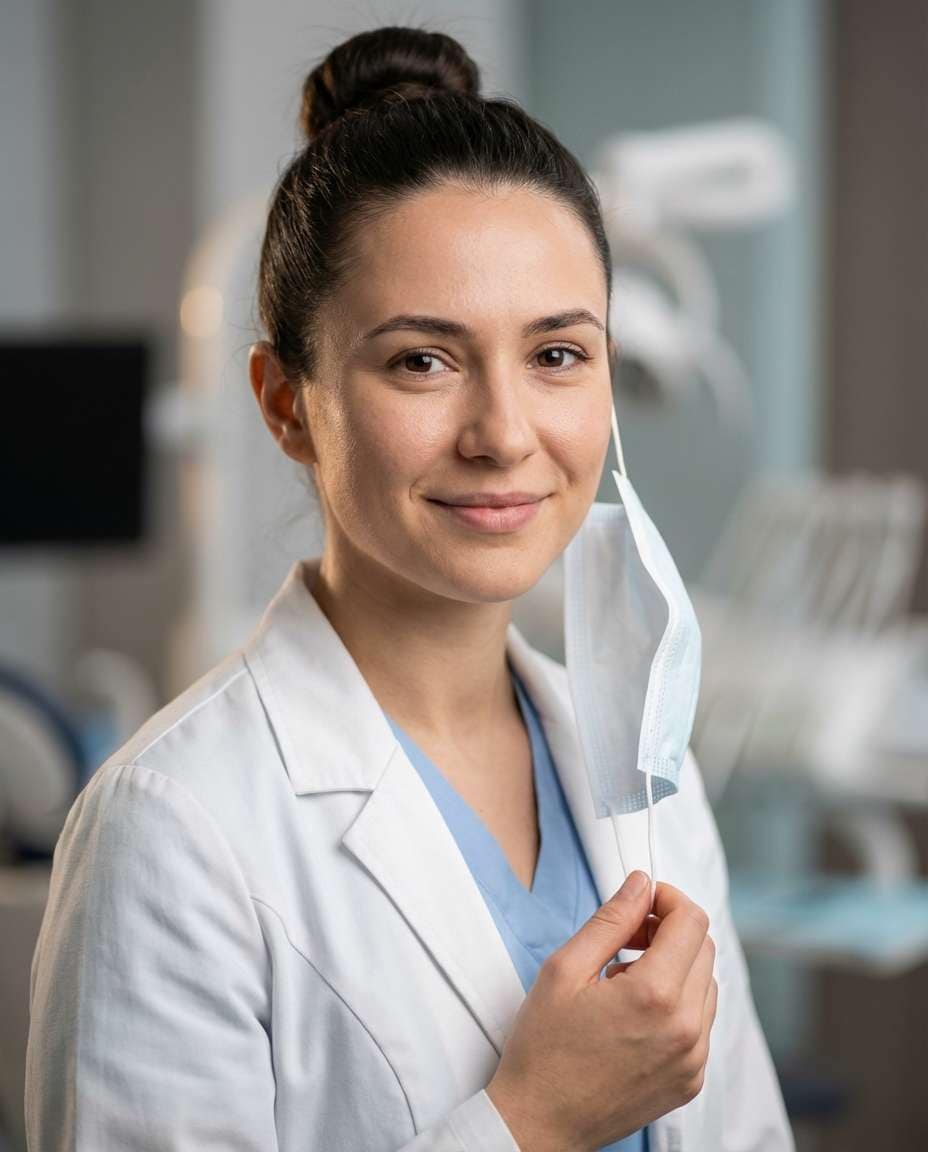
AI-generated Doctor with a Face Mask made with Nano Banana Pro

Doctor with a Face Mask

Nano Banana Pro· Изображение
A young female doctor in her late 20s holding a medical mask loosely in one hand, gentle smile, wearing a white coat over light blue scrubs, hair in a tidy bun, clinic background softly blurred, soft diffused lighting with subtle rim, Nikon Z9 with 85mm f/1.8, head-and-shoulders framing, reassuring and modern mood, ultra-realistic skin texture, natural pores, professional portrait quality, high resolution, clean neutral grading --ar 4:5
doctor-with-face-mask
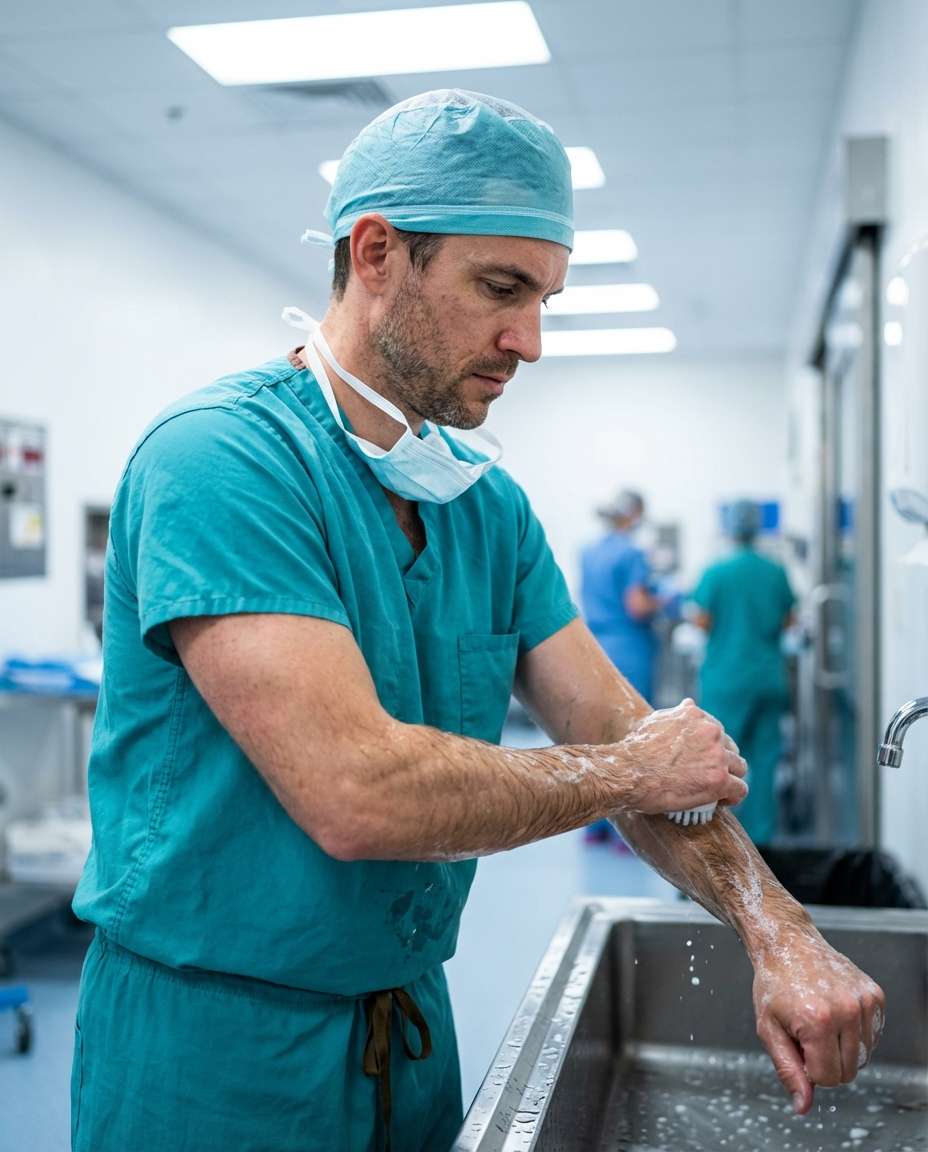
AI-generated Surgical Prep Doctor made with Nano Banana Pro

Surgical Prep Doctor

Nano Banana Pro· Изображение
A male surgeon in his late 30s scrubbing hands at a stainless sink, focused eyes, wearing surgical cap and mask pulled under chin, teal scrubs, operating suite hallway background blurred, bright clinical lighting with specular highlights, Canon R6 Mark II with 35mm f/2, mid-shot framing, realistic documentary mood, photorealistic skin texture, natural shadows, sharp focus, high resolution, cool clean color grading --ar 4:5
surgeon-prep-scrub-sink
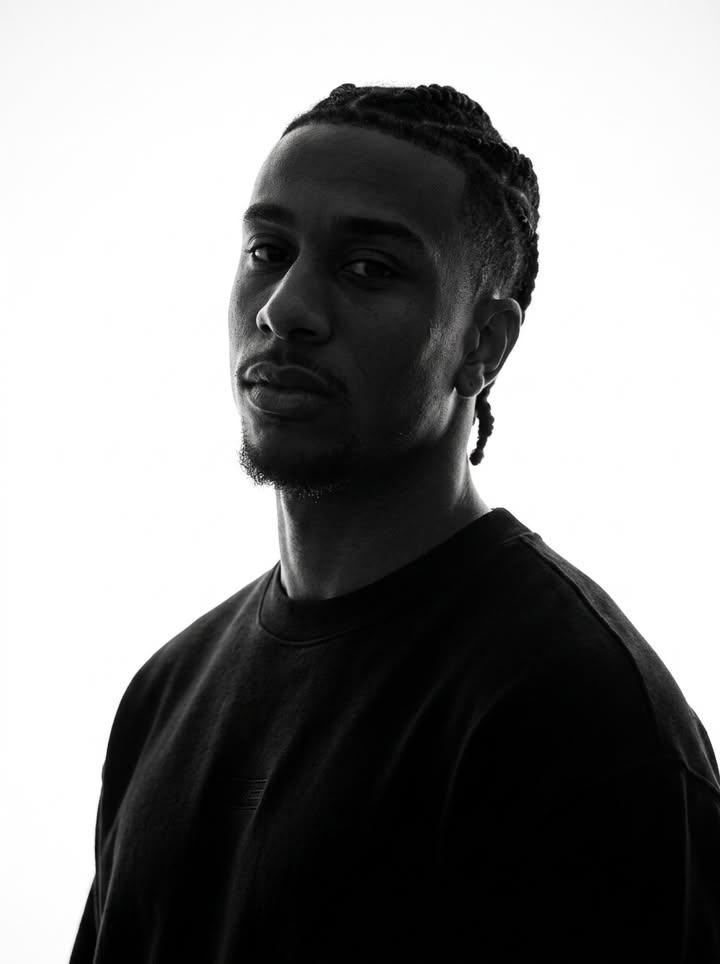
AI-generated Identity-Preserving Monochrome Portrait made with GPT Image 2
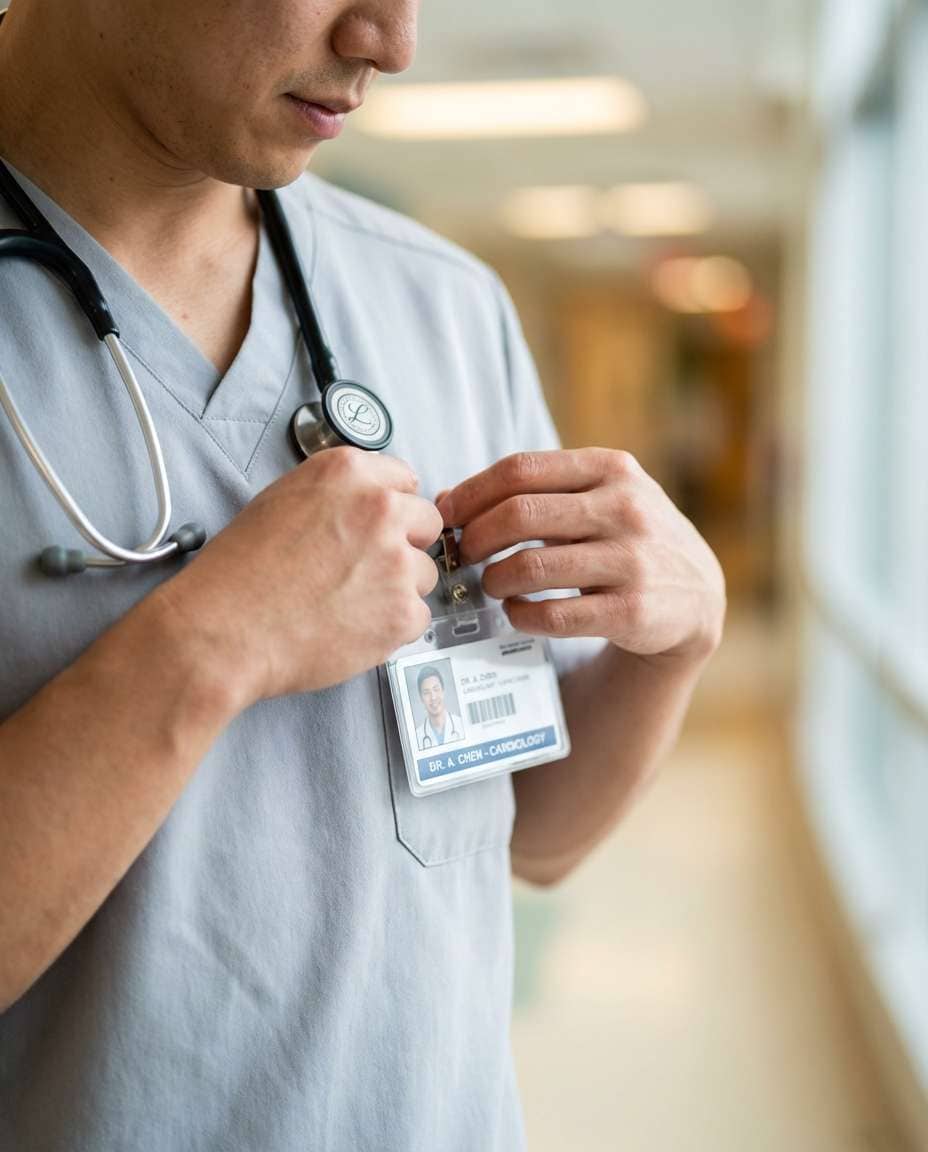
Identity-Preserving Monochrome Portrait

GPT Image 2· Изображение
Preserve the target character’s true facial identity with maximum accuracy and consistency. Maintain the exact original face shape, facial structure, natural proportions, and recognizable identity throughout the entire image or video. Keep the same skin tone values translated into monochrome while preserving realistic highlights, shadows, and natural contrast. Do not alter the person’s ethnicity, age appearance, facial anatomy, or unique characteristics. Maintain the original hairstyle, hair length, hair volume, texture, density, and natural flow. Preserve every detail of the eyebrows, including their shape, thickness, arch, and placement. Keep the exact structure of the eyes, including eye shape, eyelids, eyelashes, gaze, and natural expression. Preserve the original nose shape, bridge, nostrils, and proportions. Maintain the authentic lips, mouth shape, lip texture, smile, and natural expression. Keep the original jawline, cheekbones, facial contours, chin shape, and overall head proportions unchanged. Preserve any facial hair exactly as present, including beard, mustache, stubble, sideburns, or subtle texture. Maintain all accessories and personal details such as earrings, piercings, glasses, necklaces, or other facial-area accessories with the same position, size, and appearance. The monochrome treatment should enhance the subject’s natural identity rather than stylize or modify it. Preserve realistic skin texture, pores, subtle facial imperfections, natural wrinkles or lines, and authentic human details. Avoid beautification filters, face reshaping, artificial symmetry, age changes, or any modification that makes the person look like a different individual. The final result should feel like an authentic monochrome portrait with timeless photographic realism, preserving the person’s true appearance and emotional presence.
@SimplyAnnisa
AI-generated Medical Scrubs Detail made with Nano Banana Pro

Medical Scrubs Detail

Nano Banana Pro· Изображение
A close-up portrait of a doctor in their early 30s adjusting an ID badge clipped to clean light gray scrubs, hands and chest in focus with a stethoscope visible, hospital corridor background creamy bokeh, soft diffused lighting, Sony A7IV with 85mm f/1.8, tight crop composition with rule of thirds, modern professional mood, photorealistic fabric texture, natural skin detail on hands, sharp focus, high resolution, clean editorial color grade --ar 4:5
medical-scrubs-flat-detail
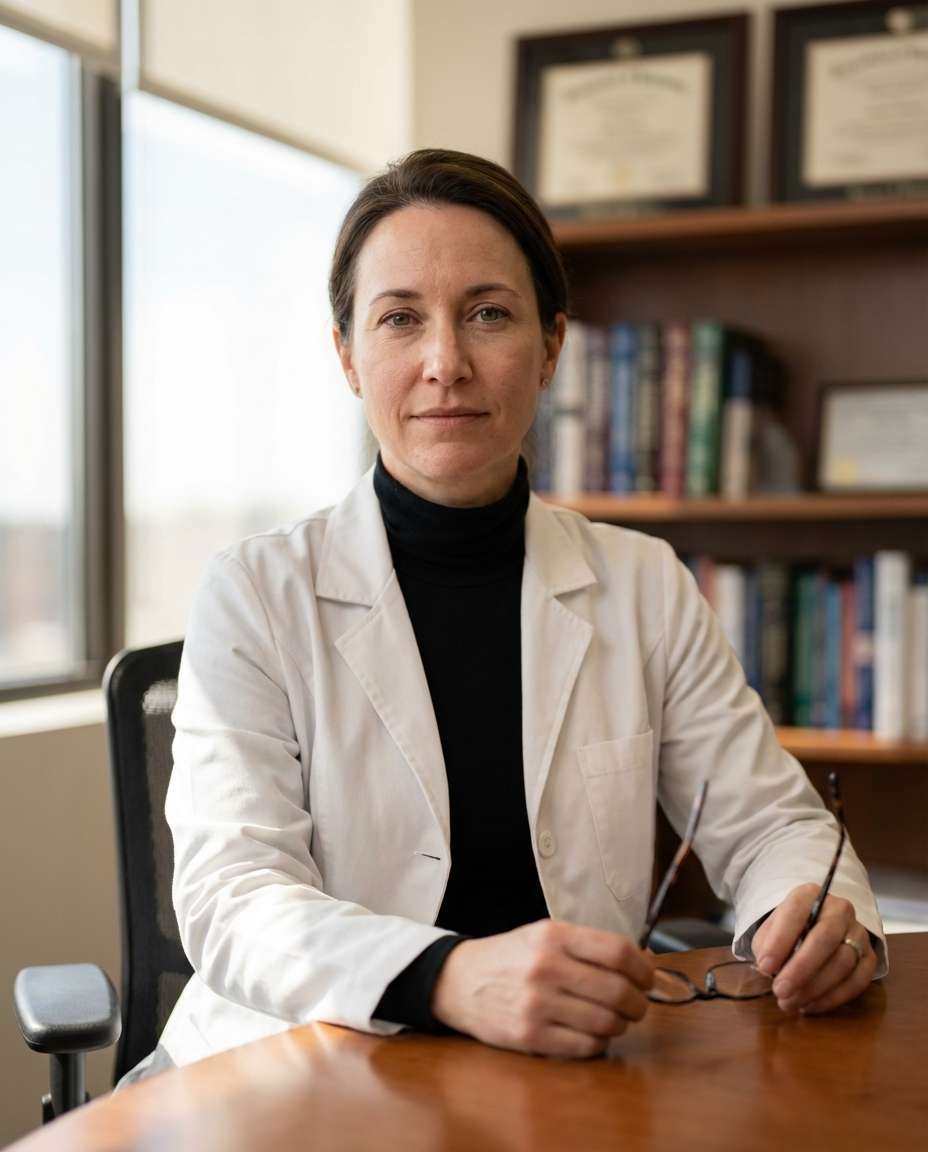
AI-generated Doctor by the Office Window made with Nano Banana Pro

Doctor by the Office Window

Nano Banana Pro· Изображение
A female doctor in her early 40s seated at her office desk, composed expression, wearing a white coat over a black turtleneck, reading glasses in hand, office background with diplomas softly blurred, gentle window light with soft shadows, Canon R5 with 85mm f/1.4, medium close-up framing, calm executive mood, ultra-realistic skin texture, natural pores, professional editorial portrait, high resolution, neutral cinematic grading --ar 4:5
doctor-office-window-light

What Is Portrait Enhancement?

Portrait enhancement is the process of improving the skin tone, lighting, composition, and color of portrait photographs to create more beautiful, polished results. Techniques include skin retouching, color correction, exposure adjustment, composition fixing, and photo restoration, widely applied to social media profiles, ID photos, wedding photos, and portfolio images. The goal is to elevate the original photograph while maintaining the subject's natural characteristics, avoiding the over-processed look that signals obvious editing. With AI image generation tools, complex retouching tasks that once required hours of Photoshop work can now be accomplished quickly and naturally, making professional-quality portrait enhancement accessible to everyone regardless of their photo editing skills.

How to Write AI Portrait Enhancement Prompts

When enhancing a portrait photo with AI, specify the skin tone adjustment, lighting improvement, composition correction, color grading, and natural result preservation as key elements. Include prompt phrases like "uniform skin tone," "soft lighting enhancement," "composition correction," "color grading adjustment," and "natural retouching." Emphasize natural improvement over excessive editing, and set a direction that enhances the subject's beauty while preserving their original features. Different enhancement scenarios require different approaches: skin retouching focuses on evening out skin tone and removing blemishes, photo restoration deals with repairing damaged or aged photographs, exposure correction addresses lighting problems, and composition fixing corrects poor shooting angles. Always specify the type of enhancement needed and the desired intensity level to achieve results that look professionally retouched rather than artificially processed.

Portrait Enhancement Prompt Examples

A photo retouching prompt performs comprehensive quality improvement across the entire photograph, addressing skin tone, lighting, and color balance in a single pass. A skin retouching prompt focuses specifically on evening out skin tone and naturally removing blemishes, creating a flawless but realistic complexion. An old photo restoration prompt restores damaged, aged photographs to clarity and sharpness, bringing new life to precious memories captured on degraded film or prints. A dark photo rescue prompt brightens and revitalizes underexposed photos, recovering detail from shadow areas while maintaining natural contrast. A closed-eye photo repair prompt naturally modifies portraits where the subject's eyes are closed, creating an open-eyed result that looks authentic. A bad angle correction prompt fixes poor shooting angles by recomposing the portrait for a more flattering perspective.

Tips for Using AI Portrait Enhancement

Generated enhanced portraits can be used across social media profiles, portfolios, wedding photos, ID photos, and blog content. Adjust the enhancement style and intensity in the prompt to match the intended use, and maintain the subject's original features while achieving natural improvement. For professional applications like ID photos and portfolios, specify subtle, natural enhancement that meets formal standards. For social media and creative uses, experiment with more dramatic enhancement styles and color grading. Building a reference library by generating various enhancement scenarios helps you quickly identify the best approach for different photo types. Always specify both the technical correction parameters, such as exposure level and retouching intensity, and the aesthetic goals, such as natural versus dramatic, to achieve professional-quality portrait enhancement that genuinely improves the original photograph without obvious artificial artifacts.

Frequently Asked Questions About Portrait Enhancement Prompts

Common questions include whether AI-enhanced photos look natural, whether skin retouching intensity can be adjusted, whether old photos can be restored, whether dark photos can be brightened, and whether composition can be corrected. With precise prompting, AI tools produce natural, professional-quality enhancement results that address a wide range of photo improvement scenarios. The key is specifying the enhancement type, intensity level, and natural aesthetic goals to generate results that rival professional photo retouching while maintaining the subject's authentic appearance.
Частые вопросы

Похожие промпты

Realistic Photo

Realistic Photo

Промптов: 522

Portraits & Profiles

Portraits & Profiles

Промптов: 85

Close-up Portrait

Close-up Portrait

Промптов: 129

Portrait Photo

Portrait Photo

Промптов: 635

Галерея промптов Carat

Создавайте популярные ИИ-промпты мгновенно

Промпты

  • Логотип
  • Дизайн презентации
  • Обложка
  • Постер
  • Обложка веб-новеллы
  • Фото на документы
  • Карикатура
  • Карточка товара
  • Баннер

Модели

  • GPT Image 2
  • Seedance 2.0
  • Nano Banana Pro
  • Nano Banana 2

Carat

  • Начать
  • О нас
  • Блог
  • Вакансии
  • Контакты
  • Партнёрство
  • Условия
  • Конфиденциальность

© 2026 Paradot.Inc All rights reserved.