Bald Edit
AI prompts for creating bald head photo edits and before-after comparisons.
2026.07.08
把「Bald Edit」做成你想要的样子做一个你自己的「Bald Edit」
用大白话说出来就行——Carat 会为你生成合适的图片和视频。

每天 100 免费积分,现在就开始
대머리 합성
What Are Bald Edit Prompts?
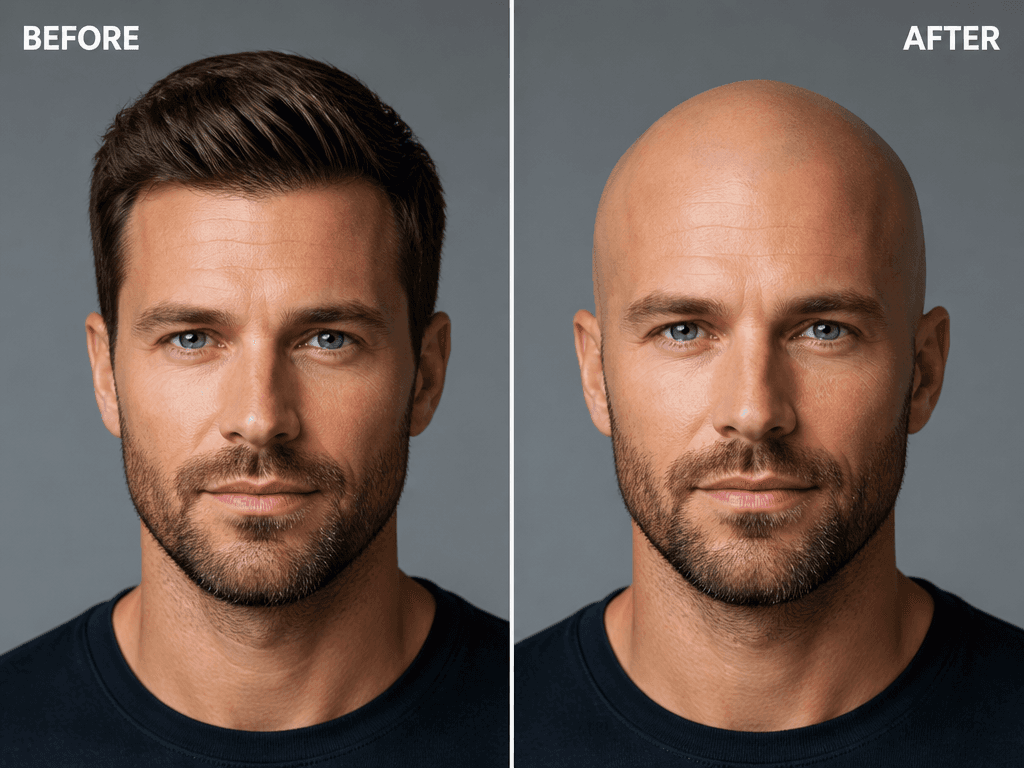
Bald edit prompts help you create shaved-head photo composites using AI. By describing the before-and-after comparison layout, natural skin texture, and lighting direction in a sentence, GPT Image 2 generates realistic bald edit images in seconds. These prompts are ideal for prank friend photos, salon shave simulations, actor character drafts, hair loss content materials, and social media before-and-after images, all without needing Photoshop.
Key Use Cases
- Prank bald composites of friends and colleagues
- Salon or barbershop head-shave simulation images
- Actor or character bald appearance drafts
- Hair loss medical or hair care content materials
- Social media or community fun before-and-after images
Why This Tag Is Useful
Creating bald composites in Photoshop requires selection, layer masking, and skin texture blending skills. AI prompts let you specify the composite style in text: "before-and-after split layout, left with hair right bald, natural skin texture" and get realistic results instantly. This is especially valuable for casual users, content creators, salon marketers, and character designers who can generate natural-looking bald edits without Photoshop, from pranks to production drafts.
Related Prompts
Prompt Composition Tips
- Specify the composite style: "before-and-after split layout" or "full bald composite" for clear results.
- Describe skin texture: "natural skin texture," "matte non-glossy skin" for realistic composites.
- Set lighting and angle: "front lighting," "side lighting," "frontal face angle" for a realistic bald appearance.
- Add subject features: "30s male," "short hair," "beard" to define the composite target.
Try creating a series with different angles and lighting. This works great for pranks or production drafts.