
Card Mockup
Card mockup prompts for presenting business cards and stationery as realistic printed products.
2026.07.17
把「Card Mockup」做成你想要的样子做一个你自己的「Card Mockup」
用大白话说出来就行——Carat 会为你生成合适的图片和视频。

每天 100 免费积分,现在就开始
Card Mockup
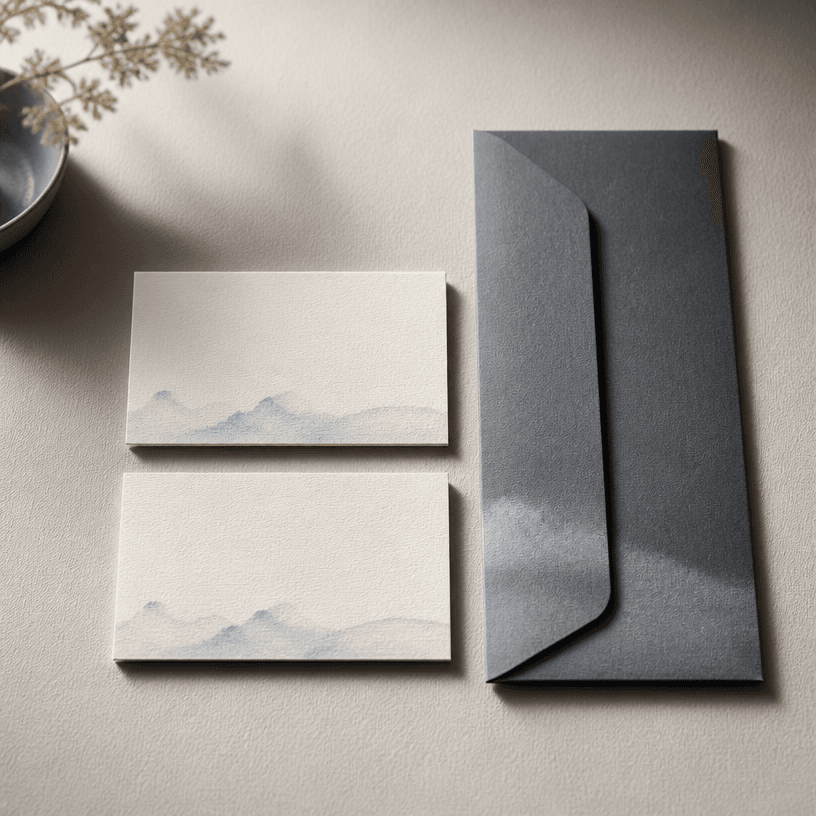
A card mockup presents a business card, invitation, membership card, coupon, or postcard as a tangible product photograph. It helps designers communicate a stationery concept before final production.
1. Choose the card type
Name the printed object first, then define its dimensions, corner shape, orientation, and whether an envelope or prop should appear. These details help the image match the intended use.
2. Describe paper and finishing
Mention ivory stock, matte coating, embossing, foil, rounded corners, thickness, and paper grain when they matter. Tactile specifications make the brand piece feel more physical and believable.
3. Plan the composition
Choose a top-down arrangement, a three-quarter product view, or a hand-held scene. State how cards overlap, where the envelope sits, and how much negative space should remain for later artwork.
4. Control light and surface
Soft side light and contact shadows reveal paper depth without creating harsh reflections. Keep the background within a restrained palette that contrasts with the card while supporting the brand tone.
5. Use the mockup well
The result can support an identity presentation, print proof discussion, portfolio, or ecommerce detail image. Add the final logo and name in an editor, then verify the real print dimensions separately.
常见问题
It can present business cards, invitations, membership cards, coupons, postcards, and other flat printed pieces in context.
Yes. Specify the envelope, paper, pen, or other supporting objects and their placement.
Describe the stock, coating, thickness, and light direction to guide believable grain and shadows.
For reliable accuracy, composite the final logo and name during post-editing after generating the mockup.
Yes. Define the product ratio, background, and negative space for a stationery detail image.
Prompt browsing and image generation can have different conditions based on the selected feature and plan.
Verify the real size, bleed, color profile, stock, and finishing specifications in the production artwork.


