carat

Prompt Gallery

/

피트니스

Login
Sign Up

피트니스

피트니스 챌린지 카드 제작을 위한 실용적인 AI 프롬프트 설계 가이드입니다.

2026.08.15

·
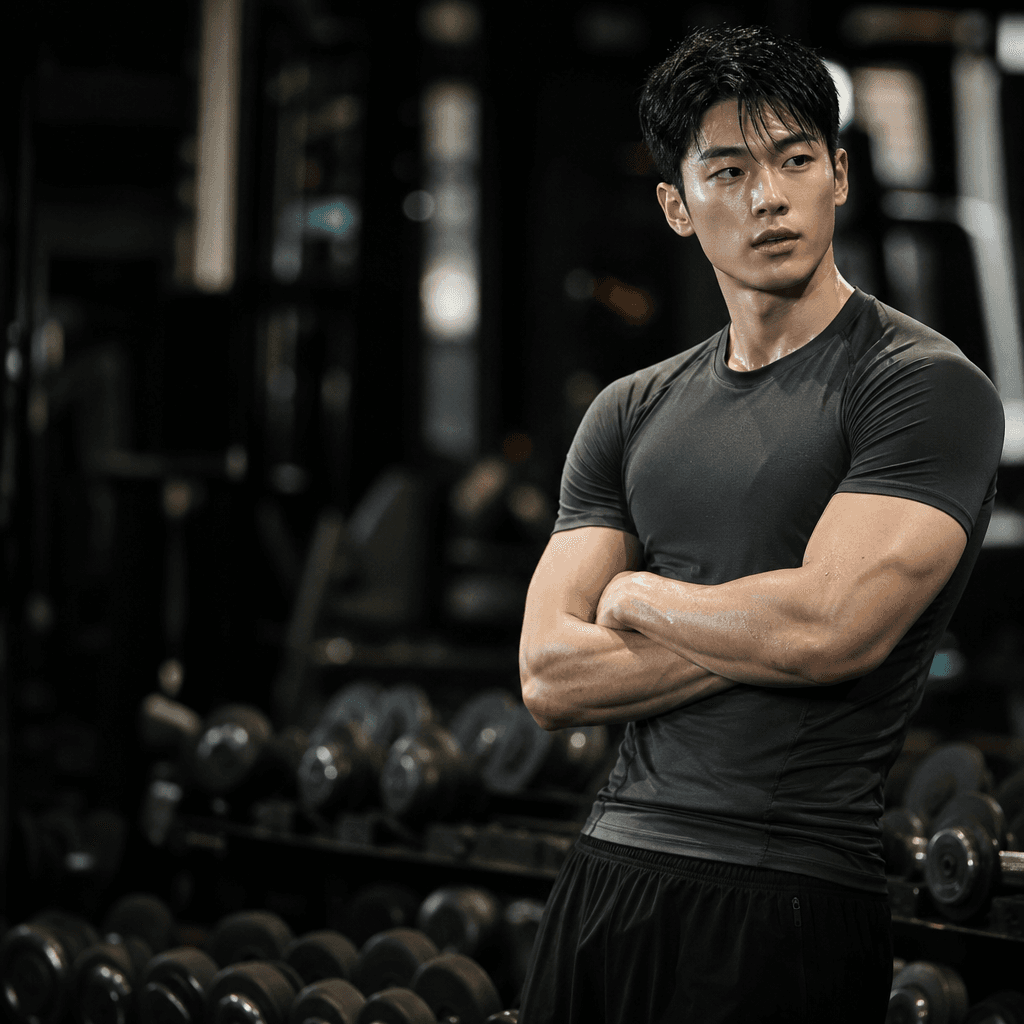
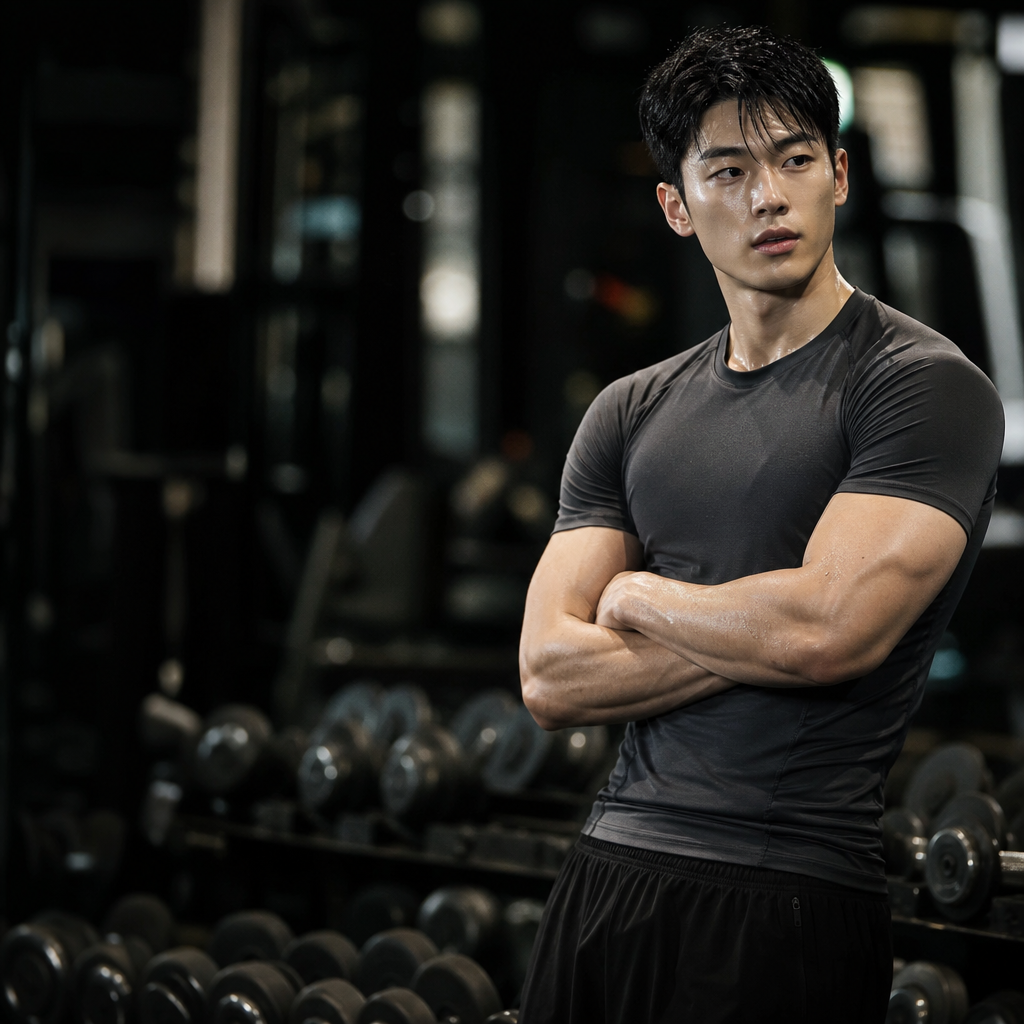
GPT 이미지 2로 생성한 트레이너 프로필 사진

트레이너 프로필 사진

GPT 이미지 2· Image
A professional portrait of a fully fictional fitness trainer in athletic wear, confident smile, arms crossed, gym background with equipment, bright lighting, professional photography style, square composition
GPT 이미지 2로 생성한 운동 루틴 가이드

운동 루틴 가이드

GPT 이미지 2· Image
A clean fitness education illustration showing a diverse adult demonstrating several body-part exercise poses with simple muscle-group icons, modern blue and green palette, organized infographic composition, energetic but clear, no readable text, no watermark.
GPT 이미지 2로 생성한 미래형 AI 앱 마케팅 배너

미래형 AI 앱 마케팅 배너

GPT 이미지 2· Image
Create a clean, futuristic marketing banner in a premium 3D commercial style, designed for an AI app, mobile platform, or startup landing page. Use a soft white-to-light-blue gradient background with a subtle airy glow, lots of negative space, and a polished minimal tech aesthetic. On the left side, place a tall modern smartphone in a slight three-quarter view, with a glossy black frame, realistic screen reflections, and a visible app interface that resembles a social media profile.In front of the phone, position a sleek humanoid robot with a glossy white armored body, black joints, illuminated cyan-blue accents, and a large smooth visor-style face with glowing blue eyes. The robot should be in an energetic forward-running pose, as if stepping out of the phone into the real world, one leg lifted and arms bent dynamically. Give it a friendly but powerful AI assistant look, with detailed mechanical seams, polished surfaces, and high-end sci-fi realism. The robot should feel advanced, helpful, and ready to power a smart app experience.On the right side of the composition, place large bold headline text in a modern rounded sans-serif font, colored deep blue or indigo, aligned left and stacked in three lines: “AI SOCIAL MEDIA AUTOMATION EXPERT” and 'Content • Posting • Full Management'. The typography should be crisp, oversized, and highly legible, with a strong hierarchy and clean spacing. The overall layout should feel balanced and professional, with the robot and phone acting as the visual anchor and the headline as the main message.Use soft studio lighting, realistic shadows under the robot, subtle ambient reflections on the phone, and a light futuristic glow around the subject. Keep the image polished, modern, and app-focused, with a strong sense of innovation, automation, and intelligent digital transformation. The final result should look like a premium AI product ad, startup banner, or SaaS hero image with a sleek, trustworthy, high-conversion visual style.Negative prompt:No clutter, no extra robots, no extra phones, no dark background, no heavy shadows, no neon overload, no chaotic UI, no low-resolution details, no cartoon look, no text distortions, no spelling mistakes, no extra limbs, no broken anatomy, no watermark, no frame, no grain, no messy composition. 16:9 aspect ratio
611501fcbfd00cc0b925fe59020c1ae5

피트니스 챌린지 카드 AI 프롬프트란?

피트니스 챌린지 카드 프롬프트는 주제와 목적을 제목, 대표 이미지, 정보 계층, 색상과 배치처럼 확인 가능한 제작 조건으로 바꾸는 설계 문장입니다. 단순히 멋지고 역동적으로 만들어 달라고 하기보다 대상 독자, 핵심 장면, 제목의 크기, 일정과 장소의 위치, 읽는 순서, 여백과 출력 비율을 구체적으로 지정하세요. 날짜, 주소, 가격, 연락처와 로고처럼 정확해야 하는 정보는 생성 후 편집할 자리로 남겨 두는 것이 안전합니다.

주요 활용 장면

  • 실험, 수업과 커뮤니티 행사의 참여를 유도하는 포스터 제작
  • 운동 목표, 일정과 참여 방법을 정리하는 카드 구성
  • 공연, 전시와 엔터테인먼트 이벤트의 분위기 홍보
  • 사진 산책과 지역 프로그램의 경로, 시간과 장소 안내
  • 모바일, 인쇄와 소셜 채널에 맞춘 여러 규격의 시안 제작

이 태그가 유용한 이유

이 태그는 한 화면에서 분위기와 실용 정보를 함께 전달해야 하는 홍보 그래픽에 유용합니다. 먼저 누구에게 어떤 행동을 요청할지 정하고, 제목, 대표 이미지, 일정과 장소, 보조 설명, 신청이나 연락 방법을 읽는 순서대로 배치하세요. 실험과 운동 안내물은 핵심 행동과 안전 또는 준비 정보를 분리하면 이해가 쉬워집니다. 공연 포스터는 멀리서도 식별되는 짧은 제목과 한 가지 중심 장면이 필요하며, 산책 안내는 출발점, 경로, 소요 시간과 기준점을 구분해야 합니다. 배경과 장식은 정보와 충분한 대비를 이루어야 하고, 작은 화면에서는 제목과 다음 행동이 먼저 읽히는지 확인하세요. 인쇄물은 실제 크기와 재단 여백을 별도로 검토하고, 생성된 글자와 로고는 원문과 대조하여 후편집하세요. 게시 전 날짜, 주소, 가격, 링크와 참여 조건을 다시 확인하면 실무 오류를 줄일 수 있습니다.

관련 프롬프트 더 보기

business-card, small-business, process-diagram, health-infographic, wedding-card, social-media-carousel 태그를 함께 살펴보면 명함, 소규모 사업 홍보, 프로세스 설명, 정보 그래픽, 초대 카드와 소셜 콘텐츠로 확장할 수 있습니다. 다른 태그에서 팔레트나 여백 규칙 하나만 참고하고 현재 작업의 정보 위계는 유지하세요.

프롬프트 구성 팁

  1. 목적, 대상 독자, 사용 채널, 실제 크기와 출력 비율을 정합니다.
  2. 제목, 대표 이미지, 핵심 정보와 다음 행동의 읽는 순서를 지정합니다.
  3. 팔레트, 대비, 여백, 서체 분위기와 아이콘 규칙을 분리합니다.
  4. 고정 문구, 일정, 가격과 로고는 후편집으로 넣는다고 명시합니다.
    첫 결과에서는 장식보다 정보 위치와 가독성을 확인한 뒤 색상이나 질감 하나만 바꾸세요. 최종 사용 전에는 원문과 결과를 대조하고 이미지와 레퍼런스의 권리를 확인하면 안정적인 시안을 만들 수 있습니다.

Frequently Asked Questions

Related Prompts

독서 리뷰 카드

독서 리뷰 카드

3 prompts

콜시트

콜시트

4 prompts

베이킹수업

베이킹수업

5 prompts

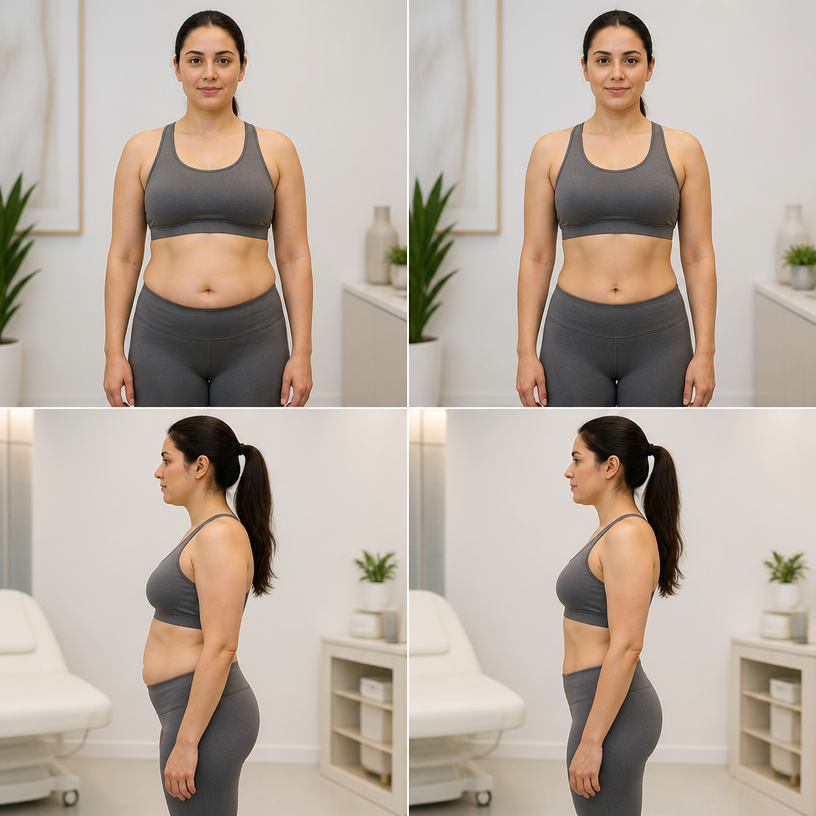
복부 지방 제거

복부 지방 제거

5 prompts

Carat Prompt Gallery

Create trending AI prompts instantly

Prompts

  • Logo
  • PPT Design
  • Thumbnail
  • Poster
  • Web Novel Cover
  • ID Photo
  • Caricature
  • Product Detail Page
  • Banner

Models

  • GPT Image 2
  • Seedance 2.0
  • NanoBanana Pro
  • NanoBanana 2

Carat

  • Get started
  • About
  • Blog
  • Careers
  • Contact
  • Partnership
  • Terms
  • Privacy

© 2026 Paradot.Inc All rights reserved.