
Presentation Template
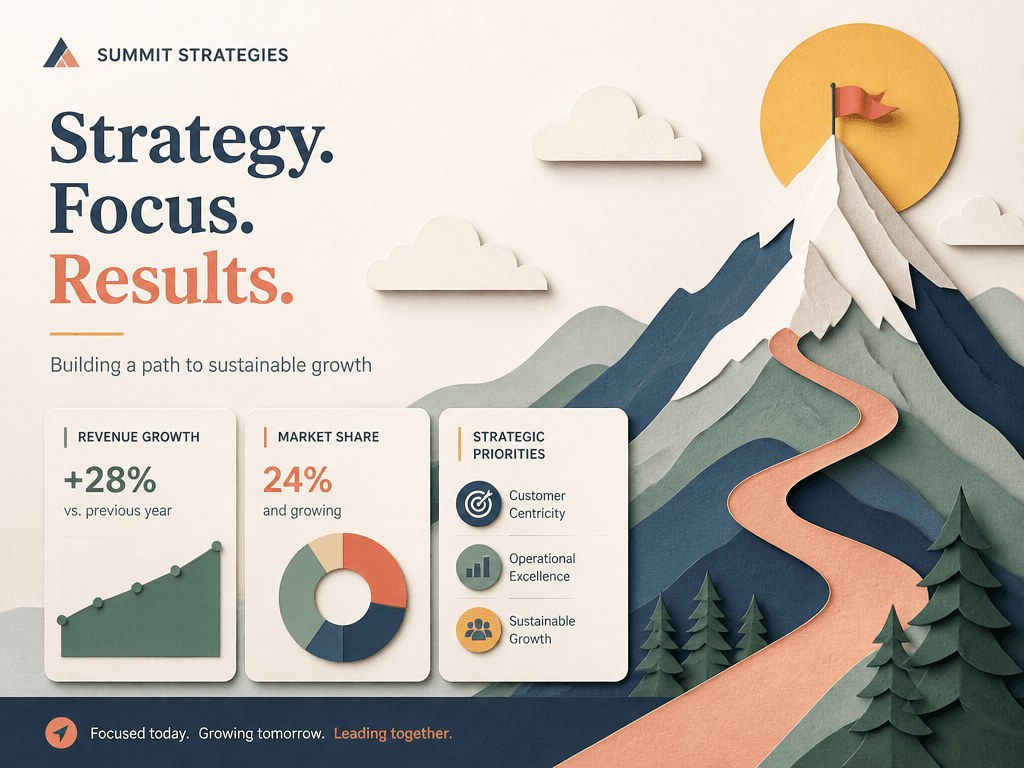
An AI prompt for a presentation template with organized title, data, and visual content areas.
2026.07.17
把「Presentation Template」做成你想要的样子做一个你自己的「Presentation Template」
用大白话说出来就行——Carat 会为你生成合适的图片和视频。

每天 100 免费积分,现在就开始
발표 자료 템플릿
What is a presentation template AI prompt?
A presentation template AI prompt creates a visual concept for a slide with an organized title area, body content, data blocks, charts, and image space. It lets you compare a calm corporate layout, an educational infographic structure, or a product-demo composition before rebuilding the slide in presentation software. Instead of placing every element on an empty canvas, you can first test information hierarchy, balance, color, and visual rhythm.
Useful presentation scenarios
The prompt works for team meetings, business plans, investor decks, classroom lessons, product demonstrations, quarterly reports, and internal training. Ask for a distinct title region and a body area that supports one main message per slide. Number cards, bar charts, comparison panels, pull quotes, and image placeholders can be combined according to the story. A restrained layout is often more persuasive than a crowded slide because it gives the audience a clear place to look.
How to write the prompt
Begin with the presentation goal and the sentence the audience should remember. Then specify the title position, content width, chart type, highlighted number, background contrast, and brand colors. It is safer to use generated imagery to explore the location and proportion of data blocks rather than asking it to render final numbers or long copy. Request generous whitespace and a visible type hierarchy so the composition remains readable from a distance.
Related prompts
Final review
Treat the generated result as a layout reference rather than a finished deck. Verify every number, chart axis, sentence, and logo, then rebuild important elements as editable text and shapes. Test the contrast on a projector and a phone, and remove information that does not support the slide's main point. This preserves the speed of visual exploration without sacrificing accuracy in the final presentation.


