Security Awareness Poster
Design a security awareness poster with AI prompts for phishing, passwords, device locking, and reporting.
2026.07.16
把「Security Awareness Poster」做成你想要的样子做一个你自己的「Security Awareness Poster」
用大白话说出来就行——Carat 会为你生成合适的图片和视频。

每天 100 免费积分,现在就开始
보안 캠페인 포스터
Define the campaign scope
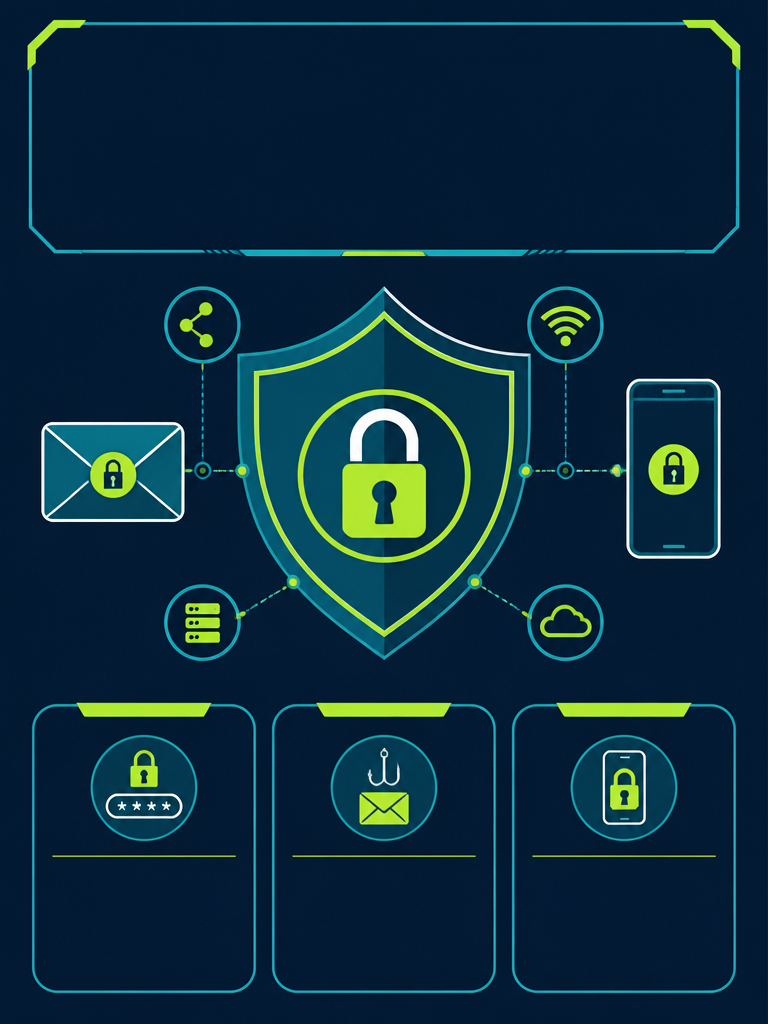
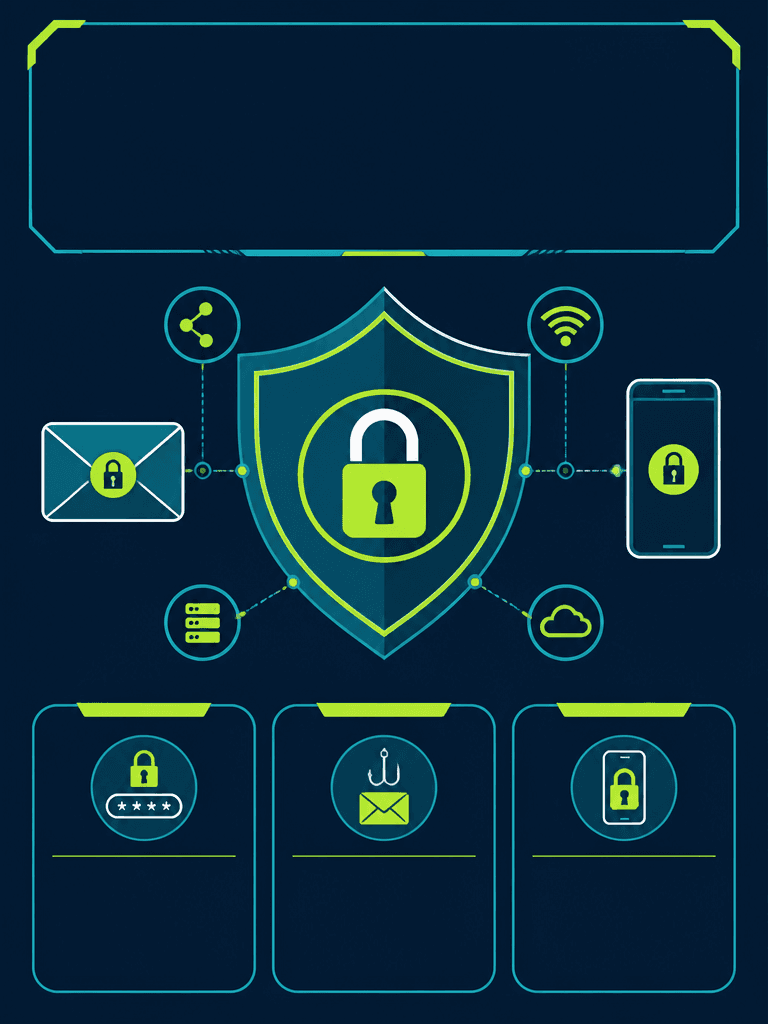
Security Awareness Poster AI prompts organize a few actions such as spotting phishing, managing passwords, locking screens, and reporting incidents. Select only three behaviors for one campaign rather than listing every threat. Add reporting channels and policy language from information verified by the security owner.
Use calm visual language
A lock inside a shield, a sealed email, a phone, and connected nodes communicate protection directly. Avoid stereotypical hacker figures or frightening faces. Navy and teal with a lime accent preserve authority and urgency, while consistent icon weight keeps each symbol recognizable at viewing distance.
Build a hierarchy for each rule
Use the top for the campaign name and one action statement. Assign the three equal lower cards to password practice, phishing checks, and device locking. Within each card, lead with a verb, follow with a short explanation, and finish with the reporting route. Move technical exceptions to a detailed guide.
Accuracy and accessibility
Compare tool names, report numbers, destinations, audience, and effective dates with internal policy. Never communicate risk through color alone; pair labels with symbols and maintain accessible contrast. Do not generate a QR code inside the artwork. Add an approved code linked to a tested internal destination during final production.
Structural review before distribution
Zoom in on the lock shackle, shield symmetry, phone frame, envelope flap, and node lines to detect breaks or floating parts. Test title spacing and card alignment in both screen and print exports. Verify reporting links, tap-to-call behavior, expiration date, and campaign owner on real devices.