Tote Bag
AI prompt to generate canvas tote bag product photos for e-commerce.
2026.07.08
把「Tote Bag」做成你想要的样子做一个你自己的「Tote Bag」
用大白话说出来就行——Carat 会为你生成合适的图片和视频。

每天 100 免费积分,现在就开始
Tote Bag
What Are Tote Bag AI Prompts?
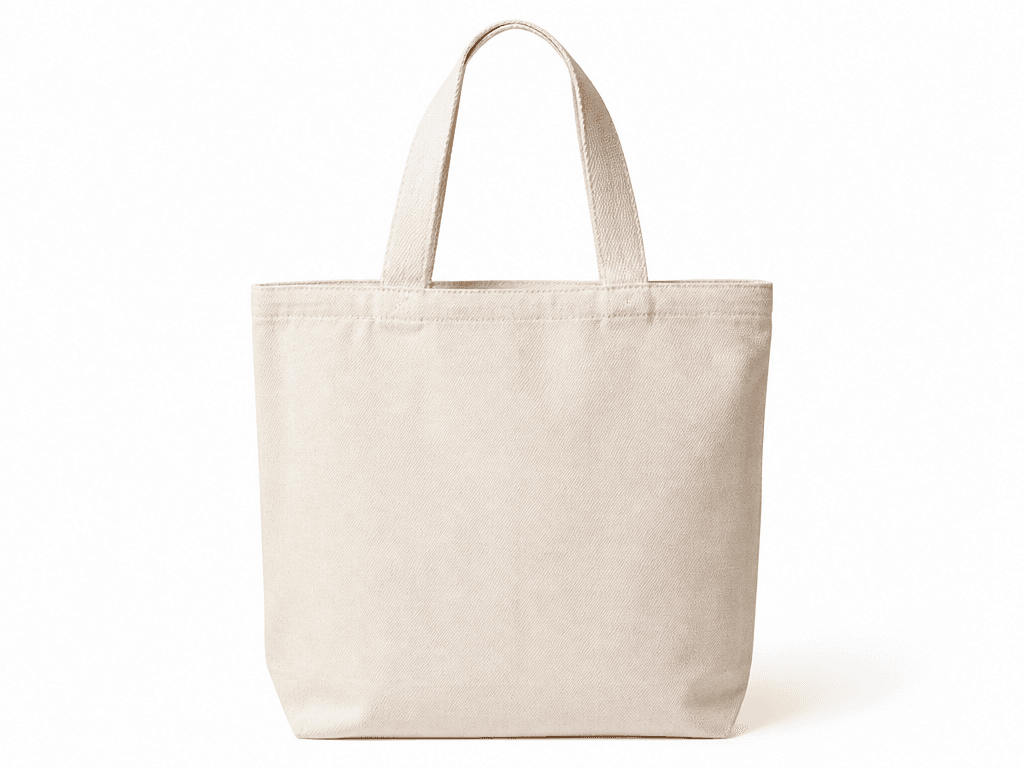
Tote bag prompts are input texts that use GPT Image 2 to automatically generate canvas tote bag product photos. They express natural fabric texture, sturdy handles, and a blank customizable print area on a white background, producing results in a calm beige-centered palette that can be directly used in e-commerce product detail pages.
Key Use Cases
These prompts can be instantly used when product registration images for eco-bags are needed on smart stores or shopping malls. They work well as mockups for placing brand logos or characters, and can be applied to pop-up store goods promotions, eco-friendly campaign materials, and corporate gift catalogs. They are also attractive enough for SNS product teaser images.
Why This Tag Is Useful
Tote bag product photos require detailed expression of fabric texture, handle shape, and blank print areas, making direct photography costly and time-consuming. AI prompts let you obtain commercial-quality product shots without studio lighting setups, which is especially beneficial for small business owners and solo entrepreneurs. The ability to quickly generate various color variations and angles is another major advantage.
Related Prompts
Prompt Composition Tips
Specifying 'white seamless background, centered front view' in tote bag prompts yields e-commerce-suitable results. For fabric texture, 'natural canvas weave pattern, slight fuzz' increases realism. Express the customization area as 'blank print area, predefined print zone,' and add detail to handles with 'sturdy double handles, leather piping' for a more premium feel.
常见问题
Yes, since the images are generated as front-facing product shots on white backgrounds, they can be directly used as representative images for smart store product detail pages. However, since texture and color may differ from the actual product, we recommend registering actual product photos alongside them on detail pages.
Adding 'centered logo print' or 'graphic print area' to the prompt yields a result with printing applied. However, since AI may generate arbitrary logos, compositing your actual brand logo in post-production is more accurate.
Changing 'beige' in the prompt to 'black, navy, olive, pink' generates various color variations. Listing multiple colors in one prompt can also create a color chart format.
Results with a blank print area are ideal for use as mockup templates. By placing your design over that area in an image editor, you can simulate the actual print result.
Keeping the basic structure but changing 'canvas tote bag' to 'shoulder bag' or 'backpack' generates different bag forms. However, adding form-specific details for each type yields better quality.
Adding keywords like 'recycled canvas, natural dye, eco-friendly label, kraft packaging' emphasizes the eco concept. Adding 'recycled paper texture, leaf motifs' to the background is also effective.
The default output is web-resolution. Specifying 'catalog print, A4 300dpi' generates a print-suitable resolution, though generation may take longer than web output.