Vlog Screenshot
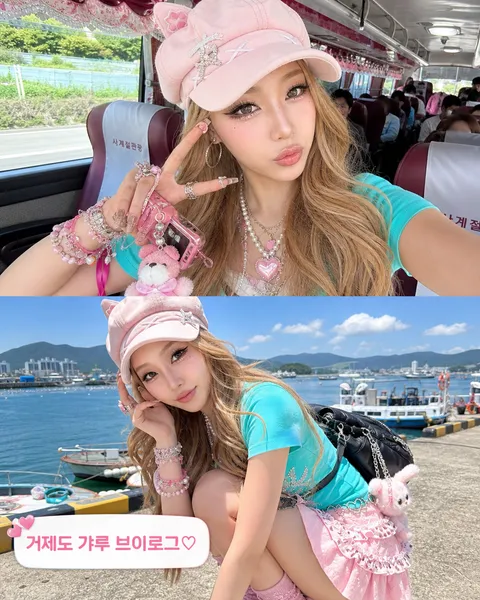
브이로그 영상 캡처처럼 자연스러운 장면을 만드는 Vlog Screenshot AI 프롬프트. 여행, 버스, 카페, 대기실, 일상 셀피 컷을 실제 영상 스틸처럼 구성할 수 있습니다.
2026.05.28
把「Vlog Screenshot」做成你想要的样子做一个你自己的「Vlog Screenshot」
用大白话说出来就行——Carat 会为你生成合适的图片和视频。

每天 100 免费积分,现在就开始
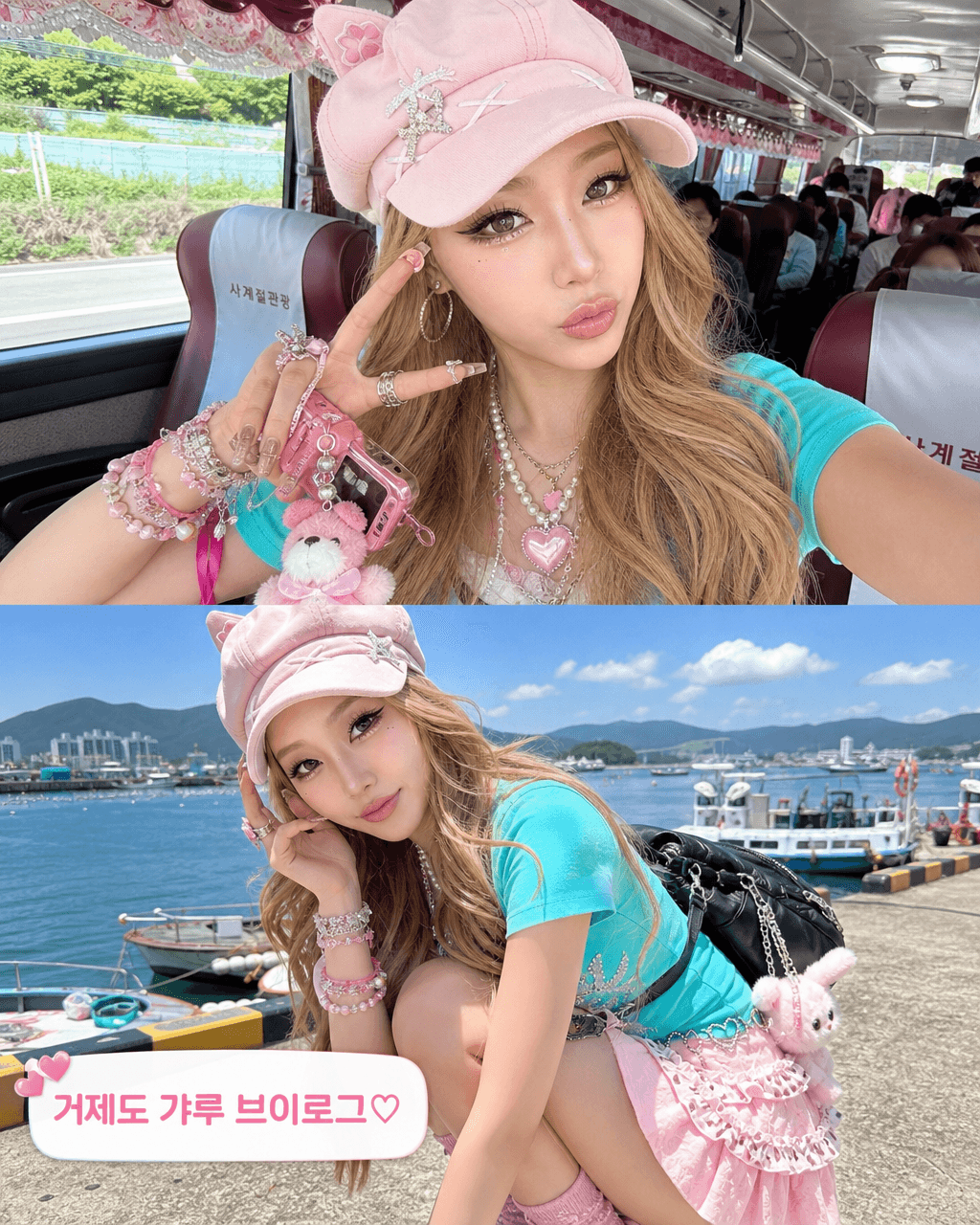
Geoje Gyaru Vlog Screenshot
What Are Vlog Screenshot AI Prompts?
Vlog Screenshot prompts create still images that look like frames captured from a casual smartphone video rather than posed studio photos. The style works for travel posts, influencer concepts, behind-the-scenes content, and realistic lifestyle storytelling. A strong vlog screenshot includes imperfect framing, a handheld perspective, natural gestures, and small environmental details that make the moment feel recorded instead of staged. In Carat you generate these with GPT Image 2, then continue with edits, aspect-ratio changes, background cleanup, or quality upscaling.
Where You'll Use It
- travel vlog stills from buses, airports, beaches, and city streets
- influencer daily-life captures for fashion, beauty, or food content
- behind-the-scenes screenshots for campaigns or fictional characters
- casual product usage scenes that feel less like advertising
- fan-edit boards and carousel cards with caption stickers
Why This Tag Is Useful
The key is controlled imperfection. Vlog screenshots should not look like clean product renders, so deliberately adding slightly cropped hands, phone-camera noise, overexposed windows, or half-visible props helps the image read as a real captured moment. Because the result feels friendly rather than advertorial, it fits travel, lifestyle, and fan content that needs to look native to a social feed while staying fast to produce.
Tips for Crafting Prompts
- Specify the recording source: smartphone vlog, compact camera, action cam, or webcam.
- Describe the exact moment, such as turning to the camera, crouching near a harbor, or waving from a bus seat.
- Add imperfect camera cues such as motion blur, wide-angle distortion, or overexposed daylight.
- Use short on-screen captions or stickers so the frame reads like real social content, and keep must-read text separate.
If the image looks too posed, ask for more handheld framing, casual posture, and phone-video texture. If it becomes messy, refine only one layer at a time: pose, background, caption, or lighting.
常见问题
They create images that look like a single frame captured from a real video, ideal for travel, lifestyle, and fan content. You describe the scene, framing, phone-camera texture, and caption stickers in text and generate it directly in Carat.
The point is controlled imperfection. Instead of a clean studio shot, you add handheld shake, slightly cropped framing, overexposure, and background clutter so the image reads as a genuine moment captured from a video.
Not necessarily. You can build a new scene from text alone, or add a reference image when you want to keep a specific person's face and transform the scene around that identity.
GPT Image 2 handles images with on-screen text and reference-based edits well. If you need motion, use the generated still as a reference for a video model to continue from.
Yes. Specify a rounded caption sticker or a short caption with the exact wording in your prompt to get the social-post look. Keep any text that must read clearly separate and emphasized.
Ask for more handheld framing, casual posture, environmental clutter, and phone-video texture. If it becomes messy instead, refine only one layer at a time: pose, background, caption, or lighting.
You can use them for concept images, marketing drafts, and social assets. Just verify logos, real people, copyrighted material, and product efficacy claims separately before publishing.