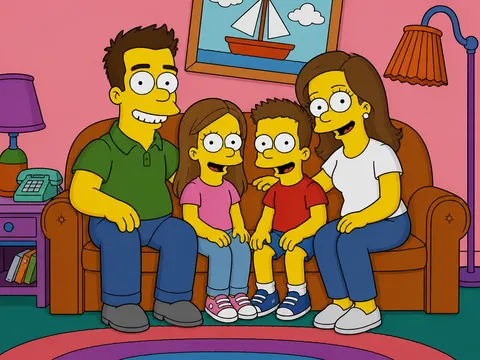
Duck Character
Create duck character visuals with practical AI prompt examples, style tips, and use cases.
2026.07.03
Mach „Duck Character“ genau so, wie du es willstErstell dein eigenes „Duck Character“
Sag es einfach in deinen Worten – Carat generiert passende Bilder und Videos für dich.

Starte jetzt mit 100 kostenlosen Credits pro Tag

Duck Character
What are Duck Character AI prompts?
Duck Character prompts help you describe a clear visual target for AI image generation. Instead of entering a short keyword only, a stronger prompt defines the subject, composition, color direction, material feel, and final use case. This makes the output more reliable for real projects such as social posts, campaign graphics, product pages, thumbnails, and design references. The examples on this page are built to be easy to copy, adapt, and combine with other Carat prompt tags.
Main use cases
- 마스코트
- 스티커
- 이모티콘 기획
- 유아 콘텐츠
- 브랜드 캐릭터
Why this tag is useful
A good visual prompt should remove ambiguity before generation starts. This tag focuses on observable details: subject shape, layout, style, color, texture, and output cleanliness. By adding constraints such as no readable text, no logo, and no watermark, you can produce assets that are easier to reuse in marketing, design drafts, or editorial layouts. You can also shift the same idea toward flat illustration, realistic editorial imagery, mascot design, or poster-ready graphics.
Related prompts to explore
Useful related tags include illustration, style-transfer, photo-to-painting, collage-image, poster, character-illustration, and flat-illustration. Combining these tags can help you refine the result. For example, pair this prompt with poster when you need a campaign visual, or with flat-illustration when you want a cleaner and more minimal design asset.
Prompt writing tips
- Start with the intended output format, such as sticker, poster, thumbnail, card, or product page visual.
- Add specific style words like editorial, flat vector-like, paper texture, soft shadow, or clean centered composition.
- Keep production constraints explicit: no readable text, no logo, no watermark, and clean background.
- Generate a few variations with small changes in palette, viewpoint, and composition, then choose the most usable result.
Häufige Fragen
You can copy and adapt the prompt text for free. Credits are used when you generate images or videos with AI.
Yes, they can be used as marketing or design drafts, but you should review logos, text, and rights-sensitive elements before publishing.
For more reliable results, this page recommends clean visuals without readable text. Add copy later in a design tool when needed.
Use 1:1 for social feeds, 9:16 for stories or shorts, and 16:9 for banners or thumbnails.
Add specific details about purpose, palette, background, composition, texture, and output constraints.
For transformation workflows, a reference image can help. The examples here focus on text-based prompt directions.
Yes. Related tags are useful for shifting the result toward posters, stickers, illustrations, or editorial assets.