
Vending Machine Mockup
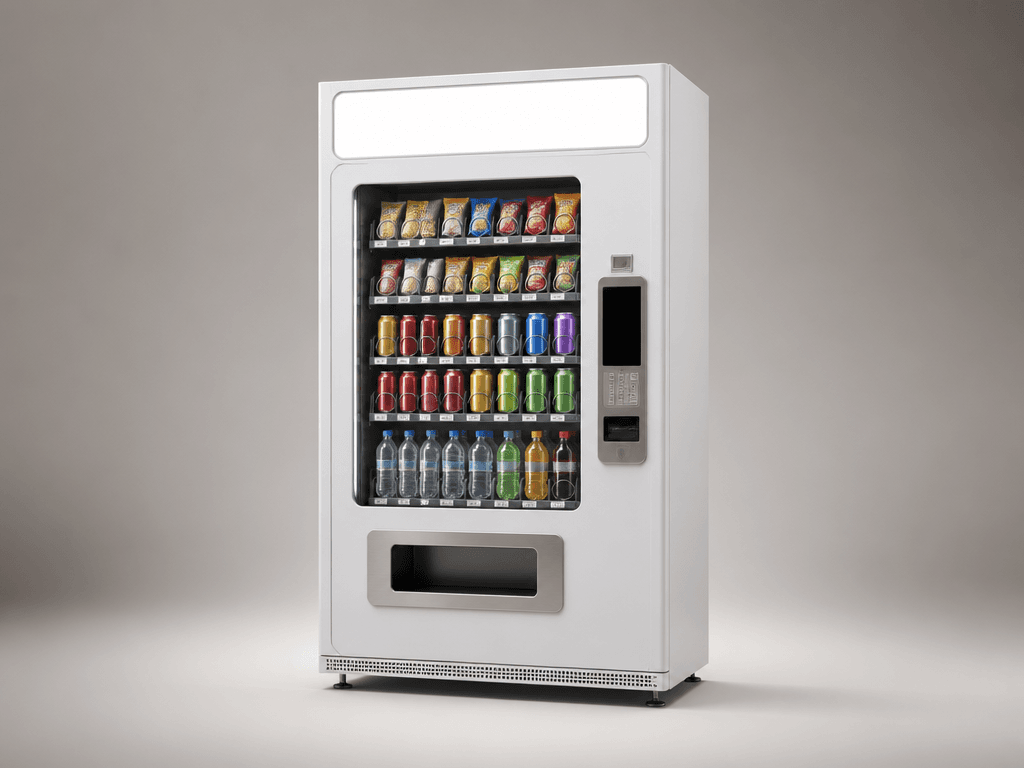
Prompts for creating vending machine mockup concepts that leave space for beverage and snack branding.
2026.07.17
Mach „Vending Machine Mockup“ genau so, wie du es willstErstell dein eigenes „Vending Machine Mockup“
Sag es einfach in deinen Worten – Carat generiert passende Bilder und Videos für dich.

Starte jetzt mit 100 kostenlosen Credits pro Tag
Vending Machine Mockup
What are vending machine mockup AI prompts?
Vending machine mockup AI prompts create presentation visuals that show beverage, snack, or merchandise branding in a realistic retail setting. By defining the machine body, product window, payment panel, dispensing bay, header sign, materials, and lighting, you can explore a brand concept before applying final graphics. These mockups work well for store installation proposals, pop-up planning, package branding, product launches, and campaign mood boards.
Common use cases
- Packaging application concepts for drinks and snacks
- Installation proposals for convenience and unmanned stores
- Sales equipment concepts for events and pop-ups
- Promotional visuals for limited merchandise
- Spatial direction for outdoor campaigns
Elements to define
Choose the machine shape and whether the view is straight-on or three-quarter. Describe the body material, such as matte metal, painted panels, or transparent glass, then separate the product window, cans and bottles, dispensing bay, payment panel, and header sign. Leave a clean blank area where final branding will be placed. Specify floor shadows, reflection strength, and whether the background is a studio or a store so the result fits a presentation context.
Prompt tips
Start with the product category and intended audience, then add machine color, camera height, lens feel, and lighting. Premium drinks may suit restrained metal and a dark background, while youth merchandise may need bright color and soft light. Keep the machine large enough to read as a thumbnail and request generous surrounding space. For a proposal, generate both a frontal view for graphic review and a three-quarter view for depth and placement.
Final checks
Generated labels, prices, and product names are not real sales information. Do not insert copyrighted logos, contact details, or licensed artwork without permission. A button or payment panel that looks functional does not prove that the machine can operate that way; confirm specifications separately. Before presenting the mockup, check that graphics follow the perspective and curved surfaces correctly and that products are not hidden by decorative elements.
Häufige Fragen
They can create packaging concepts, installation proposals, pop-up equipment ideas, merchandise displays, and campaign presentation visuals.
Branding can be planned for the header sign, front panel, and side surfaces. Place the final logo and exact artwork in an editor for accuracy.
A frontal view is best for reviewing panels and branding, while a three-quarter view shows depth and how the machine may sit in a space.
No. Treat generated labels, prices, and product names as placeholders and replace them with verified sales information.
Yes. Specify a convenience store, event venue, or studio and describe the installation lighting and surrounding space.
Only use artwork you are authorized to use. For exact typography and logo shape, add the original asset in an editing tool.
No. It is a visual concept. Confirm dimensions, power, payment hardware, safety, and operating requirements with technical documentation.


