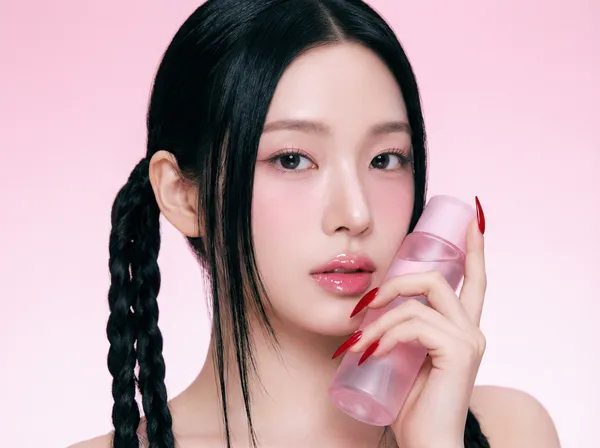
Beauty Editorial Generator
Example results
AI Model Photoshoot: Your Beauty Product, Styled on a Model
How to run an AI model photoshoot
Carat AI's model photoshoot tool turns a plain cosmetic product shot into a beauty editorial with a model in the frame. Most AI model generators are built for clothing: they dress a virtual model in a flat-lay garment. This one is built for beauty. Upload your lipstick, serum, cushion compact, cream or fragrance together with a model photo, and the AI places your product in the model's hands or close to her face, styled like a campaign image. Don't have a model? Open Settings and pick one from Model Templates instead of uploading a photo. There is no studio to book, no casting call and no makeup artist to schedule, just two images and a ratio.
01
Upload your product and model
Add your beauty or cosmetics product photo in the Product slot. In the Model slot, upload a model photo, or choose a preset model from Model Templates.
02
Choose the image ratio
Pick 16:9, 4:3, 1:1, 3:4 or 9:16 depending on where the image will live: a wide banner, a product page, a feed post or a vertical story.
03
Create your beauty editorial
Click Create and the AI builds an editorial-style image of the model with your product. Not quite the mood you want? Try another model template or ratio and create again.
Ways to use it
Product pages and marketplace listings
Add an on-model shot next to your packshot so shoppers can read the size, texture and vibe of the product at a glance.
Social feeds and stories
Make a 1:1 or 3:4 feed image and a 9:16 story from the same product so your launch looks consistent everywhere.
Launch key visuals
Use 16:9 for homepage hero banners, email headers and promo landing pages without waiting on a full photoshoot.
Ad creative testing
Pair one product with several model templates and see which face, mood and styling your audience responds to before you invest in a shoot.
FAQ
What does the AI model photoshoot create?
×
It creates a single beauty editorial image of a model presenting your product, in the ratio you choose: 16:9, 4:3, 1:1, 3:4 or 9:16.
Do I need my own model photo?
+
No. Open Settings and choose a model from Model Templates. If you work with a brand ambassador or have your own model shots, upload one of those instead.
What product photos work best?
+
Beauty and cosmetics items such as lipstick, foundation, serum, cream and perfume work well. Use a well-lit photo where the whole product is visible, the label and logo are sharp and the background is simple.
Which image ratio should I pick?
+
16:9 suits website banners and YouTube thumbnails, 4:3 suits blog posts and product page sections, 1:1 or 3:4 suits Instagram feed posts, and 9:16 suits Stories, Reels, TikTok and Shorts.
How is this different from Carat's AI Background Studio?
+
AI Background Studio places your product on a new background with no person in the shot. The model photoshoot adds a model who holds or wears your product. Use Background Studio for clean packshots and this tool for on-model beauty imagery.
Can I upload anyone's photo as the model?
+
Only upload photos of yourself or of people who have given consent, and that you have the rights to use. Do not use celebrity or third-party photos without permission. If you are unsure, use a Model Template.


© 2026 Paradot Inc. All rights reserved.


