Turn Your Selfie into Surreal Oil Art — AI Prompt Guide
From selfie to gallery exhibition and magazine cover
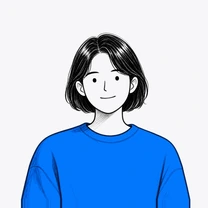
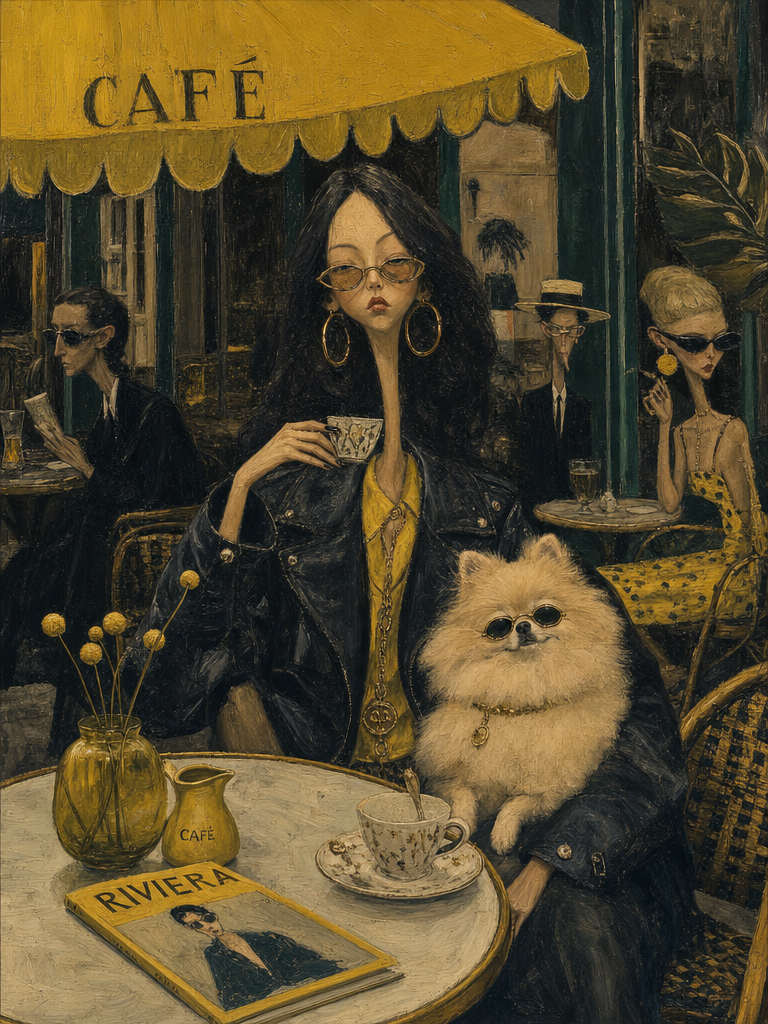
What if your selfie could become an oil painting worthy of a gallery wall?
Today we're sharing a surreal oil painting art prompt that went viral on Threads. Starting with the original prompt, we've prepared 4 steps — including an editor's remix, a gallery exhibition version, and a magazine cover prompt!
STEP 1. Surreal Oil Painting Art — Person & Animal 🐾
Upload your photo along with your pet (or any animal you like), and you'll get a surreal oil painting featuring both of you!
-
[Animal] — Enter the animal name, or upload your pet's photo directly!
-
[Location] — Enter the background setting.
-
[Color] — Fill in three colors and the image will be generated based on them. For this image, the editor used yellow, dark green, and brown.
Surreal mid-century editorial illustration of an eccentric version of the person in the photo and a [Animal] inside a stylish [Location], elongated proportions, exaggerated narrow faces, deadpan expressions, oversized accessories, bizarre fashionable atmosphere, painterly brush textures, distorted anatomy, subtle lowbrow surrealism, sophisticated absurdity, vivid retro color palette dominated by [Color], [Color], and [Color], expressive oil-painted strokes, fashionable vintage clothing, dramatic jewelry and eyewear, whimsical background characters softly blurred in distance, elegant cafe culture energy, cinematic composition, textured painted background, contemporary art gallery meets 1960s Riviera illustration, highly stylized editorial aesthetic, vertical composition 4:5
STEP 2. Surreal Oil Painting Art — Person & Person 👫
Here's the editor's remix! Instead of an animal, upload two people's photos and they'll appear together in the painting.
-
[Location] — Enter the background setting.
-
[Color] — Fill in three colors. Colors listed first appear more prominently in the image! The editor used bright lime green, crimson red, and teal.
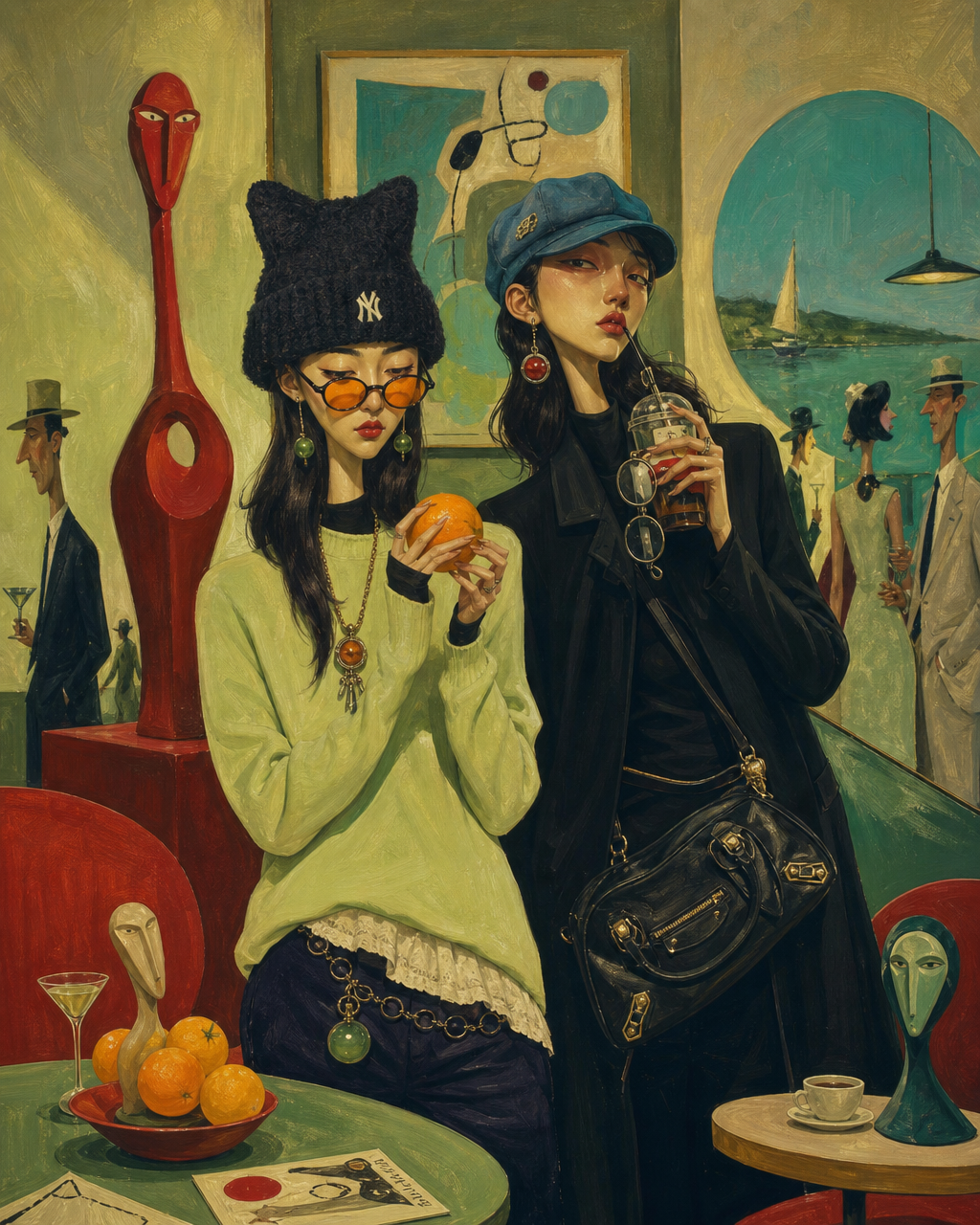
Surreal mid-century editorial illustration of an eccentric version of the person in the photo inside a stylish [Location], elongated proportions, exaggerated narrow faces, deadpan expressions, oversized accessories, bizarre fashionable atmosphere, painterly brush textures, distorted anatomy, subtle lowbrow surrealism, sophisticated absurdity, vivid retro color palette dominated by [Color], [Color], and [Color], expressive oil-painted strokes, fashionable vintage clothing, dramatic jewelry and eyewear, whimsical background characters softly blurred in distance, elegant cafe culture energy, cinematic composition, textured painted background, contemporary art gallery meets 1960s Riviera illustration, highly stylized editorial aesthetic, vertical composition 4:5
STEP 3. Our Surreal Painting Is Now in a Gallery! 🖼️
Want to hang your painting in a high-end gallery? Upload the image you created in STEP 1 or 2 with the prompt below, and you'll get a photo that looks like a real exhibition.
-
[Wall Color] — Enter the wall color. e.g., deep green, charcoal gray, off-white
-
[Frame Color] — Enter the frame color. e.g., black, natural oak wood, gold leaf
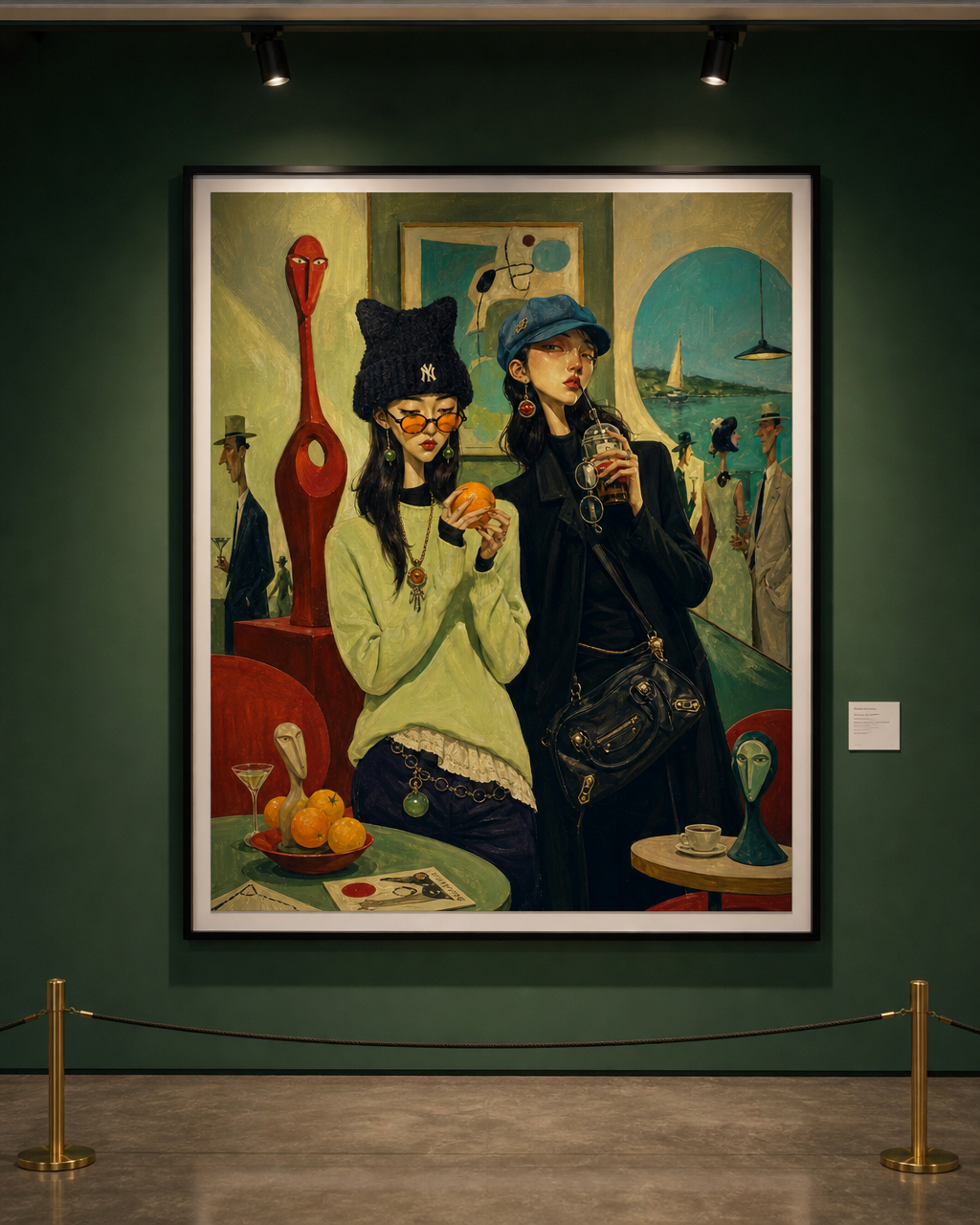
A high-end contemporary art gallery photograph, shot straight-on at eye level facing a single large framed painting hung on a [Wall Color] wall. The painting inside the frame is the provided reference image — keep it exactly as-is, with no alterations to its content, colors, or composition.

Frame: slim, matte [Frame Color] gallery-style floating frame with a thin white mat border.

Gallery environment details:
- A low brass stanchion barrier with a thin black rope runs horizontally in front of the painting, about knee-height, preventing visitors from approaching too closely.
- The polished concrete floor subtly reflects the wall color.
- Two adjustable ceiling-mounted track lights cast warm, focused beams onto the painting, creating the characteristic gallery “hot spot” glow at the center and gentle light falloff toward the edges. Soft ambient fill light prevents harsh shadows.
- A small white exhibition label card is mounted on the wall to the lower-right of the frame.

Camera: 35mm lens, straight-on frontal perspective, shallow depth of field with the painting tack-sharp and the stanchion barrier slightly soft in the foreground. Natural color grading, no filters.

Aspect ratio: 4:5 portrait orientation.
Style: photorealistic editorial photography, as if captured for an art magazine feature.
STEP 4. We Made a Magazine Cover Too! 📰
Last but not least — a magazine cover! Carat AI analyzes your image, imagines a narrative, and creates a matching magazine cover. The fun part? You won't know what story it comes up with until you try!
- Upload the painting you created in STEP 1 or 2 and use the prompt below.
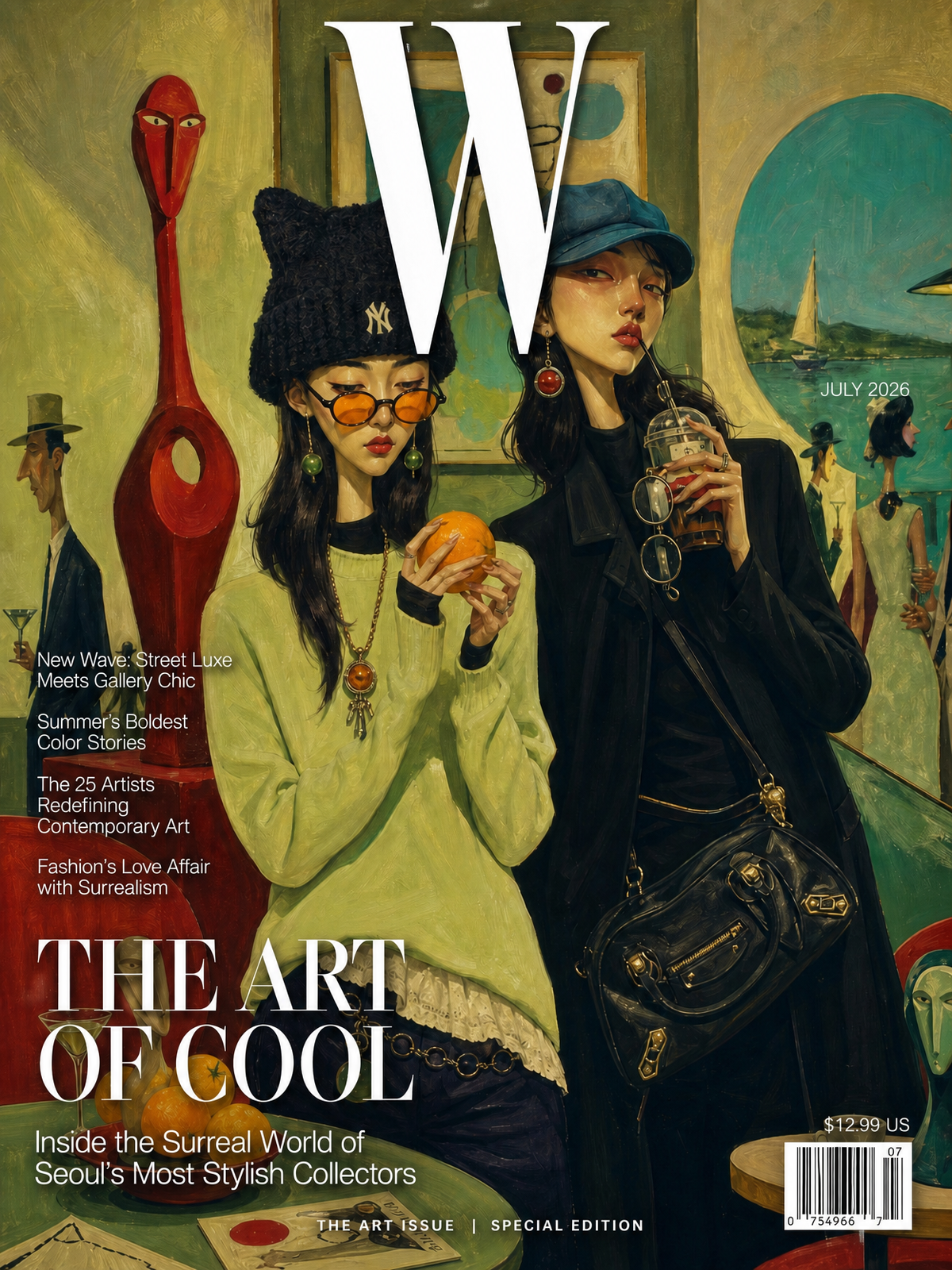
You are a creative director at a world-class fashion magazine.

TASK: Transform the provided reference image into a realistic, newsstand-ready magazine cover.

STEP 1 — ANALYZE THE IMAGE:
Study the people, their clothing, accessories, expressions, poses, body language, and surroundings. Based on what you see, freely imagine:
- Who are these people? What is their relationship?
- What is their story, profession, or lifestyle?
- What mood or narrative does this image convey?

STEP 2 — CHOOSE THE MAGAZINE:
Based on your interpretation, select the most fitting real-world magazine title (e.g., Vogue, Harper's Bazaar, ELLE, Cosmopolitan, GQ, W, Dazed, i-D, etc.). Use its authentic masthead typography and design language.

STEP 3 — WRITE THE COVER TEXT:
Based on the story you imagined in Step 1, generate all cover text yourself:
- Masthead: The chosen magazine name in its signature typeface, placed at the top.
- Date line: Use today's date to determine the issue month and year (e.g., if today is May, make it the JUNE issue).
- Main headline: A compelling, editorial-style headline that captures the story you imagined.
- Subheadline: A one- or two-line teaser expanding on the main headline.
- 3-4 secondary cover lines: Related fashion, culture, or lifestyle topics inspired by visual details in the image.
- Bottom bar: A short premium tagline (e.g., "EXCLUSIVE 32-PAGE PORTFOLIO | THE NEW ICONS").
- Barcode: Small UPC barcode in the bottom-right corner with a price.
STEP 4 — DESIGN THE COVER:
- Use the original image as the full-bleed background. Do NOT crop, alter, or recompose the artwork.
- Layer all text over the image with professional magazine typography.
- Text must not cover the subjects' faces.
- Use a clear visual hierarchy: masthead largest → headline → subhead → secondary lines.
- Ensure all text is crisp, legible, and uses subtle drop shadows or outlines where needed for contrast.
- Overall feel: luxurious, editorial, authentic — indistinguishable from a real publication.

Aspect ratio: 4:5 portrait.
Style: photorealistic magazine cover.
💡 Tips
-
Select GPT-image-2 as your AI model!
This prompt works best with GPT-image-2. -
Color order matters!
Colors listed first appear more prominently in the image. Place the color you want most up front. -
It doesn't end with the magazine cover!
Use the [Add to Input] button to ask Carat AI for various spin-offs based on your image! Let your imagination run wild.
e.g., magazine mockup, me reading the magazine, outdoor billboard ad, magazine on a dining table, etc.
From selfie to oil painting → gallery exhibition → magazine cover — try it all on Carat! ✨