Saltar al contenido principal

Choir

Choir prompts. Copy and use Choir image generation prompts from Carat right away.

2026.07.15

Haz “Choir” justo como lo quieresCrea tu propio “Choir”

Pídelo en lenguaje natural: Carat genera imágenes y vídeos optimizados para ti.

Empieza ya con 100 créditos gratis al día

·

Photorealistic Concert Scene Generation

Seedance 2.0· Vídeo
Photorealistic shot of a sold-out concert at Madison Square Garden. The lead singer drops to her knees at the edge of the stage, hitting the final note of the ballad with tears streaming down her face, with mic hold in her hands (no standing mic), as 20,000 fans hold up their phone flashlights and the entire arena falls into a breathless silence before erupting into applause.
AI-generated Stage Illustration made with GPT Image 2

Stage Illustration

GPT Image 2· Imagen
Clean vector sticker illustration, flat colors, thick crisp black outline. A performance stage with a raised platform and dramatic red velvet curtains draped at the sides. Two bright white spotlight beams criss-cross from the top corners, illuminating the center stage. A classic vintage microphone stand stands prominently in the middle of the platform. Palette of deep red, vibrant gold, and crisp white. Centered composition, symmetrical layout, minimalist design, light grey background. No text, no watermark, no 3D render, no gradients, no shadows, no photo realism.
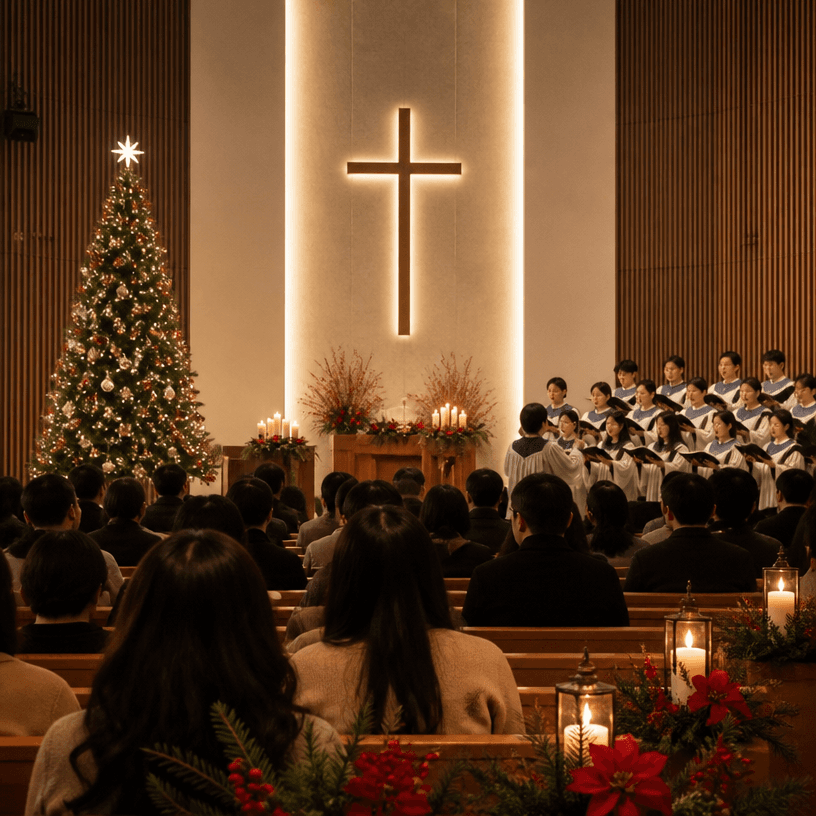
AI-generated Christmas made with GPT Image 2

Christmas

GPT Image 2· Imagen
Square documentary-style photograph of a warm Christmas worship service inside a modern Korean church, congregation seen from behind facing a softly lit cross, choir in simple robes singing beside a decorated evergreen tree and glowing candles, subtle red and gold seasonal accents, reverent peaceful atmosphere, cinematic warm light, natural realistic composition, no identifiable faces, no readable text, no logos, no watermark.

What are Choir Prompts?

A collection of AI prompts for generating choir images. Copy the Choir prompts provided by Carat and paste them into an AI image generation tool to get professional-grade results.

How to Use Choir Prompts

  1. Select and copy your desired prompt.
  2. Paste it into the Carat agent.
  3. Modify colors, styles, and composition as needed.
  4. Download the generated image and use it in your project.

Tips for Writing Choir Prompts

Specify lighting, texture, composition, and lens information in detail for more precise results. Add "No text, no watermark" to prevent unwanted text overlays.

Choir Prompt Applications

Choir prompts are used across content creation, marketing, design, and educational resources. AI-generated images dramatically reduce production time while maintaining professional quality.

Choir Prompt Optimization Guide

Choose the aspect ratio based on your use case: vertical (9:16) for social media, horizontal (16:9) for web banners, and square (1:1) for product images.

Preguntas frecuentes