carat

Prompt Gallery

/

태양계

Login
Sign Up

태양계

태양계 포스터 제작을 위한 실용적인 AI 프롬프트 설계 가이드입니다.

2026.08.15
·
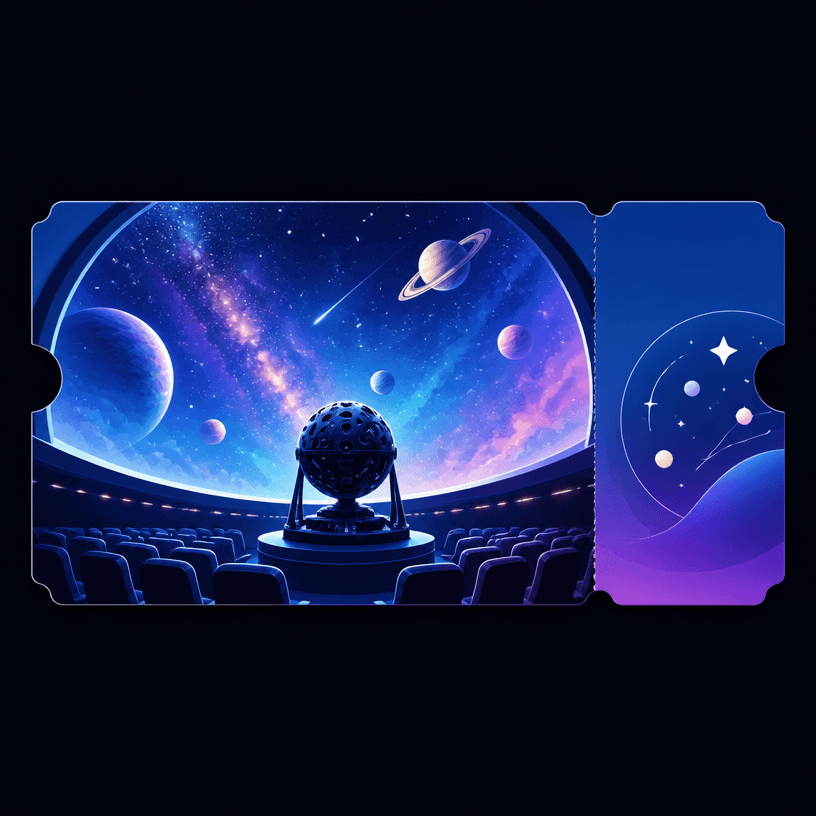
GPT 이미지 2로 생성한 천문관

천문관

GPT 이미지 2· Image
A 티켓 Planetarium Ticket illustration, professional design, clean composition, vibrant colors, suitable for digital use. No text, no watermark.
GPT 이미지 2로 생성한 귀여운 지구 캐릭터

귀여운 지구 캐릭터

GPT 이미지 2· Image
Cute Earth character illustration: smiling planet with tiny arms and legs, small hearts and leaves, sticker-ready clean outline, white background, no text.
GPT 이미지 2로 생성한 역동적인 스포츠 액션 포스터

역동적인 스포츠 액션 포스터

GPT 이미지 2· Image
Dynamic sports poster, 16:9 horizontal — real [SPORT] action photography on solid poster-red background with subtle paper grain: primary athlete in sharp focus plus 2 blurred echo figures behind at reduced scale suggesting sequential motion, all in red/black outfits; huge bold condensed white stacked 2-word title "[TITLE]" with its skew angle locked to the scene's vanishing point ([PERSPECTIVE SOURCE: banked track curve / ridge slope / radiating burst / crosswalk vanishing point]) so the text reads as a physical surface inside the 3D space, not a flat overlay; top-right badge with [BADGE ICON] + repeated small title + black tag "[SERIES NAME XX/XX]"; 2-4 sharp black jagged speed-line accents; strict red + white + black palette — no flat upright title, no pastel colors, no CGI characters, no cluttered background { "style_rules": { "background": "solid poster red with subtle paper/concrete grain texture", "photography": "real dynamic sports photography, dramatic diagonal composition with strong implied vanishing point (banked track curve / mountain ridge slope / radiating burst / street perspective), motion blur on extremities", "subject": "primary athlete in sharp focus + 2 'echo' figures behind at reduced scale/opacity suggesting sequential motion, red/black outfit matching background palette", "title_typography": "huge bold condensed white sans-serif, 2 words stacked — SKEW/PERSPECTIVE ANGLE must match the scene's vanishing point/diagonal exactly, as if text is a physical surface within the 3D space rather than a flat overlay", "badge_system": "top right: themed icon (stopwatch/mountain/star/compass) + title repeated in small white text + black tag with series name + index number (XX/XX)", "speed_lines": "sharp black jagged diagonal streak accents, 2-4 per image, reinforcing motion direction", "color_system": "red + white + black only", "format": "16:9 horizontal" }, "negative": "flat/upright title ignoring scene perspective, pastel colors, static pose, illustration/CGI characters, cluttered background", "variables": { "sport": "[track cycling / mountaineering / street dance / night delivery running]", "title": "[2-word title matched to scene's vanishing point: FINAL LAP / HIGH ALERT / FULL BEAT / NIGHT RUN]", "perspective_source": "[what determines text skew: banked velodrome curve / mountain ridge slope / radiating dance burst / crosswalk vanishing point]", "badge_icon": "[stopwatch / mountain peak / star / compass star]", "series_tag": "[series name + index: SPRINT INDEX 03/12 / RIDGE UNIT 14/32 / CREW EDIT 09/18 / URBAN RELAY 07/24]" } }
cc5bfcf85e26384061f96d36a1af0033

태양계 포스터 AI 프롬프트란?

태양계 포스터 프롬프트는 주제와 목적을 제목, 대표 이미지, 정보 위계, 색상과 배치처럼 확인 가능한 제작 조건으로 바꾸는 설계 문장입니다. 단순히 멋지고 예쁘게 만들어 달라고 하기보다 대상 독자, 핵심 장면, 제목 크기, 정보 블록 위치, 읽는 순서, 여백과 출력 비율을 구체적으로 지정하세요. 날짜, 시간, 이름, 주소, 연락처와 로고처럼 정확해야 하는 내용은 생성 후 편집할 영역으로 남겨 두는 것이 안전합니다.

주요 활용 장면

  • 입양 절차와 참여 방법을 알리는 행사 포스터 제작
  • 산행 전 확인할 위험 요소와 준비물을 정리하는 안전 카드 구성
  • 행성과 궤도 정보를 시각적으로 설명하는 교육 포스터 제작
  • 스포츠 클럽의 회원 혜택, 일정과 가입 방법을 보여주는 카드 제작
  • 봄꽃 축제의 장소, 프로그램과 참여 방법을 홍보하는 포스터 제작

이 태그가 유용한 이유

이 태그는 시각적 메시지와 실용 정보를 한 화면에 함께 전달해야 할 때 유용합니다. 먼저 독자와 다음 행동을 정하고 제목, 대표 이미지, 일정과 장소, 설명, 신청 또는 연락 방법을 읽는 순서로 배치하세요. 입양 행사는 동물 이미지보다 입양 조건, 절차와 문의 방법이 분명해야 하며 실제 운영 기준과 동의 안내를 확인해야 합니다. 안전 카드는 위험, 준비, 행동 순서를 짧은 문장과 아이콘으로 구분하세요. 교육 포스터는 행성 이름, 비교 기준과 출처를 명확히 하고, 회원 카드는 혜택, 기간, 비용과 가입 경로를 분리하세요. 축제 포스터는 한 가지 중심 장면과 일정, 장소, 프로그램을 함께 보여주세요. 생성된 글자, 수치와 고유명사는 원문과 대조해 후편집하고 게시 전 일정, 주소, 링크, 출처와 권리 정보를 확인하세요.

관련 프롬프트 더 보기

business-card, small-business, process-diagram, health-infographic, wedding-card, social-media-carousel 태그를 함께 보면 명함, 소규모 사업 홍보, 프로세스 설명, 정보 그래픽, 초대 카드와 소셜 콘텐츠로 확장할 수 있습니다. 다른 태그에서 팔레트나 여백 규칙 하나만 참고하고 현재 작업의 정보 위계는 유지하세요.

프롬프트 구성 팁

  1. 목적, 대상 독자, 채널, 실제 크기와 출력 비율을 정합니다.
  2. 제목, 대표 이미지, 핵심 정보와 다음 행동의 읽는 순서를 지정합니다.
  3. 팔레트, 대비, 여백, 서체 분위기와 아이콘 규칙을 분리합니다.
  4. 고정 문구, 일정, 비용, 로고와 연락처는 후편집으로 넣는다고 명시합니다.
    첫 결과에서는 장식보다 정보 위치와 가독성을 확인한 뒤 색상이나 질감 하나만 바꾸세요. 최종 사용 전에는 원문과 결과를 대조하고 이미지, 글꼴과 레퍼런스의 권리를 확인하면 안정적인 시안을 만들 수 있습니다.


Frequently Asked Questions

Related Prompts

농구팀 포스터

농구팀 포스터

2 prompts

역동적 포즈

역동적 포즈

3 prompts

올화이트 코디

올화이트 코디

4 prompts

지구 일러스트

지구 일러스트

4 prompts

Carat Prompt Gallery

Create trending AI prompts instantly

Prompts

  • Logo
  • PPT Design
  • Thumbnail
  • Poster
  • Web Novel Cover
  • ID Photo
  • Caricature
  • Product Detail Page
  • Banner

Models

  • GPT Image 2
  • Seedance 2.0
  • NanoBanana Pro
  • NanoBanana 2

Carat

  • Get started
  • About
  • Blog
  • Careers
  • Contact
  • Partnership
  • Terms
  • Privacy

© 2026 Paradot.Inc All rights reserved.