Speech Bubble
Generate clean speech bubble design elements for card news, webtoons, and presentation slides.
2026.07.07
Haz “Speech Bubble” justo como lo quieresCrea tu propio “Speech Bubble”
Pídelo en lenguaje natural: Carat genera imágenes y vídeos optimizados para ti.

Empieza ya con 100 créditos gratis al día
Speech Bubble
What Is a Speech Bubble Prompt?
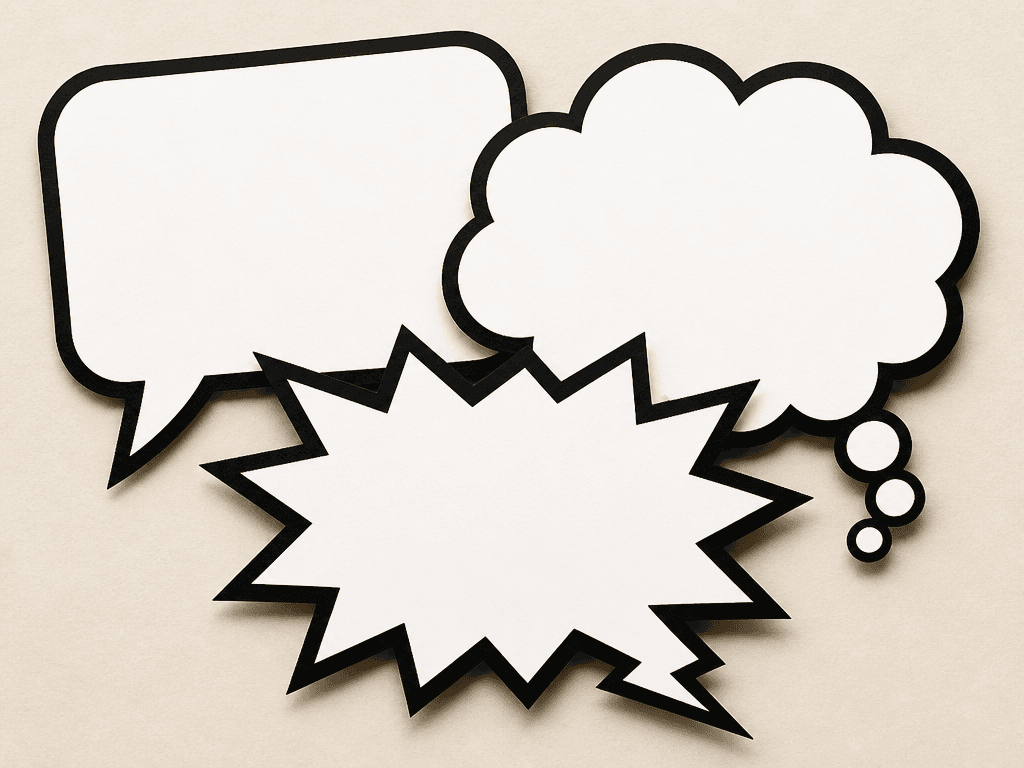
A speech bubble prompt generates various bubble shapes — rounded rectangles, cloud-shaped thought bubbles, jagged shout bubbles — using AI image generation. These elements are widely used in card news, webtoons, presentation slides, and social media graphics to display dialogue, quotes, or key messages. Instead of typing text directly into the AI, you can generate empty bubble templates and add your own text in Canva or Photoshop for precise control.
Common Use Cases
- Card news backgrounds that frame quotes or key takeaways
- Webtoon and manga dialogue bubbles for character speech
- Presentation slides (PowerPoint, Google Slides) with decorative emphasis boxes
- Social media posts wrapping a friend's quote or a motivational saying
- YouTube thumbnail text boxes that grab attention
Why This Prompt Is Useful
Speech bubbles are one of the most frequently used design elements in content creation, but drawing them by hand or searching stock sites every time is time-consuming. This prompt generates flat-design bubbles with clean white fills and bold outlines in a single step, ready for text overlay in any design tool. The paper-cut texture adds a handcrafted feel, while the high-contrast palette ensures the outline stays crisp even at small sizes.
Customization Tips
The most effective way to adapt this prompt is to change the shape, color, and tail direction. Rounded rectangles work for normal dialogue, cloud shapes for thoughts or imagination, and jagged edges for shouting or surprise. Specifying the tail direction — left, right, or downward —暗示 where the speaker is positioned. Adding transparent background produces overlay-ready PNGs. Switching to a pastel palette softens the tone for gentle card news layouts. Multiple overlapping bubbles can simulate a conversation scene, which is useful for dialogue-driven content.
Preguntas frecuentes
You can specify text in the prompt, but generated text may contain typos. For best results, generate empty bubbles and add text in Canva or Photoshop for accuracy.
Rounded rectangles are the most versatile for card news. Cloud-shaped thought bubbles suit quotes and reflections, while jagged shout bubbles work for emphasis and excitement.
Add transparent background, PNG with alpha channel to the prompt. Transparent bubbles can be overlaid on any image, making them highly reusable.
Specify tail pointing left, tail pointing right, or tail pointing down to indicate the speaker's position. Alternating left and right tails in a conversation scene creates a natural flow.
Use a set of five different speech bubble shapes to generate multiple styles in one image. Include dialogue, thought, shout, whisper, and surprise variants for a complete toolkit.
Replace handmade paper-cut illustration with clean flat vector, minimal outline, or solid fill for a smoother digital style. Adjust the texture intensity based on your project's tone.
Generated speech bubble images can be freely used for card news, presentations, social media graphics, and other content creation. Avoid making them resemble specific branded characters or logos.