
Student ID Card Template
Structured digital grids and rounded plastic mockup designs to quickly engineer institutional student card layouts.
2026.07.22
Haz “Student ID Card Template” justo como lo quieresCrea tu propio “Student ID Card Template”
Pídelo en lenguaje natural: Carat genera imágenes y vídeos optimizados para ti.

Empieza ya con 100 créditos gratis al día
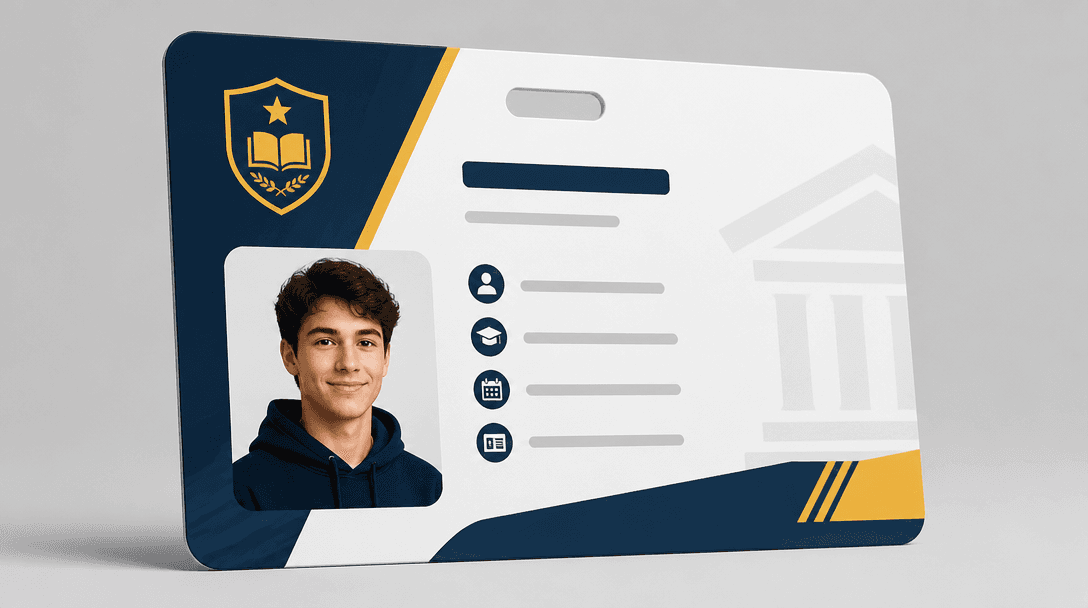
Student ID Card Design
Topic and intent
A student ID card template is a highly specialized card format that verifies affiliations within schools, academies, or universities while establishing a modern look. Avoid flashy, distracting textures and instead prioritize straightforward data blocks listing names, grades, and photo areas, making the assets highly optimized for bulk physical badge production.
Composition
Adopt a modern, modular horizontal layout with clean spatial divisions to structure your card design. Dedicate the left area to a high-contrast portrait thumbnail placeholder with safe interior padding, and organize the right field into a structured modular grid with bold text blocks. Placing a simulated QR code or a thin barcode line near the bottom margin introduces the perfect functional polish to the layout.
Prompt practice
Employ structural control descriptors like 'premium graphic design layout' in your prompt text. Include phrases like 'structured data layout, card mockup presentation, modern institutional aesthetic' to trigger precise straight lines and beautiful border divisions. Run this generation in vertical or square high-definition formats like 'square_hd' to properly coordinate the compact card frame.
Quality review
Check the layout corners to confirm they present crisp rounded-rectangle finishes matching plastic templates. Examine the placeholder profile placeholder and guarantee it remains clean without overlapping background blocks awkwardly. Inspect whether the colors coordinate naturally and that text columns maintain straight horizontal paths without blending together or looking shaky.
Practical use
For administrative designers or student council team leads, use this flat template backdrop as your core pattern layout. Strip the sample photo placeholder and generic texts, overlay your school’s unique emblem, and typeset names and ID numbers with clean sans-serif typefaces. This workflow yields spectacular presentation prototypes that translate seamlessly to high-speed physical credit-card printer platforms.
Preguntas frecuentes
얼굴 증명 사진이 가장 높은 주목도를 가져야 하므로 좌측에 면적의 35% 이상 배치하고, 이름, 학과, 학번 고유 텍스트 순서대로 위에서 아래로 정렬합니다.
둥근 모서리 마감은 지갑에서 넣고 빼기가 쉬우며, 손베임 사고를 예방하고 모서리가 헤지는 마모를 장기 방지해 수명이 늘어납니다.
네, 'back side of card design, barcode field, gray signature panel'을 추가하면 뒷면 사양도 감성 일러스트 가이드로 세트 확보가 가능합니다.
일반 중고교는 무해하고 지적 성장을 나타내는 차분한 딥 그린이나 아이비 네이비를 추천하며, 예술원은 트렌디하고 감각적인 바이올렛이나 마젠타 무드가 좋습니다.
디지털 스캔이 잘 되고 가독성이 선명히 살아있는 고정 폭 볼드 폰트 스타일(monospace 또는 bold sans-serif)을 디자인 툴에서 적극 권장합니다.
프롬프트 내에 'unfocused shadow template for photo' 혹은 'empty frame silhouette'를 적용하면 인물 뒤틀림을 완화시킨 채 레이아웃을 취출 가능합니다.
네, 생성한 둥근 카드 격자를 스마트폰 프레임 백그라운드 디자인 소스로 배치하면 모바일 앱 전용 학생증 카드 화면으로도 훌륭한 연동이 펼쳐집니다.


