
Vignette Photo
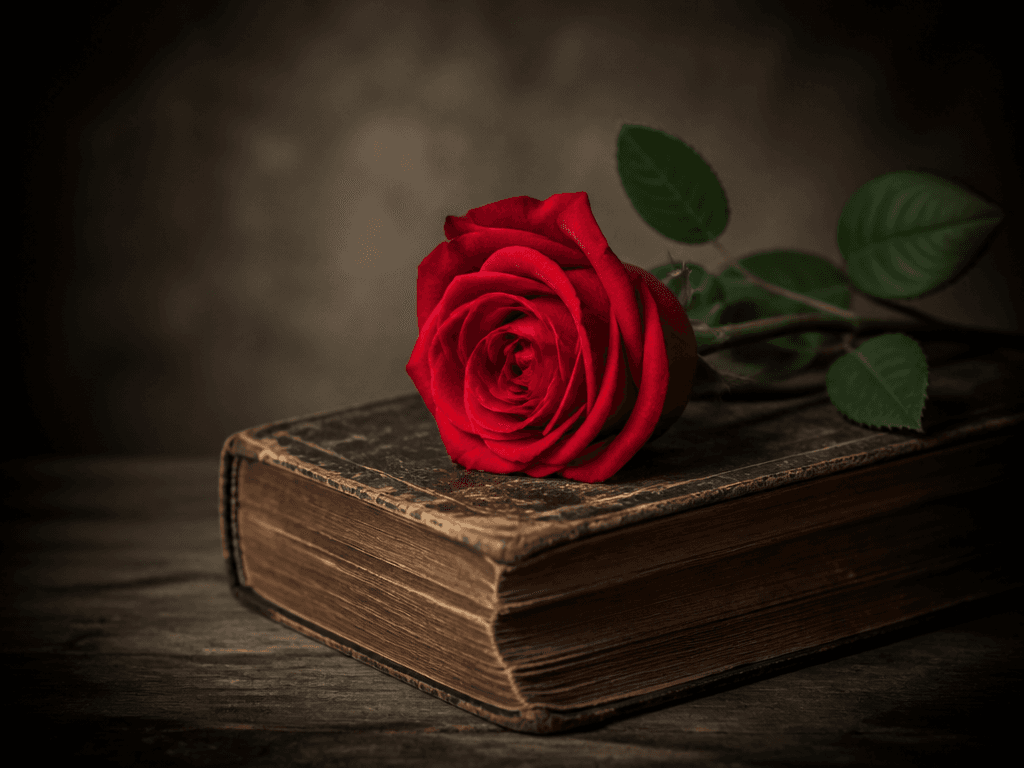
AI prompts for creating photos with darkened-edge vignette effects for a dreamy, cinematic atmosphere.
2026.07.07
Haz “Vignette Photo” justo como lo quieresCrea tu propio “Vignette Photo”
Pídelo en lenguaje natural: Carat genera imágenes y vídeos optimizados para ti.

Empieza ya con 100 créditos gratis al día
Vignette-Effect Photo
What Are Vignette Photo Prompts?
Vignette photo prompts help you create images with softly darkened edges that draw the viewer's eye to the center subject. By describing the vignette intensity, lighting, color tone, and subject in a short sentence, GPT Image 2 generates photos with a built-in vignette effect in seconds. Whether you want a vintage, cinematic, or retro mood, these prompts work across portraits, still life, and landscapes without needing a separate photo editing app.
Key Use Cases
- Mood photography for social media and blog thumbnails
- Vintage-style product photos and lookbook visuals
- Cinematic atmosphere portraits and poster素材
- Retro-toned card news and infographic backgrounds
- Website hero images and section backgrounds
Why This Tag Is Useful
The vignette effect is a popular technique that adds a dreamy, cinematic quality to photos. However, applying vignettes in editing apps requires extra steps and an eye for natural falloff. With AI prompts, you can generate photos that already have the vignette baked in, eliminating the post-processing step. You can specify the subject, lighting, color palette, and vignette intensity in text to quickly get the exact atmosphere you want.
Related Prompts
Prompt Composition Tips
- Define the subject first: portraits, still life, or landscapes establish the central composition.
- Control vignette intensity: "soft edge darkening" or "strong vignette" for the desired falloff.
- Specify color tone: "warm brown tones," "cool blue tones," "monochrome" for vintage, cinematic, or retro moods.
- Describe lighting: "dramatic side lighting," "soft diffused light" to complement the vignette atmosphere.
Try generating multiple versions with different intensities and color tones to find the perfect mood for your content.
Preguntas frecuentes
You can create portraits, still life, and landscape photos with darkened edges in vintage, cinematic, or retro tones. Specifying the subject and color palette in the prompt produces results matching your desired atmosphere.
Yes. Including "vignette effect" or "darkened edges" in the prompt generates photos with the effect already applied, eliminating the need for post-processing.
These prompts are designed for GPT Image 2. Text descriptions alone produce photos with the vignette effect applied.
Yes. The vignette effect creates a dreamy, emotional atmosphere ideal for Instagram, blog thumbnails, and website backgrounds. Specifying a color tone that matches your SNS aesthetic makes them even more natural.
Yes. Specifying "soft vignette" or "strong edge darkening" in the prompt adjusts the intensity. Generating multiple versions at different intensities for comparison is recommended.
Yes. Placing the product at the center with a vignette creates a premium, sophisticated product photo. It works well for vintage-style or high-end lookbook visuals.
You can copy vignette photo prompts from the Carat gallery freely. However, generating actual images requires credits or a paid plan.


