Instagram Feed Template
Generate clean Instagram feed layout templates with grid placeholders and profile sections.
2026.07.07
Fais « Instagram Feed Template » exactement comme tu veuxCrée ton propre « Instagram Feed Template »
Demande-le simplement — Carat génère pour toi des images et des vidéos optimisées.

Commence maintenant avec 100 crédits gratuits par jour
Instagram Feed Template
What Is an Instagram Feed Template Prompt?
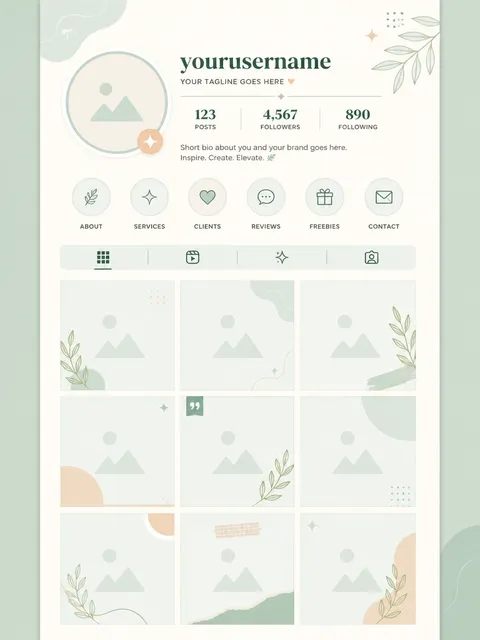
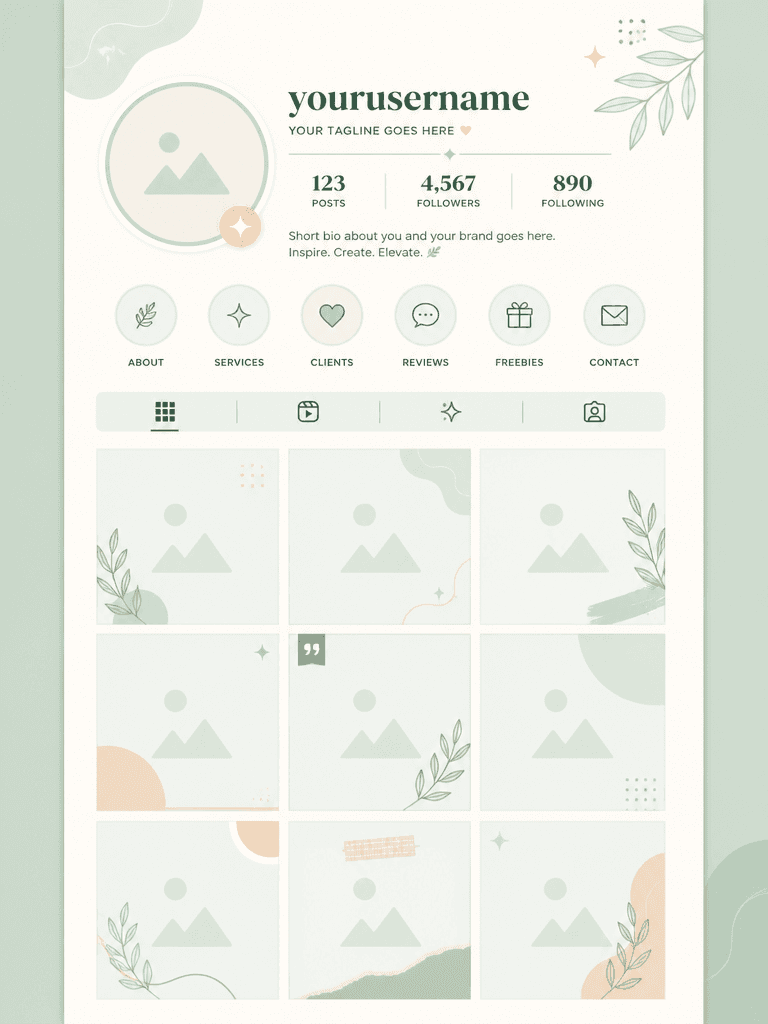
An Instagram feed template prompt generates a clean 3-column grid layout of square photo placeholders, a top profile section with a circular avatar and username area, and a pastel mint and cream color scheme in a modern minimal UI design. It is used by brand accounts, online shops, beauty brands, and cafes to plan consistent feed designs. Rather than building grids from scratch in Canva or Figma, you can generate the full layout structure with AI and replace placeholders with actual photos and text.
Common Use Cases
- Brand Instagram feed planning and grid mockups
- Online shop, beauty, and cafe account content calendars
- SNS marketing agency client proposal mockups
- Instagram story highlight cover set design
- Product launch campaign feed teaser planning
Why This Prompt Is Useful
Feed design consistency on Instagram directly impacts brand recognition, but balancing 9 or 12 grid cells and unifying a color palette requires design experience. This prompt generates a modern minimal UI layout with a 3-column grid, circular profile area, username text zone, and pastel mint and cream color scheme in one step. The clean vector graphic illustration style produces flat, polished results. Using the generated image as a reference, you can place actual photos to cut feed planning time significantly. Color palettes and grid structures can be varied for different brand identities.
Related Prompts
- youtube-thumbnail-template: YouTube thumbnail template
- presentation-template: presentation slide template
- infographic-example: infographic example
Customization Tips
To adapt this prompt, change the grid structure, color palette, profile section design, and content type. Swap the 3-column grid for a 2-column, checkerboard, zigzag, or mosaic layout for different visual rhythms. Replace pastel mint and cream with monochrome, pastel pink, or navy and gold to match brand colors. Change the circular profile area to a square, hexagon, or full-screen banner for different profile section prominence. Mix photo placeholders with illustrations, typography, or patterns for a richer feed. Specify a feed theme (product, lifestyle, quotes, travel) so the layout optimizes for the intended purpose.
Questions fréquentes
Change 3-column grid to checkerboard pattern or alternating photo and solid color blocks. Checkerboards alternate photos and solid color blocks for strong visual rhythm, popular with fashion and beauty accounts.
Replace pastel mint and cream color scheme with your brand colors, such as navy and gold palette, monochrome black and white, or coral and beige tones. Specify accent and background colors separately for a natural result.
Yes. Replace the top profile section with highlight cover icons in a row, circular icon set, or minimal line art icons. Story covers are 1:1 square, so also set the image size to square_hd.
Change photo placeholder frames to product photo placeholders with price tags, shopping cart icons, or sale badge zones. Switching from 3-column to 2-column makes product photos larger and improves click-through rate.
AI-generated text may not form meaningful words. Use the layout structure and color palette as a reference and replace text in Canva or Figma with actual usernames, captions, and hashtags.
Change 3-column grid of square photo placeholders to 3x3 grid of nine square photo placeholders to see all 9 cells in one image. Individual cell detail may decrease, so use it for overall layout review and work on individual cells separately.
Replace pastel mint and cream with dark mode palette, charcoal background with neon accents, or black and gold theme. Dark mode works well for luxury brands, tech accounts, and nightlife content. Use high-contrast colors to ensure readability.