Smile Emoticon
AI prompts for creating bright and happy smile emoticons. Perfect for positive reactions and congratulation stickers.
2026.07.09
Fais « Smile Emoticon » exactement comme tu veuxCrée ton propre « Smile Emoticon »
Demande-le simplement — Carat génère pour toi des images et des vidéos optimisées.

Commence maintenant avec 100 crédits gratuits par jour
스마일 일러스트
웃음 이모지
Happy Emoji
What Are Smile Emoticon Prompts?
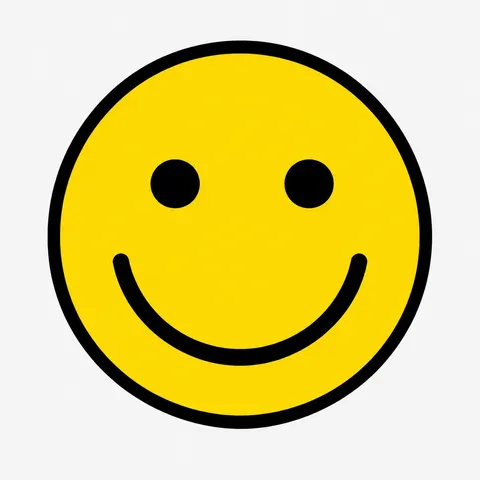
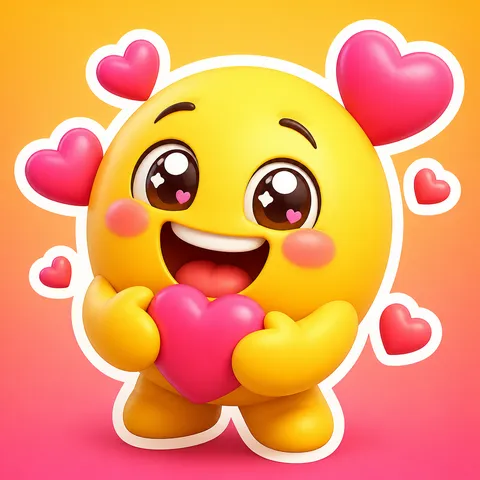
Smile emoticon prompts help you create visual expressions of positive emotions - beaming smiles, puffed cheeks, sparkling eyes - in the form of emoticons. From classic round yellow faces to smiling animal characters, these prompts generate a wide range of smile designs ready for messaging stickers, social media reactions, and character goods. By describing the type of smile, character form, and art style in a prompt, AI models like GPT Image 2 can quickly produce smile emoticons overflowing with positive energy.
Common Use Cases
- Smile stickers for positive reactions in KakaoTalk and messengers
- Happy reaction emojis for Instagram and blog posts
- Smile emoticons for congratulation, gratitude, and welcome messages
- Character goods design (stickers, postcards, notebooks) with smile themes
- Reaction smiles for YouTube Shorts and thumbnails
Why This Tag Is Useful
Smiling is the most frequently used emotional expression in all communication. But even within smiles, the nuance differs by situation - a wide grin, a subtle smirk, a belly laugh - and capturing the right one matters. With smile emoticon prompts, you can describe the smile type and character in a sentence - a beaming yellow face, a dog with puffed cheeks laughing - and generate the exact smile you need instantly. Even subtle smile nuances that are hard to find in pre-made emoticons can be expressed with a single prompt line, making this approach highly versatile.
Related Prompts
Prompt Writing Tips
- Specify the smile type in detail. Beaming smile, subtle smile, belly laugh - describing the intensity and form of the smile creates a result that fits the situation.
- Define the character form. Round yellow face, dog character, cat emoji - choosing the form gives you a smile suited to your purpose.
- Describe eyes and mouth visually. Eyes curved into half-moons with mouth wide open or eyes closed with corners of lips raised produces richer expressions.
- Set colors bright and warm. Yellow, pastel tones, warm colors emphasizes the positive atmosphere.
Try copying a gallery prompt and swapping just the smile type to create multiple smile emoticons. You can quickly build a situation-specific smile emoticon set.
Experiment with different character forms and smile intensities to find the perfect expression for each messaging context. Whether you need a gentle smile for a thank-you message or an explosive laugh for a hilarious moment, the right prompt makes all the difference in creating emoticons that truly connect with your audience.
Questions fréquentes
You can create smiles of varying intensity, from beaming grins to subtle smiles to full belly laughs. Character types are also flexible, including round yellow faces, animal characters, and faces added to objects.
Yes. Describing the eyes and mouth visually - eyes curved into half-moons with raised lip corners, or eyes closed with mouth wide open - captures subtle smile nuances. This yields much more precise results than simply writing smiling.
AI-generated smile images can be used as drafts for KakaoTalk stickers. Store registration follows Kakao review criteria and terms of service. Generating with white background and then removing the background gives you a ready-to-use sticker format.
Yellow, pastel tones, and warm colors are excellent for emphasizing a positive atmosphere. Specifying bright and warm colors in the prompt produces cheerful, feel-good smile emoticons.
Yes. Fix the base character form and style in the prompt, then change only the smile intensity to generate a series of consistent characters with varied smiles. Setting common elements like round yellow face, flat vector keeps the series unified.
Specifying white background or simple background in the prompt produces clean-background images. After generation, you can use an image editing tool to remove the background and save as a transparent PNG for messaging stickers.
Flat vector, watercolor, pixel art, and stippling styles all work well. For messaging stickers, flat vector with bold outlines is ideal. For mood-driven character goods, soft watercolor fits nicely. Choose based on your intended use.