
Vignette Photo
AI prompts for creating photos with darkened-edge vignette effects for a dreamy, cinematic atmosphere.
2026.07.07
Fais « Vignette Photo » exactement comme tu veuxCrée ton propre « Vignette Photo »
Demande-le simplement — Carat génère pour toi des images et des vidéos optimisées.

Commence maintenant avec 100 crédits gratuits par jour
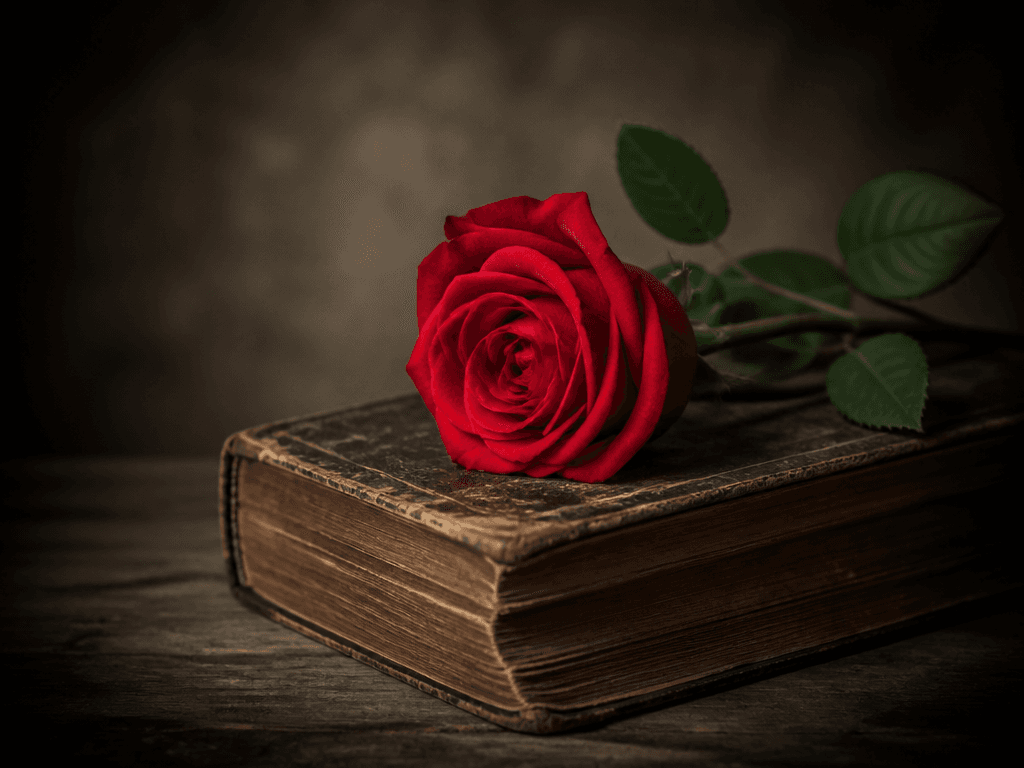
비네트 효과 사진
What Are Vignette Photo Prompts?
Vignette photo prompts help you create images with softly darkened edges that draw the viewer's eye to the center subject. By describing the vignette intensity, lighting, color tone, and subject in a short sentence, GPT Image 2 generates photos with a built-in vignette effect in seconds. Whether you want a vintage, cinematic, or retro mood, these prompts work across portraits, still life, and landscapes without needing a separate photo editing app.
Key Use Cases
- Mood photography for social media and blog thumbnails
- Vintage-style product photos and lookbook visuals
- Cinematic atmosphere portraits and poster素材
- Retro-toned card news and infographic backgrounds
- Website hero images and section backgrounds
Why This Tag Is Useful
The vignette effect is a popular technique that adds a dreamy, cinematic quality to photos. However, applying vignettes in editing apps requires extra steps and an eye for natural falloff. With AI prompts, you can generate photos that already have the vignette baked in, eliminating the post-processing step. You can specify the subject, lighting, color palette, and vignette intensity in text to quickly get the exact atmosphere you want.
Related Prompts
Prompt Composition Tips
- Define the subject first: portraits, still life, or landscapes establish the central composition.
- Control vignette intensity: "soft edge darkening" or "strong vignette" for the desired falloff.
- Specify color tone: "warm brown tones," "cool blue tones," "monochrome" for vintage, cinematic, or retro moods.
- Describe lighting: "dramatic side lighting," "soft diffused light" to complement the vignette atmosphere.
Try generating multiple versions with different intensities and color tones to find the perfect mood for your content.


