carat

プロンプトギャラリー

/

Character Pouch

ログイン
新規登録

Character Pouch

Generate AI images with Character Pouch prompts. Copy and use prompts from Carat right away.

2026.07.09

「Character Pouch」を思いどおりに作りましょう自分だけの「Character Pouch」を作る

ふだんの言葉で伝えるだけで、Caratが最適な画像や動画を生成します。

毎日100クレジット無料で今すぐ始められます
·
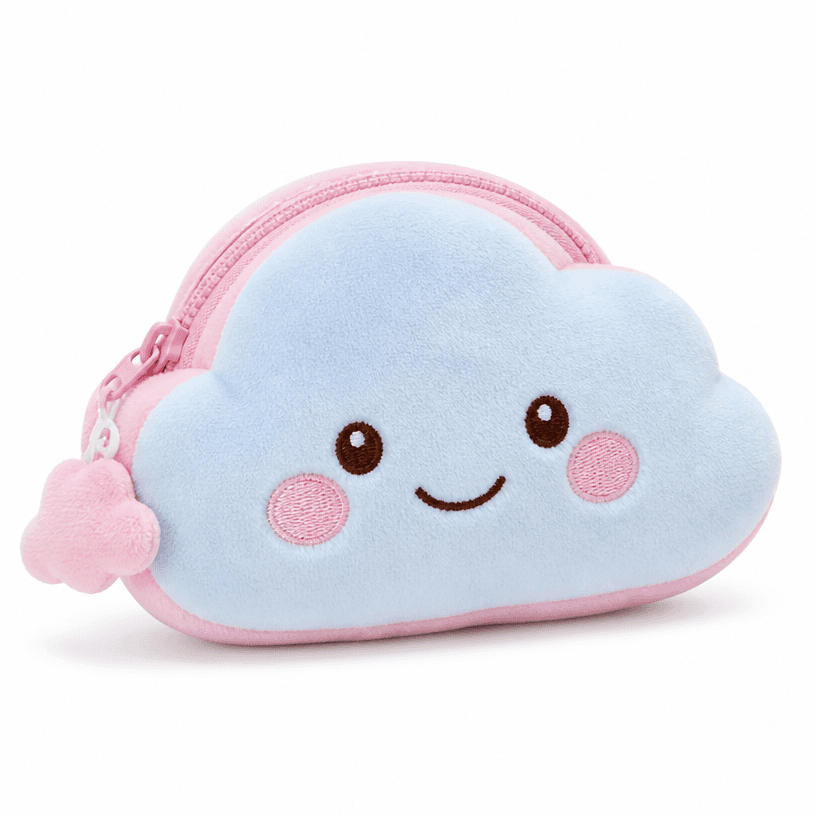
GPT 이미지 2로 생성한 캐릭터 파우치

캐릭터 파우치

GPT Image 2· 画像
A cute character pouch shaped like a smiling cloud, pastel blue and pink colors, zipper detail, plush fabric texture, product photography on white background, soft studio lighting. No text, no watermark.
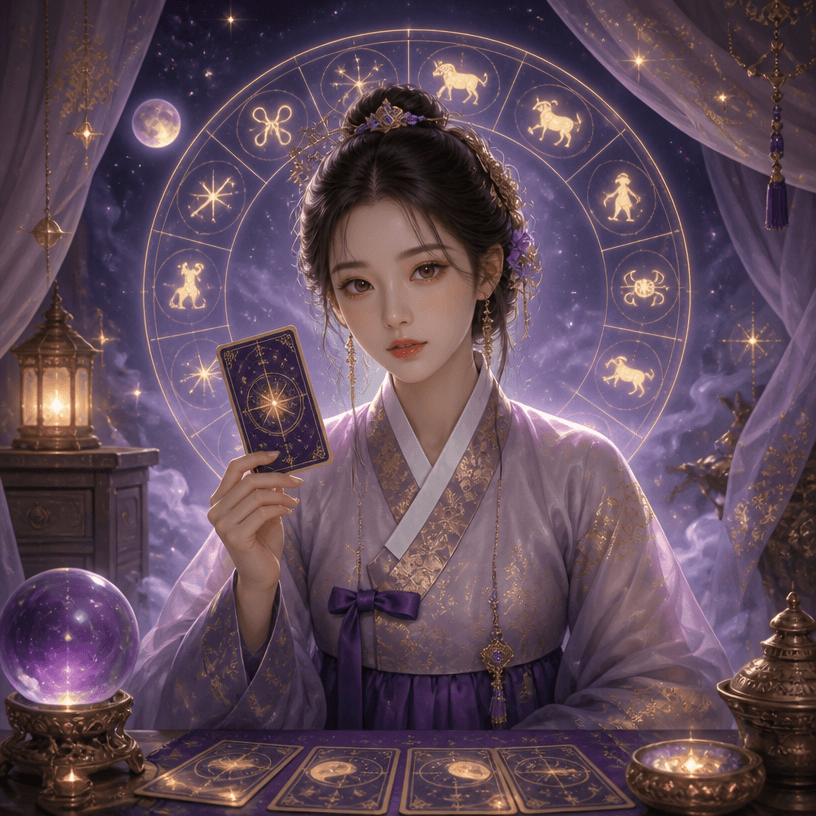
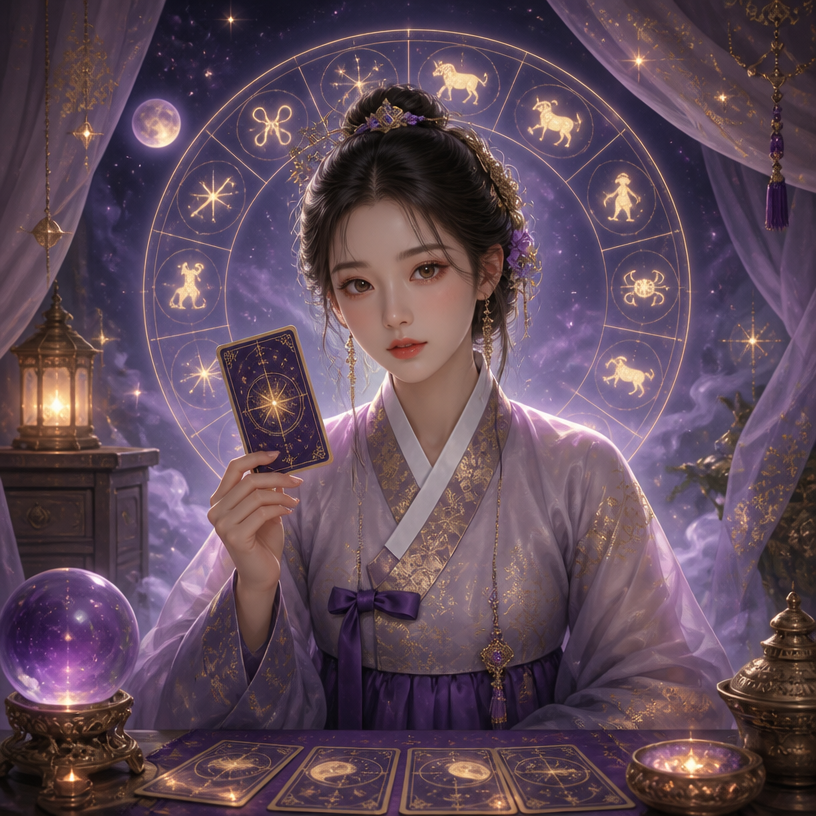
GPT 이미지 2로 생성한 사주 캐릭터

사주 캐릭터

GPT Image 2· 画像
A mystical fortune teller character illustration, a young woman in traditional Korean hanbok holding a divination card, surrounded by glowing zodiac symbols and stars, soft purple and gold color palette, semi-realistic digital art style. No text, no watermark.
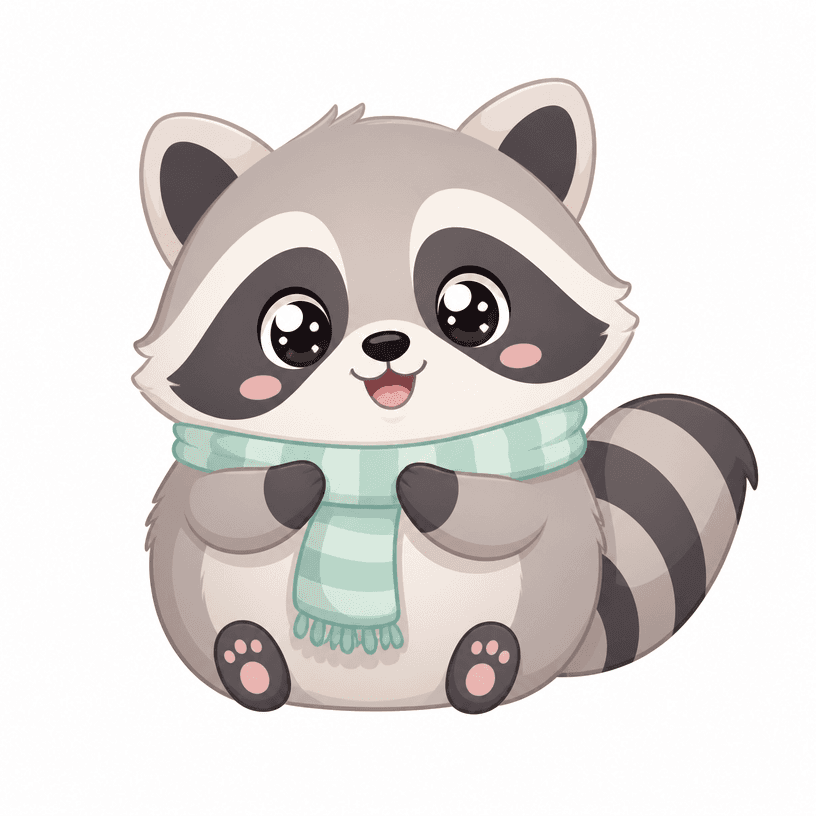
GPT 이미지 2로 생성한 귀여운 동물 캐릭터

귀여운 동물 캐릭터

GPT Image 2· 画像
An adorable cartoon animal character, a round chubby raccoon with big sparkly eyes wearing a tiny scarf, pastel color palette, simple clean vector illustration style, white background. No text, no watermark.

What are Character Pouch Prompts?

Character Pouch prompts are text instructions used in AI image generation tools to create character pouch-related images. Copy prompts from Carat and paste them into your tool to get professional-grade results.

How to Use Character Pouch Prompts

  1. Select and copy your desired prompt.
  2. Paste it into the Carat agent or any GPT Image 2 compatible tool.
  3. Modify keywords such as colors, styles, and composition as needed.
  4. Download the generated image and use it in your project.

Tips for Writing Character Pouch Prompts

For best results, specify lighting, texture, composition, and lens information in detail. Adding style references can produce more consistent results.

Character Pouch Prompt Applications

Character Pouch prompts are used across content creation, marketing materials, product page design, educational materials, and more.

Character Pouch Prompt Optimization Guide

Add "No text, no watermark" at the end of your prompt to prevent unwanted text overlays.
よくあるご質問

関連プロンプト

Saju Character

Saju Character

プロンプト4件

Digital Artwork

Digital Artwork

プロンプト3件

Five Elements Design

Five Elements Design

プロンプト3件

Hanbok Selfie

Hanbok Selfie

プロンプト3件

Carat プロンプトギャラリー

話題のAIプロンプトをすぐに作れます

プロンプト

  • ロゴ
  • PPTデザイン
  • サムネイル
  • ポスター
  • ウェブ小説の表紙
  • 証明写真
  • 似顔絵
  • 商品詳細ページ
  • バナー

モデル

  • GPT Image 2
  • Seedance 2.0
  • Nano Banana Pro
  • Nano Banana 2

Carat

  • 始める
  • 会社概要
  • ブログ
  • 採用情報
  • お問い合わせ
  • パートナーシップ
  • 利用規約
  • プライバシー

© 2026 Paradot.Inc All rights reserved.