carat

プロンプトギャラリー

/

Presentation Slide

ログイン
新規登録

Presentation Slide

Create AI presentation slide visuals for pitch decks, education, brand strategy, and business storytelling.

2026.07.02

「Presentation Slide」を思いどおりに作りましょう自分だけの「Presentation Slide」を作る

ふだんの言葉で伝えるだけで、Caratが最適な画像や動画を生成します。

毎日100クレジット無料で今すぐ始められます
·
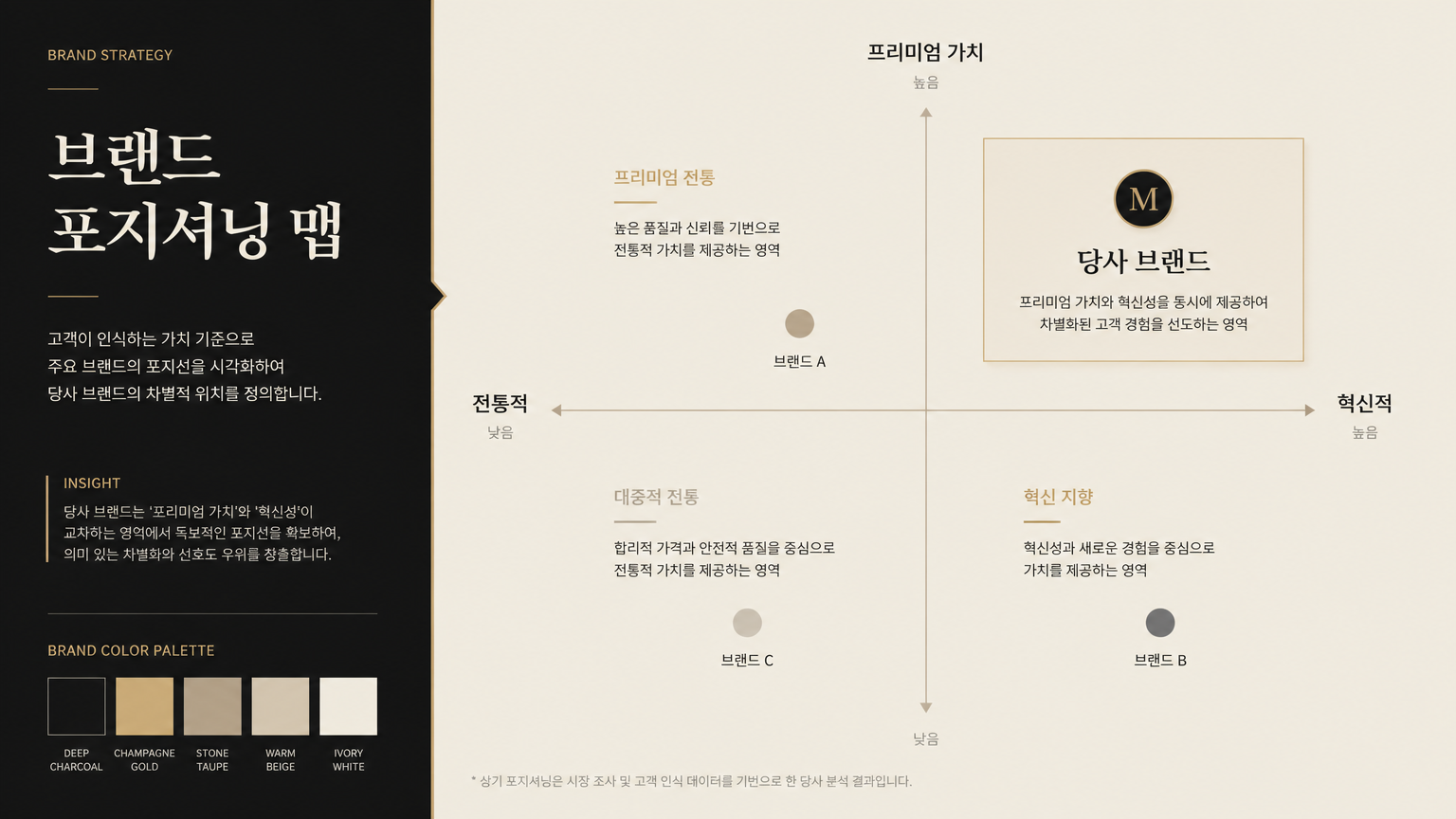
AI-generated Brand Strategy Presentation Slide made with GPT Image 2

Brand Strategy Presentation Slide

GPT Image 2· 画像
Create a 16:9 brand strategy presentation slide. Main title: '브랜드 포지셔닝 맵'. Show a premium positioning matrix with four quadrants, subtle brand color swatches, and short Korean labels. Use editorial design, muted beige and black palette, elegant typography, and a refined consulting deck mood. Clear grid, high-end visual hierarchy, no random images.
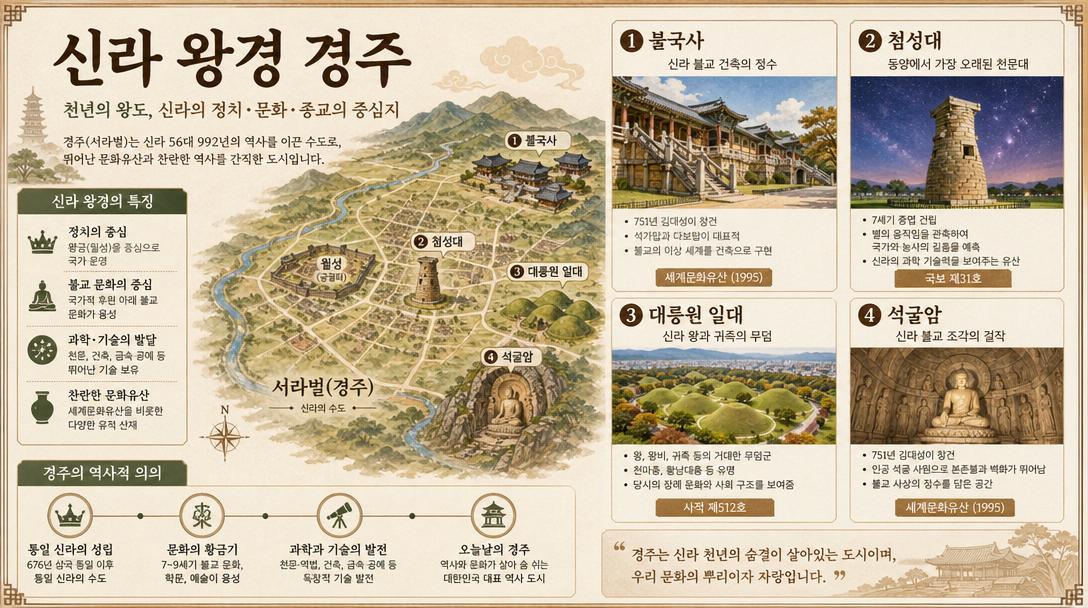
AI-generated Korean History Explanatory Diagram Slide () About Silla Kingdom Capital Gyeongju made with GPT Image 2

Korean History Explanatory Diagram Slide () About Silla Kingdom Capital Gyeongju

GPT Image 2· 画像
Korean history explanatory diagram slide (폰치에) about Silla Kingdom capital Gyeongju. Warm Korean textbook illustration style meets dense academic PowerPoint. Covers: Bulguksa Temple, Cheomseongdae observatory, royal tumuli tombs, Seokkuram grotto. Korean Hangul labels, warm earthy color palette. Korean title: '신라 왕경 경주'. 16:9.
@yammamon
AI-generated Professional Presentation Slide About AI Game Development Trends in Korea, 16:9 made with GPT Image 2
Professional Presentation Slide About AI Game Development Trends in Korea, 16:9

GPT Image 2· 画像
A professional presentation slide about AI game development trends in Korea, 16:9. Clean dark blue background, white and cyan Korean text. Title: 'AI 게임 개발 현황 2025'. Three sections with icons: storytelling AI, art generation AI, NPC behavior AI. Bullet points in Korean. Modern corporate Korean tech slide aesthetic.
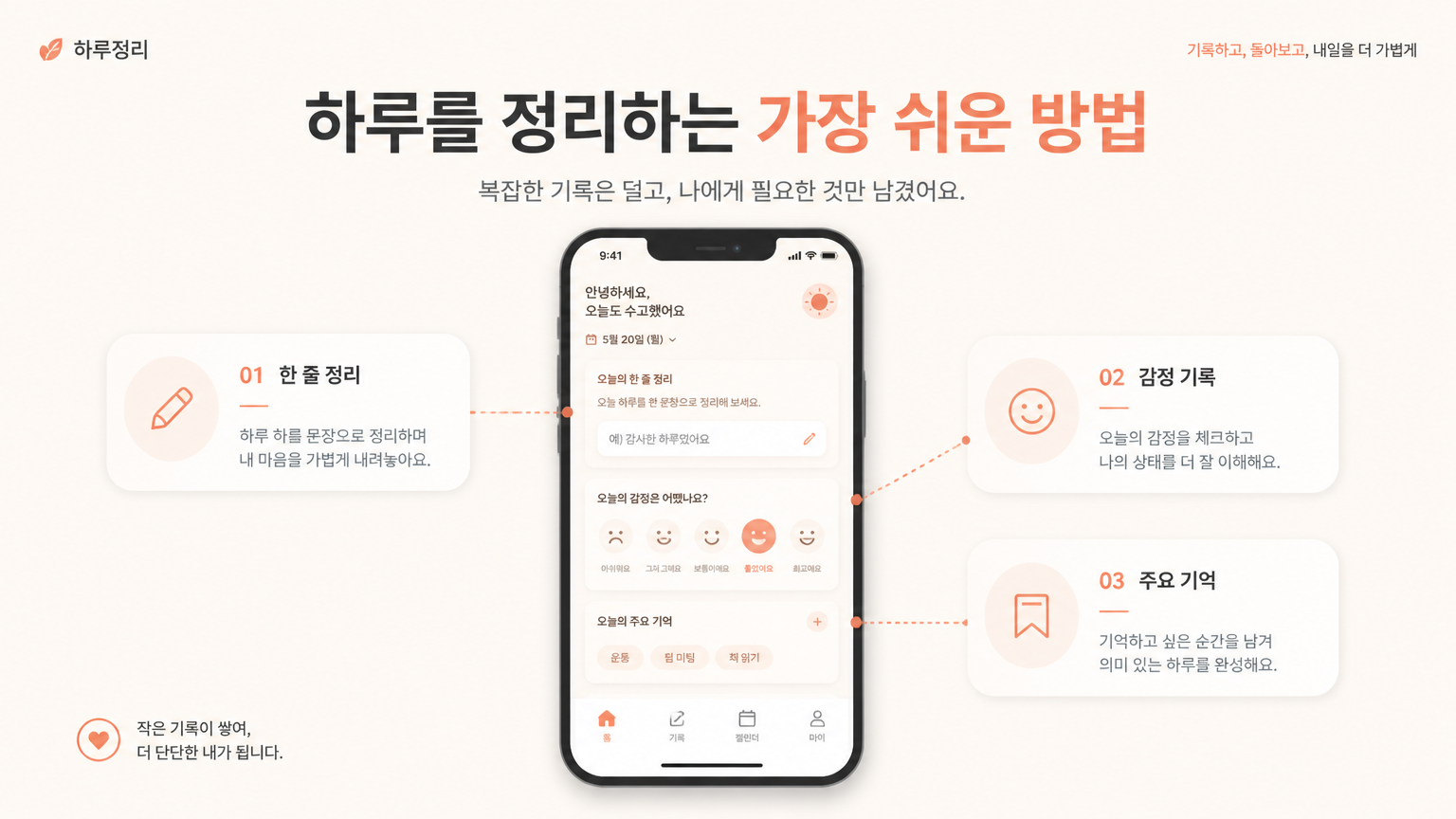
AI-generated Service Introduction Slide made with GPT Image 2

Service Introduction Slide

GPT Image 2· 画像
Create a 16:9 service introduction slide for a Korean mobile app. Main title: '하루를 정리하는 가장 쉬운 방법'. Show a central smartphone UI card with three feature modules around it, connected by subtle lines. Use warm minimal colors: cream, coral, charcoal. Modern product presentation layout, clean Korean typography, enough whitespace, realistic startup proposal deck. No realistic hand, no busy background.
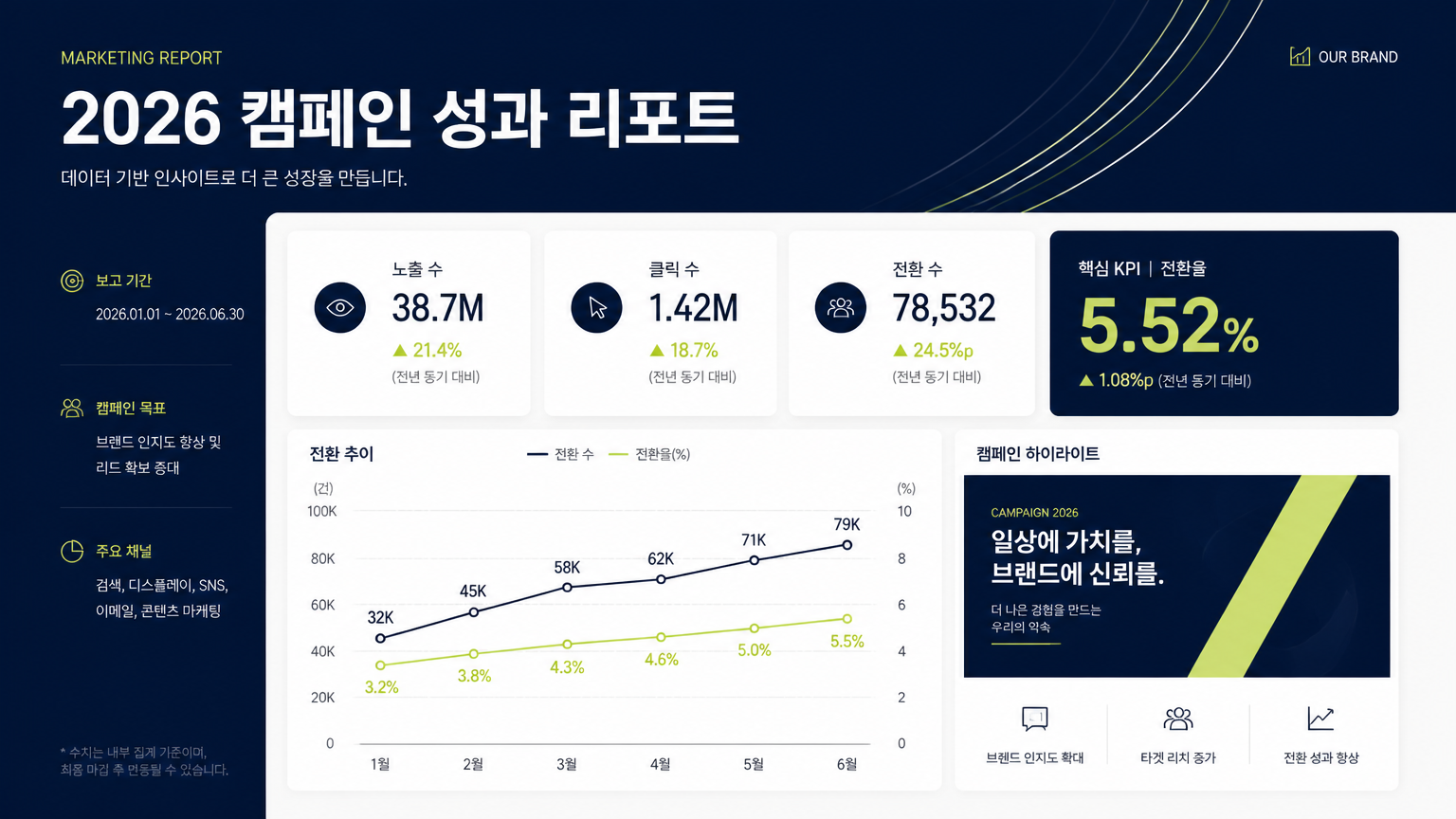
AI-generated Marketing Report Presentation Slide made with GPT Image 2

Marketing Report Presentation Slide

GPT Image 2· 画像
Design a 16:9 Korean marketing report presentation slide. Main title: '2026 캠페인 성과 리포트'. Include three clean data cards, a simple line chart, one highlighted KPI number, and a small campaign visual block. Use premium corporate design: navy, off-white, muted lime accent. Crisp sans-serif typography, clear grid layout, realistic business deck style. All text should be clean and legible. No stock photo collage, no 3D characters.
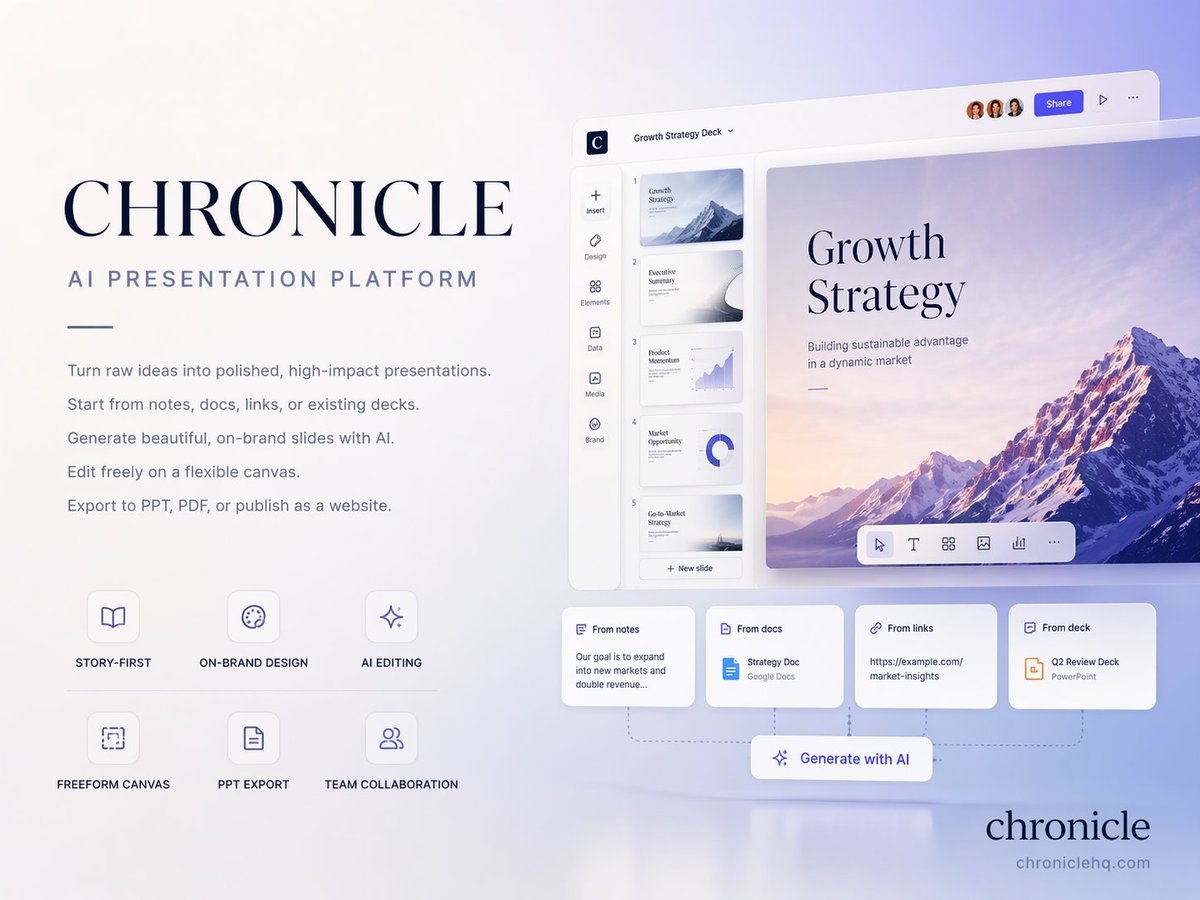
AI-generated AI Presentation Cover Slide made with GPT Image 2

AI Presentation Cover Slide

GPT Image 2· 画像
Create a premium 4:3 presentation cover slide introducing Chronicle, the AI-native presentation platform from https://t.co/SSfpg45Jtr. Style: elegant, minimal, modern, premium startup aesthetic. Similar to high-end brand guideline covers (like Apple / Linear / Notion style). Soft gradient background with subtle depth, clean whitespace, refined typography, polished editorial layout. Main title: CHRONICLE Subtitle: AI PRESENTATION PLATFORM Body copy (small elegant text): Turn raw ideas into polished, high-impact presentations. Start from notes, docs, links, or existing decks. Generate beautiful, on-brand slides with AI. Edit freely on a flexible canvas. Export to PPT, PDF, or publish as a website. Feature highlights (small premium labels): STORY-FIRST ON-BRAND DESIGN AI EDITING FREEFORM CANVAS PPT EXPORT TEAM COLLABORATION Bottom-right elegant logo text: chronicle Visual feeling: business-class premium, strategy deck quality, consulting-grade presentation, slightly futuristic but highly professional. Composition: clean editorial balance, asymmetrical layout, strong whitespace, presentation software hero shot feeling. Aspect ratio: 4:3 Language: English only
@cellier_
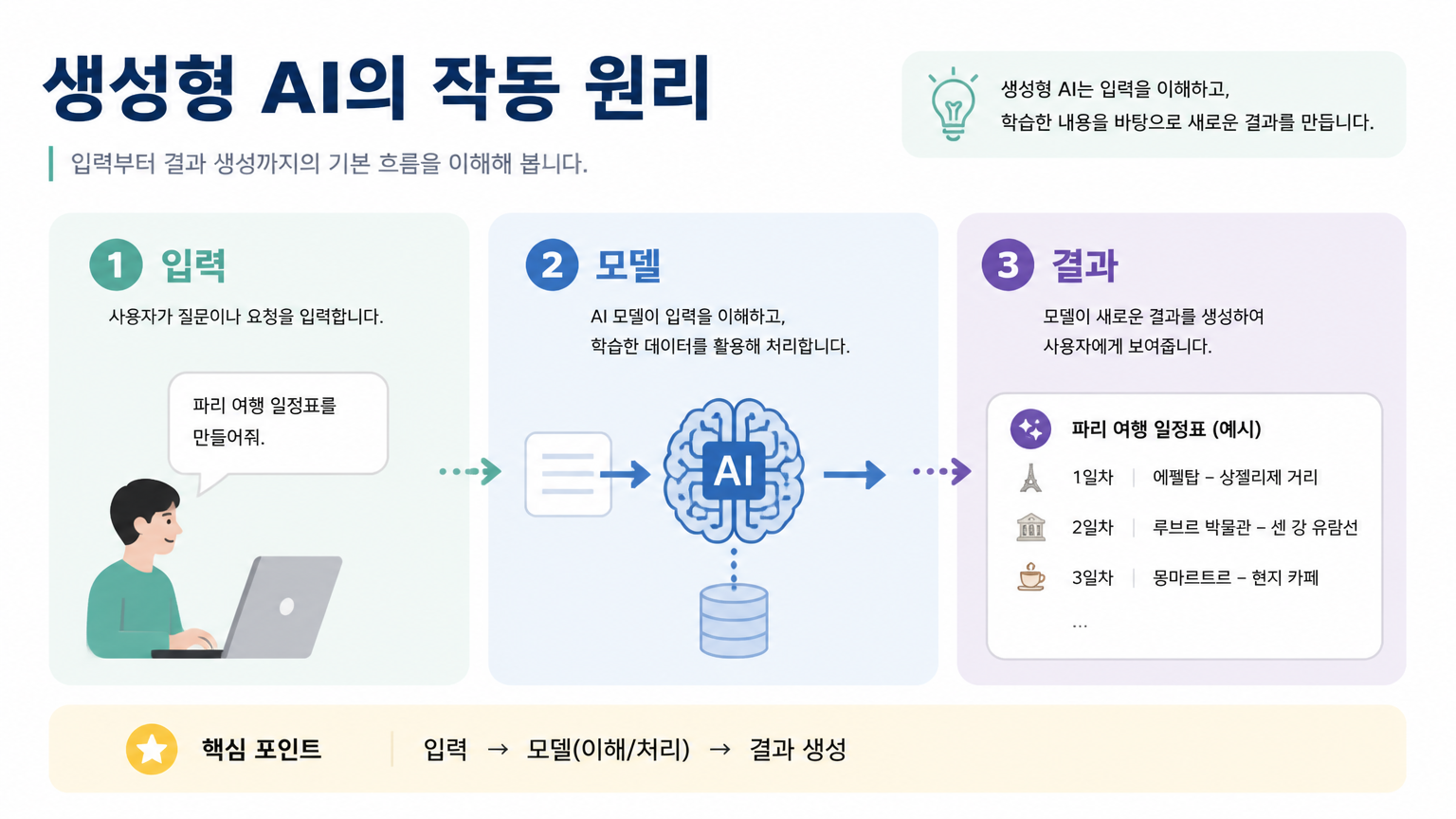
AI-generated Educational Presentation Slide made with GPT Image 2

Educational Presentation Slide

GPT Image 2· 画像
Design a 16:9 educational presentation slide in Korean. Title: '생성형 AI의 작동 원리'. Create a simple visual explanation with three steps: 입력, 모델, 결과. Use friendly flat icons, soft pastel blocks, and clear numbered sections. The slide should be easy to understand for beginners, with clean Korean labels and a teacher-friendly layout. Avoid childish style, avoid excessive text.

What Are Presentation Slide AI Prompts?

Presentation Slide prompts are structured instructions for producing a specific visual result with AI. Rather than naming only the topic, they define the subject, setting, camera distance, lighting, color palette, texture, and finishing style so the output becomes easier to control. The examples in Carat prompt gallery are written to be copied, adapted, and reused in practical creative workflows. They help designers, marketers, and creators move quickly from a blank page to a usable concept. By changing the aspect ratio, brand tone, platform, or usage context, the same prompt pattern can become an ad asset, social post, presentation visual, or video concept.

Key Use Cases

  • IR 피치덱 커버: quickly shape a visual direction for this use case
  • 교육 발표 자료: quickly shape a visual direction for this use case
  • 브랜드 전략 슬라이드: quickly shape a visual direction for this use case
  • 성과 보고서: quickly shape a visual direction for this use case
  • 온라인 강의 썸네일: quickly shape a visual direction for this use case

Why This Tag Is Useful

Presentation Slide work benefits from precise prompt structure because small details often change the final impression. A strong prompt explains what should be visually dominant, how much space should remain around the subject, what kind of lighting should shape the scene, and what type of polish or realism is expected. This makes repeated generations easier to compare and helps teams keep visual consistency across multiple attempts. This tag gathers related prompt examples in one place so you can skip broad searching and start adapting proven language for your own project. It is useful for early concepts, client proposals, campaign planning, and reusable reference libraries.

Explore Related Prompts

  • Ppt Design
  • Infographic
  • Timeline Diagram
  • Process Diagram
  • Startup Poster
  • Business Card
  • Quote Image

Tips for Building Your Prompt

  1. 슬라이드 목적과 청중을 먼저 지정한다
  2. 제목, 본문, 도표 영역을 나누어 적는다
  3. 브랜드 컬러와 여백 규칙을 정한다
  4. 16:9 또는 4:3 비율을 명시한다

For best results, separate scene description, style direction, and technical constraints instead of placing everything in one vague sentence. Once you get a strong base output, keep the composition and lighting while changing the subject, props, or color palette to explore variations.
よくあるご質問

関連プロンプト

타이틀 슬라이드 Presentation Title Slide

타이틀 슬라이드 Presentation Title Slide

プロンプト8件

Presentation Design

Presentation Design

プロンプト9件

PPT Design

PPT Design

プロンプト12件

PPT Design

PPT Design

プロンプト3件

Carat プロンプトギャラリー

話題のAIプロンプトをすぐに作れます

プロンプト

  • ロゴ
  • PPTデザイン
  • サムネイル
  • ポスター
  • ウェブ小説の表紙
  • 証明写真
  • 似顔絵
  • 商品詳細ページ
  • バナー

モデル

  • GPT Image 2
  • Seedance 2.0
  • Nano Banana Pro
  • Nano Banana 2

Carat

  • 始める
  • 会社概要
  • ブログ
  • 採用情報
  • お問い合わせ
  • パートナーシップ
  • 利用規約
  • プライバシー

© 2026 Paradot.Inc All rights reserved.