carat

프롬프트 갤러리

/

인공지능 일러스트

로그인
회원가입

인공지능 일러스트

인공지능 일러스트 이미지를 AI로 만들기 위한 스타일, 구도, 활용 팁을 확인하세요.

2026.07.04

·
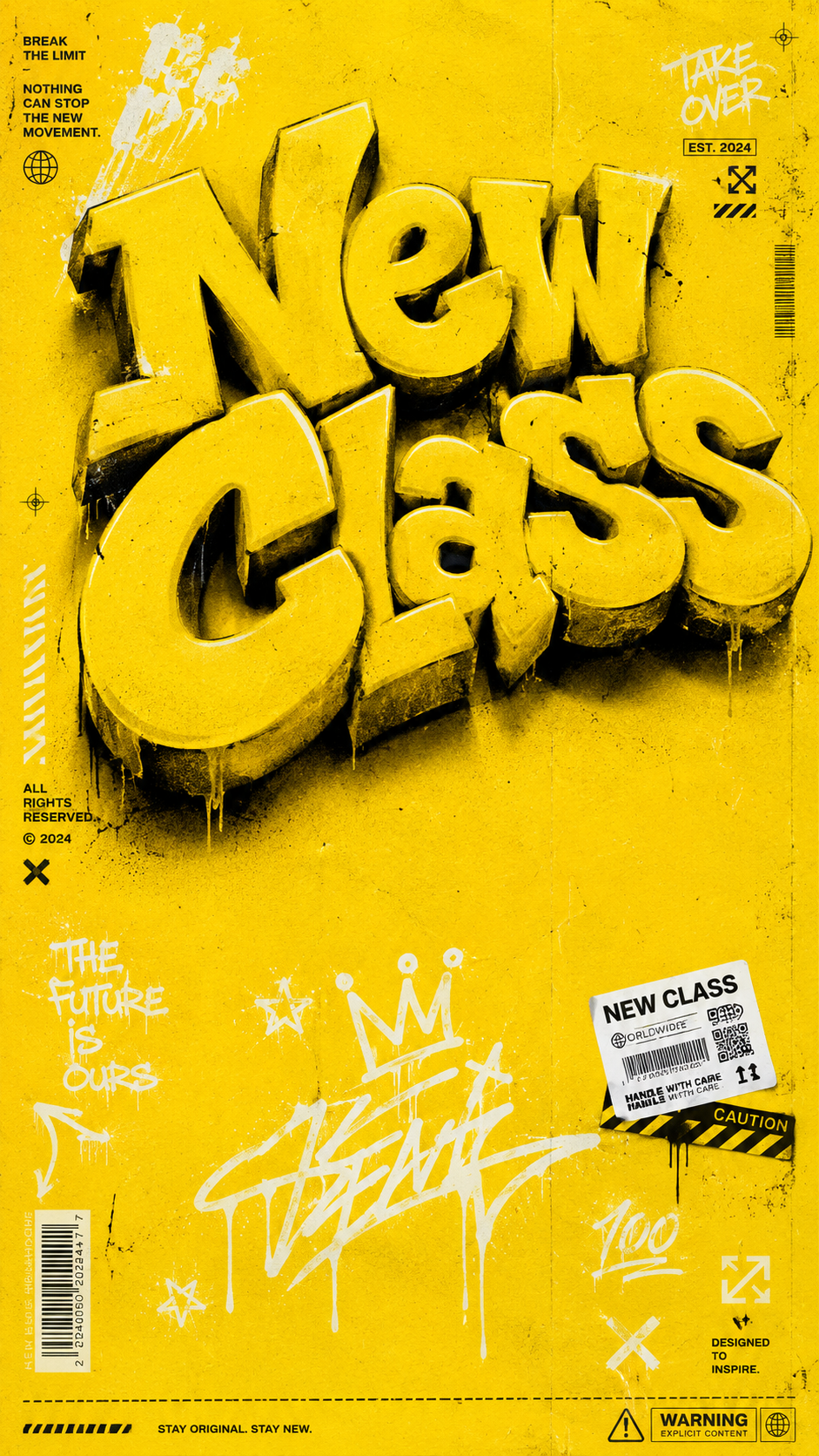
GPT 이미지 2로 생성한 옐로우 스트릿웨어 티셔츠 그래픽

옐로우 스트릿웨어 티셔츠 그래픽

GPT 이미지 2· 이미지
Above: The graphic design of a high-end streetwear T-shirt, with a solid pure yellow background, printed texture, bold composition. The upper half of the picture features a striking large 3D graffiti-style text pattern, reading "New Class." The font is large, using a highly realistic spray paint texture effect. The color is consistent with the background. Each letter has varying shades, casting a strong dramatic shadow on the following letters. The text is slightly tilted, presenting a confident posture. Middle section: Reserve some clean areas Below: White graffiti pen strokes, sticker labels, stars, editing icons. Small barcode elements, subtle paper texture. Occupying both sides of the image, adding an editing-style street texture. The surface is covered with a layer of subtle screen-printed damaged texture, giving the overall design a genuine retro falling-off effect. Overall aesthetic style: Combines Supreme, Off-White and contemporary art trend culture, with clear printable graphic quality, thick and confident lines, perfectly suitable for direct printing on clothing, pure yellow background. High-end sports fashion promotional lighting. Sharp highlights, intense shadows. Aspect ratio: 9:16 vertical. Luxury commercial fashion event. Very detailed. 8K masterpiece.
1e493beb2d8978fff6480a2c325ae72b
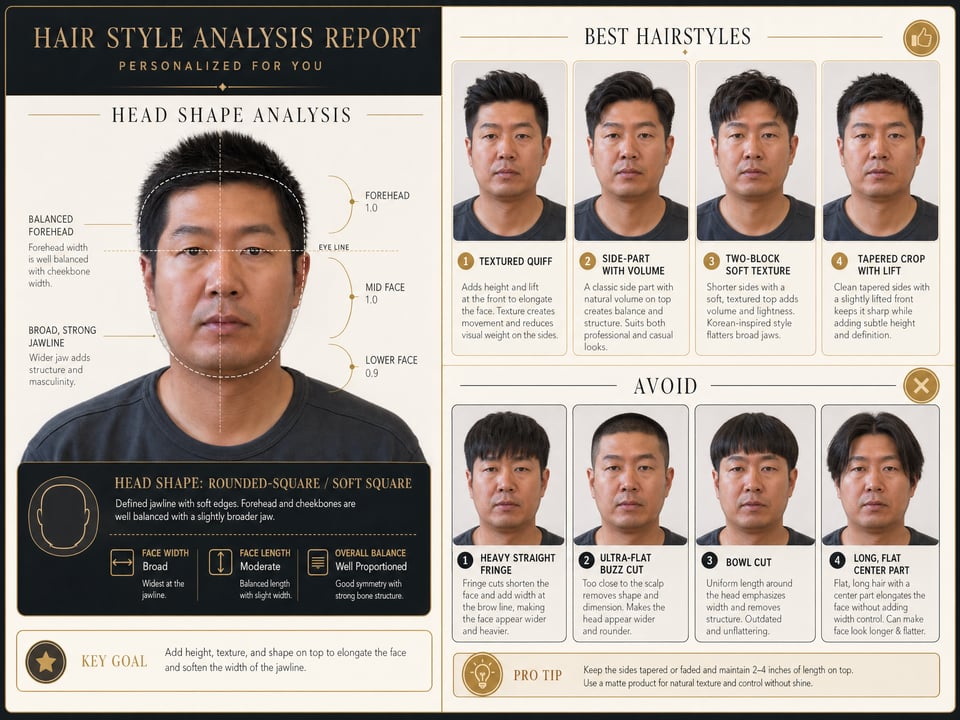
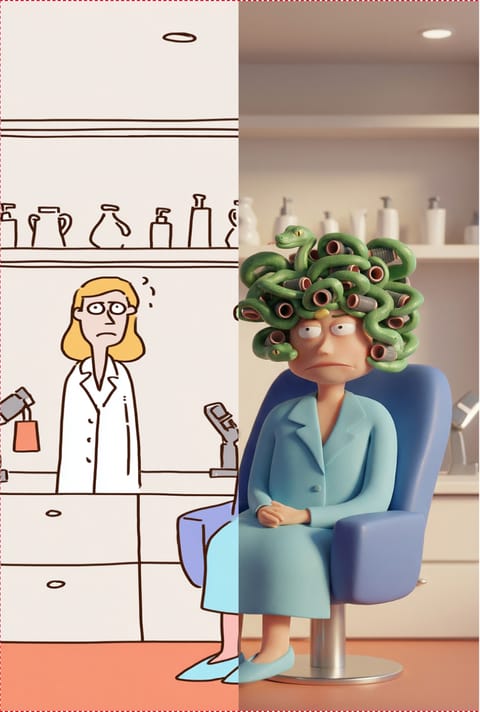
GPT 이미지 2으로 생성한 얼굴형 맞춤 헤어 분석 리포트

얼굴형 맞춤 헤어 분석 리포트

GPT 이미지 2· 이미지
Generate an image of an analysis report. First, analyze the head shape in the reference photo, and then visualize the results on the left. Based on head shape analysis, four best hairstyles are recommended and placed on the upper right side, while four worst hairstyles are given and placed on the lower right side. The overall report is highly readable and has a sophisticated feel.
ai-hair-head-shape-analysis-report
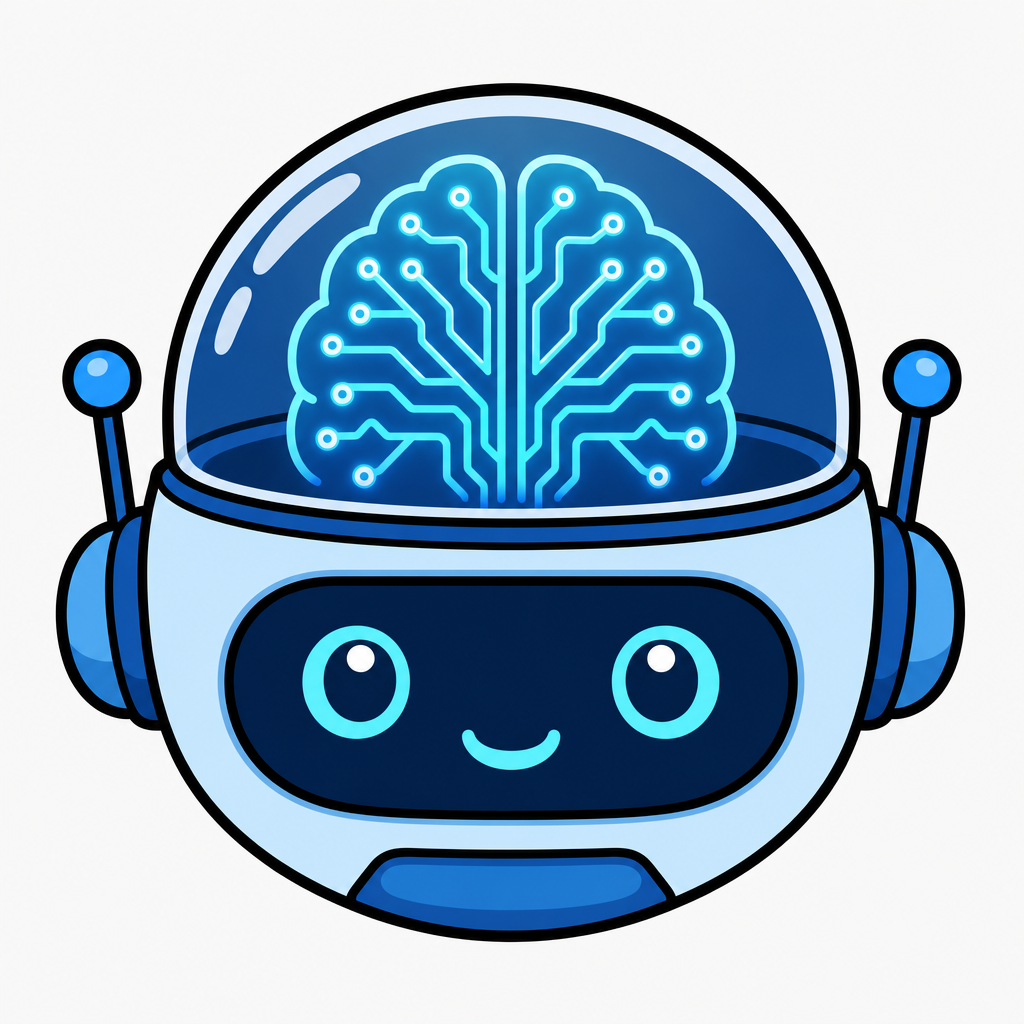
GPT 이미지 2로 생성한 인공지능 일러스트

인공지능 일러스트

GPT 이미지 2· 이미지
Clean vector sticker illustration representing AI, robot head with brain circuit, no text.
나노바나나 2으로 생성한 캐릭터 9분할 다각도 시트

캐릭터 9분할 다각도 시트

나노바나나 2· 이미지
In a 3×3 grid, each cell should have an aspect ratio of 1:1. Show the same character from different angles while keeping the scene consistent, with randomized poses in each cell.
multi-angle-generator
나노바나나 2으로 생성한 2D 캐릭터의 3D 애니메이션 렌더

2D 캐릭터의 3D 애니메이션 렌더

나노바나나 2· 이미지
Convert this image into a modern feature-animation 3D render, clean appealing shapes, subtle stylization, soft subsurface scattering, high-quality materials, cinematic global illumination, crisp depth of field, preserve composition and color palette, no text, no logo
2d-to-3d-converter
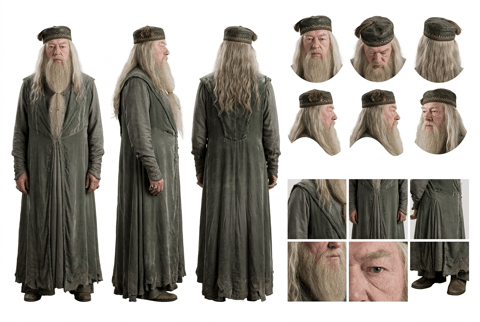
나노바나나 2으로 생성한 캐릭터 턴어라운드 설정 시트

캐릭터 턴어라운드 설정 시트

나노바나나 2· 이미지
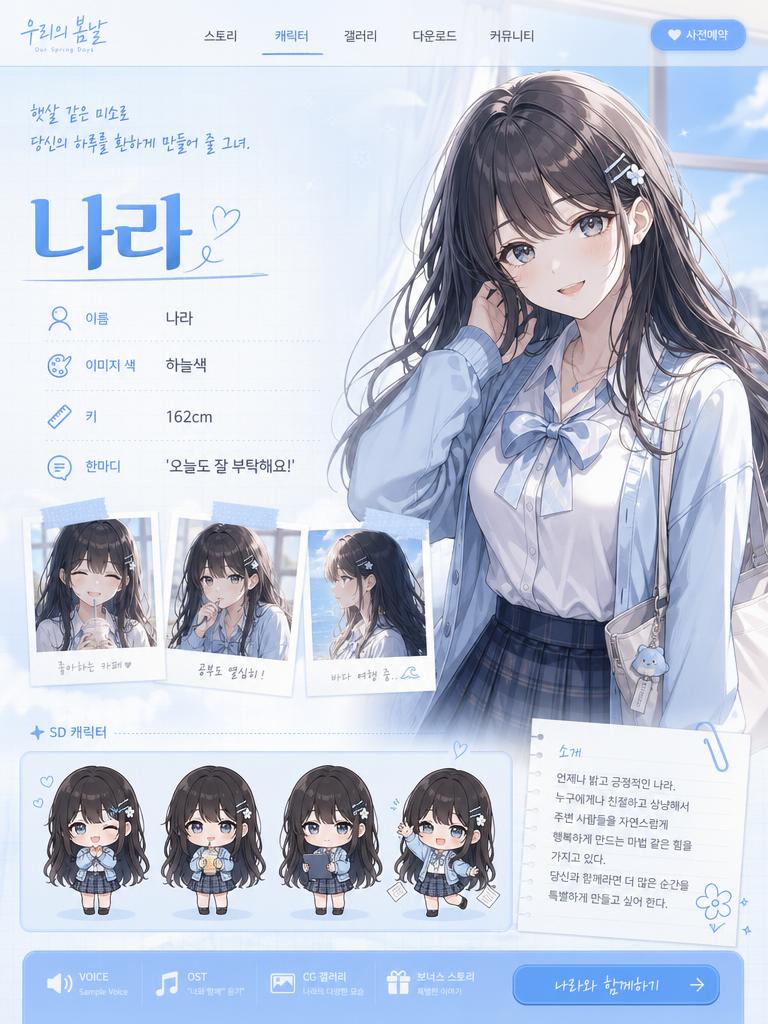
A high-definition, clean, minimalist character design board / character turnaround reference sheet, set against a pure white background. The overall presentation should resemble a professional game art character modeling sheet, fashion design reference page, character design sheet, or character turnaround board. The layout should be neat and well-organized, with clearly divided information sections, a realistic and premium visual quality, consistent lighting, and strict character consistency throughout. On the left side of the composition, show the character€™s full-body three-view turnaround, occupying the main visual area, including: 1. Front full-body standing pose 2. Left-side full-body standing pose 3. Back full-body standing pose All three figures must be the exact same character, with identical facial features, hairstyle, clothing, body shape, and height proportions. The standing pose should feel natural, with both arms hanging naturally at the sides. This should be suitable as a character modeling reference. The camera angle should be eye level, with neutral studio lighting, no obstruction, no exaggerated perspective, and no complex background. The right side of the composition should be divided into two sections: In the upper-right section, place six headshot / head-angle reference images of the same character, arranged neatly to show different head perspectives, including: - Front-facing portrait - Slight downward angle showing the top of the head - Back of the head / rear head view - Left-side facial profile - A near-side-angle comparison view (this line was slightly unclear in the source and may not be exact) - 3/4 profile portrait The head references should have clear facial features, visible hair parting, and consistent facial structure, making them suitable as head design references. In the lower-right section, place six close-up detail images of the character, arranged into a clean grid, showing key design details, including: - Close-up of the upper garment fabric texture - Front close-up of the lower-body clothing - Close-up of the hip / tailoring detail - Close-up of the leg or skin texture detail - Close-up of the eyes or facial feature details - Full close-up of the shoes as a standalone item All detail images must match the main character€™s outfit and appearance exactly. Materials should look realistic, and the details should be clean and precise, suitable as clothing and accessory modeling references. Overall style requirements: Minimalist, professional, realistic, unified, clean, and premium, similar to a character design board, fashion design reference sheet, 3D character modeling reference page, or character turnaround presentation board. The character edges should be sharp, garment shapes should be clearly defined, hair strands should appear natural, skin should look refined, and material rendering should be accurate. The overall layout should have generous white space, as if it were made by a professional concept art team. Character setup: [Character appearance description] Output requirements: Landscape composition, white background, full character visible, no cropping, no extra props, no explanatory text, no logo, no watermark, no UI interface elements, no like/save buttons, and no social-media-screenshot appearance.
character-design-turnaround-sheet
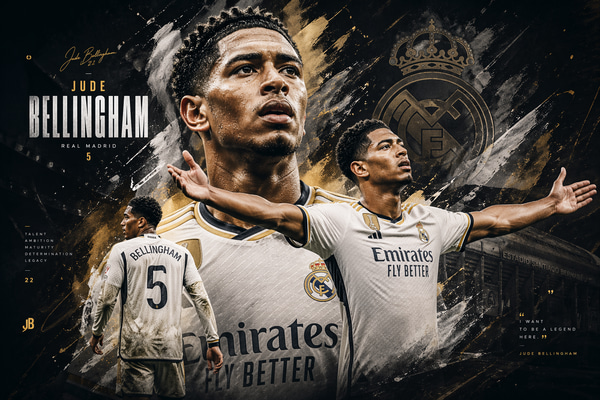
GPT 이미지 2으로 생성한 고급 아트 포스터 배경

고급 아트 포스터 배경

GPT 이미지 2· 이미지
Create an artwork, a design of [name], advanced design level, 3:2, Mac desktop wallpaper
generate-an-advanced-poster
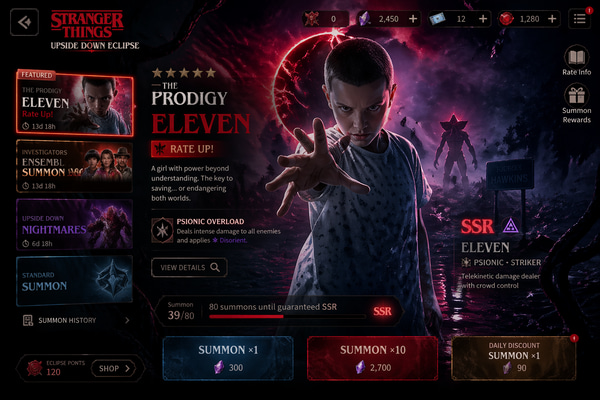
GPT 이미지 2으로 생성한 모바일 게임 가챠 소환 화면

모바일 게임 가챠 소환 화면

GPT 이미지 2· 이미지
Design a high-end gacha summon page for a new mobile game titled [Game Title], inspired by the summon interfaces of popular mobile games. The page should present a dark, cinematic, premium ARPG aesthetic with a rich and immersive atmosphere. The featured banner character is [Featured Character]. The layout should include a dramatic character showcase in the center, layered summon UI panels, glowing visual effects, rarity indicators, currency icons, summon buttons, event banner elements, and elegant decorative details. The background and visual motifs should reflect the identity, mood, and world style associated with [Featured Character]. The overall design should feel polished, collectible, visually powerful, and similar to a top-grossing mobile game gacha screen.size 3:2.
create-your-own-gacha-summon-page
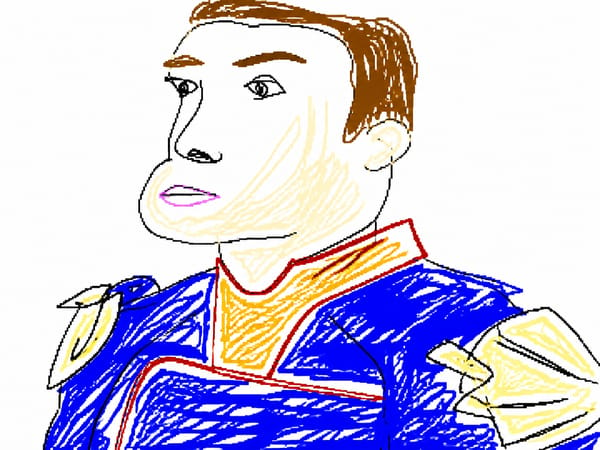
GPT 이미지 2으로 생성한 엉성한 그림판 낙서 변환

엉성한 그림판 낙서 변환

GPT 이미지 2· 이미지
Redraw the attached image in the most clumsy, scribbly, and utterly pathetic way possible. Use a white background, and make it look like it was drawn in MS Paint with a mouse. It should be vaguely similar but also not really, kind of matching but also off in a confusing, awkward way, with that low-quality pixel-by-pixel feel that really emphasizes how ridiculously bad it is. Actually, you know what, whatever, just draw it however you want.
bad-redraw-ms-paint-style
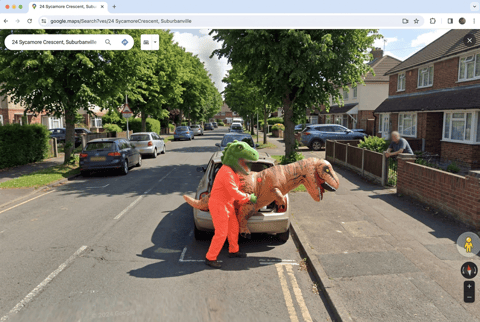
나노바나나 2으로 생성한 구글 지도에 포착된 이상한 순간

구글 지도에 포착된 이상한 순간

나노바나나 2· 이미지
screenshot of google maps catches someone doing something they really, really shouldn't be doing. Make it something really weird.
busted-by-google-maps
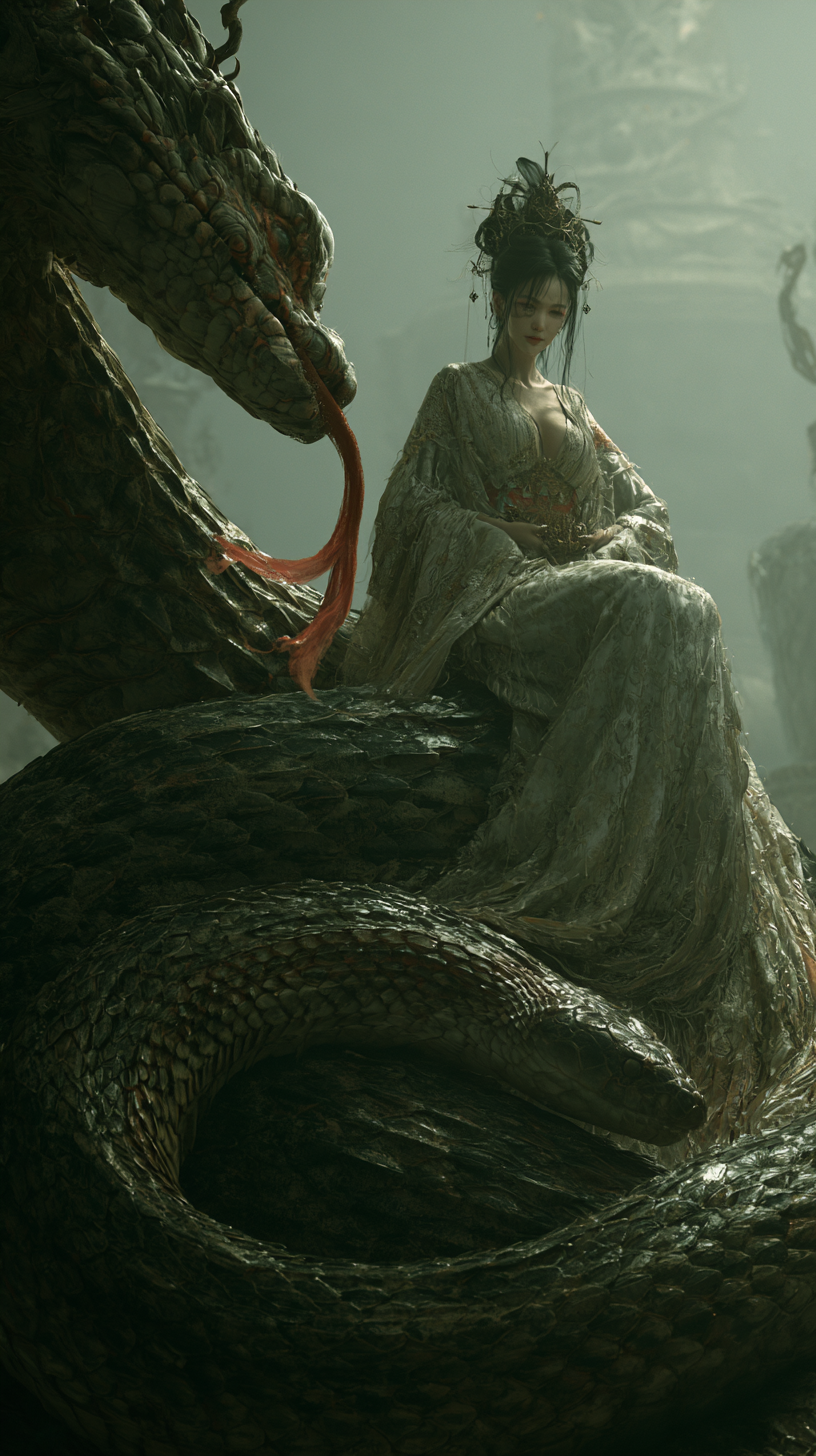
미드저니으로 생성한 거대한 뱀 위의 판타지 소녀

거대한 뱀 위의 판타지 소녀

미드저니· 이미지
A hyper-realistic, cinematic scene of a dark,depicts a massive ancient elegant beautiful girl sitting on top of a huge snake,She has exquisite facial features and fair skin. The background color tone is light gray-green, creating a realistic style. The beauty is depicted in the style of Chinese art ,a foggy Song dynasty temple clearing,The background is misty, forbidden runes animated by high-fidelity particle systems.ash-strewn floor, humming with distorted pipa wails. spawning organic stupa-like spires with Nanite-level detail,creating a mysterious, moody atmosphere. --ar 9:16 --raw --profile gm3mch1 --stylize 50 --preview
83c68c4d7643e4a5976db8bf56fa4faa
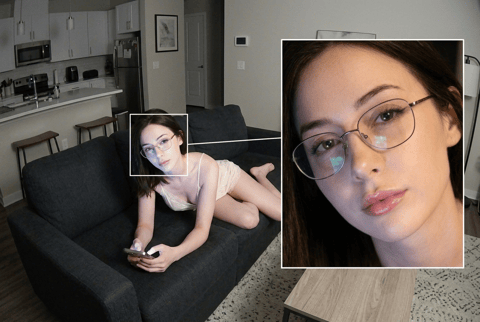
나노바나나 2으로 생성한 CCTV 얼굴 추적 확대 장면

CCTV 얼굴 추적 확대 장면

나노바나나 2· 이미지
Create a high angle CCTV surveillance shot using the uploaded image as the source. Detect every visible person in the image and automatically draw a white rectangular bounding box around each face. For the most prominent person, add a large zoom in inset: a sharp, enhanced close-up of their face displayed in a floating rectangular frame connected with a thin white line.Keep the main image slightly noisy and security camera like (soft grain, slight distortion, muted colors), while the zoom in face box should be clearer, brighter, and more detailed. No text, no timestamps, no overlays except the boxes and connecting line. Maintain the original scene layout, angle, and environment of the uploaded image.
cctv-face-tracking-zoom

인공지능 일러스트 AI 프롬프트란?

인공지능 일러스트 프롬프트는 AI 이미지 생성에서 주제의 형태, 핵심 상징, 구도, 선 스타일, 색감, 배경 밀도, 활용 목적을 함께 지정하는 입력문입니다. 단순히 키워드만 넣으면 사진처럼 보이거나 불필요한 문자와 로고가 들어갈 수 있으므로, 처음부터 스티커·포스터·카드뉴스·학습지·썸네일처럼 최종 사용 맥락을 정하는 것이 중요합니다. 이 페이지는 AI Illustration 이미지를 만들 때 바로 참고할 수 있는 실무형 표현 기준을 정리합니다.

주요 활용 장면

  • IT 블로그 썸네일
  • AI 강의 포스터
  • 기업 홍보 이미지
  • 스티커 굿즈
  • 프레젠테이션 아이콘

좋은 결과를 만드는 핵심 조건

인공지능 일러스트는 로봇 머리, 빛나는 뇌 회로, 청색 팔레트가 핵심입니다. IT 콘텐츠에 쓸 때는 단순한 실루엣과 flat colors가 좋습니다. 공통적으로 clean vector illustration, bold outline, flat colors, centered composition, simple light background, no readable text, no logo, no watermark 같은 조건을 넣으면 후가공이 쉬운 결과를 얻을 수 있습니다. 대표 이미지는 주제가 한눈에 보이고, 배경 장식보다 실루엣과 핵심 상징이 먼저 읽혀야 합니다.

관련 프롬프트 더 보기

함께 보면 좋은 태그는 illustration, sticker-design, character-illustration, animal-illustration, coloring-page, poster 입니다. 스티커형 결과는 sticker-design을, 설명형 이미지는 poster를, 캐릭터 중심 결과는 character-illustration을 함께 참고하면 목적별 표현을 빠르게 확장할 수 있습니다.

프롬프트 작성 팁

  1. 결과물의 용도를 먼저 정합니다. 예를 들어 스티커, 포스터, 카드뉴스, 학습지, 썸네일처럼 구체적으로 시작합니다.
  2. 피사체의 핵심 실루엣과 관찰 가능한 특징을 적습니다.
  3. 색상 팔레트, 선 두께, 배경 단순도, 질감을 명시합니다.
  4. 로고, 워터마크, 읽을 수 있는 글자는 제외해 실제 디자인에 바로 쓰기 쉬운 이미지를 만듭니다.

자주 묻는 질문

관련 프롬프트

일러스트

일러스트

프롬프트 774개

캐릭터

캐릭터

프롬프트 363개

포스터

포스터

프롬프트 575개

목업

목업

프롬프트 396개

캐럿 프롬프트 갤러리

지금 유행하는 AI 프롬프트를 바로 만들 수 있어요

프롬프트

  • 로고
  • PPT 디자인
  • 썸네일
  • 포스터
  • 웹소설 표지
  • 증명사진
  • 캐리커처
  • 상세페이지
  • 배너

모델

  • GPT 이미지 2
  • 씨댄스 2.0
  • 나노바나나 프로
  • 나노바나나 2

캐럿

  • 시작하기
  • 서비스 소개
  • 블로그
  • 채용
  • 문의
  • 파트너십
  • 이용약관
  • 개인정보 처리방침

© 2026 Paradot.Inc All rights reserved.