carat

Prompt Gallery

/

glitter-nail-design

Login
Sign Up

glitter-nail-design

glitter-nail-design prompts. Copy and use glitter-nail-design image generation prompts from Carat right away.

2026.07.15

·
GPT 이미지 2로 생성한 네일 컬러 트렌드

네일 컬러 트렌드

GPT Image 2· Image
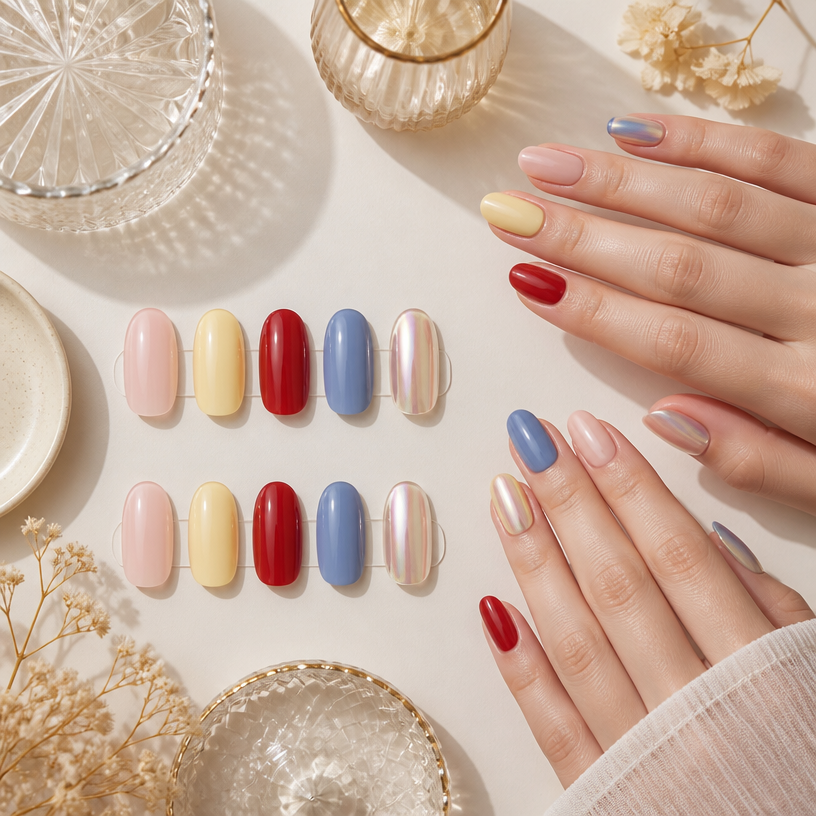
Square editorial beauty flat lay of current nail colors on manicure sample tips and natural hands: milky pink, butter yellow, cherry red, dusty blue and chrome accents. No text, no logo, no watermark.
AI-generated Cherry Blossom Stroller Walk made with Nano Banana Pro

Cherry Blossom Stroller Walk

Nano Banana Pro· Image
A baby walking along a quiet street lined with cherry blossom trees, petals gently falling around, cinematic golden backlight, soft haze, 35mm lens f/2.8 ISO 400, shallow depth of field, dreamy pastel colors, warm sunlight glow, peaceful spring mood, ultra realistic, aesthetic photography --ar 4:5
cherry-blossom-stroller
AI-generated Cheese Arch Bridge Wedding Pavilion made with GPT Image 2

Cheese Arch Bridge Wedding Pavilion

GPT Image 2· Image
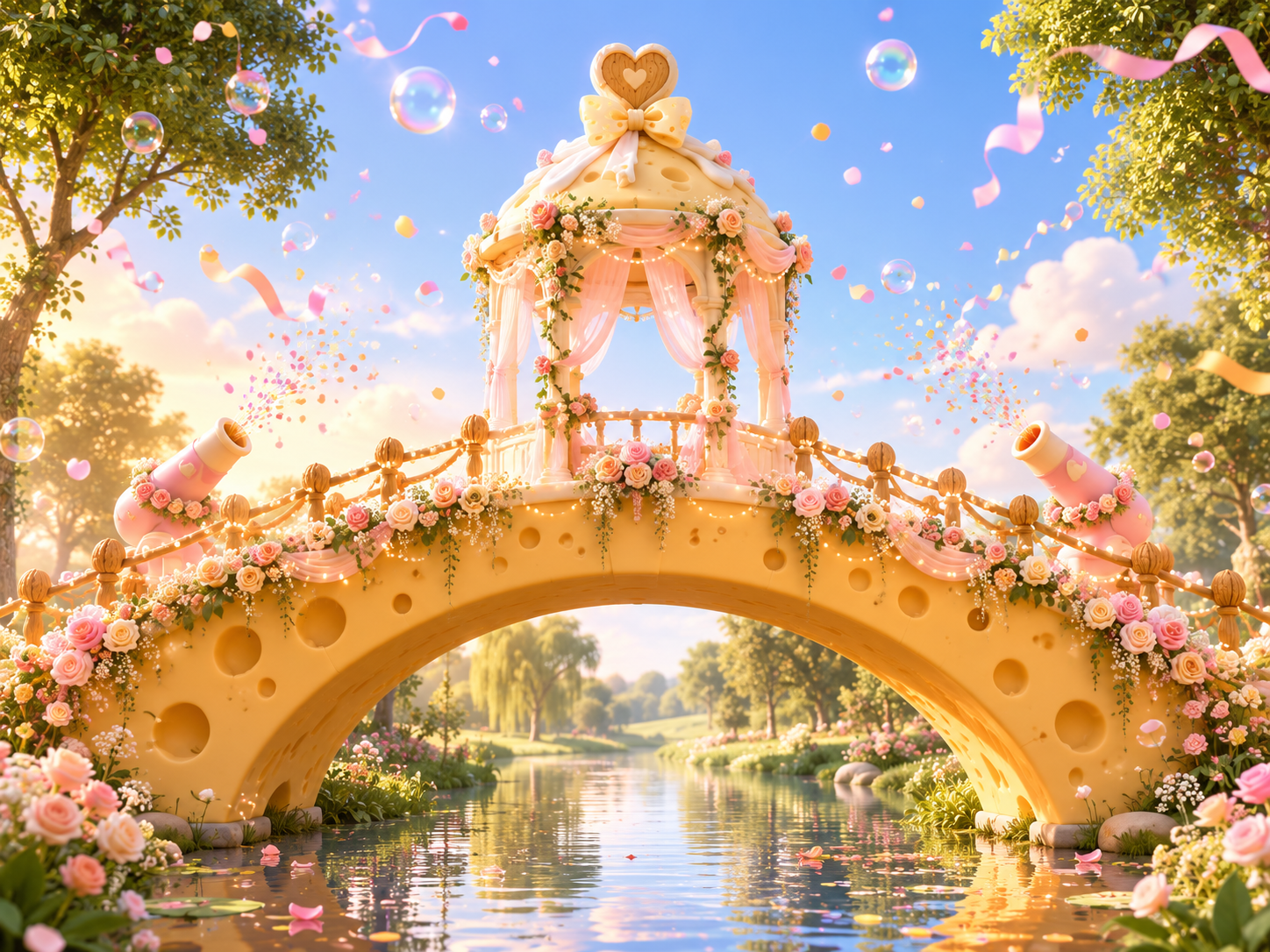
[Overall Composition] A horizontal panoramic view, focusing the visual attention on the giant cheese arch bridge in the center of the image, with a symmetrical composition and an open panoramic perspective. [Bridge Body] An arch bridge made of cheese, with a creamy yellow cheese material on the bridge body; low nut shell railings on both sides of the bridge, spaced loosely, made from whole nut shells. [Central Ceremony Pavilion] A domed ceremony pavilion is built in the center of the arch bridge, with wedding decoration inspired by a warm forest-themed wedding style, hanging soft gauze curtains and wrapped floral decorations. [Pavilion Top Decoration] A heart-shaped wooden carving with flowing cream and a cheese-textured bow. [Bridge Surface Details] Warm light strings, cream and pink floral decorations, and cartoon confetti cannons. [Aerial Atmosphere] Transparent bubbles, colorful candy beads, and flowing matte ribbons create a lively festive atmosphere. [Style and Texture] Rounded Disney-like 3D cartoon animation style, soft warm golden diffused light, wide-angle lens, physical model, blind box toy, smooth delicate 3D rendering, no text, no logos.
https://promptsref.com/tool/AI-Image-Generator?share_id=e1ebba392cc856aff767691ae9f306df&show=true
AI-generated Yellow Streetwear T-Shirt Graphic made with GPT Image 2

Yellow Streetwear T-Shirt Graphic

GPT Image 2· Image
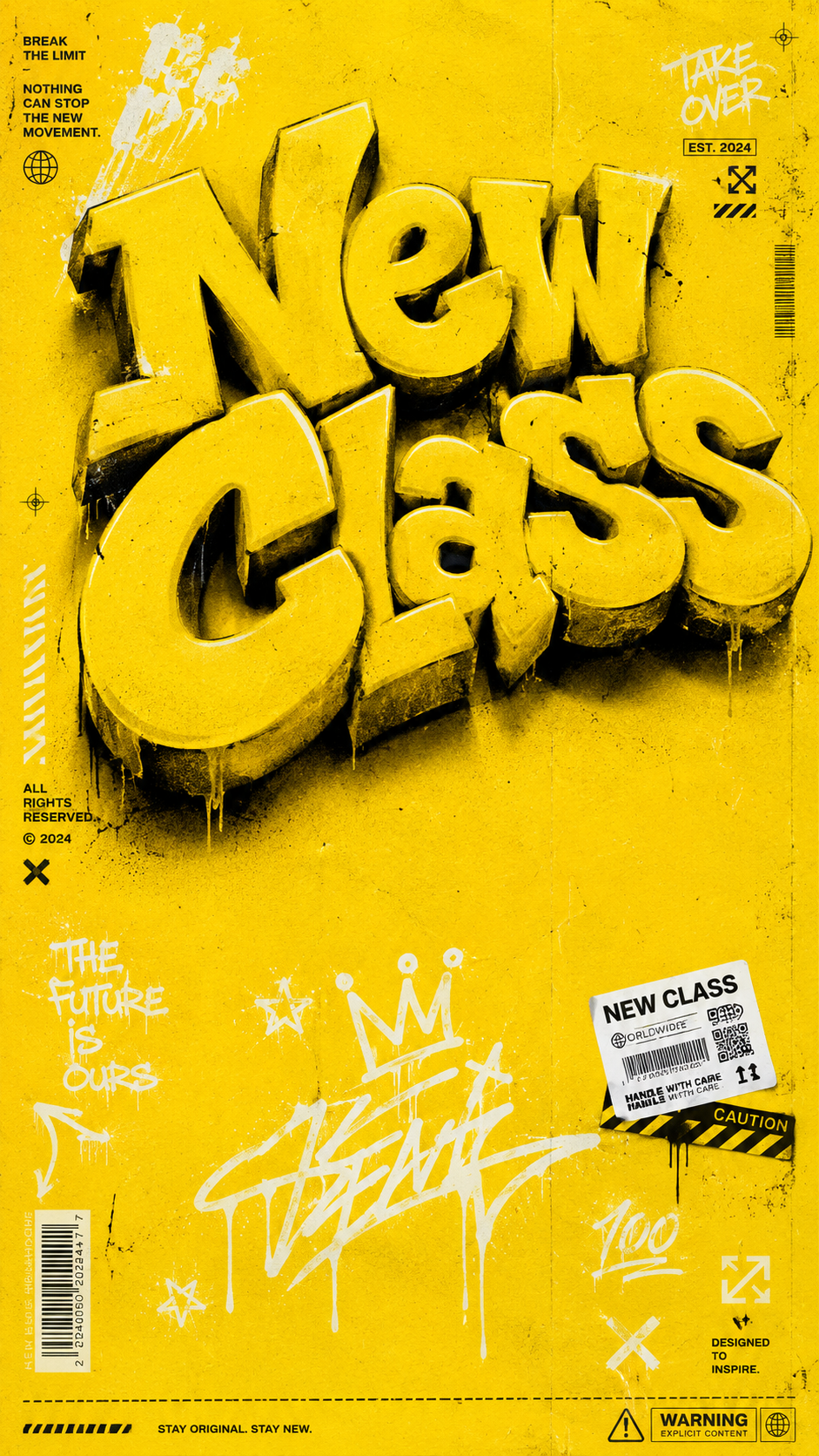
Above: The graphic design of a high-end streetwear T-shirt, with a solid pure yellow background, printed texture, bold composition. The upper half of the picture features a striking large 3D graffiti-style text pattern, reading "New Class." The font is large, using a highly realistic spray paint texture effect. The color is consistent with the background. Each letter has varying shades, casting a strong dramatic shadow on the following letters. The text is slightly tilted, presenting a confident posture. Middle section: Reserve some clean areas Below: White graffiti pen strokes, sticker labels, stars, editing icons. Small barcode elements, subtle paper texture. Occupying both sides of the image, adding an editing-style street texture. The surface is covered with a layer of subtle screen-printed damaged texture, giving the overall design a genuine retro falling-off effect. Overall aesthetic style: Combines Supreme, Off-White and contemporary art trend culture, with clear printable graphic quality, thick and confident lines, perfectly suitable for direct printing on clothing, pure yellow background. High-end sports fashion promotional lighting. Sharp highlights, intense shadows. Aspect ratio: 9:16 vertical. Luxury commercial fashion event. Very detailed. 8K masterpiece.
1e493beb2d8978fff6480a2c325ae72b
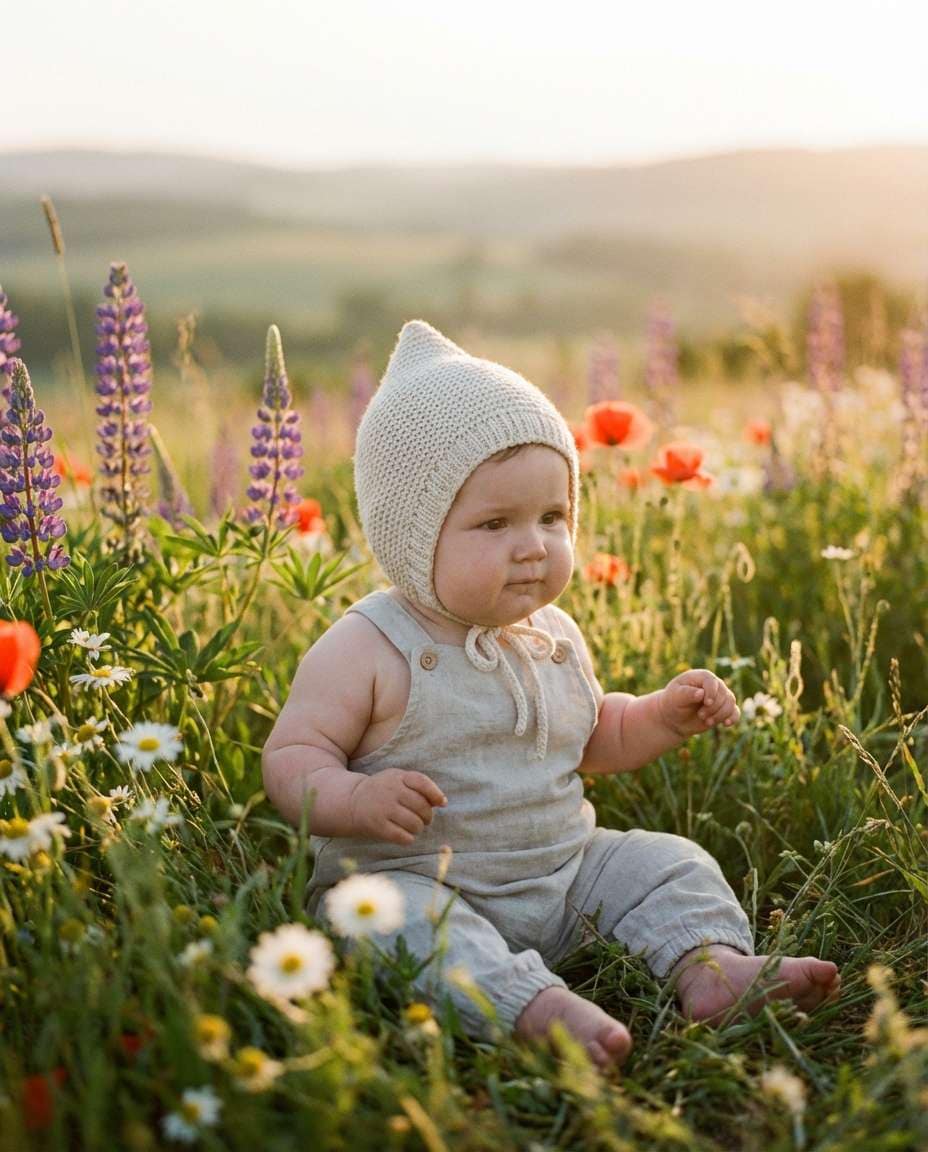
AI-generated Baby Portrait in a Wildflower Meadow made with Nano Banana Pro

Baby Portrait in a Wildflower Meadow

Nano Banana Pro· Image
Photorealistic sitter baby in a wildflower meadow wearing a cream bonnet, soft sunset golden hour light, 70mm lens f/2.8 ISO 250, low angle framing with blurred foreground flowers, dreamy whimsical mood --ar 4:5
wildflower-meadow-sit
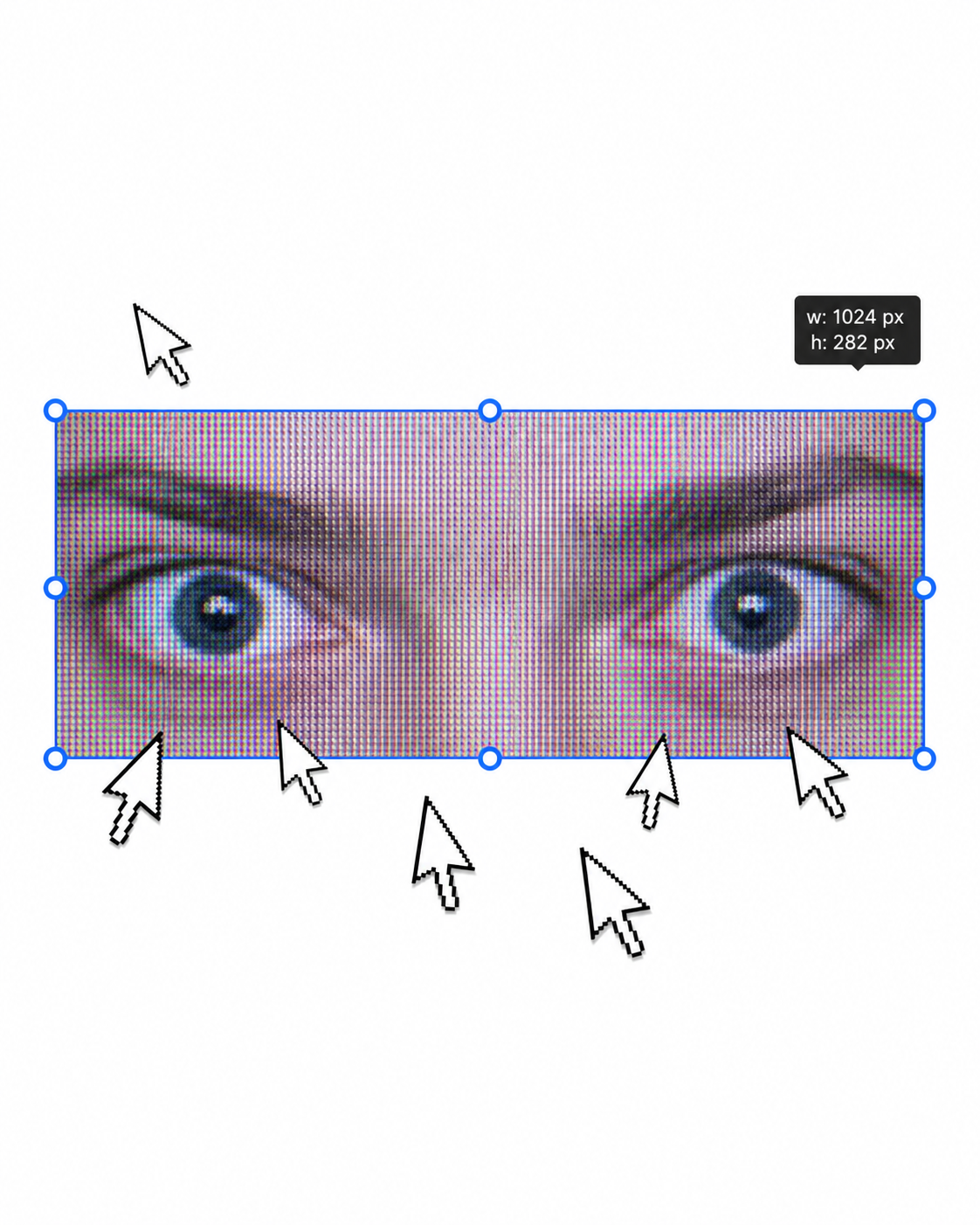
AI-generated Urban Fashion Editorial Poster made with GPT Image 2

Urban Fashion Editorial Poster

GPT Image 2· Image
1. json prompt version ```json { "subject": { "description": "A cropped, low-resolution digital image of a person's eyes inside a rectangular selection box, resembling an image-editing canvas or screenshot. Only the eye area and eyebrows are visible; the rest of the face and body are cut off.", "mirror_rules": "Not a mirror selfie. Preserve the screen-capture / interface-editing feel rather than treating it as a conventional portrait.", "age": "adult or young adult, exact age unclear due to extreme crop and pixelation", "expression": { "eyes": { "look": "wide, direct, slightly tense gaze", "energy": "alert, uncanny, quietly confrontational", "direction": "looking straight toward the viewer" }, "mouth": { "position": "not visible", "energy": "not applicable" }, "overall": "fragmented and decontextualized, with the eyes carrying all emotional weight" }, "face": { "preserve_original": "Preserve the exact cropped eye-band framing, visible eyebrows, dark pupils, low-resolution halftone texture, and slight pink-gray screen tint.", "makeup": "No clear makeup is visible. The face should read as a raw, pixelated screen image rather than a polished beauty portrait." } }, "hair": { "color": "not visible", "style": "not visible", "effect": "not applicable" }, "body": { "frame": "not visible", "waist": "not visible", "chest": "not visible", "legs": "not visible", "skin": { "visible_areas": "Only a narrow strip of facial skin around the eyes, eyelids, under-eye area, bridge of the nose, and brow region is visible. No shoulders, chest, waist, hips, legs, back, or arms are visible.", "tone": "pale pink-gray skin tone distorted by screen pixels and scanline-like color separation", "texture": "The skin appears roughened by digital pixel structure, like it would feel visually grainy or screen-printed rather than physically smooth; any natural skin texture is obscured by the low-resolution display pattern.", "lighting_effect": "The skin is not lit by natural photographic light; it appears illuminated through a flat digital screen or screenshot, with no realistic shadow depth, only pixel-level contrast and faint magenta-gray banding." } }, "pose": { "position": "Only the eyes are framed horizontally inside a selected rectangular crop.", "base": "No body pose visible.", "overall": "The composition feels like a fragment being actively selected, edited, or dragged inside a design interface." }, "clothing": { "top": { "type": "not visible", "color": "not visible", "details": "not visible", "effect": "not applicable" }, "bottom": { "type": "not visible", "color": "not visible", "details": "not visible" } }, "accessories": { "device": "Implied computer interface or editing software canvas", "prop": "Multiple oversized black-and-white mouse cursor arrows surrounding and pointing toward the selected eye image" }, "photography": { "camera_style": "Not a traditional photograph; a screenshot-like digital collage or UI-capture aesthetic with a pasted low-resolution eye image.", "angle": "Straight-on, flat frontal view with no perspective depth.", "shot_type": "Extreme close-up crop of eyes embedded in a graphic interface composition.", "aspect_ratio": "Overall image is near 4:5 vertical canvas; the selected eye strip is a long horizontal rectangle.", "texture": "Visible pixel grid, moire-like vertical RGB scanlines, compressed low-res texture, hard-edged UI elements, clean white canvas background.", "lighting": "Flat screen illumination, no cinematic lighting, no natural directionality; contrast comes from the digital image and interface overlay.", "depth_of_field": "No optical depth of field; all elements appear flattened like a graphic screenshot." }, "background": { "setting": "Minimal white digital workspace or blank canvas", "wall_color": "white", "elements": [ "bright cyan-blue rectangular selection outline", "round blue resize handles on corners and midpoints", "small dark floating size tooltip near the top-right edge", "several repeated mouse cursor arrows arranged around the eye crop", "large empty white space above and below the selected image" ], "atmosphere": "Sparse, internet-art, meme-adjacent, slightly uncanny and obsessive", "lighting": "Pure digital white background with no physical environmental light" }, "the_vibe": { "energy": "hyper-focused, intrusive, glitchy", "mood": "uncanny, anxious, surveillance-like, absurdly intimate", "aesthetic": "early internet collage, screenshot art, low-res UI manipulation, digital found-image surrealism", "authenticity": "Should feel like an imperfect screenshot taken during editing, not a clean vector recreation or polished poster.", "intimacy": "The extreme eye crop creates uncomfortable closeness while the interface elements keep it emotionally detached.", "story": "It feels as if someone had been selecting a stranger's gaze on a blank canvas, and the repeated cursors are still converging on it.", "caption_energy": "something that was clicked too many times, a gaze trapped inside an editing box" }, "constraints": { "must_keep": [ "white blank background", "horizontal rectangular crop containing only both eyes and eyebrows", "cyan-blue selection box with circular resize handles", "visible pixelated / scanline texture across the eye image", "multiple large black-and-white cursor arrows pointing toward or around the eyes", "small size-tooltip near the upper right of the selection box", "flat screenshot-like composition", "uncanny direct gaze" ], "avoid": [ "do not turn it into a full-face portrait", "do not add visible body, clothing, hair, or environment", "do not make the image high-fashion or cinematic", "do not remove the UI selection handles", "do not smooth out the pixel grid", "do not replace the cursors with realistic hands or objects", "do not add dramatic shadows or realistic depth" ] }, "negative_prompt": [ "full body", "full face", "beauty portrait", "cinematic lighting", "realistic background", "smooth skin", "high resolution glamour", "fashion editorial", "hands", "extra facial features", "removed cursor arrows", "removed selection box", "3D depth", "polished vector art" ] } ``` 2. Natural language prompt Create a flat, screenshot-like digital collage on a mostly blank white canvas. In the center, place a long horizontal rectangular crop showing only a person's eyes, eyebrows, eyelids, under-eye area, and a narrow strip of pale pink-gray facial skin. The gaze should look straight at the viewer, wide and slightly tense, with an uncanny, alert emotional residue. Do not show the full face, mouth, hair, body, clothing, shoulders, chest, waist, hips, legs, arms, or any physical environment. The eye crop should look low-resolution and screen-captured, with visible pixel grid, vertical RGB scanline texture, faint moire, compression artifacts, and a slightly gray-magenta digital tint. The skin should not look polished or naturally lit; it should feel visually grainy, like a rough screen-printed or monitor-textured surface rather than smooth real skin. Lighting should be flat screen illumination with no realistic shadows, no cinematic directionality, and no depth-of-field blur. Surround the eye strip with a bright cyan-blue editing selection rectangle, including circular resize handles on the corners and midpoints. Add a small dark size-tooltip near the upper-right edge of the selected rectangle, as if the image is actively being resized in editing software. Place several oversized black-and-white mouse cursor arrows around the eye crop, some pointing toward the eyes and some overlapping the area below, creating a repetitive obsessive clicking energy. The composition should remain front-facing, flat, and graphic, with a near 4:5 vertical canvas and a large amount of empty white space above and below the selected eye strip. Preserve the imperfect screenshot feeling: slightly awkward placement, low-res texture, hard UI edges, and a casual internet-art quality. The image should feel as if someone had been selecting a stranger's gaze on a blank canvas, and the cursors are still converging on it. Avoid turning it into a full portrait, beauty shot, fashion editorial, cinematic scene, polished vector poster, or realistic environment. Keep the selection box, cursor arrows, pixelation, flat white background, and direct uncanny gaze as the core visual identity.

d1f13b0062b253274393e0ac28bf3555
GPT 이미지 2로 생성한 입학 축하

입학 축하

GPT Image 2· Image
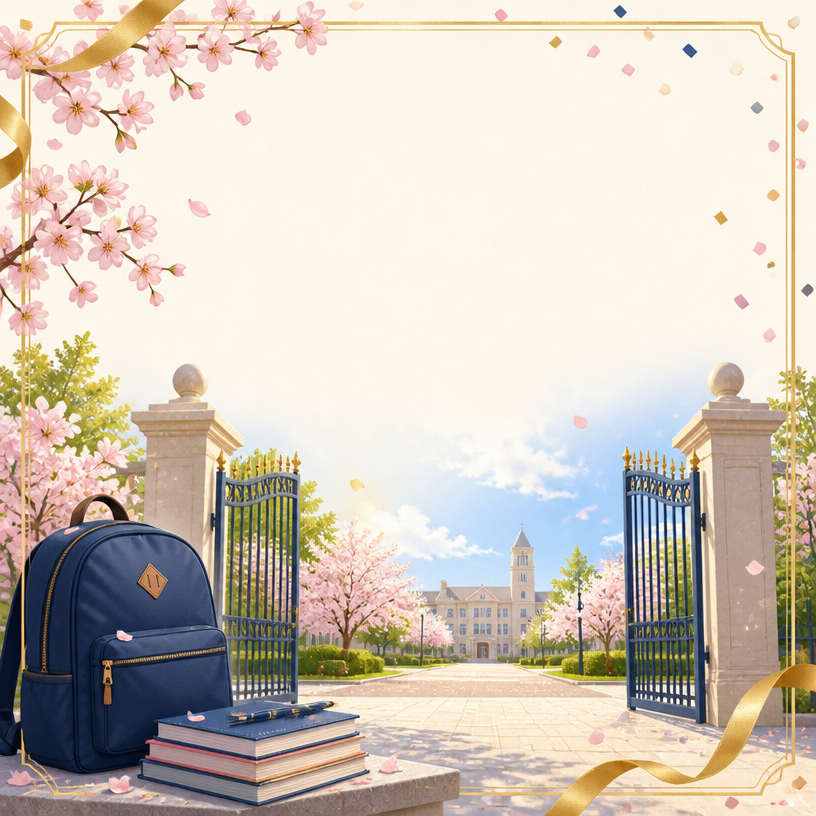
Square admission greeting card illustration with an open school gate, bright campus path, spring cherry blossoms, navy backpack, notebooks, confetti and a golden ribbon frame. No readable text, no logo, no watermark.
AI-generated Futuristic AI App Marketing Banner made with GPT Image 2

Futuristic AI App Marketing Banner

GPT Image 2· Image
Create a clean, futuristic marketing banner in a premium 3D commercial style, designed for an AI app, mobile platform, or startup landing page. Use a soft white-to-light-blue gradient background with a subtle airy glow, lots of negative space, and a polished minimal tech aesthetic. On the left side, place a tall modern smartphone in a slight three-quarter view, with a glossy black frame, realistic screen reflections, and a visible app interface that resembles a social media profile.In front of the phone, position a sleek humanoid robot with a glossy white armored body, black joints, illuminated cyan-blue accents, and a large smooth visor-style face with glowing blue eyes. The robot should be in an energetic forward-running pose, as if stepping out of the phone into the real world, one leg lifted and arms bent dynamically. Give it a friendly but powerful AI assistant look, with detailed mechanical seams, polished surfaces, and high-end sci-fi realism. The robot should feel advanced, helpful, and ready to power a smart app experience.On the right side of the composition, place large bold headline text in a modern rounded sans-serif font, colored deep blue or indigo, aligned left and stacked in three lines: “AI SOCIAL MEDIA AUTOMATION EXPERT” and 'Content • Posting • Full Management'. The typography should be crisp, oversized, and highly legible, with a strong hierarchy and clean spacing. The overall layout should feel balanced and professional, with the robot and phone acting as the visual anchor and the headline as the main message.Use soft studio lighting, realistic shadows under the robot, subtle ambient reflections on the phone, and a light futuristic glow around the subject. Keep the image polished, modern, and app-focused, with a strong sense of innovation, automation, and intelligent digital transformation. The final result should look like a premium AI product ad, startup banner, or SaaS hero image with a sleek, trustworthy, high-conversion visual style.Negative prompt:No clutter, no extra robots, no extra phones, no dark background, no heavy shadows, no neon overload, no chaotic UI, no low-resolution details, no cartoon look, no text distortions, no spelling mistakes, no extra limbs, no broken anatomy, no watermark, no frame, no grain, no messy composition. 16:9 aspect ratio
611501fcbfd00cc0b925fe59020c1ae5
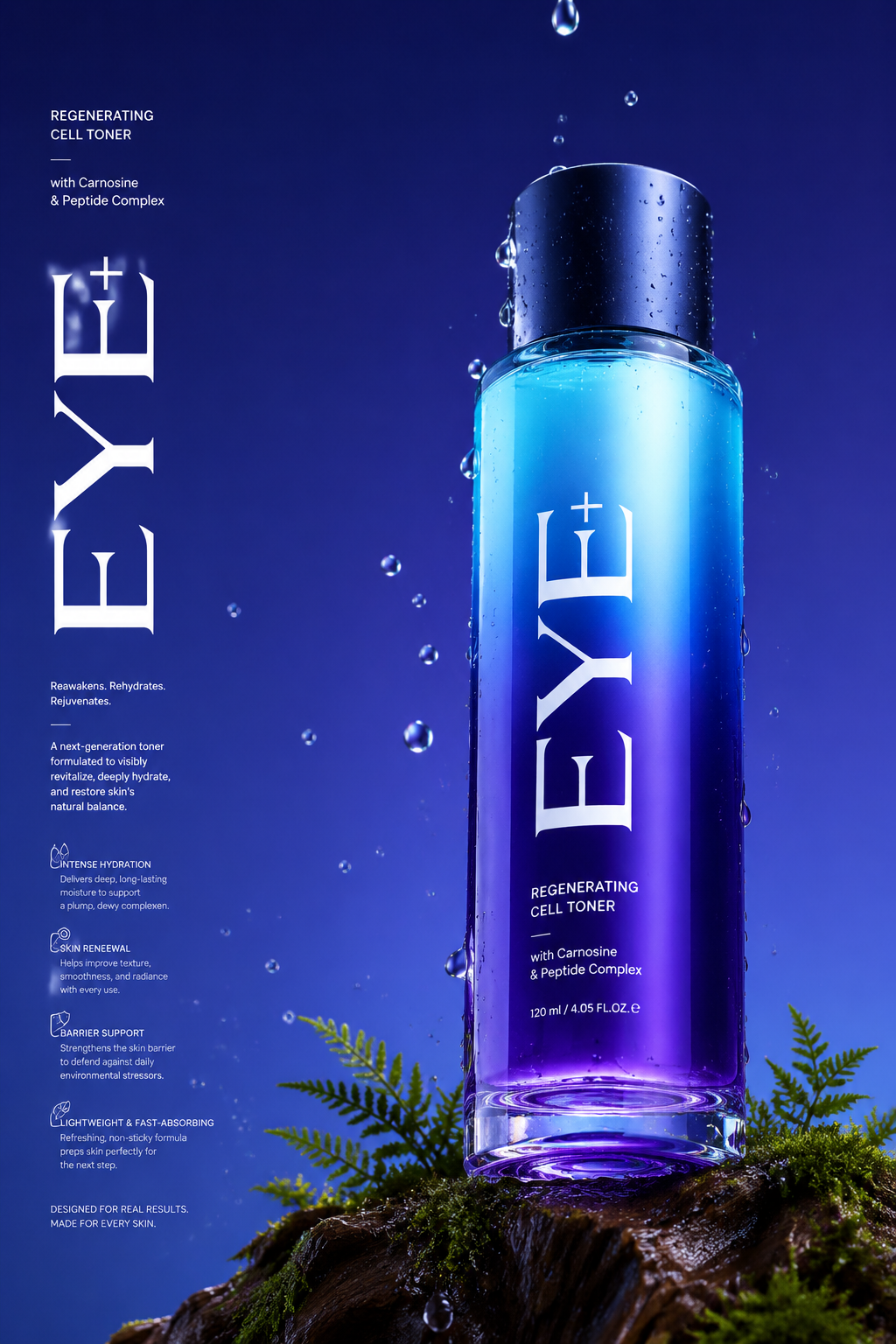
AI-generated Luxury Perfume Product Photo made with GPT Image 2

Luxury Perfume Product Photo

GPT Image 2· Image
Long Commercial luxury product photography poster, photorealistic, ultra high detail, 8K quality. A gradient deep violet glass base in royal purple and electric blue gradually transitioning to a lighter cyan at the top. The bottle is placed on a trunk with dark moss and tiny ferns appearing in the scene. Name of brand "Eye+" Low angle 45° side camera view to make the bottle feel tall and powerful. The bottom of the bottle is partially visible. Realistic water droplets in air, around the bottle and in background, the bottle has a matte midnight blue cap. With a few drops falling, frozen mid-drip for a time-stopped effect. Background with no texture. Soft, even studio lighting with clean reflections, premium advertising look, sharp focus, realistic materials, no distractions. Light refraction & retention at the bottom of the bottle contact with glass. Big text vertically stretched EYE+ in white and a lot of small text in background in white product description, advantages in product. Etc.
496d11f7c212e309976dad830b87eb4b
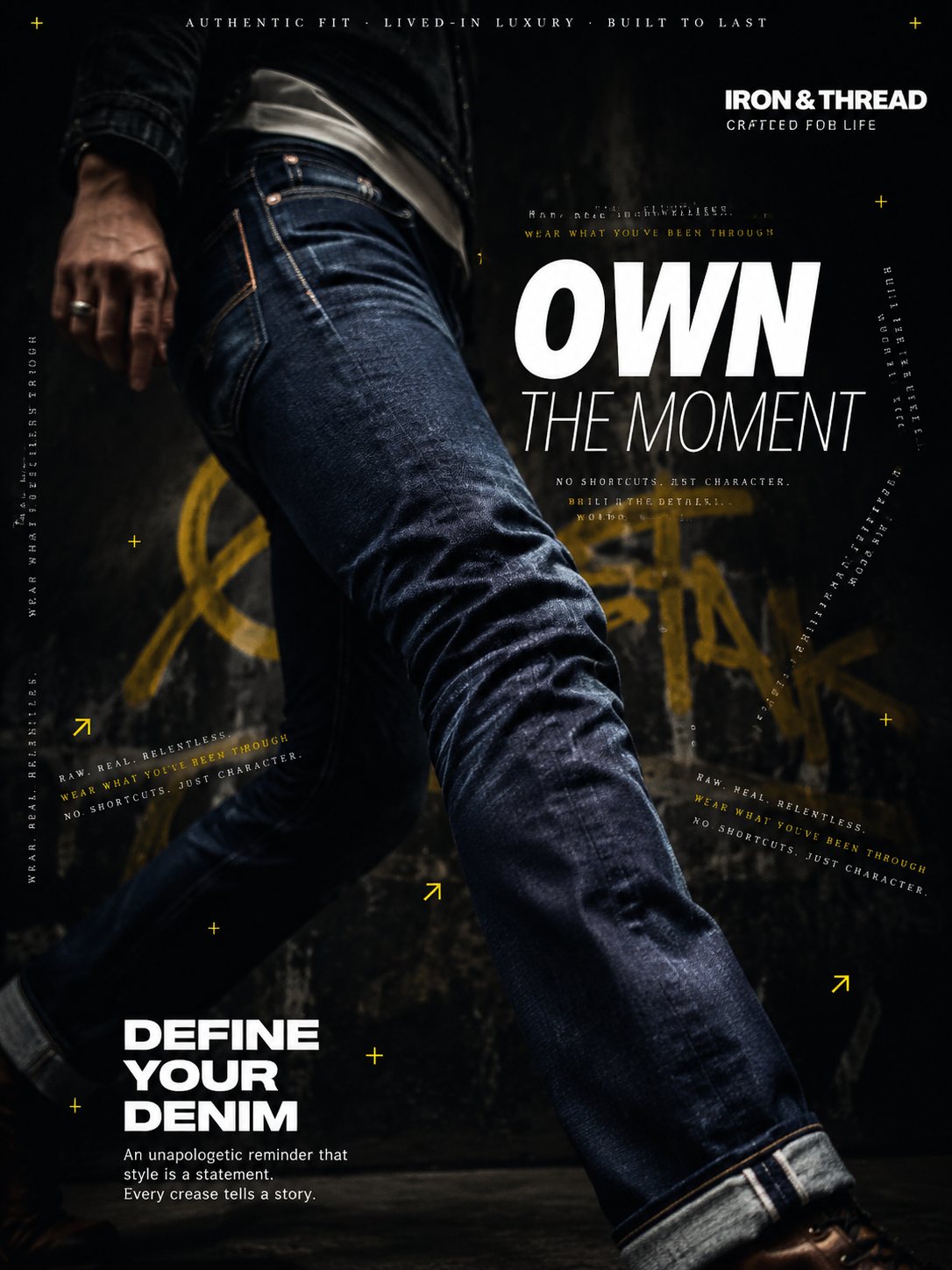
AI-generated Dark Denim Fashion Advertisement made with GPT Image 2

Dark Denim Fashion Advertisement

GPT Image 2· Image
A hyperrealistic premium denim advertisement shot in a dark, moody editorial style. A male figure wearing raw selvedge denim jeans is captured mid-stride against a near-black charcoal background, body angled diagonally at a bold 45-degree perspective toward the camera. The jeans feature a slim tapered silhouette with deep indigo wash, subtle thigh and knee fading, reinforced copper rivets catching ambient light, and clean off-white contrast stitching, dominating the lower two-thirds of the frame. The composition uses shallow depth of field with sharp focus on the denim texture and soft blur on the upper torso. The background is layered with subtle urban texture — faint graffiti strokes in electric yellow and muted olive, barely visible through a heavy dark vignette. Multiple rows of ultra-small all-caps typographic text orbit the figure at different angles reading phrases like "RAW. REAL. RELENTLESS." and "WEAR WHAT YOU'VE BEEN THROUGH" — some running vertically, some at 30-degree angles, creating a chaotic yet intentional graphic zine energy. At the upper right, a bold brand wordmark appears in clean white against the dark background. At the top center, a thin horizontal navigation-style text bar reads "AUTHENTIC FIT · LIVED-IN LUXURY · BUILT TO LAST" in spaced all-caps serif font. A large commanding headline is placed center-right — "OWN" in massive ultra-bold white letters followed by "THE MOMENT" in lighter weight creating dramatic type hierarchy. Small yellow plus (+) symbols and diagonal arrows (↗) are scattered throughout as accent details. Bottom left features a bold slogan lockup: "DEFINE YOUR DENIM" in large bold sans-serif white text with a thin subline reading "An unapologetic reminder that style is a statement. Every crease tells a story." The overall lighting is dramatic and directional — a single cold key light from the left causing copper rivets to shimmer and deep indigo denim to glow with subtle sheen against the darkness. Close macro detail visible on the fabric weave texture near the knee fade. Photorealistic. Commercial photography quality. High contrast. 4K resolution. 3:4 vertical format optimized for social media.
b62b7a30fb4a9031cc9cf71c1ae5501e
AI-generated Black Floral Studio Portrait made with Nano Banana Pro

Black Floral Studio Portrait

Nano Banana Pro· Image
Studio portrait of baby in a black onesie with a bold floral backdrop, dramatic Rembrandt lighting with soft key and rim light, 85mm lens f/2.0 ISO 200, centered head-and-shoulders composition, editorial moody vibe --ar 4:5
studio-black-floral-drama
AI-generated Baby Portrait with Rose Petals made with Nano Banana Pro

Baby Portrait with Rose Petals

Nano Banana Pro· Image
Top-down flat lay of newborn in a soft beige wrap on a white blanket with scattered rose petals forming a heart, soft window light, 50mm lens f/2.8 ISO 160, symmetrical composition, delicate romantic mood --ar 4:5
rose-petal-flat-lay

What are glitter-nail-design Prompts?

A collection of AI prompts for generating glitter-nail-design images. Copy the glitter-nail-design prompts provided by Carat and paste them into an AI image generation tool to get professional-grade results.

How to Use glitter-nail-design Prompts

  1. Select and copy your desired prompt.
  2. Paste it into the Carat agent.
  3. Modify colors, styles, and composition as needed.
  4. Download the generated image and use it in your project.

Tips for Writing glitter-nail-design Prompts

Specify lighting, texture, composition, and lens information in detail for more precise results. Add "No text, no watermark" to prevent unwanted text overlays.

glitter-nail-design Prompt Applications

glitter-nail-design prompts are used across content creation, marketing, design, and educational resources. AI-generated images dramatically reduce production time while maintaining professional quality.

glitter-nail-design Prompt Optimization Guide

Choose the aspect ratio based on your use case: vertical (9:16) for social media, horizontal (16:9) for web banners, and square (1:1) for product images.

Frequently Asked Questions

Related Prompts

marble-nail-design

marble-nail-design

12 prompts

ribbon-nail-design

ribbon-nail-design

12 prompts

spring-nail-design

spring-nail-design

12 prompts

Seasonal SNS Background

Seasonal SNS Background

5 prompts

Carat Prompt Gallery

Create trending AI prompts instantly

Prompts

  • Logo
  • PPT Design
  • Thumbnail
  • Poster
  • Web Novel Cover
  • ID Photo
  • Caricature
  • Product Detail Page
  • Banner

Models

  • GPT Image 2
  • Seedance 2.0
  • NanoBanana Pro
  • NanoBanana 2

Carat

  • Get started
  • About
  • Blog
  • Careers
  • Contact
  • Partnership
  • Terms
  • Privacy

© 2026 Paradot.Inc All rights reserved.