carat

Prompt Gallery

/

License Plate Frame

Login
Sign Up

License Plate Frame

License Plate Frame prompts. Copy and use License Plate Frame image generation prompts from Carat right away.

2026.07.17

·
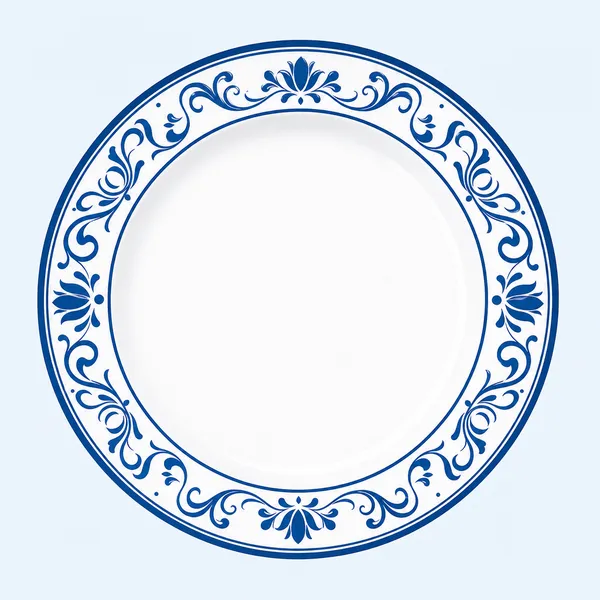
GPT 이미지 2로 생성한 접시 일러스트

접시 일러스트

GPT Image 2· Image
Clean vector sticker illustration of a white ceramic plate, round dinner plate, white and blue palette, no text.
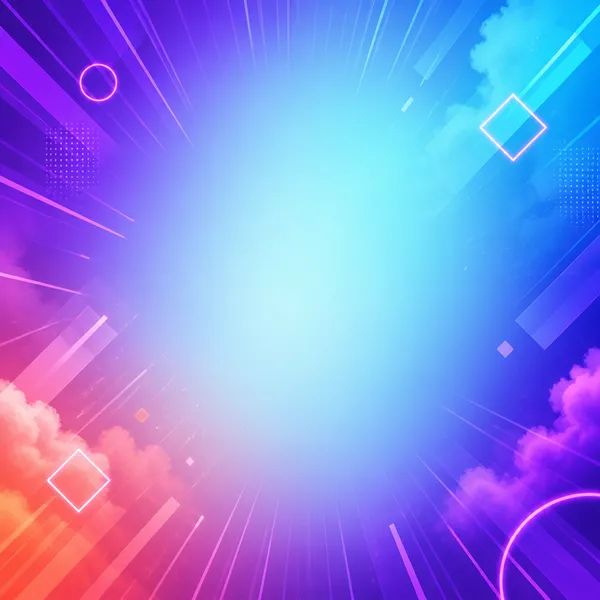
GPT 이미지 2로 생성한 쇼츠 배경

쇼츠 배경

GPT Image 2· Image
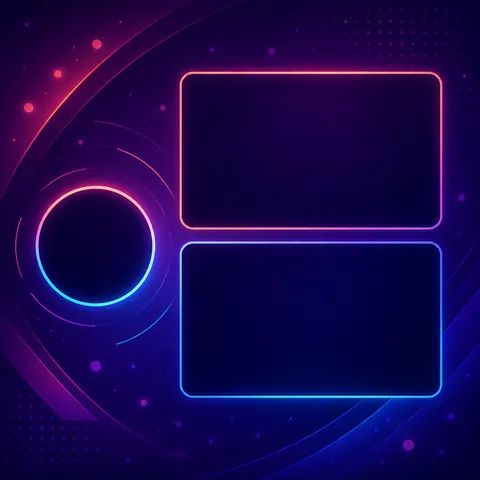
Square preview of a vertical short-form video background template, electric violet, cyan and coral gradient, subtle speed lines, glowing geometric accents, clean central safe area. No text, no logo, no watermark.
AI-generated Futuristic AI App Marketing Banner made with GPT Image 2

Futuristic AI App Marketing Banner

GPT Image 2· Image
Create a clean, futuristic marketing banner in a premium 3D commercial style, designed for an AI app, mobile platform, or startup landing page. Use a soft white-to-light-blue gradient background with a subtle airy glow, lots of negative space, and a polished minimal tech aesthetic. On the left side, place a tall modern smartphone in a slight three-quarter view, with a glossy black frame, realistic screen reflections, and a visible app interface that resembles a social media profile.In front of the phone, position a sleek humanoid robot with a glossy white armored body, black joints, illuminated cyan-blue accents, and a large smooth visor-style face with glowing blue eyes. The robot should be in an energetic forward-running pose, as if stepping out of the phone into the real world, one leg lifted and arms bent dynamically. Give it a friendly but powerful AI assistant look, with detailed mechanical seams, polished surfaces, and high-end sci-fi realism. The robot should feel advanced, helpful, and ready to power a smart app experience.On the right side of the composition, place large bold headline text in a modern rounded sans-serif font, colored deep blue or indigo, aligned left and stacked in three lines: “AI SOCIAL MEDIA AUTOMATION EXPERT” and 'Content • Posting • Full Management'. The typography should be crisp, oversized, and highly legible, with a strong hierarchy and clean spacing. The overall layout should feel balanced and professional, with the robot and phone acting as the visual anchor and the headline as the main message.Use soft studio lighting, realistic shadows under the robot, subtle ambient reflections on the phone, and a light futuristic glow around the subject. Keep the image polished, modern, and app-focused, with a strong sense of innovation, automation, and intelligent digital transformation. The final result should look like a premium AI product ad, startup banner, or SaaS hero image with a sleek, trustworthy, high-conversion visual style.Negative prompt:No clutter, no extra robots, no extra phones, no dark background, no heavy shadows, no neon overload, no chaotic UI, no low-resolution details, no cartoon look, no text distortions, no spelling mistakes, no extra limbs, no broken anatomy, no watermark, no frame, no grain, no messy composition. 16:9 aspect ratio
611501fcbfd00cc0b925fe59020c1ae5
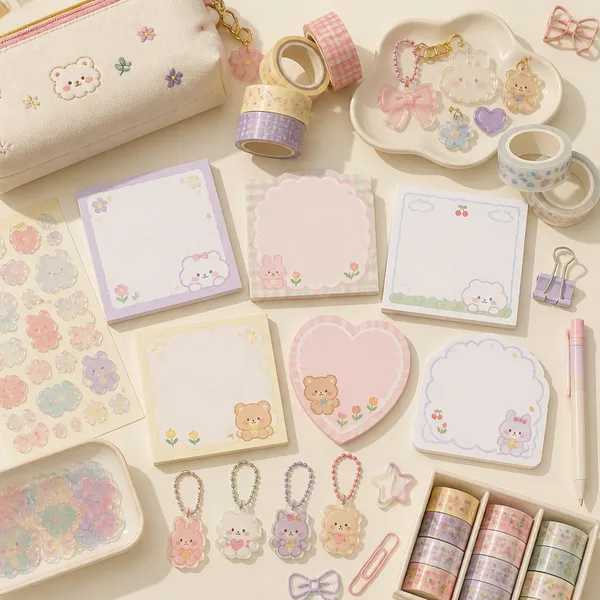
GPT 이미지 2로 생성한 팬시 굿즈

팬시 굿즈

GPT Image 2· Image
Square flat-lay of charming pastel stationery goods: blank memo pads, translucent sticker shapes, acrylic charms, washi tape, clips and pouch, soft daylight. No readable text, no logo, no watermark.
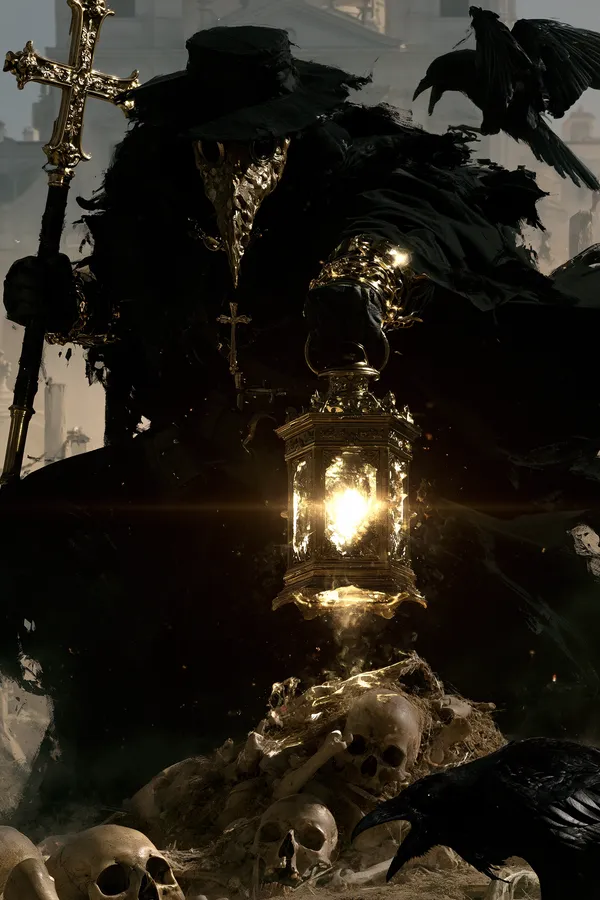
AI-generated Graveyard Plague Doctor Poster made with Midjourney

Graveyard Plague Doctor Poster

Midjourney· Image
A plague doctor with a textured mask, holding a lantern and a staff with a cross, standing in a graveyard, dynamic pose, surrounded by skulls and remains, Raven, hazy architectural background, dramatic high contrast lighting, realistic 4K --chaos 11 --ar 2:3 --exp 35 --raw --sref 931379730 3600739026 2856554496 2403970710 --profile gw85t4j rxbd514 --hd --preview
b5dc213527df2ee94adde656a8c477f2
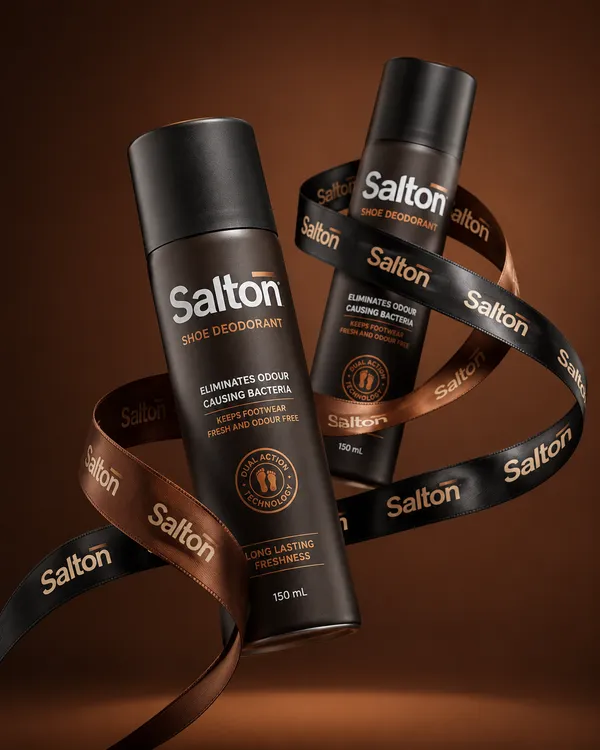
AI-generated Premium Shoe Deodorant Product Ad made with GPT Image 2

Premium Shoe Deodorant Product Ad

GPT Image 2· Image
A product photo in a premium advertising style. Two tall matte bottles of Salton Shoe Deodorant levitate in the air in a dynamic, balanced composition. The bottles are positioned at an angle to each other, creating a striking diagonal composition. One bottle is slightly forward, the other is slightly behind, creating depth and hierarchy. Both bottles are elegantly wrapped with a wide black and brown satin ribbon featuring the repeating "Salton" branding. The lettering is executed in a neat, contrasting font, legible without distortion, and is repeated evenly along the entire length of the ribbon. The ribbon flows smoothly between the bottles, uniting them into a single composition, without obscuring key messages on the packaging or clashing with the main branding on the bottles. Shot from a slightly lower angle, the bottles are slightly tilted, enhancing a sense of confidence, strength, and premium quality. The background is a solid studio color, a deep warm shade (chocolate, dark caramel or soft terracotta), clean and minimalist, without distracting details.
03c3bc0a085ce1071d7679a60522d627
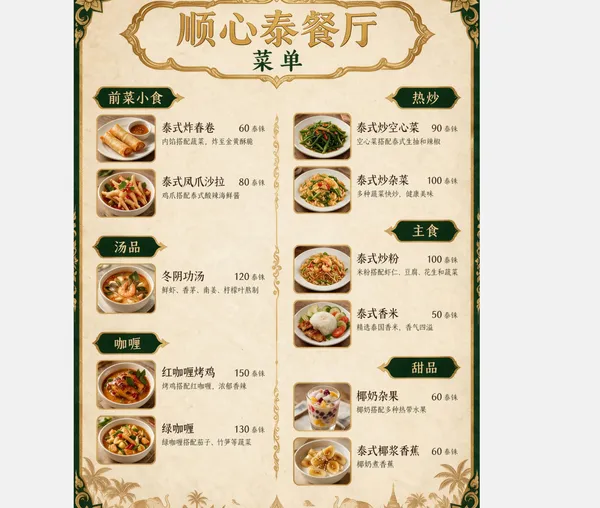
AI-generated Thai Restaurant Menu Translation made with Seedream 5.0 Pro

Thai Restaurant Menu Translation

Seedream 5.0 Pro· Image
Translate this restaurant menu into Chinese, keeping the exact same layout, colors, borders, and decorative design. Only the text changes.
ByteDance Seed
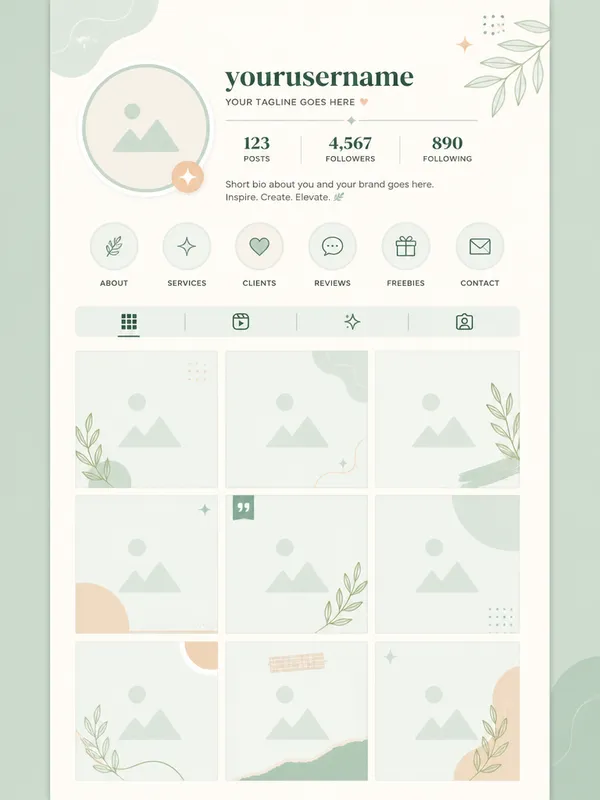
GPT 이미지 2로 생성한 인스타그램 피드 템플릿

인스타그램 피드 템플릿

GPT Image 2· Image
a graphic design Instagram feed template mockup with a 3-column grid of square photo placeholder frames, top profile section with circular avatar placeholder and username text area, pastel mint and cream color scheme, modern minimal UI layout design, vertical scroll format, clean vector graphic illustration style, flat shapes and outlines. premium graphic design layout, strong hierarchy, modular grid, tasteful typography placeholders. front-facing centered composition with generous padding. soft pastel palette with warm highlights. Make the subject immediately recognizable at thumbnail size. Use clean composition, purposeful details, and no watermark. Keep the layout organized, readable, and purposeful; avoid clutter and illegible typography.
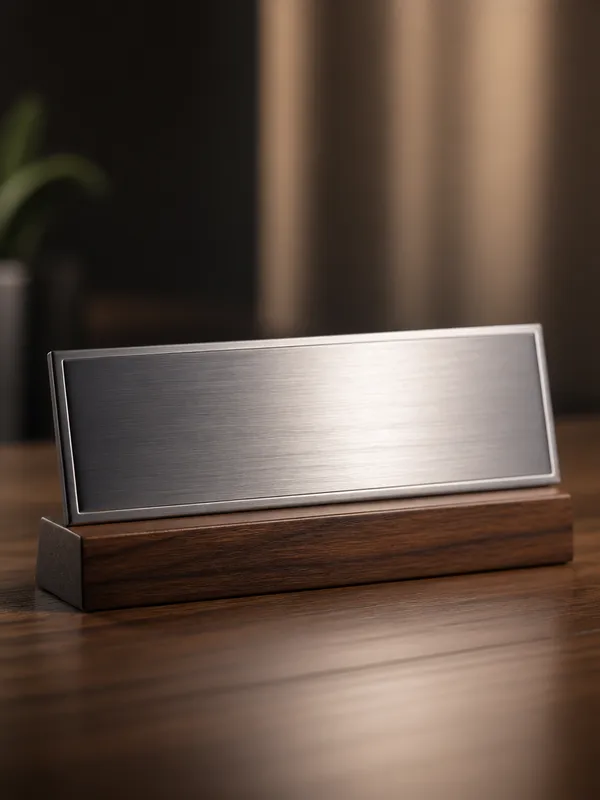
GPT 이미지 2로 생성한 명패 디자인

명패 디자인

GPT Image 2· Image
A sleek modern office desk name plate with brushed metal surface and engraved typography on a wooden base, minimalist corporate aesthetic, soft directional light highlighting the metal texture., Photorealistic product photography, soft diffused studio lighting, gentle highlights and shadows, clean, premium, editorial mood, natural saturated colors with subtle warmth, centered or slight Dutch angle, shallow depth of field, blurred gradient background, No text, no watermark.
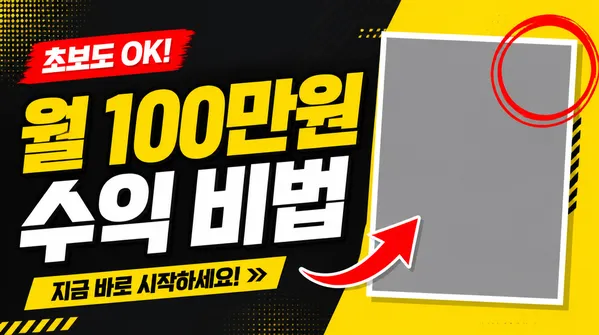
GPT 이미지 2로 생성한 유튜브 썸네일 템플릿

유튜브 썸네일 템플릿

GPT Image 2· Image
a bold YouTube thumbnail template design with large headline text zone on the left side, rectangular photo placeholder frame on the right, red arrow accent pointing at the photo frame, red circle highlight, high contrast yellow and dark charcoal background, geometric layout grid, 16:9 horizontal format, clean vector graphic style. lifestyle photo composition, natural light, authentic setting, realistic texture detail. three-quarter view with clear silhouette and subtle depth. bright friendly palette suitable for Korean mobile UI. Make the subject immediately recognizable at thumbnail size. Use clean composition, purposeful details, and no watermark. Keep materials and lighting realistic unless the keyword explicitly asks for illustration.
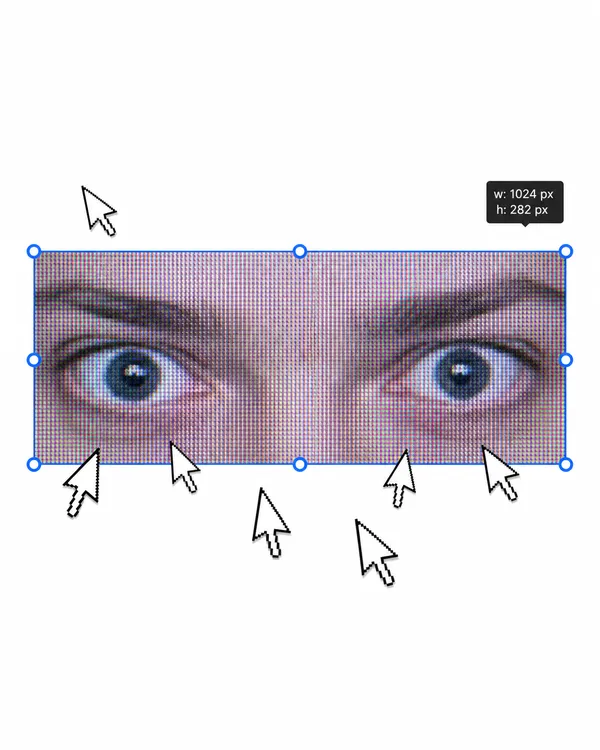
AI-generated Urban Fashion Editorial Poster made with GPT Image 2

Urban Fashion Editorial Poster

GPT Image 2· Image
1. json prompt version ```json { "subject": { "description": "A cropped, low-resolution digital image of a person's eyes inside a rectangular selection box, resembling an image-editing canvas or screenshot. Only the eye area and eyebrows are visible; the rest of the face and body are cut off.", "mirror_rules": "Not a mirror selfie. Preserve the screen-capture / interface-editing feel rather than treating it as a conventional portrait.", "age": "adult or young adult, exact age unclear due to extreme crop and pixelation", "expression": { "eyes": { "look": "wide, direct, slightly tense gaze", "energy": "alert, uncanny, quietly confrontational", "direction": "looking straight toward the viewer" }, "mouth": { "position": "not visible", "energy": "not applicable" }, "overall": "fragmented and decontextualized, with the eyes carrying all emotional weight" }, "face": { "preserve_original": "Preserve the exact cropped eye-band framing, visible eyebrows, dark pupils, low-resolution halftone texture, and slight pink-gray screen tint.", "makeup": "No clear makeup is visible. The face should read as a raw, pixelated screen image rather than a polished beauty portrait." } }, "hair": { "color": "not visible", "style": "not visible", "effect": "not applicable" }, "body": { "frame": "not visible", "waist": "not visible", "chest": "not visible", "legs": "not visible", "skin": { "visible_areas": "Only a narrow strip of facial skin around the eyes, eyelids, under-eye area, bridge of the nose, and brow region is visible. No shoulders, chest, waist, hips, legs, back, or arms are visible.", "tone": "pale pink-gray skin tone distorted by screen pixels and scanline-like color separation", "texture": "The skin appears roughened by digital pixel structure, like it would feel visually grainy or screen-printed rather than physically smooth; any natural skin texture is obscured by the low-resolution display pattern.", "lighting_effect": "The skin is not lit by natural photographic light; it appears illuminated through a flat digital screen or screenshot, with no realistic shadow depth, only pixel-level contrast and faint magenta-gray banding." } }, "pose": { "position": "Only the eyes are framed horizontally inside a selected rectangular crop.", "base": "No body pose visible.", "overall": "The composition feels like a fragment being actively selected, edited, or dragged inside a design interface." }, "clothing": { "top": { "type": "not visible", "color": "not visible", "details": "not visible", "effect": "not applicable" }, "bottom": { "type": "not visible", "color": "not visible", "details": "not visible" } }, "accessories": { "device": "Implied computer interface or editing software canvas", "prop": "Multiple oversized black-and-white mouse cursor arrows surrounding and pointing toward the selected eye image" }, "photography": { "camera_style": "Not a traditional photograph; a screenshot-like digital collage or UI-capture aesthetic with a pasted low-resolution eye image.", "angle": "Straight-on, flat frontal view with no perspective depth.", "shot_type": "Extreme close-up crop of eyes embedded in a graphic interface composition.", "aspect_ratio": "Overall image is near 4:5 vertical canvas; the selected eye strip is a long horizontal rectangle.", "texture": "Visible pixel grid, moire-like vertical RGB scanlines, compressed low-res texture, hard-edged UI elements, clean white canvas background.", "lighting": "Flat screen illumination, no cinematic lighting, no natural directionality; contrast comes from the digital image and interface overlay.", "depth_of_field": "No optical depth of field; all elements appear flattened like a graphic screenshot." }, "background": { "setting": "Minimal white digital workspace or blank canvas", "wall_color": "white", "elements": [ "bright cyan-blue rectangular selection outline", "round blue resize handles on corners and midpoints", "small dark floating size tooltip near the top-right edge", "several repeated mouse cursor arrows arranged around the eye crop", "large empty white space above and below the selected image" ], "atmosphere": "Sparse, internet-art, meme-adjacent, slightly uncanny and obsessive", "lighting": "Pure digital white background with no physical environmental light" }, "the_vibe": { "energy": "hyper-focused, intrusive, glitchy", "mood": "uncanny, anxious, surveillance-like, absurdly intimate", "aesthetic": "early internet collage, screenshot art, low-res UI manipulation, digital found-image surrealism", "authenticity": "Should feel like an imperfect screenshot taken during editing, not a clean vector recreation or polished poster.", "intimacy": "The extreme eye crop creates uncomfortable closeness while the interface elements keep it emotionally detached.", "story": "It feels as if someone had been selecting a stranger's gaze on a blank canvas, and the repeated cursors are still converging on it.", "caption_energy": "something that was clicked too many times, a gaze trapped inside an editing box" }, "constraints": { "must_keep": [ "white blank background", "horizontal rectangular crop containing only both eyes and eyebrows", "cyan-blue selection box with circular resize handles", "visible pixelated / scanline texture across the eye image", "multiple large black-and-white cursor arrows pointing toward or around the eyes", "small size-tooltip near the upper right of the selection box", "flat screenshot-like composition", "uncanny direct gaze" ], "avoid": [ "do not turn it into a full-face portrait", "do not add visible body, clothing, hair, or environment", "do not make the image high-fashion or cinematic", "do not remove the UI selection handles", "do not smooth out the pixel grid", "do not replace the cursors with realistic hands or objects", "do not add dramatic shadows or realistic depth" ] }, "negative_prompt": [ "full body", "full face", "beauty portrait", "cinematic lighting", "realistic background", "smooth skin", "high resolution glamour", "fashion editorial", "hands", "extra facial features", "removed cursor arrows", "removed selection box", "3D depth", "polished vector art" ] } ``` 2. Natural language prompt Create a flat, screenshot-like digital collage on a mostly blank white canvas. In the center, place a long horizontal rectangular crop showing only a person's eyes, eyebrows, eyelids, under-eye area, and a narrow strip of pale pink-gray facial skin. The gaze should look straight at the viewer, wide and slightly tense, with an uncanny, alert emotional residue. Do not show the full face, mouth, hair, body, clothing, shoulders, chest, waist, hips, legs, arms, or any physical environment. The eye crop should look low-resolution and screen-captured, with visible pixel grid, vertical RGB scanline texture, faint moire, compression artifacts, and a slightly gray-magenta digital tint. The skin should not look polished or naturally lit; it should feel visually grainy, like a rough screen-printed or monitor-textured surface rather than smooth real skin. Lighting should be flat screen illumination with no realistic shadows, no cinematic directionality, and no depth-of-field blur. Surround the eye strip with a bright cyan-blue editing selection rectangle, including circular resize handles on the corners and midpoints. Add a small dark size-tooltip near the upper-right edge of the selected rectangle, as if the image is actively being resized in editing software. Place several oversized black-and-white mouse cursor arrows around the eye crop, some pointing toward the eyes and some overlapping the area below, creating a repetitive obsessive clicking energy. The composition should remain front-facing, flat, and graphic, with a near 4:5 vertical canvas and a large amount of empty white space above and below the selected eye strip. Preserve the imperfect screenshot feeling: slightly awkward placement, low-res texture, hard UI edges, and a casual internet-art quality. The image should feel as if someone had been selecting a stranger's gaze on a blank canvas, and the cursors are still converging on it. Avoid turning it into a full portrait, beauty shot, fashion editorial, cinematic scene, polished vector poster, or realistic environment. Keep the selection box, cursor arrows, pixelation, flat white background, and direct uncanny gaze as the core visual identity.

d1f13b0062b253274393e0ac28bf3555
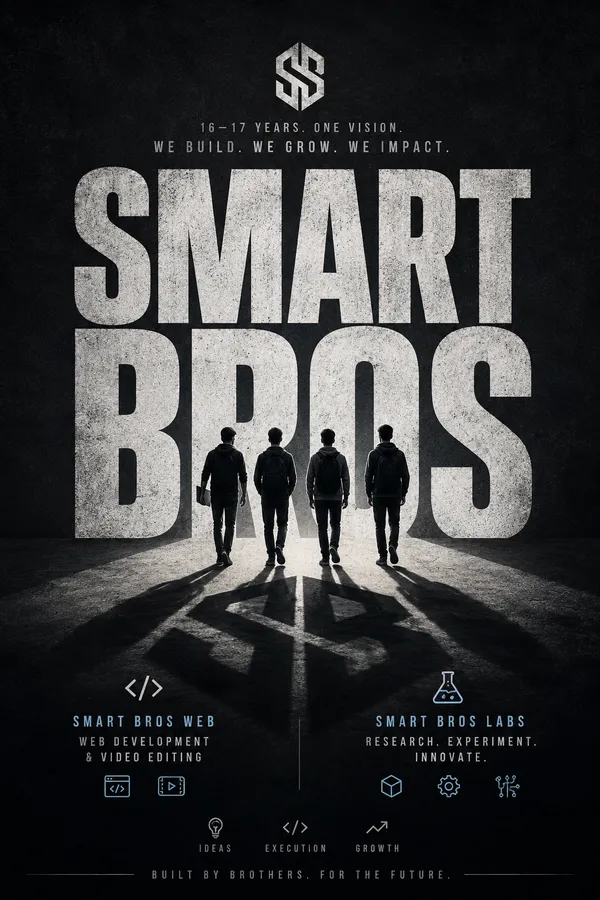
AI-generated Minimal Cinematic Typography Poster made with GPT Image 2

Minimal Cinematic Typography Poster

GPT Image 2· Image
A striking minimalist cinematic poster with a solid [Background Color] textured backdrop. Massive distressed typography reading “[Main Word]” dominates the composition in oversized bold condensed letters, with a small tagline “[Tagline]” positioned above or within the text. A small full-body silhouette of [Famous Person] stands or walks confidently in front of the typography, wearing [Outfit Description] and holding [Prop Or Symbolic Object]. The figure casts an oversized elongated shadow that stretches dramatically across the giant letters, becoming a central storytelling element. High-contrast lighting, subtle grunge texture, premium editorial design, bold negative space, modern minimalist composition, cinematic atmosphere, ultra-detailed, photorealistic, 8K, print-ready. But the context should be for "I want the poster for a Company of a team named Smart Bros Run by 16-17yr boys, who want to build and grow it. It has sub branches Smart Bros Web providing web dev and video editing servics and Smart Bros Labs where the externa independent projects, R&D is done. Through the banner it should depict the idea as a whole in minimalist but modern style
02c55f2a84eafc093ee1e138ff107c50

What are License Plate Frame Prompts?

A collection of AI prompts for generating license plate frame images. Copy the License Plate Frame prompts provided by Carat and paste them into an AI image generation tool to get professional-grade results.

How to Use License Plate Frame Prompts

  1. Select and copy your desired prompt.
  2. Paste it into the Carat agent.
  3. Modify colors, styles, and composition as needed.
  4. Download the generated image and use it in your project.

Tips for Writing License Plate Frame Prompts

Specify lighting, texture, composition, and lens information in detail for more precise results. Add "No text, no watermark" to prevent unwanted text overlays.

License Plate Frame Prompt Applications

License Plate Frame prompts are used across content creation, marketing, design, and educational resources. AI-generated images dramatically reduce production time while maintaining professional quality.

License Plate Frame Prompt Optimization Guide

Choose the aspect ratio based on your use case: vertical (9:16) for social media, horizontal (16:9) for web banners, and square (1:1) for product images.

Frequently Asked Questions

Related Prompts

Poster, Branding & Graphic Design

Poster, Branding & Graphic Design

90 prompts

Camping Cinematic Video

Camping Cinematic Video

6 prompts

Travel YouTube Intro Video

Travel YouTube Intro Video

6 prompts

Poster Template

Poster Template

19 prompts

Carat Prompt Gallery

Create trending AI prompts instantly

Prompts

  • Logo
  • PPT Design
  • Thumbnail
  • Poster
  • Web Novel Cover
  • ID Photo
  • Caricature
  • Product Detail Page
  • Banner

Models

  • GPT Image 2
  • Seedance 2.0
  • NanoBanana Pro
  • NanoBanana 2

Carat

  • Get started
  • About
  • Blog
  • Careers
  • Contact
  • Partnership
  • Terms
  • Privacy

© 2026 Paradot.Inc All rights reserved.