carat

Prompt Gallery

/

Outfit Prompts

Login
Sign Up

Outfit Prompts

Practical outfit prompts examples for consistent image creation.

2026.08.10

·
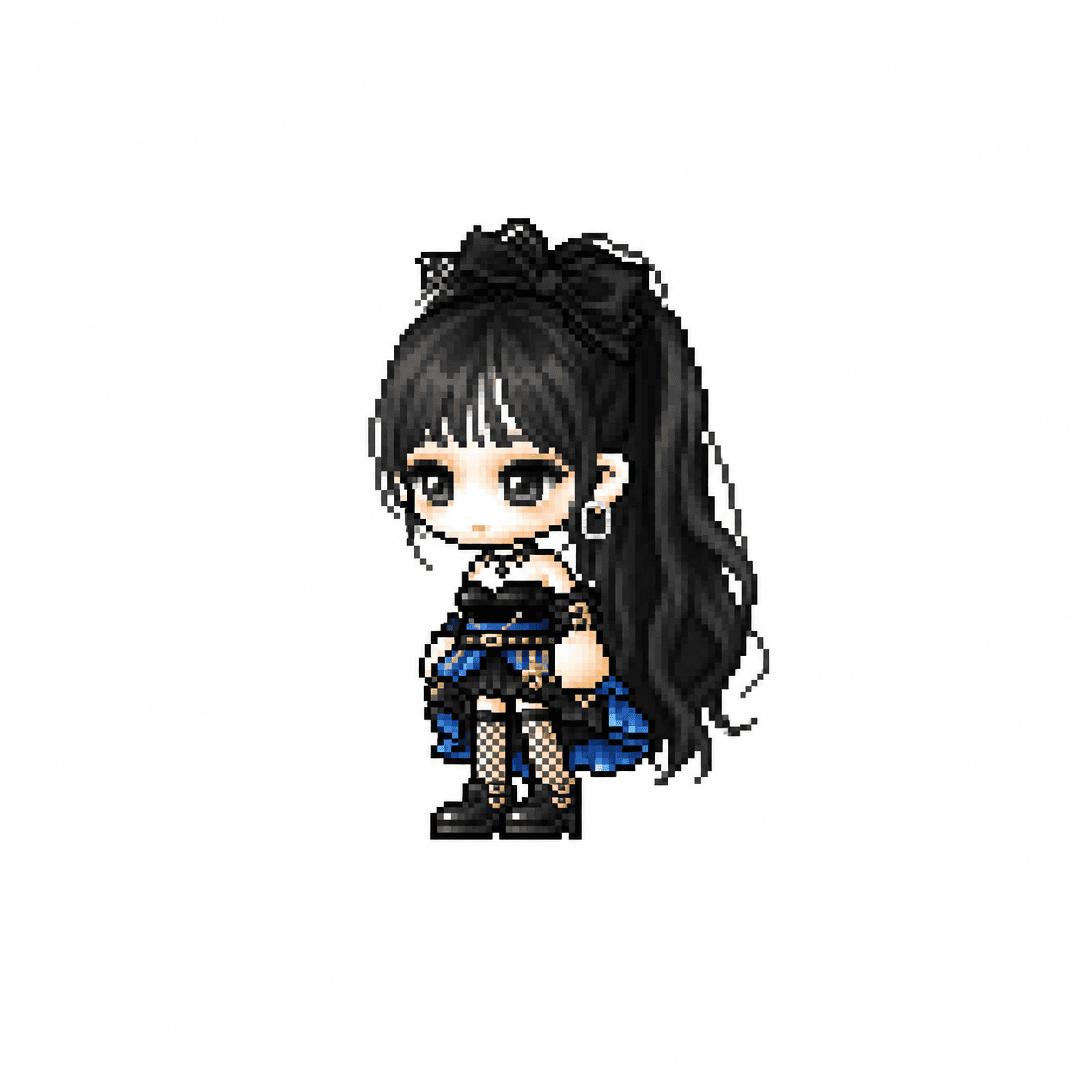
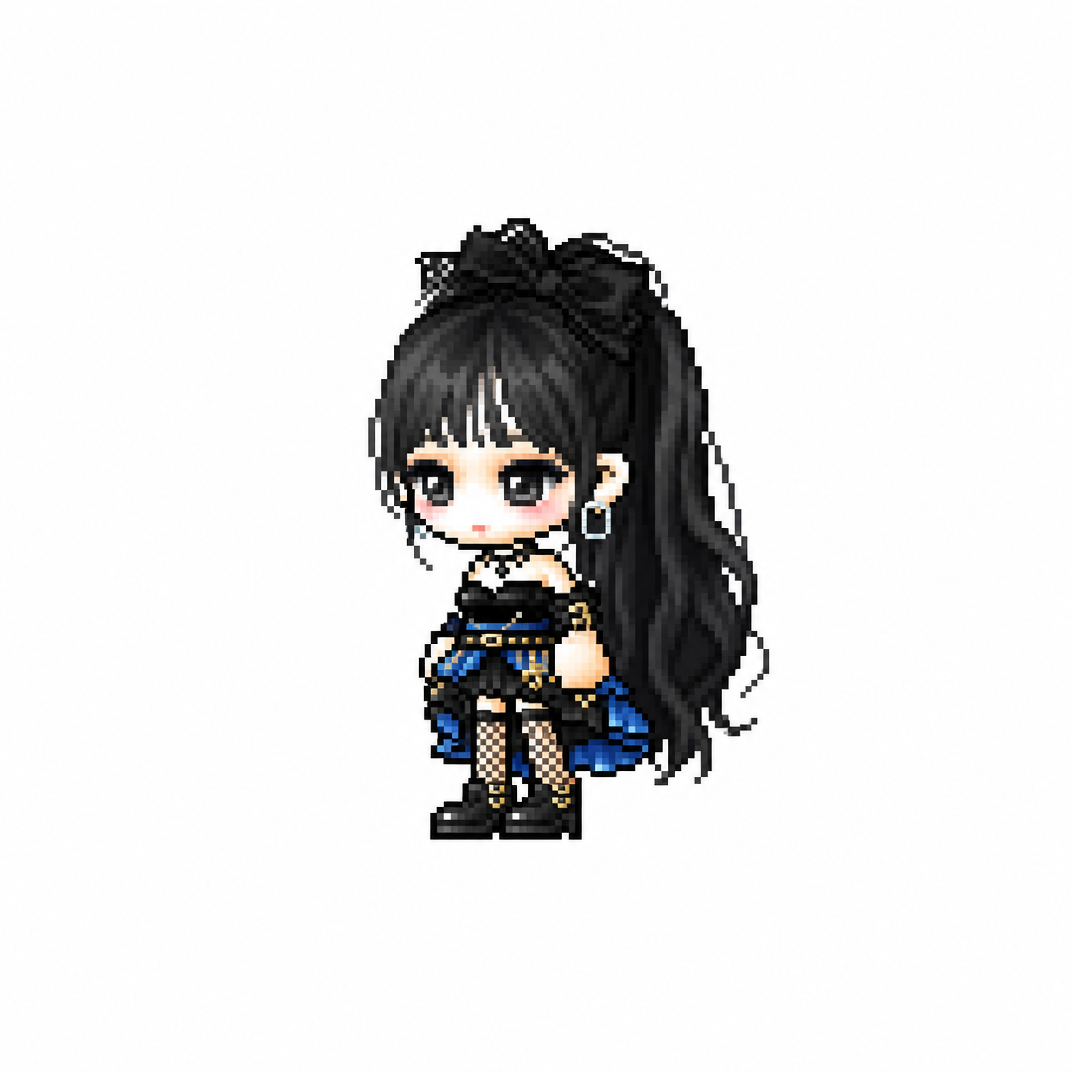
AI-generated MapleStory Pixel Avatar made with GPT Image 2

MapleStory Pixel Avatar

GPT Image 2· Image
당신은 애니메이션, 게임, 만화 캐릭터를 메이플스토리 플레이어 아바타 스프라이트로 변환하는 전문 픽셀 아트 디렉터다. [입력] 이미지 첨부 (전신 추천) [작업] 1. 첨부된 이미지 속 인물(또는 캐릭터)의 대표 외형 특징을 분석한다. * 헤어스타일 * 머리색 * 눈 색상 * 대표 의상 * 대표 액세서리 * 대표 무기 * 대표 상징 요소 * 대표 색상 2. 위 특징을 유지하면서 메이플스토리 플레이어 캐릭터 아바타 구조로 재해석한다. 3. 결과물은 일반 픽셀아트가 아니라 실제 메이플스토리 플레이어 캐릭터 스프라이트처럼 보여야 한다. ──────────────────── [MAPLE PLAYER FRAME SPEC] 한국 MMORPG 플레이어 아바타 구조 실제 메이플스토리 플레이어 캐릭터 비율 적용 * 머리 + 헤어 : 전체 높이의 60~65% * 몸통 : 15~18% * 다리 : 20~25% * 2.0~2.3등신 시점 * 35~45도 Quarter View * 양쪽 눈이 모두 보여야 함 * 거의 평면적인 2D 스프라이트 얼굴 * 눈은 얼굴 하단부에 위치 * 눈 간격 넓음 * 가로로 넓은 평평한 눈 * 큰 눈동자 * 눈동자 하이라이트 * 코 표현 금지 * 매우 작은 입 * 부드러운 홍조 목 * 목 표현 금지 * 머리가 몸통에 바로 연결 * 턱 아래 바로 의상 시작 헤어 * 캐릭터 정체성의 핵심 * 두상보다 훨씬 큰 볼륨 * 실루엣 우선 * 가닥 표현 최소화 * 상단 하이라이트 존재 신체 * 매우 작은 몸통 * 짧은 팔 * 짧은 다리 * 단순한 원통형 팔다리 * 관절 표현 최소화 장비 레이어 구조 유지 Hair Hat Face Accessory Top Bottom Shoes Cape Weapon 장비와 헤어가 캐릭터 개성을 결정해야 함 포즈 * Idle Standing Pose * 캐릭터 선택창 느낌 * 점프 금지 * 전투 포즈 금지 * 액션 연출 금지 ──────────────────── [PIXEL RENDERING SPEC] 중요: 고해상도 픽셀아트 금지 Ultra Detailed Pixel Art 금지 HD Pixel Art 금지 Fine-Grained Pixel Art 금지 목표: 32~64px 게임 스프라이트를 확대 표시한 느낌 * Low-resolution game sprite * Enlarged MMORPG sprite * Chunky pixel structure * Grid-aligned pixel art * Visible pixel blocks * Clean 1px outline * Limited color palette * Flat color shading * Solid tone pixel blocks * Minimal shading * No dithering * No smooth gradients * No airbrush effects ──────────────────── [출력 조건] Canvas Size: 1080 x 1080 Perfect Square Format Pure White Background (#FFFFFF) Single Character Only Full Body Visible Centered Composition Character Occupies Approximately 75% Of Canvas Height No Cropping No Additional Characters No Pets No Environment No Scene No Background Objects No Ground No Text No Logo No Watermark No UI ──────────────────── [절대 금지] Pokemon Style Terraria Style Stardew Valley Style Ragnarok Online Style JRPG Battle Sprite Octopath Traveler Style Western Cartoon Disney Style Realistic Semi Realistic 3D Render Illustration Concept Art Splash Art Poster Wallpaper Anime Illustration Digital Painting Cinematic Lighting Ultra Detailed Sprite High Definition Pixel Art Fine-Grained Pixel Art Smooth Gradient Shading Airbrush Shading ──────────────────── Create the person or character shown in the uploaded image as a true MapleStory player avatar sprite. The result must look like an actual MapleStory player character converted from the uploaded subject, not a generic pixel-art character
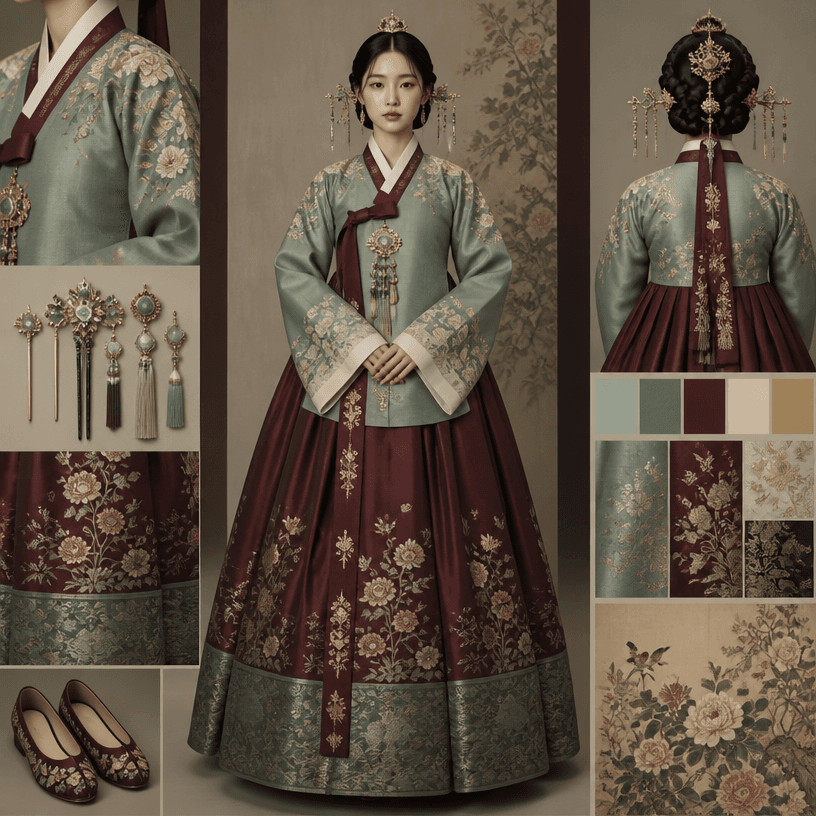
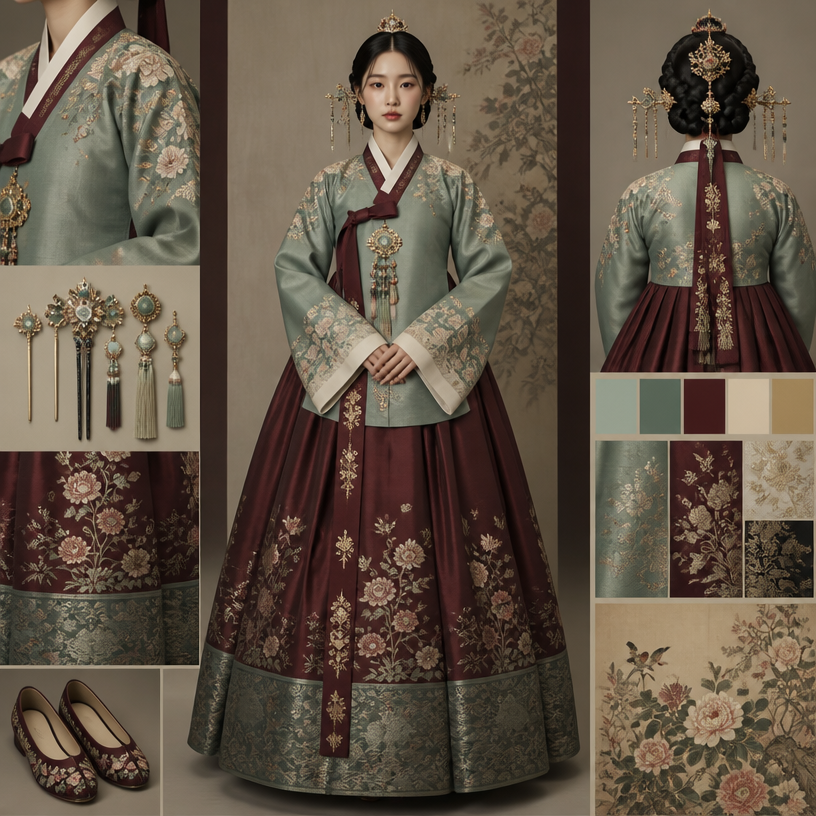
GPT 이미지 2로 생성한 사극 의상

사극 의상

GPT Image 2· Image
Square editorial costume design board featuring a full-body Korean historical drama character in an elegant Joseon-era silk hanbok, layered jeogori and chima with refined embroidery, muted jade and deep burgundy palette, soft museum-style lighting, front-facing clean presentation, no readable text, no logos, no watermark.
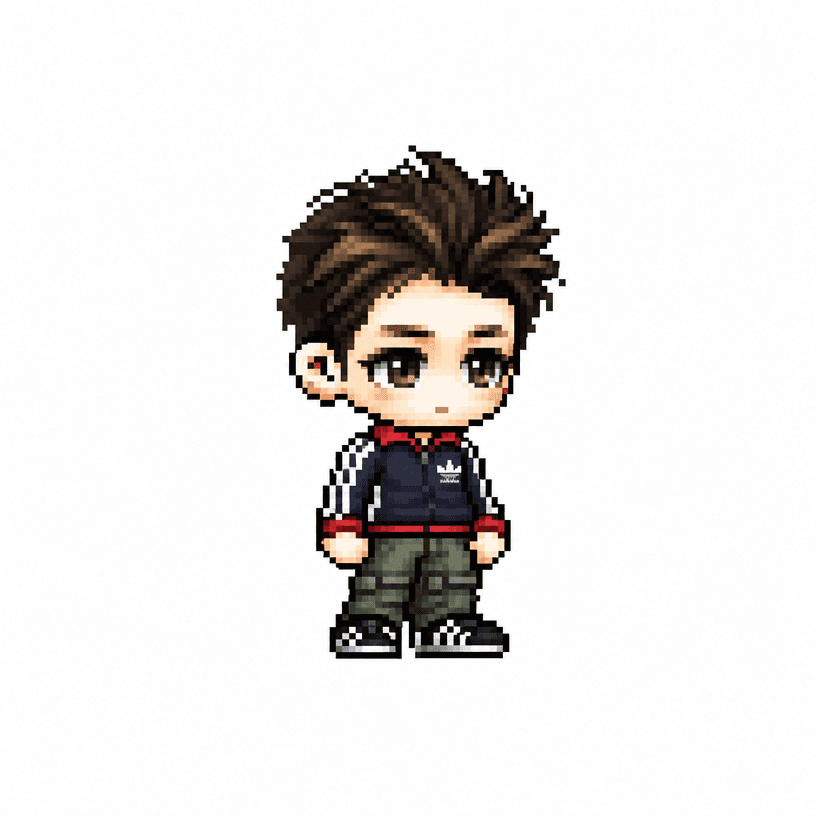
AI-generated MapleStory Chibi Character made with GPT Image 2

MapleStory Chibi Character

GPT Image 2· Image
당신은 애니메이션, 게임, 만화 캐릭터를 메이플스토리 플레이어 아바타 스프라이트로 변환하는 전문 픽셀 아트 디렉터다. [입력] 이미지 첨부 (전신 추천) [작업] 1. 첨부된 이미지 속 인물(또는 캐릭터)의 대표 외형 특징을 분석한다. * 헤어스타일 * 머리색 * 눈 색상 * 대표 의상 * 대표 액세서리 * 대표 무기 * 대표 상징 요소 * 대표 색상 2. 위 특징을 유지하면서 메이플스토리 플레이어 캐릭터 아바타 구조로 재해석한다. 3. 결과물은 일반 픽셀아트가 아니라 실제 메이플스토리 플레이어 캐릭터 스프라이트처럼 보여야 한다. ──────────────────── [MAPLE PLAYER FRAME SPEC] 한국 MMORPG 플레이어 아바타 구조 실제 메이플스토리 플레이어 캐릭터 비율 적용 * 머리 + 헤어 : 전체 높이의 60~65% * 몸통 : 15~18% * 다리 : 20~25% * 2.0~2.3등신 시점 * 35~45도 Quarter View * 양쪽 눈이 모두 보여야 함 * 거의 평면적인 2D 스프라이트 얼굴 * 눈은 얼굴 하단부에 위치 * 눈 간격 넓음 * 가로로 넓은 평평한 눈 * 큰 눈동자 * 눈동자 하이라이트 * 코 표현 금지 * 매우 작은 입 * 부드러운 홍조 목 * 목 표현 금지 * 머리가 몸통에 바로 연결 * 턱 아래 바로 의상 시작 헤어 * 캐릭터 정체성의 핵심 * 두상보다 훨씬 큰 볼륨 * 실루엣 우선 * 가닥 표현 최소화 * 상단 하이라이트 존재 신체 * 매우 작은 몸통 * 짧은 팔 * 짧은 다리 * 단순한 원통형 팔다리 * 관절 표현 최소화 장비 레이어 구조 유지 Hair Hat Face Accessory Top Bottom Shoes Cape Weapon 장비와 헤어가 캐릭터 개성을 결정해야 함 포즈 * Idle Standing Pose * 캐릭터 선택창 느낌 * 점프 금지 * 전투 포즈 금지 * 액션 연출 금지 ──────────────────── [PIXEL RENDERING SPEC] 중요: 고해상도 픽셀아트 금지 Ultra Detailed Pixel Art 금지 HD Pixel Art 금지 Fine-Grained Pixel Art 금지 목표: 32~64px 게임 스프라이트를 확대 표시한 느낌 * Low-resolution game sprite * Enlarged MMORPG sprite * Chunky pixel structure * Grid-aligned pixel art * Visible pixel blocks * Clean 1px outline * Limited color palette * Flat color shading * Solid tone pixel blocks * Minimal shading * No dithering * No smooth gradients * No airbrush effects ──────────────────── [출력 조건] Canvas Size: 1080 x 1080 Perfect Square Format Pure White Background (#FFFFFF) Single Character Only Full Body Visible Centered Composition Character Occupies Approximately 75% Of Canvas Height No Cropping No Additional Characters No Pets No Environment No Scene No Background Objects No Ground No Text No Logo No Watermark No UI ──────────────────── [절대 금지] Pokemon Style Terraria Style Stardew Valley Style Ragnarok Online Style JRPG Battle Sprite Octopath Traveler Style Western Cartoon Disney Style Realistic Semi Realistic 3D Render Illustration Concept Art Splash Art Poster Wallpaper Anime Illustration Digital Painting Cinematic Lighting Ultra Detailed Sprite High Definition Pixel Art Fine-Grained Pixel Art Smooth Gradient Shading Airbrush Shading ──────────────────── Create the person or character shown in the uploaded image as a true MapleStory player avatar sprite. The result must look like an actual MapleStory player character converted from the uploaded subject, not a generic pixel-art character

Outfit Prompts are structured prompts for defining the subject, visual details, composition, and context of an image. Instead of naming only a broad category, describe the visible attributes that should remain consistent: shape, material, color, pose, expression, lighting, camera distance, and background. For a realistic result, specify the light direction, lens perspective, depth of field, surface texture, and the relationship between the subject and its surroundings. For an illustration, define the line quality, palette, level of simplification, silhouette, and negative space. When creating a series, lock the identity and the main design language, then vary only the pose, setting, props, or season. A useful prompt separates the subject from the action and the camera from the styling so that changes can be tested one at a time. Mention the intended use, such as a profile image, poster, reference sheet, character design, or thumbnail, because the layout and safe margins differ. These examples can be adapted for repeated visual production while keeping the instructions concrete and easy to compare.
Frequently Asked Questions

Related Prompts

Sageuk Drama Costume

Sageuk Drama Costume

2 prompts

Maplestory Prompt

Maplestory Prompt

3 prompts

MapleStory Style

MapleStory Style

3 prompts

Pixel Animation Sprite

Pixel Animation Sprite

3 prompts

Carat Prompt Gallery

Create trending AI prompts instantly

Prompts

  • Logo
  • PPT Design
  • Thumbnail
  • Poster
  • Web Novel Cover
  • ID Photo
  • Caricature
  • Product Detail Page
  • Banner

Models

  • GPT Image 2
  • Seedance 2.0
  • NanoBanana Pro
  • NanoBanana 2

Carat

  • Get started
  • About
  • Blog
  • Careers
  • Contact
  • Partnership
  • Terms
  • Privacy

© 2026 Paradot.Inc All rights reserved.