carat

Prompt Gallery

/

Ring Icon

Login
Sign Up

Ring Icon

Ring Icon prompts. Copy and use Ring Icon image generation prompts from Carat right away.

2026.07.17

·
AI-generated Tulip Garden Engagement Ring Close-Up made with Nano Banana Pro
Tulip Garden Engagement Ring Close-Up

Nano Banana Pro· Image
A newly engaged couple in their late-20s standing close in a tulip garden, the woman showing her ring toward the camera while smiling, wearing a blush pink coat and soft waves, the man in a dark green jacket with a relaxed grin, tulips forming a colorful bokeh background, soft diffused light, shot on Canon R5 with 85mm f/1.2, close-up on hands with faces softly in focus, intimate and celebratory mood, photorealistic skin texture and realistic jewelry reflections, professional photography, high resolution, creamy bokeh, gentle pastel grading --ar 4:5
engagement-ring-close-up
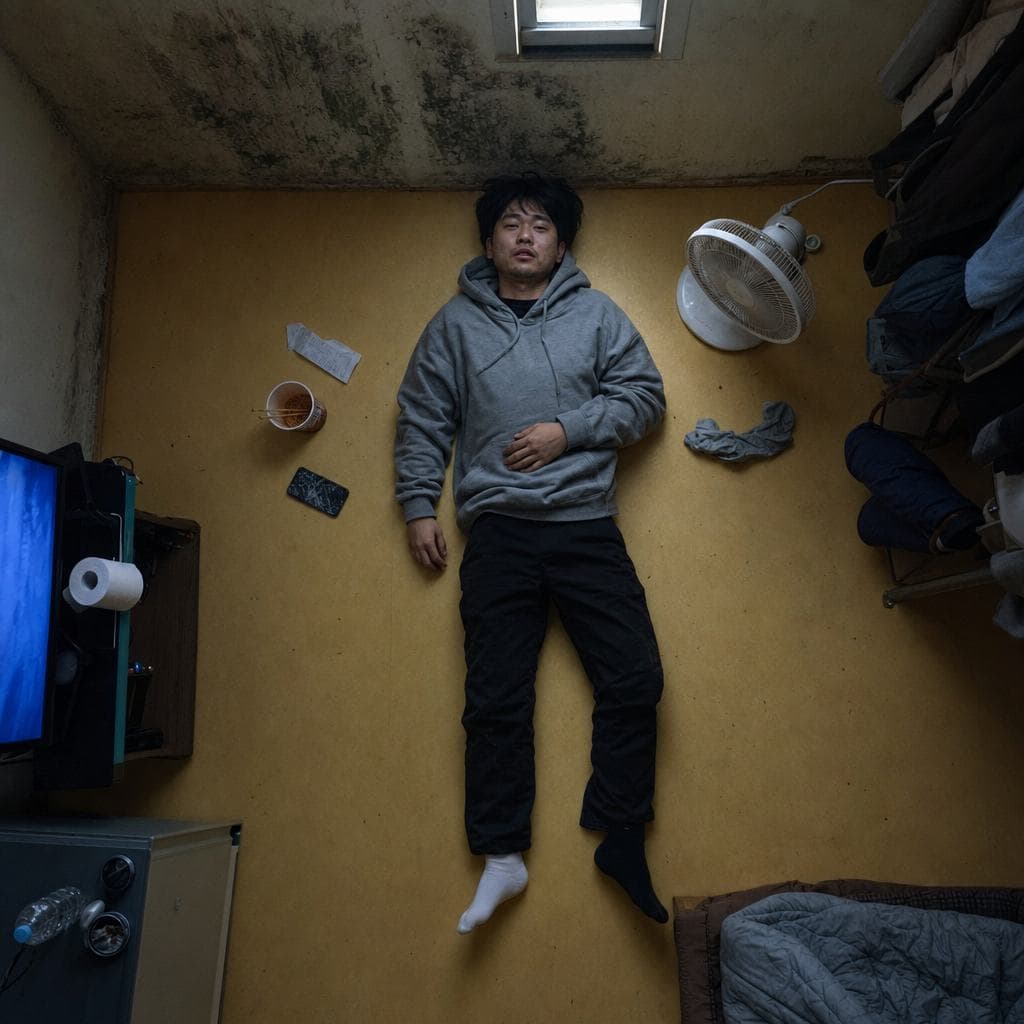
AI-generated Semi-Basement Overhead made with GPT Image 2

Semi-Basement Overhead

GPT Image 2· Image
photograph, square 1:1, top-shot Korean cinema still, overhead view with emotional geometry. A Korean man in his late 20s lies fully clothed on the warm ondol floor of a tiny semi-basement room, seen directly from ceiling height. Around him: a cracked phone, instant ramen cup, folded convenience-store receipt, damp socks, a small fan pointed nowhere. 35mm lens equivalent from overhead, f/5.6, almost diagrammatic composition but natural mess. His face is turned slightly toward the camera: uneven eyelid creases, faint beard shadow, visible pores around nose, dry lower lip, ordinary tired expression, no model styling. Outfit: washed gray hoodie, black slacks with dust at knees, mismatched socks. Light comes from a small high window rectangle plus blue TV glow outside frame. Palette: linoleum yellow, mold green corner, TV blue, tired skin warmth. Fine grain, no text, no watermark, no 3D render, no staged depression cliché, no plastic skin.
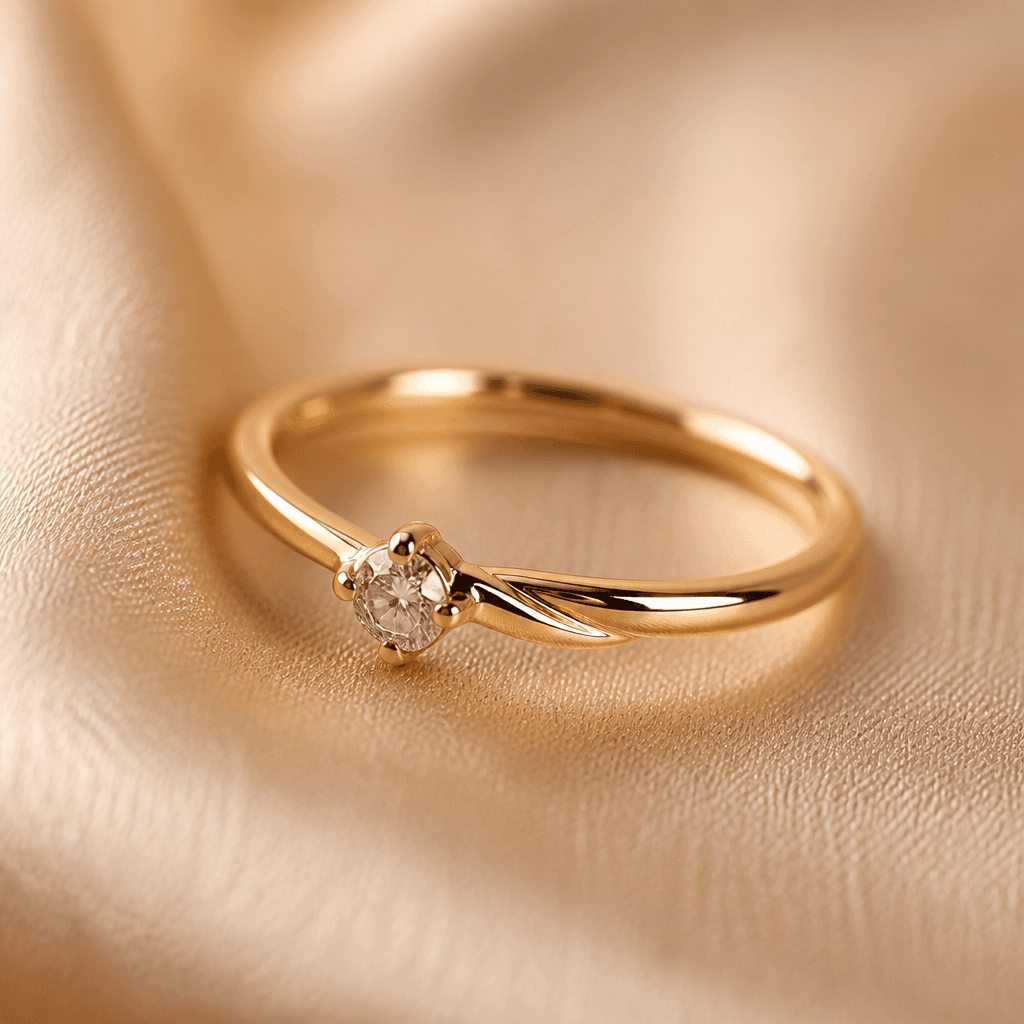
AI-generated Ring Macro Product Photo made with GPT Image 2

Ring Macro Product Photo

GPT Image 2· Image
첨부된 반지 제품 사진을 참고해서 럭셔리 주얼리 상품 사진으로 만들어줘. 반지의 형태와 금속 질감, 보석 디테일은 유지하고, 따뜻한 베이지 실크 패브릭 위 매크로 클로즈업 구도, 부드러운 스튜디오 조명, 선명한 금속 반사, 얕은 심도를 적용해줘. 텍스트와 워터마크는 넣지 마.

What are Ring Icon Prompts?

A collection of AI prompts for generating ring icon images. Copy the Ring Icon prompts provided by Carat and paste them into an AI image generation tool to get professional-grade results.

How to Use Ring Icon Prompts

  1. Select and copy your desired prompt.
  2. Paste it into the Carat agent.
  3. Modify colors, styles, and composition as needed.
  4. Download the generated image and use it in your project.

Tips for Writing Ring Icon Prompts

Specify lighting, texture, composition, and lens information in detail for more precise results. Add "No text, no watermark" to prevent unwanted text overlays.

Ring Icon Prompt Applications

Ring Icon prompts are used across content creation, marketing, design, and educational resources. AI-generated images dramatically reduce production time while maintaining professional quality.

Ring Icon Prompt Optimization Guide

Choose the aspect ratio based on your use case: vertical (9:16) for social media, horizontal (16:9) for web banners, and square (1:1) for product images.
Frequently Asked Questions

Related Prompts

Ring Design

Ring Design

13 prompts

Ring Illustration

Ring Illustration

14 prompts

Diamond Illustration

Diamond Illustration

21 prompts

Jewelry Photo

Jewelry Photo

23 prompts

Carat Prompt Gallery

Create trending AI prompts instantly

Prompts

  • Logo
  • PPT Design
  • Thumbnail
  • Poster
  • Web Novel Cover
  • ID Photo
  • Caricature
  • Product Detail Page
  • Banner

Models

  • GPT Image 2
  • Seedance 2.0
  • NanoBanana Pro
  • NanoBanana 2

Carat

  • Get started
  • About
  • Blog
  • Careers
  • Contact
  • Partnership
  • Terms
  • Privacy

© 2026 Paradot.Inc All rights reserved.