carat

Prompt Gallery

/

Shopping Bag Mockup

Login
Sign Up

Shopping Bag Mockup

Shopping bag mockup prompts for presenting logos, packaging graphics, and materials in realistic brand scenes.

2026.07.17

·
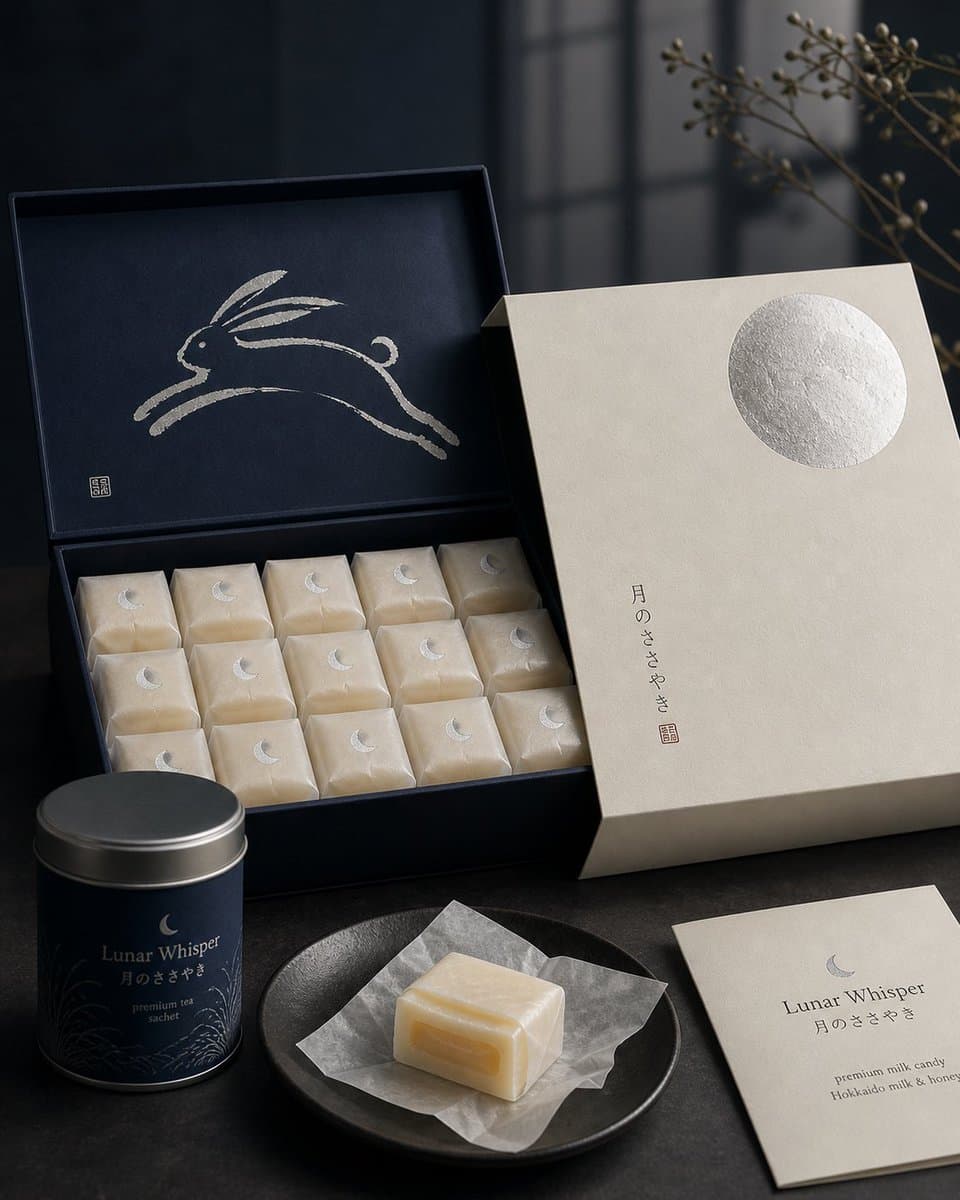
AI-generated Japanese Confectionery Packaging made with GPT Image 2

Japanese Confectionery Packaging

GPT Image 2· Image
Premium Japanese confectionery packaging concept, “Lunar Whisper” / 月のささやき, inspired by moon rabbit folklore and refined milk candy nostalgia, rigid uncoated cream paper outer sleeve with smooth eggshell texture, minimal negative space, single cool silver embossed full moon in upper-right corner, small vertical Japanese sumi ink typography, sleeve sliding open to reveal deep matte midnight indigo inner box, inside lid printed with elegant single brushstroke leaping rabbit in shimmering pearl ink, sumi-e style, abstract folkloric rabbit, rows of individually wrapped milk candies in translucent washi-style paper, tiny silver crescent moon stickers, pale ivory candies glowing softly through paper, one candy partially unwrapped showing silky nama caramel like milk core with delicate edible rice paper film, Hokkaido cream and honey feeling, quiet ceremonial unboxing, reusable keepsake tea sachet container, Japanese minimalism, luxury packaging design, tactile paper materials, pearl ink, silver foil embossing, soft diffused moonlight, editorial product photography, refined negative space, calm nocturnal atmosphere, award winning packaging render, high end boutique confectionery brand presentation.
@IamEmily2050
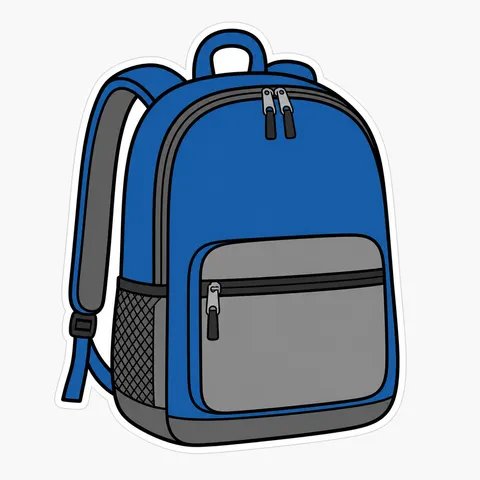
GPT 이미지 2로 생성한 패키지 목업

패키지 목업

GPT Image 2· Image
패키지-목업. decorative flat illustration, clean layers, harmonious color system, generous negative space. three-quarter view with clear silhouette and subtle depth. high-contrast saturated palette for small-screen readability. Make the subject immediately recognizable at thumbnail size. Use clean composition, purposeful details, and no watermark. Choose the medium intentionally; do not default to any single decorative style.
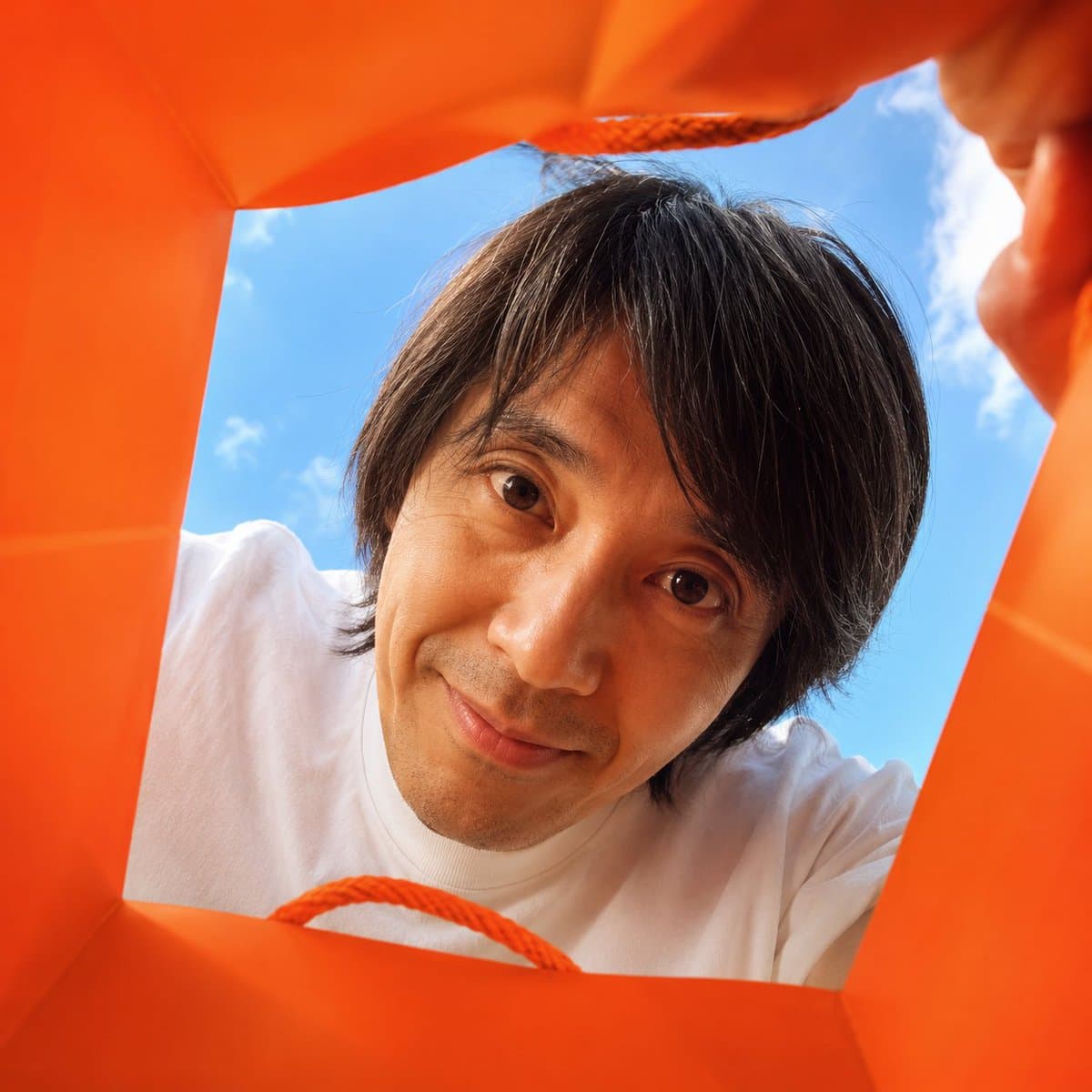
AI-generated Inside Shopping Bag Ad Shot made with GPT Image 2

Inside Shopping Bag Ad Shot

GPT Image 2· Image
Create a vibrant, adorable, high-end advertising photo shot from inside a shopping bag, looking upward through the wide open top toward the sky. The camera is placed deep inside the shopping bag, using a wide-angle lens at f/1.4 to create a playful close-up perspective with slight but charming wide-angle distortion. This distortion is important and must be clearly preserved, giving the image a fun, immersive, premium-advertising feel. The edges of the shopping bag should naturally frame the image, showing premium paper texture, soft folds, handles, and a clean commercial packaging aesthetic. The shopping bag should be a high-saturation color, with the model randomly choosing a vivid tone such as hot pink, saturated yellow, blood orange, cobalt blue, vivid green, electric purple, deep cyan, or other bold commercial colors. The overall image should feel bright, cheerful, colorful, and visually striking. Main subject: If FACE_REF is uploaded: Strictly preserve the uploaded person’s facial identity with 100% fidelity. Maintain the exact facial structure, eyes, eyelids, nose, lips, jawline, cheekbones, skin texture, age impression, hairstyle tendency, and overall identity. No beautification drift, no face reshaping, no age change, no ethnicity change, and no invented features. If only PERSON_NAME is provided: Create a highly recognizable portrait based on the public image of [周星驰], preserving their iconic facial features, hairstyle, expression tendency, posture, and personal aura as faithfully as possible. The person leans deeply into the shopping bag from above, fully immersing their head into the opening as if curiously discovering something inside. Their face is very close to the camera lens, looking directly into it with wide, soulful, endearing eyes and a warm, adorable expression. The pose should feel playful, intimate, and heart-melting, as if they are curiously peeking into the bag and unexpectedly making eye contact with the viewer. Lighting should feel bright, natural, and uplifting, with soft sunlight from the sky above. The image should maximize cuteness, charm, and “aww” factor while still feeling like a polished luxury advertising photo. The final result should instantly make the viewer smile. 1:
@hx831126

What are shopping bag mockup AI prompts?

A shopping bag mockup shows how a logo, pattern, color system, or print area may appear on a physical paper bag. It helps teams review details that are difficult to judge in a flat artwork file, including the handle position, folded panels, side graphics, paper texture, and cast shadows. A useful prompt describes the bag shape, dimensions, paper stock, finish, handle material, environment, and camera angle instead of asking for a generic packaging image.

Practical use cases

Use the result for a store launch concept, packaging refresh, brand identity presentation, portfolio case study, or product page hero image. A clean front view is useful for checking the logo and color balance. A group of bags on a counter or a bag carried by a shopper can communicate the intended retail context. Keep supporting props relevant and restrained so the bag remains the visual subject.

Prompt details to specify

Mention the bag orientation, approximate proportions, handle type, print coverage, paper texture, gloss level, edge folds, and shadow softness. State whether the front and side panels share the same artwork and where the logo should sit. If the image is for a pitch deck, request a neutral background and an unobstructed product view. Generated typography and brand marks should be treated as placeholders and replaced with approved artwork during editing.

Styling and composition

A bright studio setup makes material and color comparison easier, while a retail counter or shelf suggests a real customer environment. Choose one or two props that support the category and avoid clutter around the printed surface. Front, three-quarter, and in-hand views serve different review goals, so separate them into distinct prompts when a project needs both presentation and production references.

Review before publishing

Compare the mockup with the dieline before approving print. Check the logo scale, bleed, safe area, folds, trim, color expectations, and handle attachment. Shadows and paper creases can change the apparent color, so final color decisions should use a proof rather than the mockup alone. Also review whether the background exposes third-party marks or claims that are not part of the approved campaign.

Frequently Asked Questions

Related Prompts

Product Ad Image

Product Ad Image

514 prompts

Packaging Mockup

Packaging Mockup

1 prompts

Luxury Bag Ad

Luxury Bag Ad

4 prompts

Bag Design

Bag Design

6 prompts

Carat Prompt Gallery

Create trending AI prompts instantly

Prompts

  • Logo
  • PPT Design
  • Thumbnail
  • Poster
  • Web Novel Cover
  • ID Photo
  • Caricature
  • Product Detail Page
  • Banner

Models

  • GPT Image 2
  • Seedance 2.0
  • NanoBanana Pro
  • NanoBanana 2

Carat

  • Get started
  • About
  • Blog
  • Careers
  • Contact
  • Partnership
  • Terms
  • Privacy

© 2026 Paradot.Inc All rights reserved.